We found 4 issuescosting you phone customerson spotatui.com.
Watch the inspection.
We navigate your site the way customers would. Idle time is skipped.
How the composite score works
The overall score is a weighted average of the categories: Getting the product 40%, Trust before buying 20%, Mobile 15%, Speed 15%, and Polish and audit 10%. It is never more than 10 points above the Getting the product score, because a product a visitor cannot get cannot score well on anything else, and never more than 25 points above the weakest category, so one badly broken area is not averaged away. Any issue in the main list caps it at 89, so a score above 90 means nothing worth fixing was found.
Each category starts at 100 and stays there when nothing was found in it, whether or not the inspection got that far. Each distinct verified finding deducts 60 points for a serious problem on the path from arriving to paying, 40 for another serious problem, 30, 15 or 8 by high, medium or low severity otherwise, and 4 for an audit finding. Each additional finding below the list takes 2 more points off the overall score, up to 10. Scores stop at zero and round to whole numbers. The formula is fixed and versioned, so the same saved evidence always receives the same score.
The home page radio demo cannot be stopped on a phone
Phone visitors who try the live demo get a playing stream with no tap control to pause it, stop it or go back to the station list.
On a phone-sized screen, the demo's player bar is cut off at the right edge, so only "[Prev" shows of "[Prev] [Play/Pause] [Next] [Vol-] [Vol+]". Tapping "KEXP 90.3 FM" opens a full-panel visualizer that plays the stream, and the only way out it offers is the keyboard hint "Press q to exit". This happens on the try step, where a phone visitor who tests the demo cannot pause the audio or return to the stations without leaving the page.
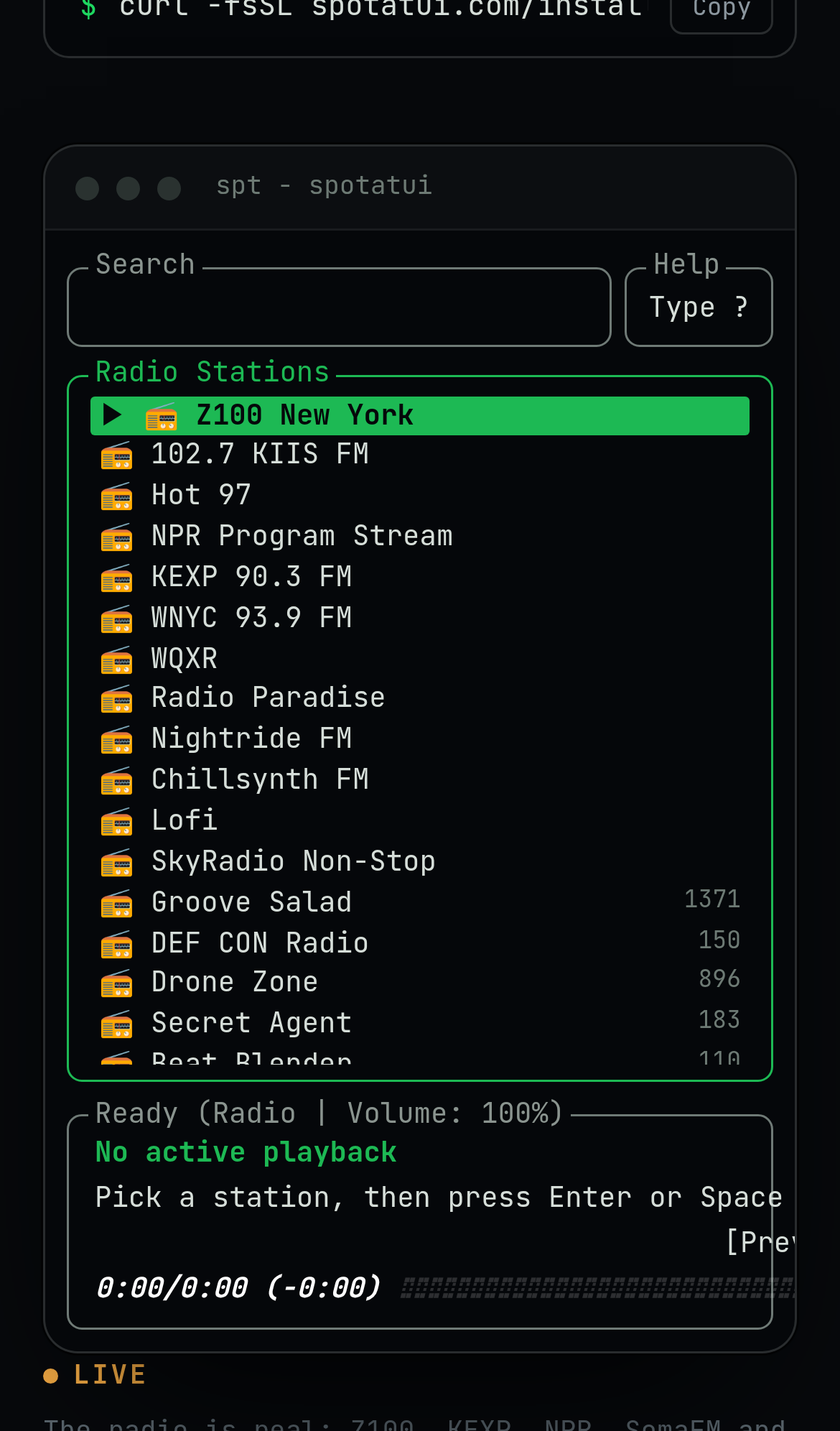
Try it: Open spotatui.com in a phone-sized viewport, scroll to the demo terminal and tap "KEXP 90.3 FM". Then try to pause or exit the visualizer using only taps.
Phone visitors have no way to send the install to a computer
Visitors who find spotatui on a phone cannot install it there and have no way to save it for their computer.
On a phone, the home page offers "Install spotatui" and a curl command, and the command box cuts off at "spotatui.com/instal". The button opens /install, "Pick your platform. Press play.", which has only Homebrew, Winget, Cargo, Arch (AUR) and Nix commands and a GitHub Releases link. Neither page offers an email link, QR code or share option, so a phone visitor has no way to move the install to a computer.
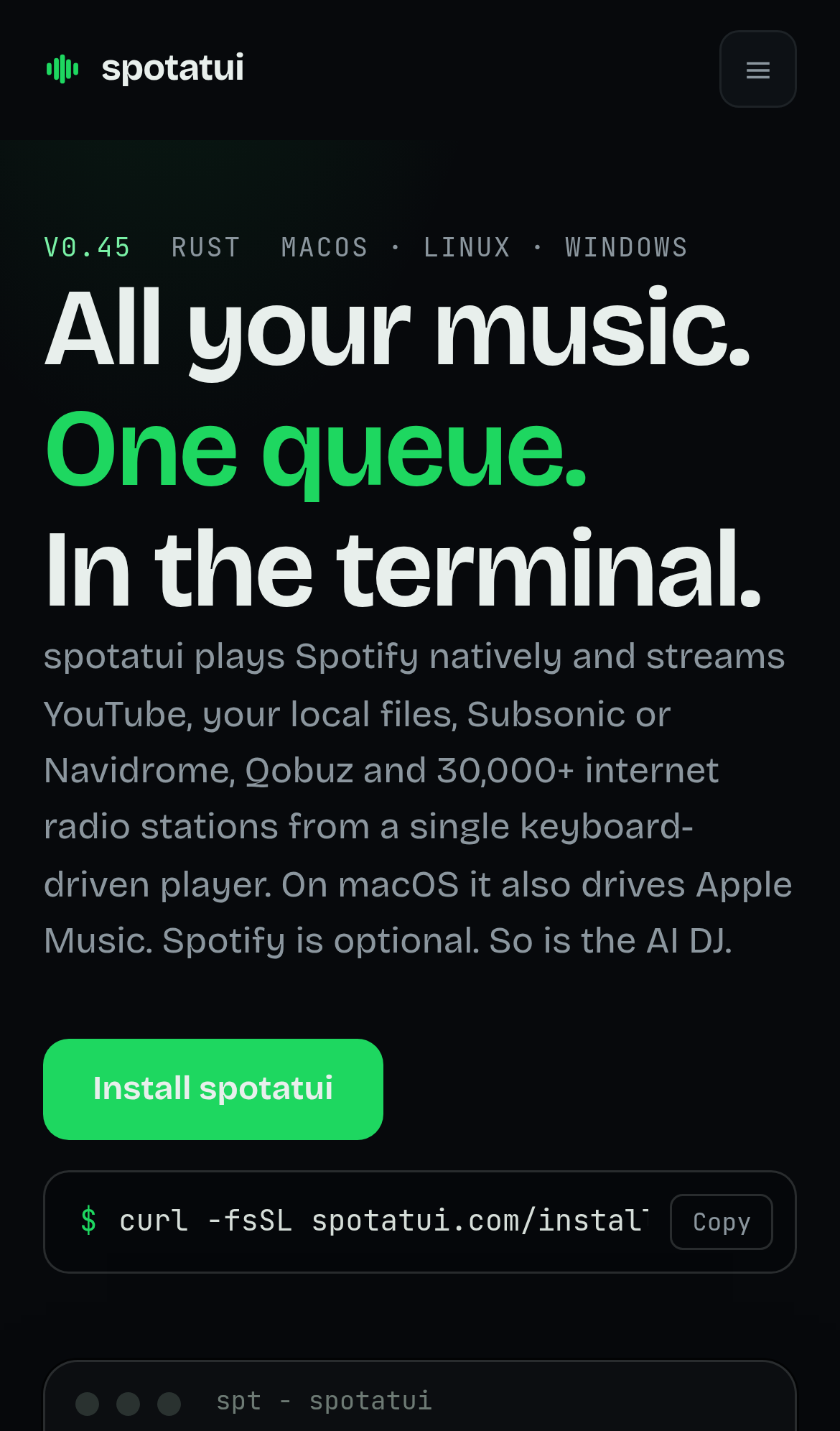
Try it: Open spotatui.com on a phone and tap "Install spotatui". Then look on /install for any way to send the link to a computer or save it for later.
The phone install page has no side margins on its text
Phone visitors reading the install instructions get text and command boxes pressed against both screen edges, so the guide is harder to read and looks unfinished.
At a 390px phone width on /install, paragraphs, the UPDATES heading and the "It updates itself." heading start at the far left screen edge, and the SHELL code block's border touches both sides. The header logo above is inset from the edge. Visitors who read the install steps on a phone at the get_product step meet this layout.
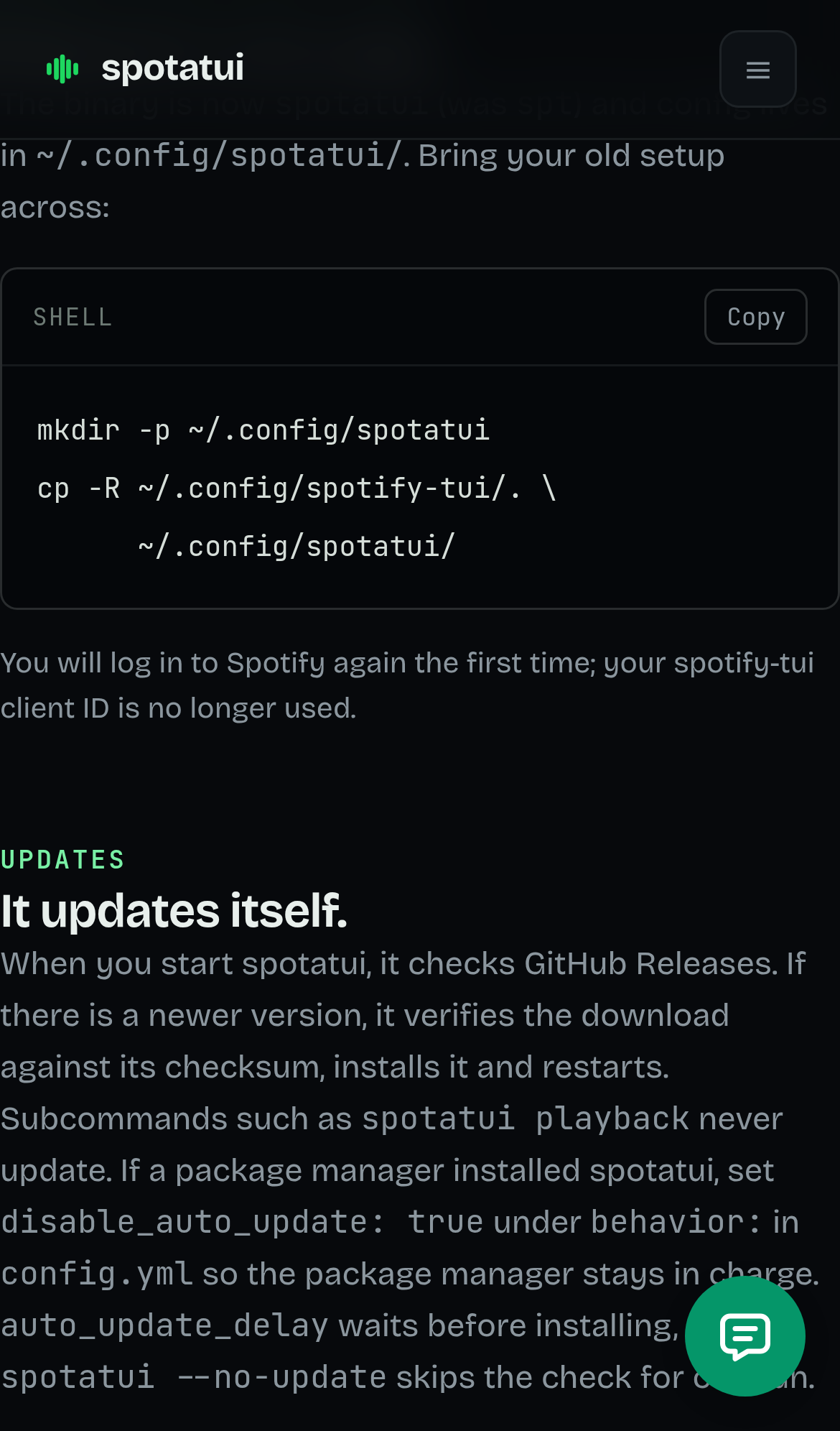
Try it: Open spotatui.com/install on a phone or at a 390px wide viewport and scroll to the migration and UPDATES sections. The text and the code block border touch the left edge of the screen.
The home page is 714px wide on a 390px phone screen
Phone visitors reading what spotatui plays can drag the home page sideways, and the feature sections render without side margins.
On a 390px phone the home page measures 714px wide. The overflow comes from the code blocks and the plugins table in the feature split sections lower on the page, which render 681px wide. In the same area the "Cross-source queue" heading and its headline sit flush against the left screen edge with no margin, so phone visitors reading the pitch get a page that slides sideways.
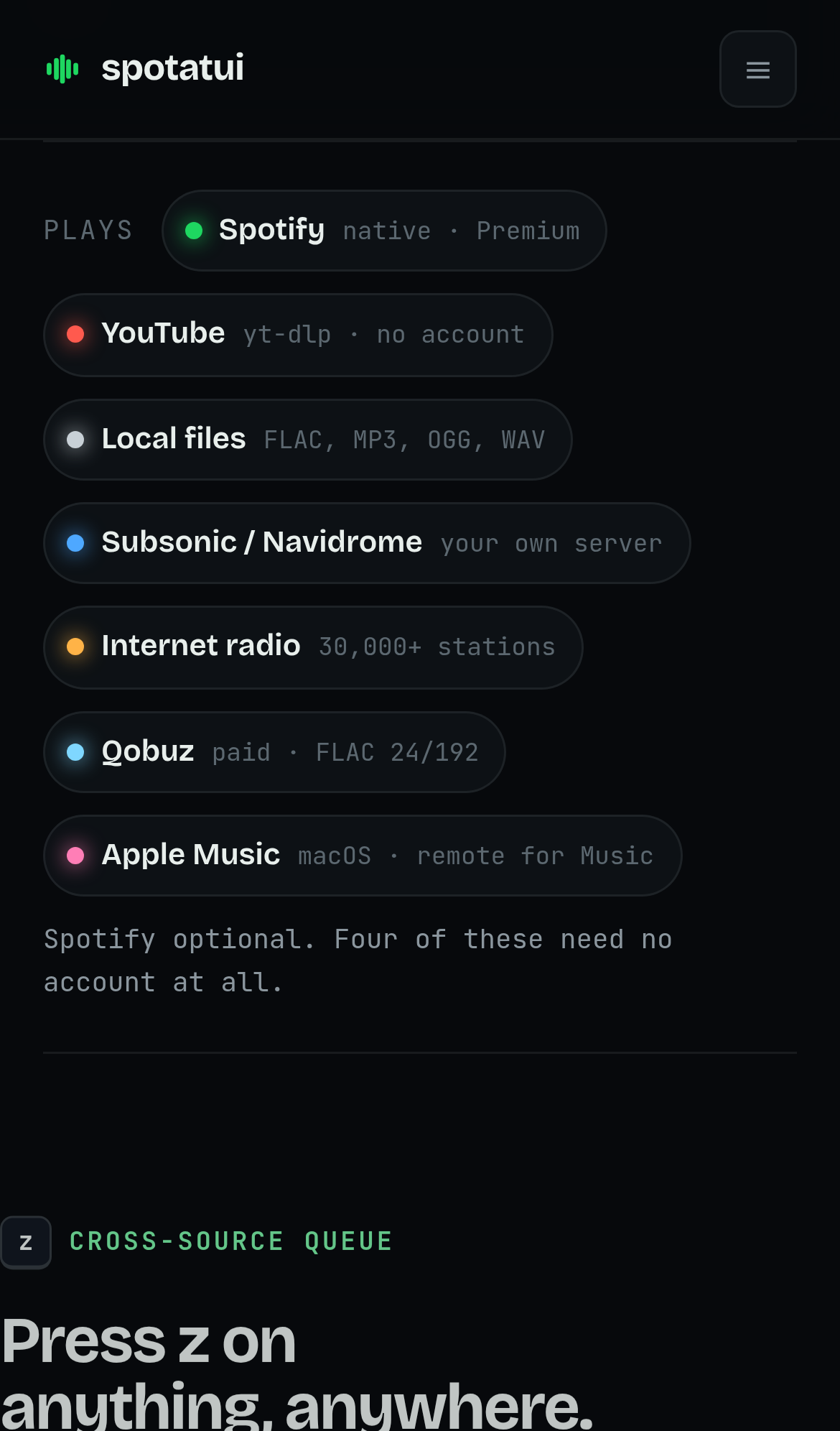
Try it: Open spotatui.com on a phone, or in a 390px-wide responsive view, and scroll down to the feature sections with code samples. Swipe left and the whole page pans sideways.
The home page is missing six security response headers
The response from https://spotatui.com/ is missing Strict-Transport-Security, Content-Security-Policy, CSP frame-ancestors or X-Frame-Options, X-Content-Type-Options: nosniff, Referrer-Policy, and Cross-Origin-Resource-Policy.
The nav Install button text fails contrast at 1.64:1
The header Install button on / renders #e8efec text on a #1ed760 green background, which gives a 1.64:1 contrast ratio where WCAG AA requires 4.5:1. The same pattern repeats on /dj, /sources, /scripting and /install, along with small grey labels such as "Plays" and "native · Premium" at about 3.3 to 3.5:1. Visitors with low vision meet this on the install call to action.
Code snippets on the home page cannot be scrolled by keyboard
Two scrollable pre blocks on / and /dj, including the now-playing widget embed snippet, are not focusable and contain nothing focusable. Keyboard users cannot scroll these blocks horizontally to read the hidden part of the code.
Probie fixes this for you.
Stop customers hitting the same friction. Connect your codebase and Probie reproduces these failures, tests the fix, and opens a pull request for your review.
Sign up and get this fixedFree inspection
What should Probie inspect next?
Enter a project URL. There is nothing to install.
Probie checks every issue twice, respects robots.txt, and backs off at bot challenges.
Enter an address and we will email the report card link.