We found 5 issuescosting you truston blumify.io.
The pricing FAQ and the Accuracy page give different accuracy figures.
Watch the inspection.
We navigate your site the way customers would. Idle time is skipped.
How the composite score works
The overall score is a weighted average of the categories: Getting the product 40%, Trust before buying 20%, Mobile 15%, Speed 15%, and Polish and audit 10%. It is never more than 10 points above the Getting the product score, because a product a visitor cannot get cannot score well on anything else, and never more than 25 points above the weakest category, so one badly broken area is not averaged away. Any issue in the main list caps it at 89, so a score above 90 means nothing worth fixing was found.
Each category starts at 100 and stays there when nothing was found in it, whether or not the inspection got that far. Each distinct verified finding deducts 60 points for a serious problem on the path from arriving to paying, 40 for another serious problem, 30, 15 or 8 by high, medium or low severity otherwise, and 4 for an audit finding. Each additional finding below the list takes 2 more points off the overall score, up to 10. Scores stop at zero and round to whole numbers. The formula is fixed and versioned, so the same saved evidence always receives the same score.
The pricing FAQ and the Accuracy page give different accuracy figures
Buyers who compare transcript accuracy before paying for Unlimited find two different figures for the same models.
On /pro, the FAQ "Which speech model does Unlimited use?" says the standard model is 87.5% accurate and the most accurate model is 90.1%. The /accuracy page, whose "See Unlimited" link leads to /pro, shows 90.2% for the standard model and 93.1% for the most accurate one, along with a note that the figures were corrected on 6 October 2026. A buyer at the pricing step who reads both pages finds two sets of accuracy figures for the same models, and the pricing page shows the lower, outdated ones.
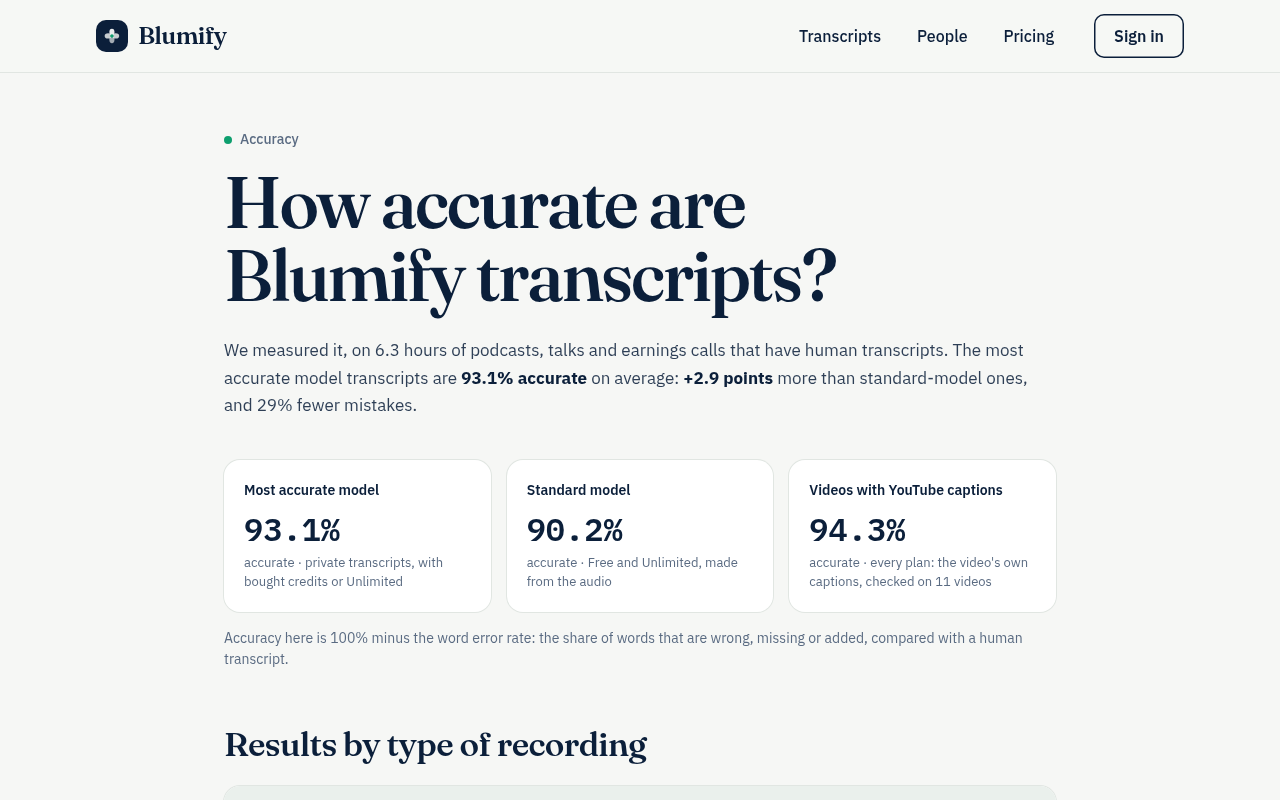
Try it: Open /accuracy and note the 93.1% and 90.2% figures. Then open /pro, scroll to the FAQ "Which speech model does Unlimited use?" and read 87.5% and 90.1%.
Pasting a link on the home page always asks for an email first
Visitors who try the paste-a-link box, including those sent by comparison pages that say no account is needed, get no transcript until they hand over an email or Google sign-in.
On the home page, a new YouTube link gets "Sign in to transcribe it". An already-transcribed link shows "Done." and then "Your transcript is ready. Enter your email and we'll send you a link to open it", with Google or email as the only options. That same transcript opens with no login at /open?key=youtube%3AKs-_Mh1QhMc, and /vs/otter tells visitors to use Blumify "when you do not want to create an account or hand over an email address", so at the first try step a visitor meets the opposite of what the comparison pages promised.
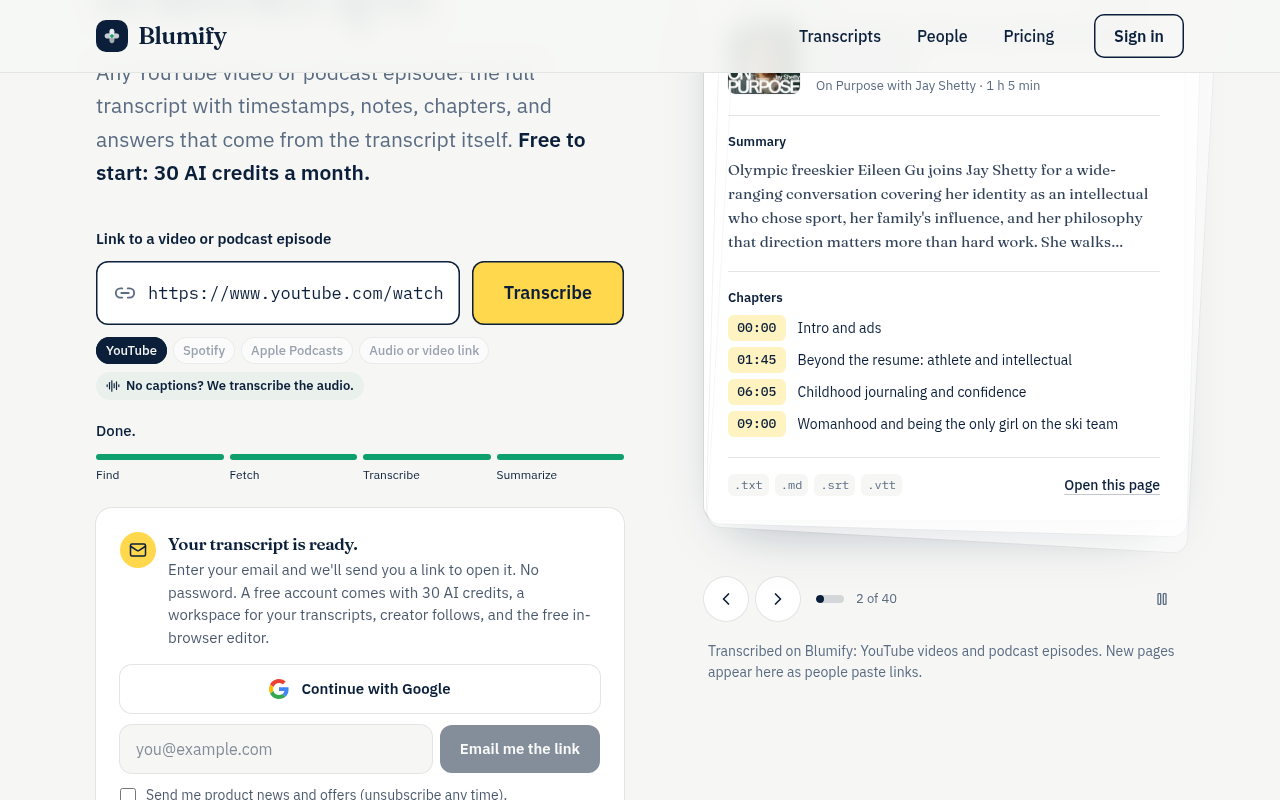
Try it: Open blumify.io in a private window, paste https://www.youtube.com/watch?v=Ks-_Mh1QhMc and click Transcribe, and watch the email gate appear. Then open blumify.io/open?key=youtube%3AKs-_Mh1QhMc and see that the same transcript is public.
The Chrome listing sells a "Pro" plan that /pro does not offer
Extension users who go to upgrade find a plan with a different name, different credit terms and a different feature list from the one the store listing promised.
The Chrome Web Store listing that every "Add to Chrome" link opens says "Blumify Pro adds 3,000 AI credits a month" and includes automatic transcripts of new episodes from followed YouTube channels. The pricing page at /pro sells "Blumify Unlimited" at US$9.99 a month, describes it as "without counting credits", sells credits only as US$10 = 1,000 top-ups, and does not list automatic transcripts from followed channels. A buyer comparing the two before paying sees a different plan name, a different credit allowance and a missing feature.
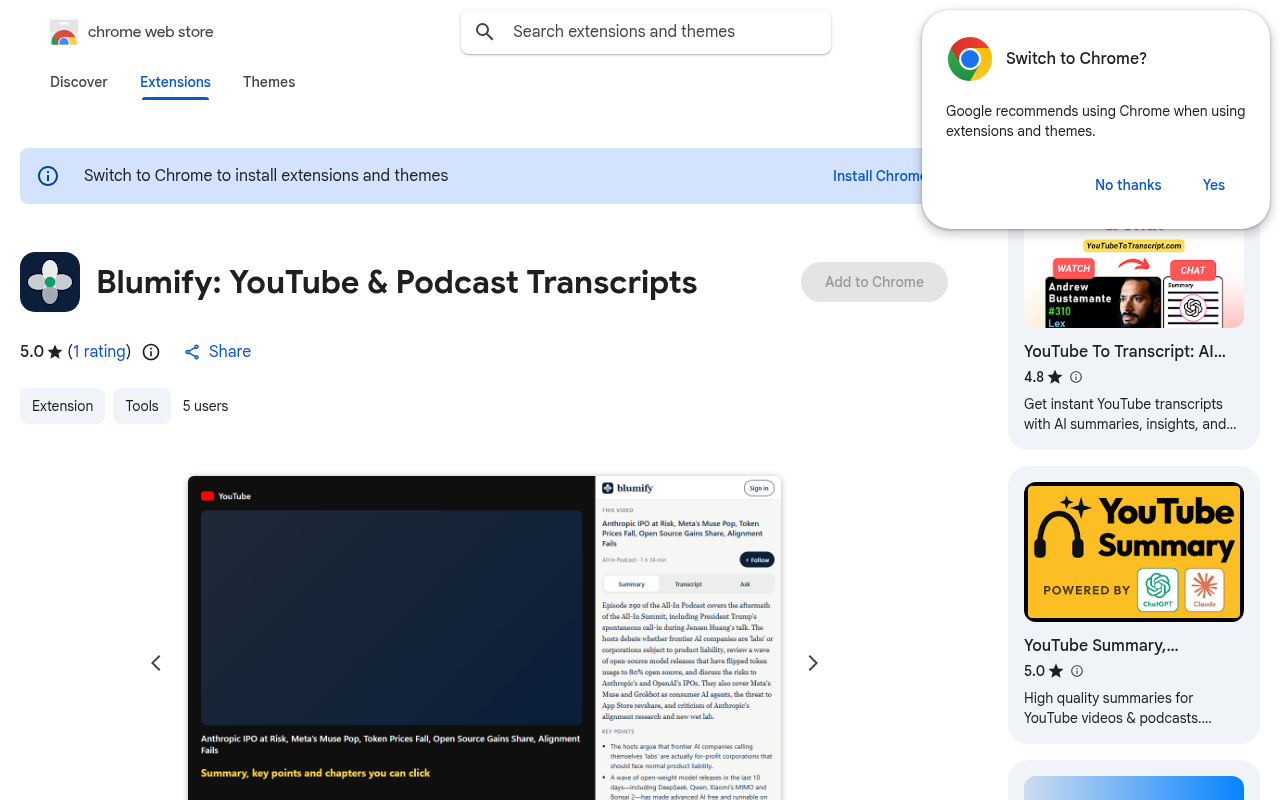
Try it: Open the Chrome Web Store listing from the "Add Blumify to Chrome" link on /developers and read the overview. Then open /pro and compare the plan name, the credit terms and the feature list.
The extension listing says it handles health and financial data
Visitors who follow the "Add Blumify to Chrome" button see a privacy list that makes a transcript tool look like it collects health, payment and location data.
The overview on the Blumify Chrome Web Store listing says: "The extension sends only the address of the page you're on to blumify.io." The Privacy section of the same listing says it handles personally identifiable information, health information, financial and payment information, personal communications, location and web history. Every "Add Blumify to Chrome" link on blumify.io goes to this listing, so a visitor sees these two statements contradict each other at the install step.
Try it: Open the Chrome Web Store listing for emkodjcepcfjhfnnhbbkcpmkcdeceede and compare the overview sentence about sending only the page address with the list in the Privacy section.
The How it works page shows internal infrastructure notes
Visitors who open How it works from the menu to understand the transcript product read about storage uploads, worker slots and unfinished crash recovery, not about pasting a link and getting a transcript.
/how-it-works is headed "Upload → queue → FFmpeg → expire." Its steps include "One job runs at a time" and "A single global worker slot is reserved transactionally", and a "What is not built yet" section says crashed jobs are not picked back up. This page is linked in the phone menu next to Pricing and in the footer. Buyers checking the product before they pay get engineering notes that never mention links, transcripts, summaries or what the paid plan adds.
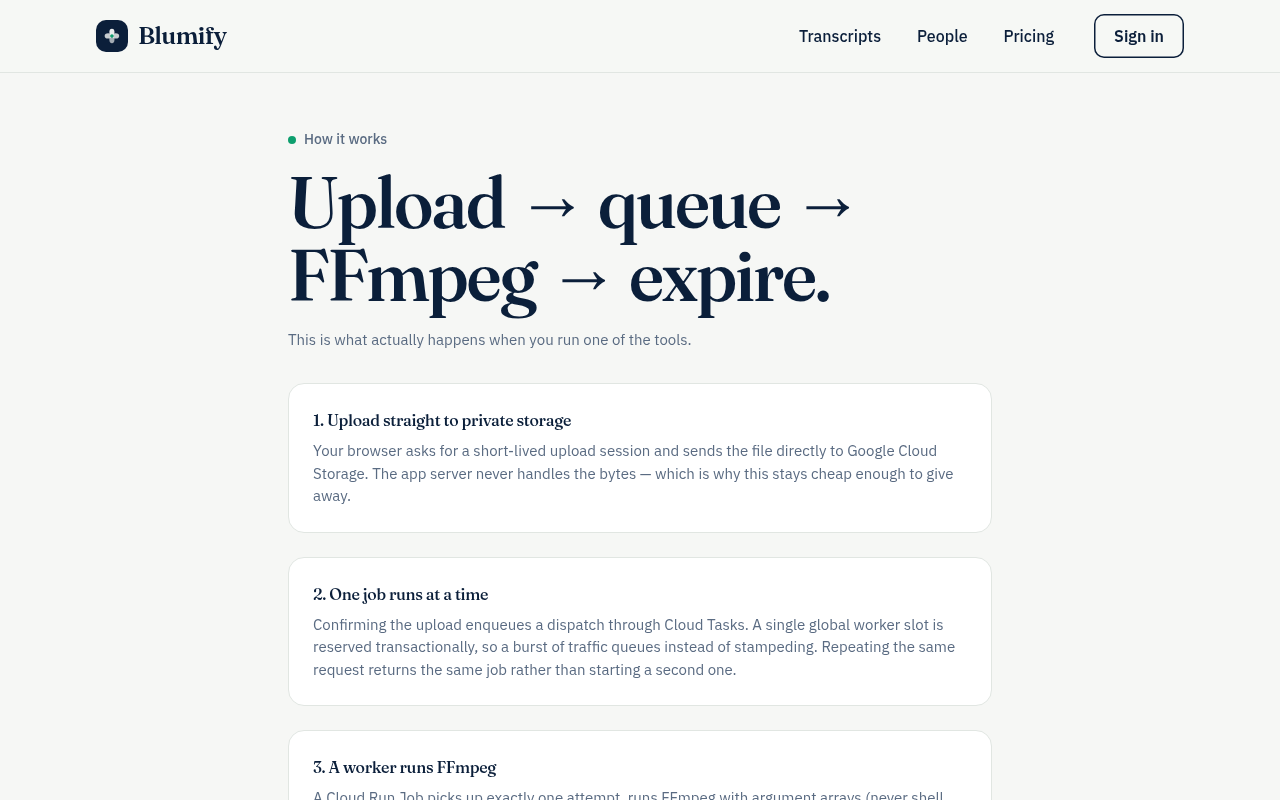
Try it: Open https://blumify.io/how-it-works and read the headline and the numbered steps, then scroll down to the "What is not built yet" section.
The home page is missing six security response headers
The response from https://blumify.io/ is missing Strict-Transport-Security, Content-Security-Policy, CSP frame-ancestors or X-Frame-Options, X-Content-Type-Options: nosniff, Referrer-Policy, and Cross-Origin-Resource-Policy.
Probie fixes this for you.
Stop customers hitting the same friction. Connect your codebase and Probie reproduces these failures, tests the fix, and opens a pull request for your review.
Sign up and get this fixedFree inspection
What should Probie inspect next?
Enter a project URL. There is nothing to install.
Probie checks every issue twice, respects robots.txt, and backs off at bot challenges.
Enter an address and we will email the report card link.