We found 4 issuescosting you truston onkeiki.com.
"Build your agent" opens an invite-only waitlist, not the builder.
Watch the inspection.
We navigate your site the way customers would. Idle time is skipped.
How the composite score works
The overall score is a weighted average of the categories: Getting the product 40%, Trust before buying 20%, Mobile 15%, Speed 15%, and Polish and audit 10%. It is never more than 10 points above the Getting the product score, because a product a visitor cannot get cannot score well on anything else, and never more than 25 points above the weakest category, so one badly broken area is not averaged away. Any issue in the main list caps it at 89, so a score above 90 means nothing worth fixing was found.
Each category starts at 100 and stays there when nothing was found in it, whether or not the inspection got that far. Each distinct verified finding deducts 60 points for a serious problem on the path from arriving to paying, 40 for another serious problem, 30, 15 or 8 by high, medium or low severity otherwise, and 4 for an audit finding. Each additional finding below the list takes 2 more points off the overall score, up to 10. Scores stop at zero and round to whole numbers. The formula is fixed and versioned, so the same saved evidence always receives the same score.
"Build your agent" opens an invite-only waitlist, not the builder
New visitors who click the home page's main buttons to start building find they can only request access and wait for an email.
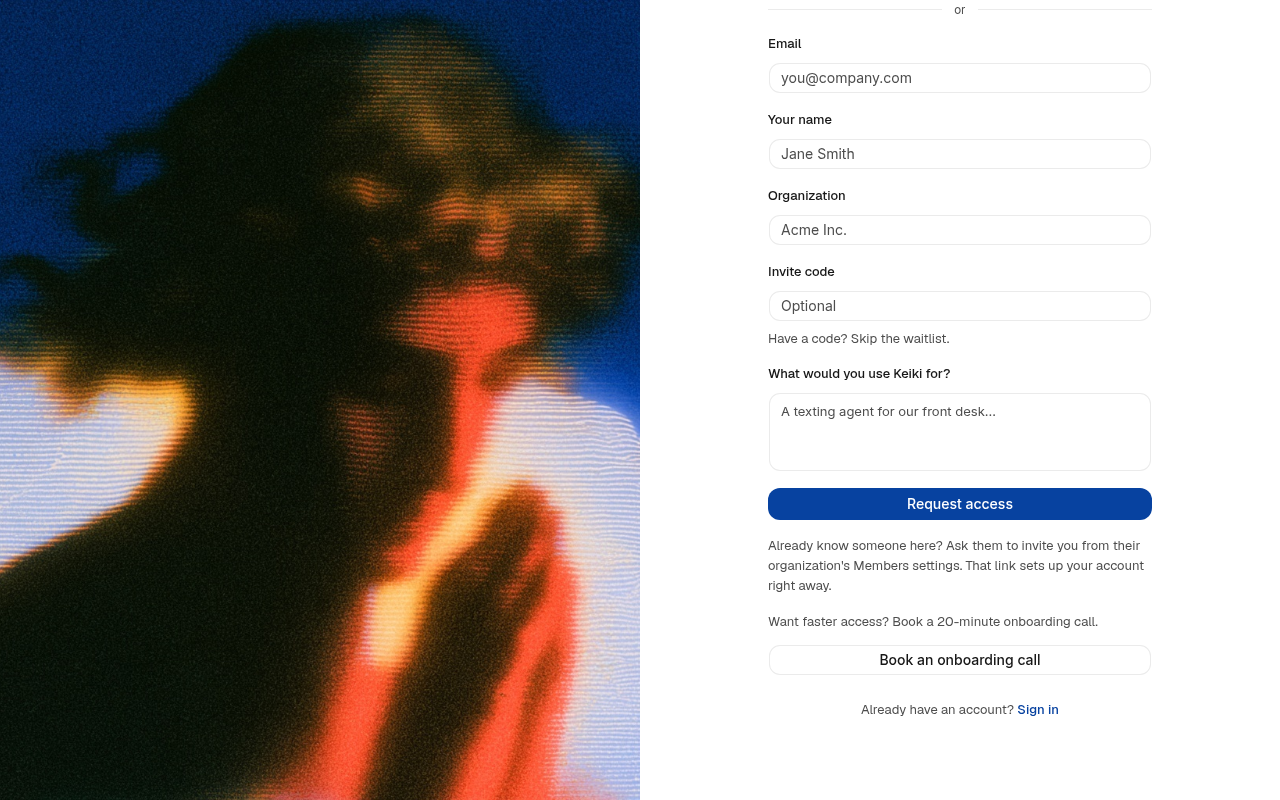
The home page's "Build your agent" and "Get started" buttons all go to /signup. That page opens with "Keiki is invite-only" and "Request access and we'll email you when a spot opens up." Nothing on the home page mentions a waitlist, and its FAQ sends buyers to plans and pricing. So at the signup step, a visitor who clicked to start building gets a waitlist form with no date.
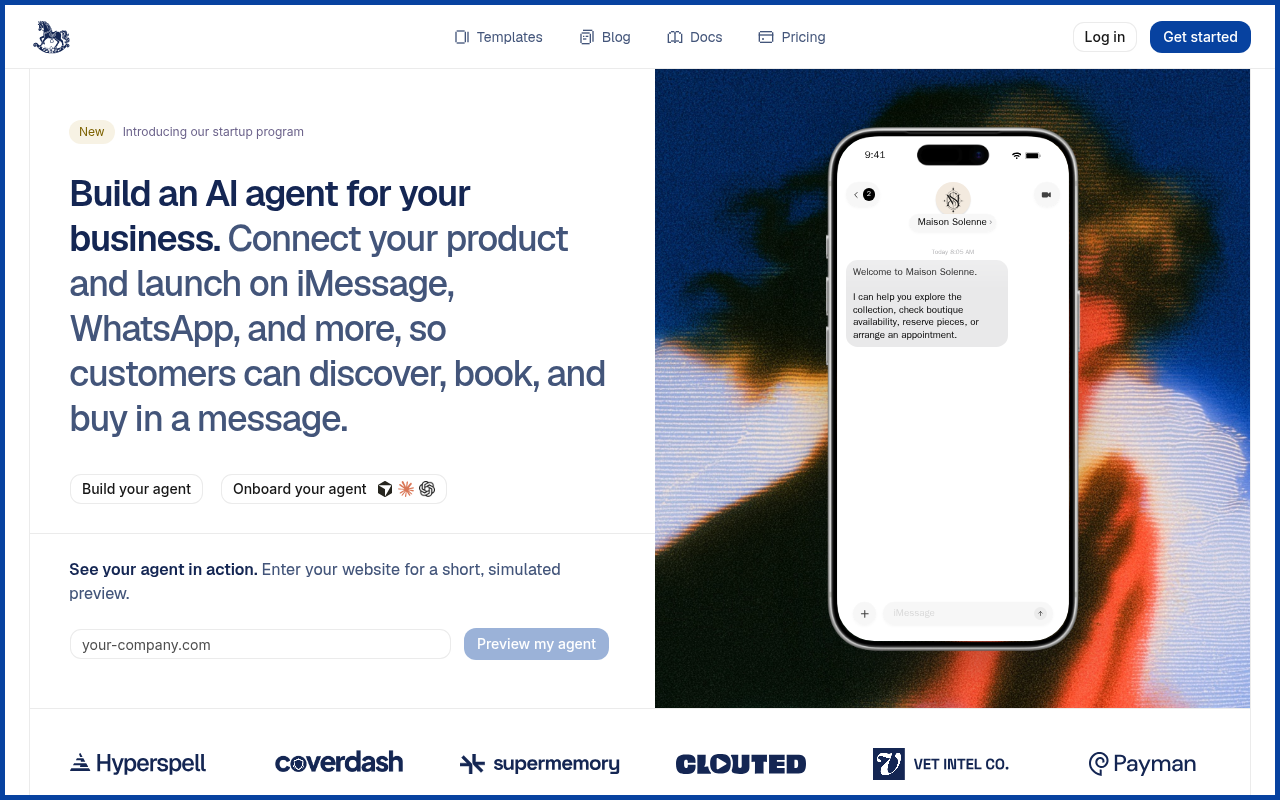
Try it: Open onkeiki.com and click "Build your agent" in the hero. The page that loads is headed "Keiki is invite-only" and its button reads "Request access".
The pricing page has no way to buy, only emails to a personal address
/pricing opens with "Plan preview. Contact us for current pricing and availability." It lists Starter at $1/mo for the first 3 months, Pro at $100/mo and Max at $500/mo, but each "Ask about" button is a mailto to [email protected]. The FAQ answer "Not yet... Checkout shows the current offer" tells a buyer at the pay step that the listed prices are not the ones they can buy at, and the home page's "What does it cost?" answer sends visitors to /pricing without saying any of this.
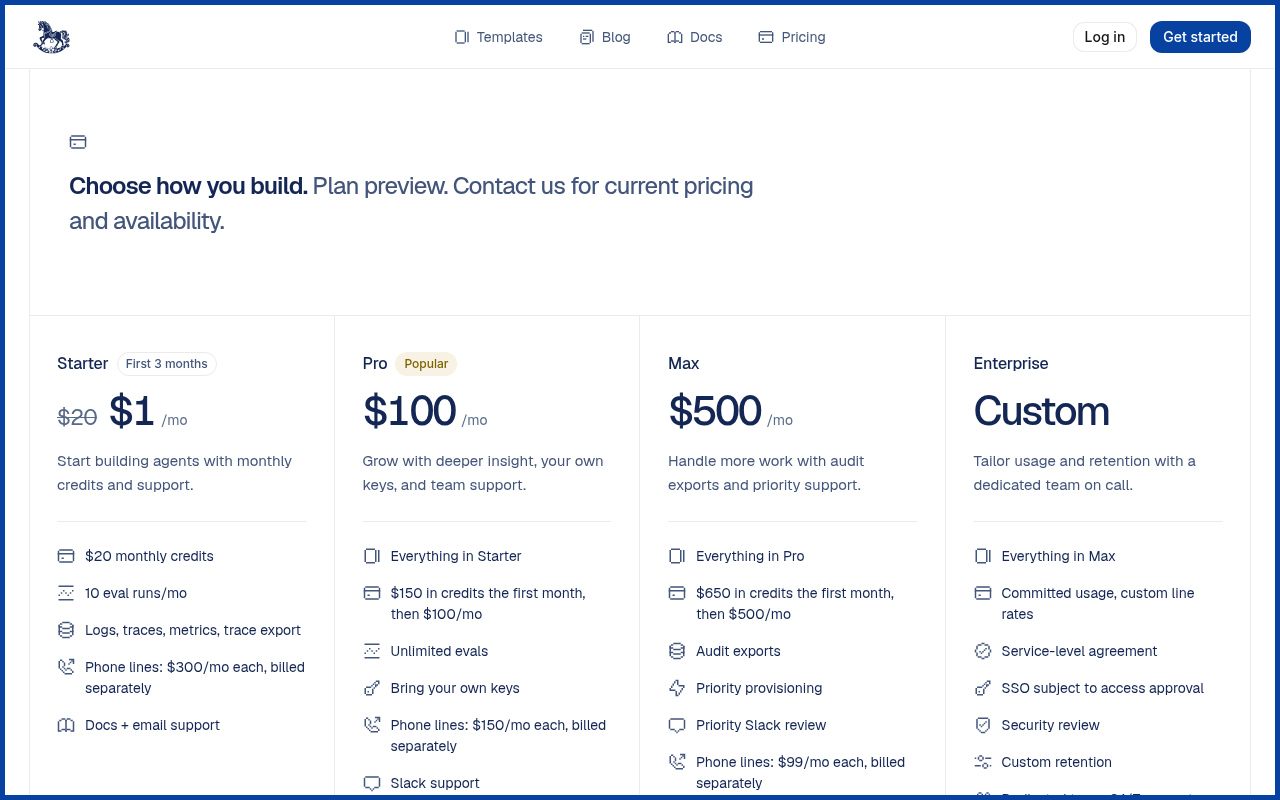
Try it: Open onkeiki.com/pricing and hover the "Ask about Starter" button: the link is mailto:[email protected]. Then open the FAQ "Can I purchase a proposed plan?" and read the answer.
The signup page's onboarding call link opens an "Orchid" booking page
Waitlisted visitors who try to book a call for faster access land on a page with another company's name, with no mention of Keiki.
On /signup, the "Book an onboarding call" button under "Want faster access? Book a 20-minute onboarding call." opens cal.com/team/orchid/onboarding. That page is titled "Onboarding | Orchid | Cal.com" and shows the Orchid name and logo, and Keiki appears nowhere on it. A visitor meets it at signup, on the one route that skips the waitlist, so the call they are booking looks like it belongs to a different company.
Try it: Open https://onkeiki.com/signup and click "Book an onboarding call". The new tab shows "Orchid" above "Onboarding" and in the page title.
Template "Get started" buttons end on a sign-in page with no signup
New visitors who pick a template are treated as returning users and get no link to request access or join the waitlist.
Clicking "Get started" on a template card at /templates, for example Dental Front Desk, sends a signed-out visitor to /login. That page says "Welcome back. Sign in to your Keiki dashboard" and offers only email and password, Google and AgentID sign-in, plus the line "Keiki is invite-only. Ask a teammate to invite you to their organization." It has no link to /signup, the waitlist form or the onboarding call, so a new buyer at the signup step has no way forward from that page.
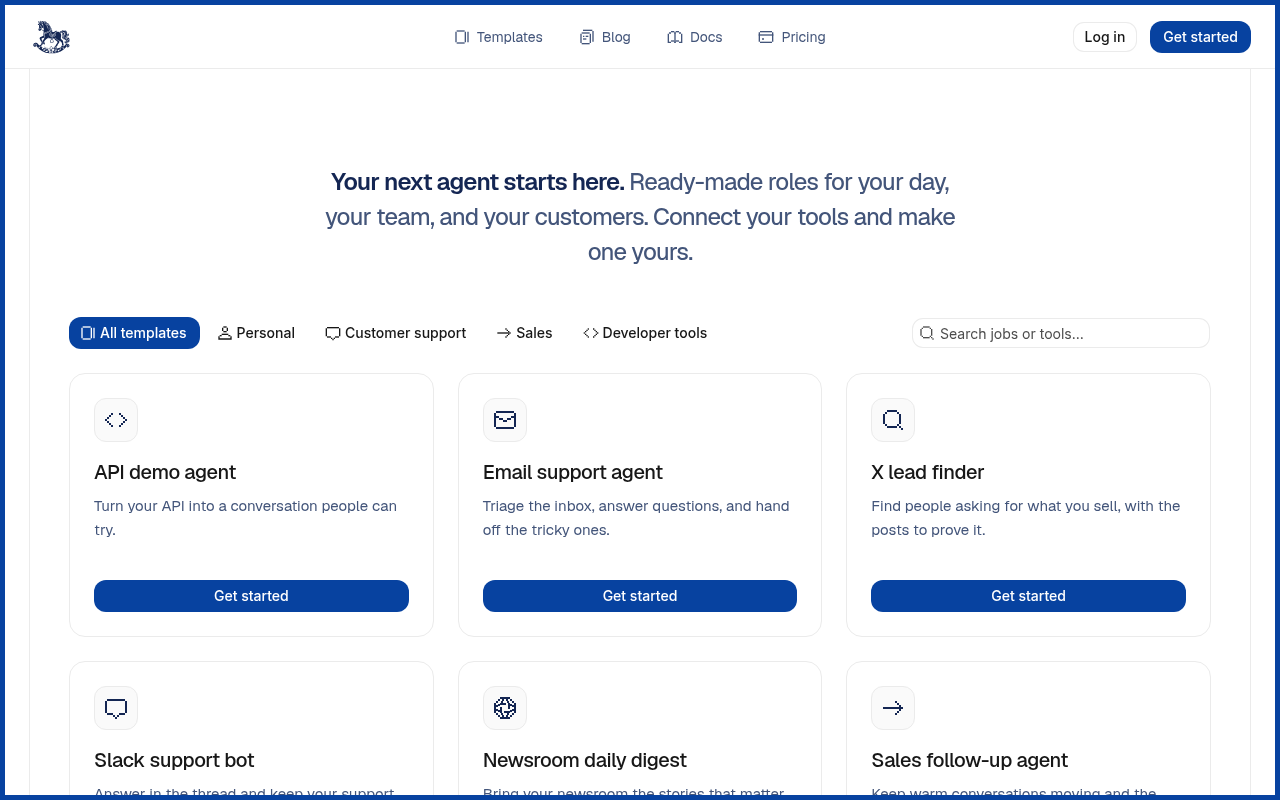
Try it: Open onkeiki.com/templates in a private window and click "Get started" on Dental Front Desk. You land on the "Welcome back" login page, and it has no link to signup or the waitlist.
The home page has no Twitter card type tag
The home page head has no twitter:card meta tag. The Open Graph title, description and image are all present and load correctly, so X falls back to them and usually shows a small summary card rather than a large image card.
The home page is missing six standard security headers
The response from https://onkeiki.com/ is missing Strict-Transport-Security, Content-Security-Policy, CSP frame-ancestors or X-Frame-Options, X-Content-Type-Options: nosniff, Referrer-Policy, and Cross-Origin-Resource-Policy.
Probie fixes this for you.
Stop customers hitting the same friction. Connect your codebase and Probie reproduces these failures, tests the fix, and opens a pull request for your review.
Sign up and get this fixedFree inspection
What should Probie inspect next?
Enter a project URL. There is nothing to install.
Probie checks every issue twice, respects robots.txt, and backs off at bot challenges.
Enter an address and we will email the report card link.