We found 2 issuescosting you saleson your-echoes.com.
Watch the inspection.
We navigate your site the way customers would. Idle time is skipped.
How the composite score works
The overall score is a weighted average of the categories: Getting the product 40%, Trust before buying 20%, Mobile 15%, Speed 15%, and Polish and audit 10%. It is never more than 10 points above the Getting the product score, because a product a visitor cannot get cannot score well on anything else, and never more than 25 points above the weakest category, so one badly broken area is not averaged away. Any issue in the main list caps it at 89, so a score above 90 means nothing worth fixing was found.
Each category starts at 100 and stays there when nothing was found in it, whether or not the inspection got that far. Each distinct verified finding deducts 60 points for a serious problem on the path from arriving to paying, 40 for another serious problem, 30, 15 or 8 by high, medium or low severity otherwise, and 4 for an audit finding. Each additional finding below the list takes 2 more points off the overall score, up to 10. Scores stop at zero and round to whole numbers. The formula is fixed and versioned, so the same saved evidence always receives the same score.
The pricing section's start button skips the email signup option
Buyers who pick a package and have no Google account, or don't want to use it, reach a Google login screen with no way to sign up by email.
The "Start creating your video gift" button under the six packages on the home page goes straight to accounts.google.com "Sign in to continue to Echoes", on desktop and on iPhone. The other start buttons open /login, which offers "Continue with email" and the Terms of Use checkbox, but this one skips that page. A buyer meets this at signup, right after reading the prices.
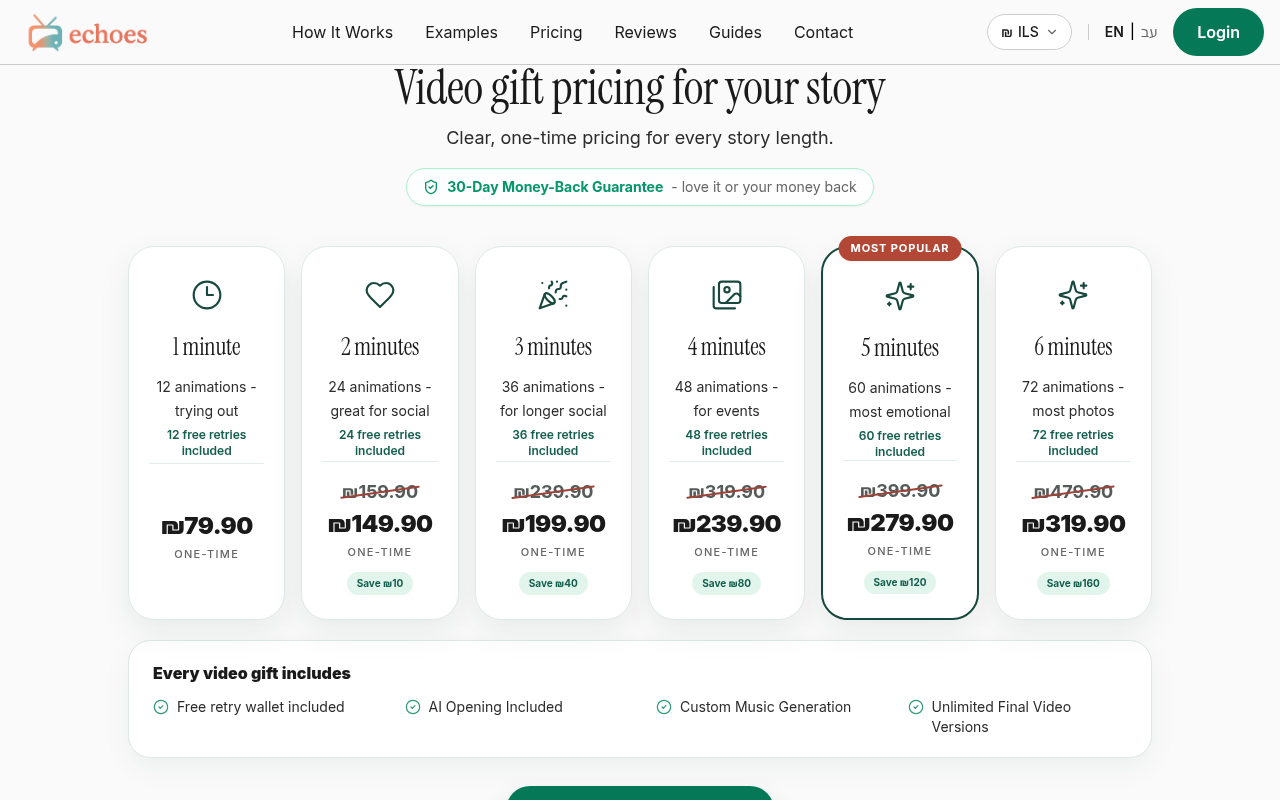
Try it: Open your-echoes.com/#pricing and click "Start creating your video gift" under the package cards. You land on Google sign-in, not /login with its email option.
The Hebrew free-trial button opens an English-only sign-in page
Hebrew-speaking visitors who start the free trial from /he have to accept the terms and choose a sign-in method in English.
The free-trial button on the Hebrew home page (/he) goes to /login?mode=growing. That page is entirely in English, from "Make their story" to "I agree to the Terms of Use and Privacy Policy" and "Continue with Google", and it has no language switch. A buyer meets this at signup, its "Back to homepage" link goes to the English home page, and /he/login returns a 404.
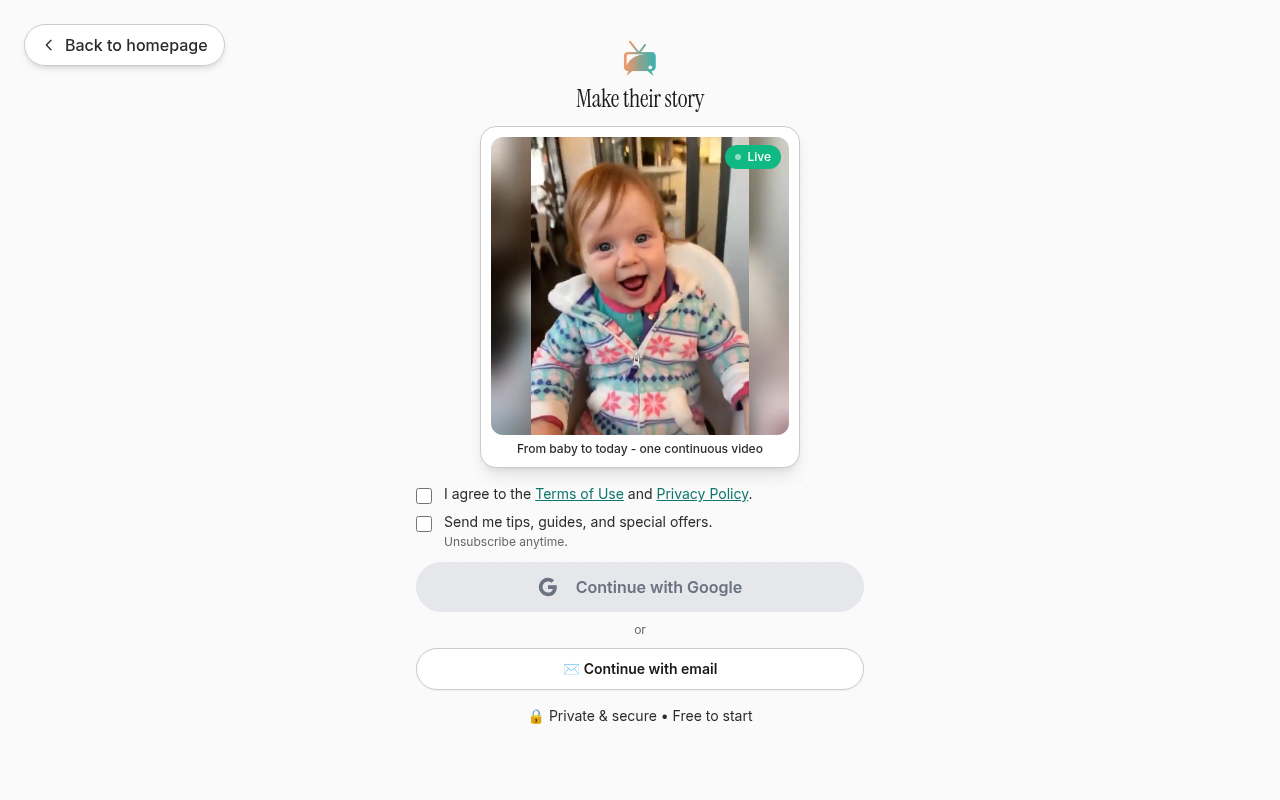
Try it: Open your-echoes.com/he and click the main free-trial button. The sign-in page shows only English, and "Back to homepage" goes to / instead of /he.
The home page sends no CSP or CORP header
The response from https://your-echoes.com/ is missing Content-Security-Policy and Cross-Origin-Resource-Policy.
The style badges on the example videos are low contrast
On the home page, the style badges over the example videos use white text on emerald and coral backgrounds at a contrast ratio of 2.53:1, with text sized 11 to 14px. WCAG AA requires 4.5:1 for text this size. These tags tell a visitor which style each example shows.
The home page example carousel cannot be scrolled by keyboard
Visitors who browse by keyboard can't scroll it directly. The previous and next arrow buttons next to it are the only way to move through the examples.
Probie fixes this for you.
Stop customers hitting the same friction. Connect your codebase and Probie reproduces these failures, tests the fix, and opens a pull request for your review.
Sign up and get this fixedFree inspection
What should Probie inspect next?
Enter a project URL. There is nothing to install.
Probie checks every issue twice, respects robots.txt, and backs off at bot challenges.
Enter an address and we will email the report card link.