We found 6 issuescosting you saleson proa.so.
Watch the inspection.
We navigate your site the way customers would. Idle time is skipped.
How the composite score works
The overall score is a weighted average of the categories: Getting the product 40%, Trust before buying 20%, Mobile 15%, Speed 15%, and Polish and audit 10%. It is never more than 10 points above the Getting the product score, because a product a visitor cannot get cannot score well on anything else, and never more than 25 points above the weakest category, so one badly broken area is not averaged away. Any issue in the main list caps it at 89, so a score above 90 means nothing worth fixing was found.
Each category starts at 100 and stays there when nothing was found in it, whether or not the inspection got that far. Each distinct verified finding deducts 60 points for a serious problem on the path from arriving to paying, 40 for another serious problem, 30, 15 or 8 by high, medium or low severity otherwise, and 4 for an audit finding. Each additional finding below the list takes 2 more points off the overall score, up to 10. Scores stop at zero and round to whole numbers. The formula is fixed and versioned, so the same saved evidence always receives the same score.
The Get Proa UI Pro button leads to a 404 page shown as raw code
Every visitor who tries to buy Proa UI Pro, the only paid offer, reaches a broken page and has no way to pay.
On /pricing, the "Get Proa UI Pro" button redirects to console.proa.so/checkout/proa-ui, which returns a 404. The browser displays that page's HTML source as plain text ("Not found - Proa Account ... That account page does not exist."), so the buyer sees no checkout and no clickable sign-in link. A buyer meets this at the payment step with either the monthly or the yearly price selected.
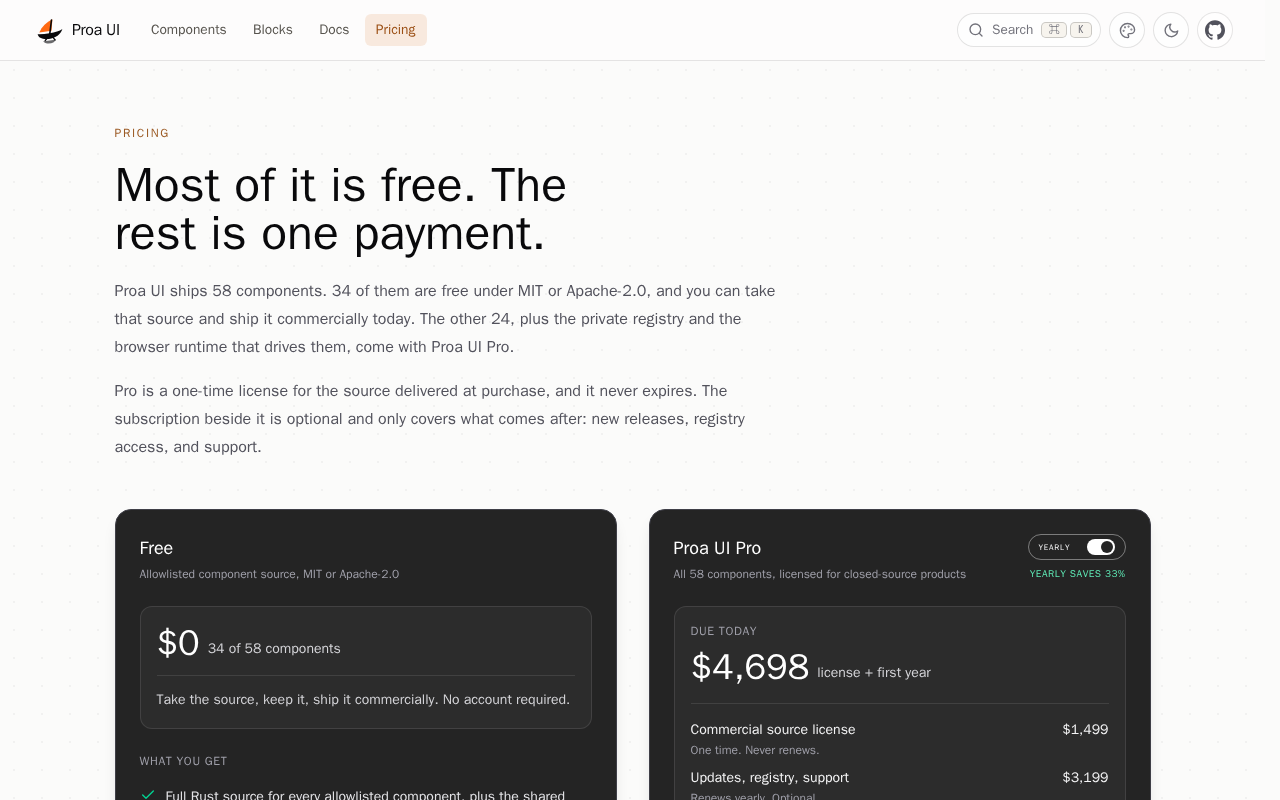
Try it: Open https://ui.proa.so/pricing and click "Get Proa UI Pro". You land on console.proa.so/checkout/proa-ui, a 404 page shown as raw HTML text.
The sign-in page's Pricing link opens a 404 page
Visitors who reach the sign-in wall and want to see the plans before signing in land on an error page.
The footer on console.proa.so/signin has a "Pricing" link that points to https://proa.so/pricing. That URL returns 404 and shows an error page with none of the project's content. The plans are actually at ui.proa.so/pricing, so a buyer who is sent to sign-in from "Account" and checks the price first ends up on a dead page.
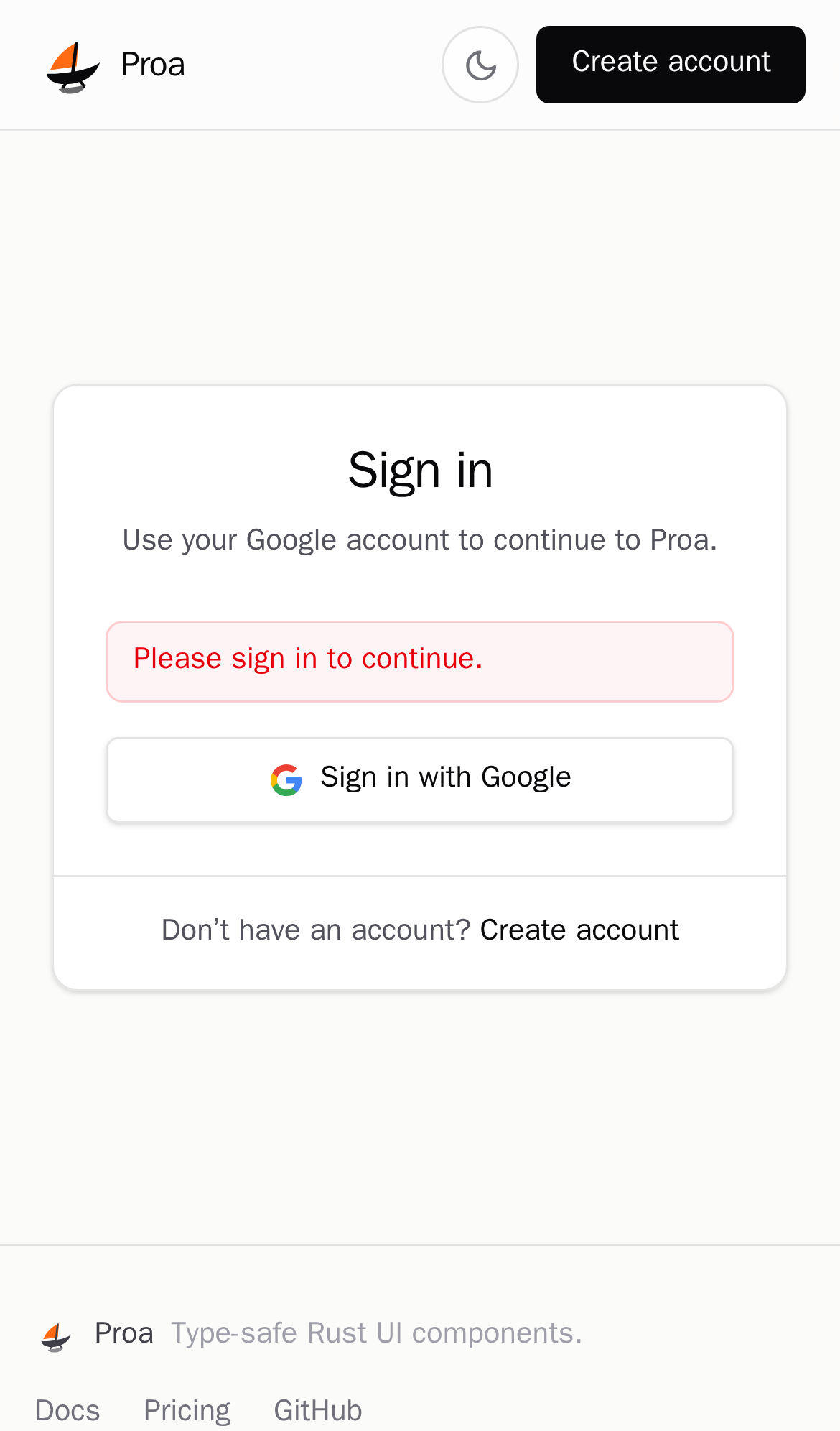
Try it: Open https://console.proa.so/signin and click "Pricing" in the footer. The browser shows a 404 for proa.so/pricing.
Pricing promises one payment but every Pro total includes a subscription
Pro buyers who want only the $1,499 license see no option for it and are quoted at least $1,898 due today with a recurring charge.
The /pricing headline says "The rest is one payment." The copy calls the subscription "optional," and the line item reads "Renews monthly. Optional." The Proa UI Pro card offers only a Monthly/Yearly toggle, and "Due today" always includes the subscription: $1,898 for the license plus the first month, or $4,698 for the license plus the first year. A buyer at the pricing step has no visible way to choose the $1,499 one-time license the page describes.
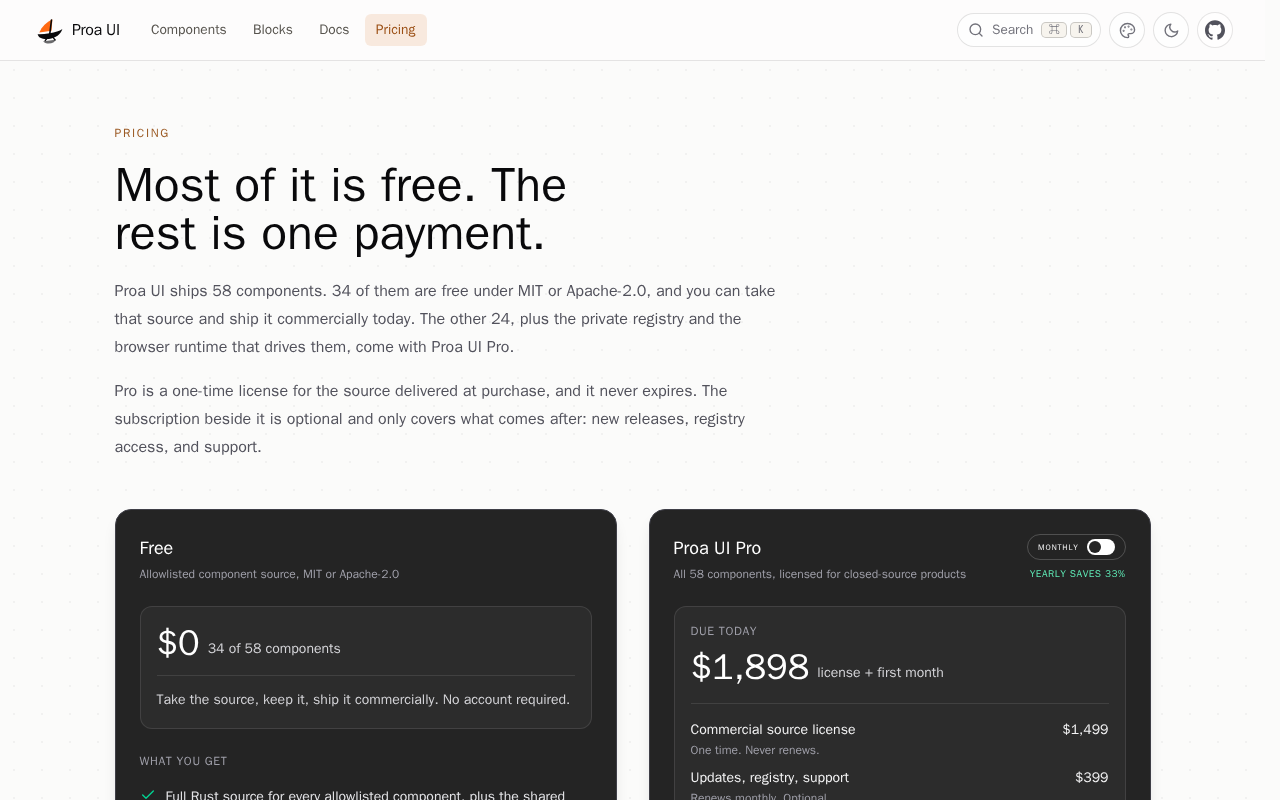
Try it: Open https://ui.proa.so/pricing and flip the Monthly/Yearly toggle on the Pro card. "Due today" never drops to the $1,499 license alone.
On phones the header drops Docs and Proa UI and there is no menu
Phone visitors and teams pricing a commercial license have no direct route from proa.so to the docs, the component store or a price.
At 390px wide, the proa.so header shows only the logo, Search, theme, GitHub, Discord and Reddit buttons. Docs, Ecosystem and Proa UI disappear, and no menu button replaces them. No page on proa.so links to a price, and the home page marks Calendar, Chart, Input OTP, Chat and Code Block as PRO without saying what PRO costs. Buyers who need the paid components or a commercial license meet this at the pricing step, because the price only appears at ui.proa.so/pricing.
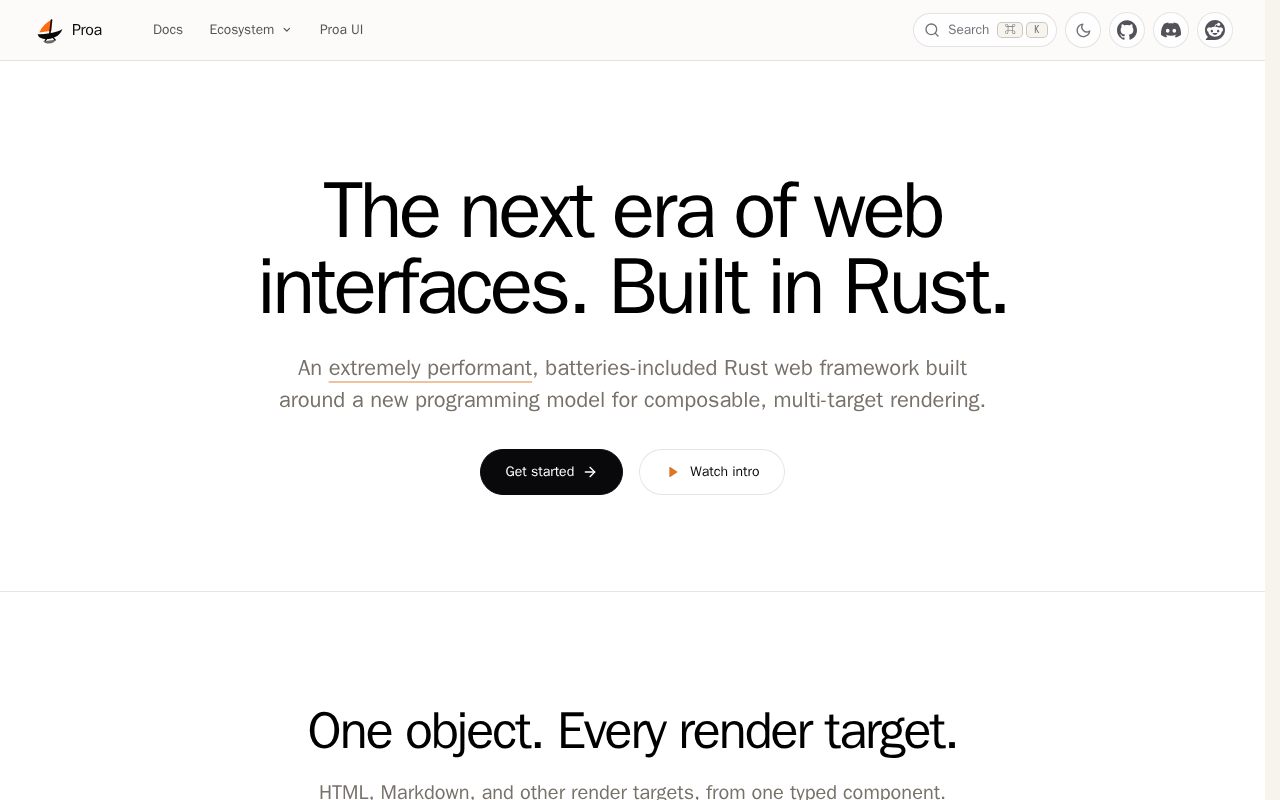
Try it: Open https://proa.so/ on a phone or at a 390px viewport. The header has only icon buttons, with no Docs, Proa UI or menu button. Then search the header and footer for a Pricing link: there is none.
The Airbnb showcase shows the word "DATE" instead of review dates
Developers judging Proa's rendering fidelity from its showcase see placeholder text where real dates belong.
On /showcase/airbnb/proa/listing, every review header reads "DATE · Stayed a few nights" or "DATE · Stayed about a week" where a date should appear. The playground at /playground/airbnb/listing shows the same placeholder in its props: "check_in": "DATE" and "range_label": "DATE - DATE". Next to it, "free_cancel_date" holds a real value, "March 13". Visitors at the try step meet this in the demos that are meant to show the output is production quality.
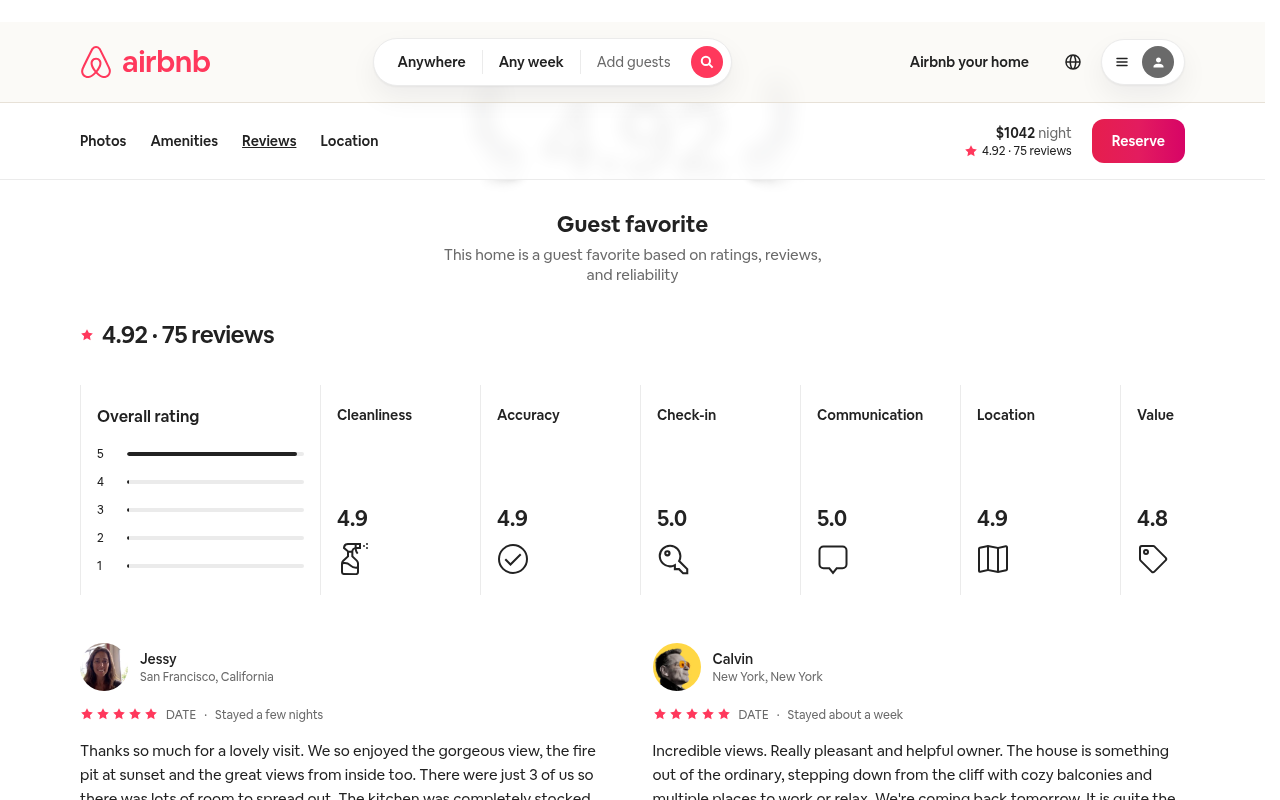
Try it: Open https://proa.so/showcase/airbnb/proa/listing#reviews and read the line under each reviewer's stars. Then open /playground/airbnb/listing and look at the "booking" props.
The playground's Markdown tab is cut off on phones
On /playground/airbnb/listing at phone width, the panel's right edge cuts off the third tab in the output tab bar, so it reads "MARKDOW". The tab bar also shows a "PREVIEW" label right next to the "PREVIEW" tab, so the row is crowded. A developer trying the playground on a phone meets this at the try step, on the tab that shows Proa's Markdown output.
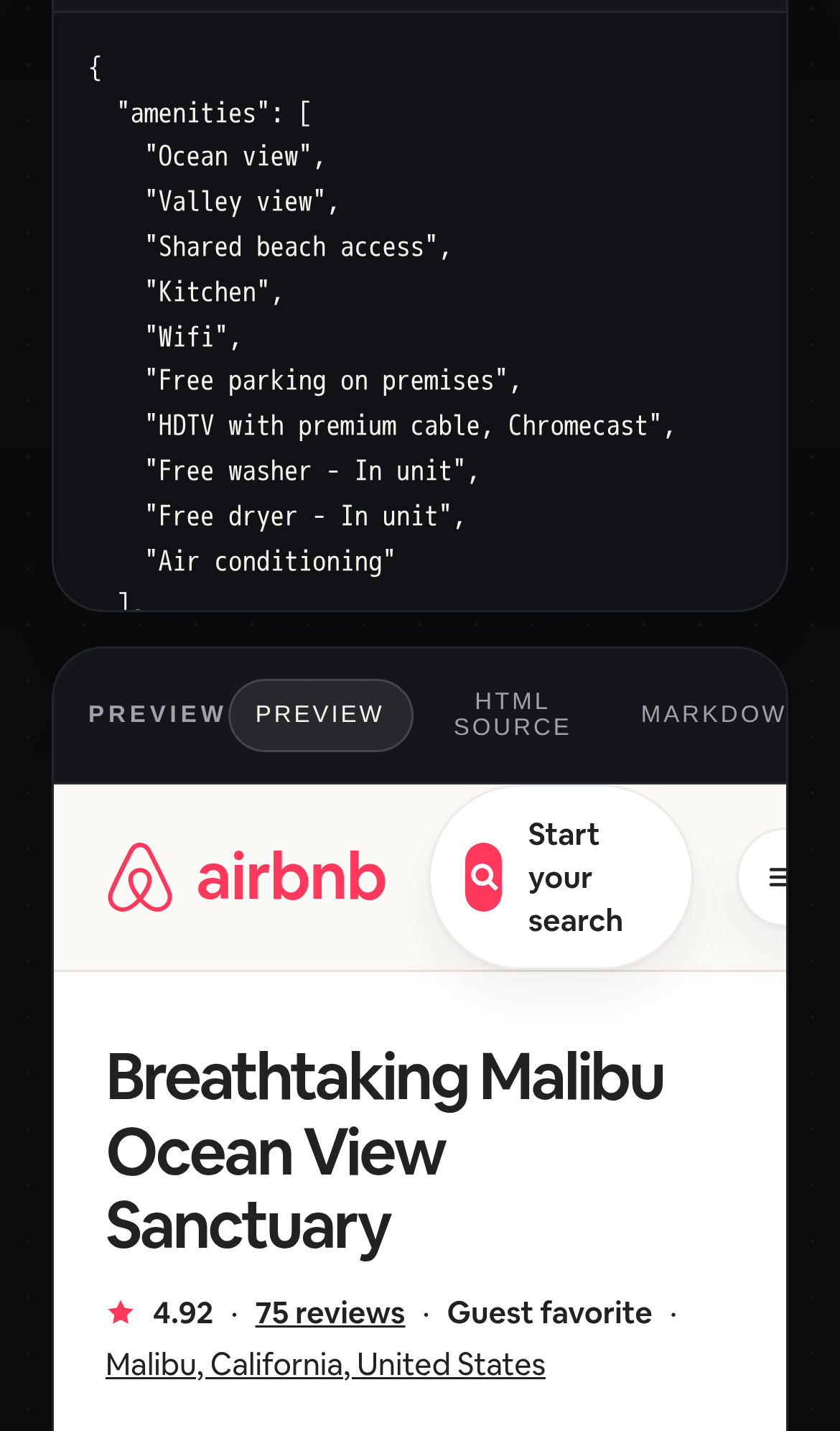
Try it: Open /playground/airbnb/listing in a 390px-wide phone viewport and scroll to the output panel. Check the right edge of the tab bar, where the label reads "MARKDOW".
An ecosystem filter pill took 1.8 seconds to respond on mobile
On the /ecosystem page on a phone, tapping a filter pill in the app directory took 1808ms to paint a response. Google rates anything over 500ms as poor. The delay did not recur on a second load, so it reads as an occasional stall rather than a constant one.
The home page is missing six security response headers
The response from https://proa.so/ is missing Strict-Transport-Security, Content-Security-Policy, CSP frame-ancestors or X-Frame-Options, X-Content-Type-Options: nosniff, Referrer-Policy, and Cross-Origin-Resource-Policy.
The quickstart starter tabs have no ARIA tab roles
On /docs, the starter selector (.proa-docs-tabs-list) is marked role="tablist". Assistive technology users get no correct tab semantics at the step where they pick a starter.
Icon buttons on the home page have no accessible name
On the home page, a 28px icon button (class size-7) has no visible text, aria-label, aria-labelledby or title, and four similar buttons have the same gap. Assistive technology announces each one only as "button", so its action is unclear to visitors who cannot see the icon.
Inactive hero tabs fall short of the text contrast minimum
On the home page, the unselected hero tabs #hero-tab-sentry and #hero-tab-travel use #777169 text on #efedea. That is a contrast of 4.13:1 at 13px, below the required 4.5:1. The "Proa render p50" metric label, in #a59f97 at 11px, is flagged under the same rule, and the rule also fails on /ecosystem and /docs.
Probie fixes this for you.
Stop customers hitting the same friction. Connect your codebase and Probie reproduces these failures, tests the fix, and opens a pull request for your review.
Sign up and get this fixedFree inspection
What should Probie inspect next?
Enter a project URL. There is nothing to install.
Probie checks every issue twice, respects robots.txt, and backs off at bot challenges.
Enter an address and we will email the report card link.