We found 3 issuescosting you truston shipcheck.site.
Watch the inspection.
We navigate your site the way customers would. Idle time is skipped.
How the composite score works
The overall score is a weighted average of the categories: Getting the product 40%, Trust before buying 20%, Mobile 15%, Speed 15%, and Polish and audit 10%. It is never more than 10 points above the Getting the product score, because a product a visitor cannot get cannot score well on anything else, and never more than 25 points above the weakest category, so one badly broken area is not averaged away. Any issue in the main list caps it at 89, so a score above 90 means nothing worth fixing was found.
Each category starts at 100 and stays there when nothing was found in it, whether or not the inspection got that far. Each distinct verified finding deducts 60 points for a serious problem on the path from arriving to paying, 40 for another serious problem, 30, 15 or 8 by high, medium or low severity otherwise, and 4 for an audit finding. Each additional finding below the list takes 2 more points off the overall score, up to 10. Scores stop at zero and round to whole numbers. The formula is fixed and versioned, so the same saved evidence always receives the same score.
EU buyers clicking a $20 button see a €21.18 checkout total
European buyers learn at the payment form that the "$20 once" price they were quoted does not include VAT.
The /buy page shows "$20 one-time" and a "Continue to checkout, $20" button, with no mention of tax. With the billing country set to Germany, the checkout switches to "Pay in EUR" and shows a €17.80 subtotal, €3.38 VAT and a €21.18 total. A buyer meets this on the last step before paying, after every page has promised $20 once.
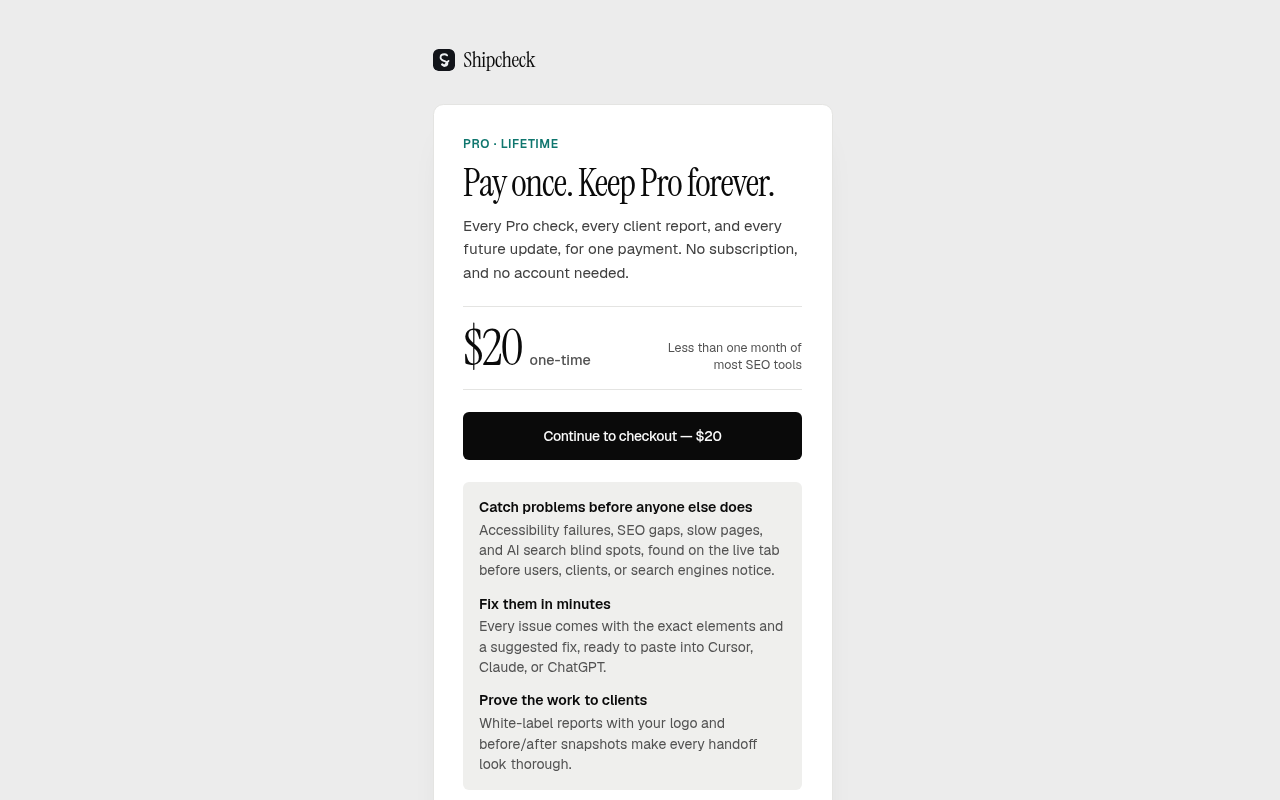
Try it: Open /buy, click "Continue to checkout, $20", then change the billing country to Germany and watch the total change to €21.18 with a VAT line.
The free website checker leaves out its promised speed and accessibility results
Visitors trying Shipcheck before installing the extension get a partial report, with no speed or accessibility results, after the page promised both.
The /tools/website-checker page says it will "run Google PageSpeed for speed and an accessibility preview", and the home page scan promises speed and accessibility results. During a scan, POST /api/tools/scan/speed returns HTTP 503 with "Speed and accessibility tests are not set up yet.", and the report shows "Overall score (without speed and accessibility)". Visitors meet this at the try step, when they test the product before installing the extension or upgrading.
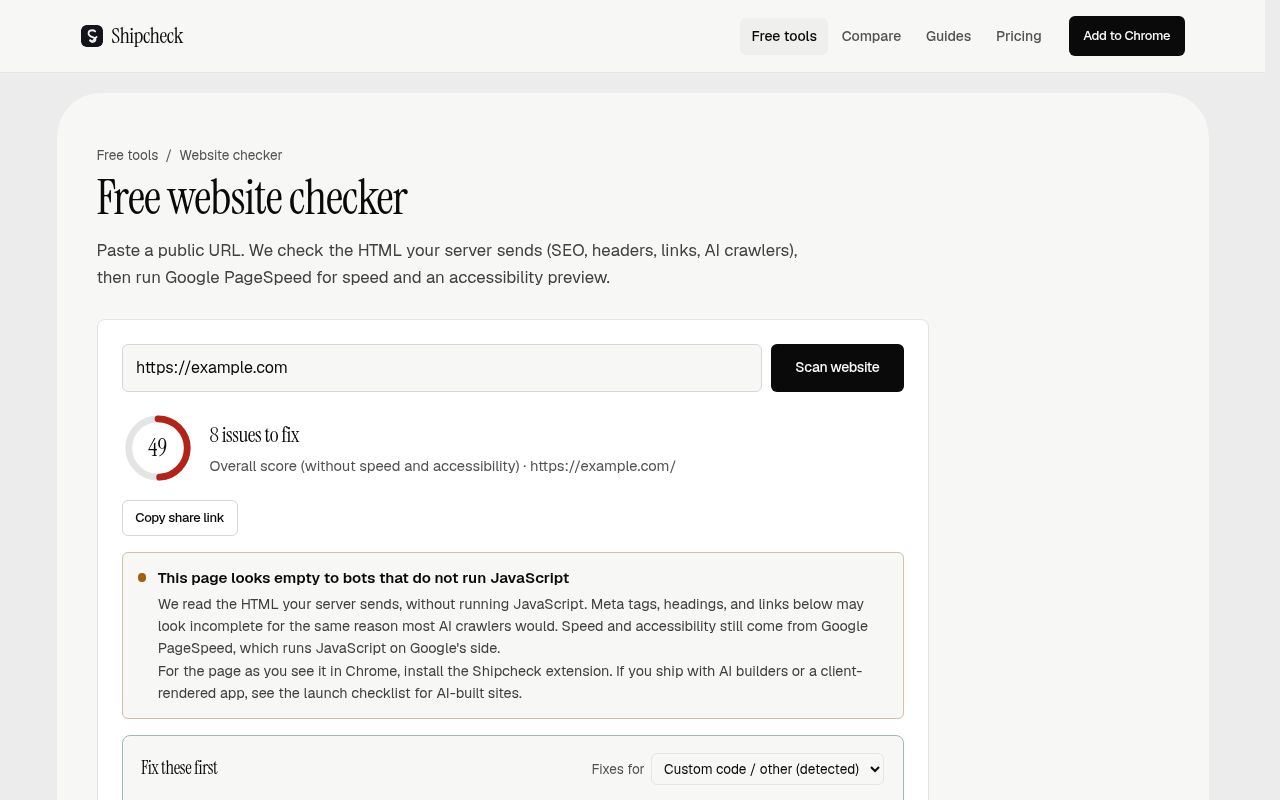
Try it: Open /tools/website-checker, scan https://example.com, and watch the network tab: POST /api/tools/scan/speed returns 503 "Speed and accessibility tests are not set up yet." and the score label reads "without speed and accessibility".
The phone hero offers only a desktop Add to Chrome install
Phone visitors from a launch post or search cannot install the extension from the hero, and nothing there lets them send it to their computer.
On a 390px phone screen, the main hero button on / is "Add to Chrome", which installs a desktop Chrome extension, and the only other button is "Get Lifetime Access". The hero has no scan field, no way to send the link to a desktop and no note that the extension needs a computer. A phone visitor at the install step has no next action they can finish in the hero.
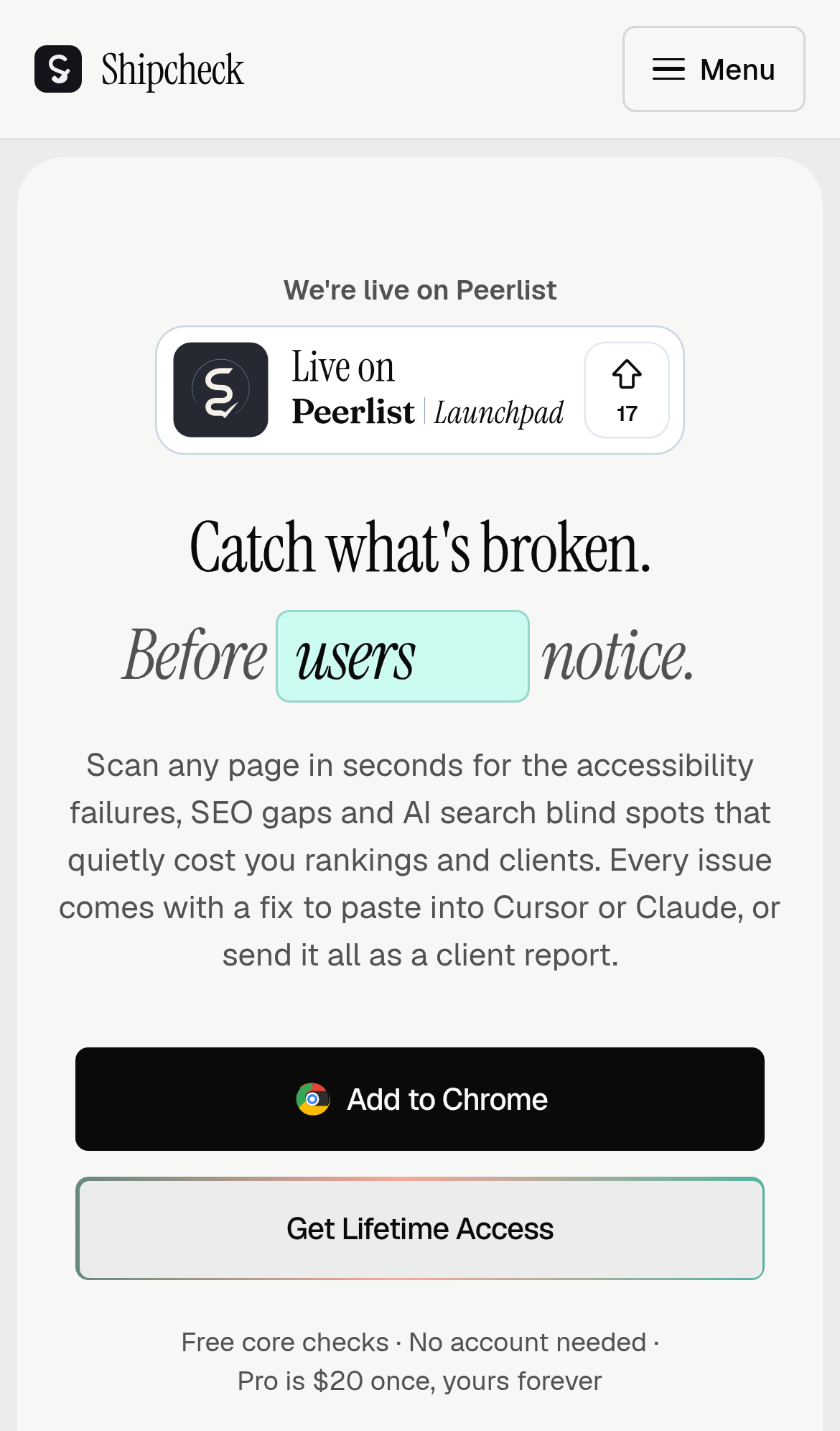
Try it: Open shipcheck.project on a phone and look at the first screen. The only buttons are "Add to Chrome" and "Get Lifetime Access", and neither gives a phone a way to install or try the product.
Free-tier labels in the plan comparison table are low contrast
On the home page comparison table, the "Preview" and "First issue" labels in the free-tier cells are #9c9c9b on #f7f7f5, which gives a contrast ratio of 2.56:1. WCAG AA requires 4.5:1 for 15px text. Buyers comparing plans see these labels, but the text is still legible to most visitors.
Probie fixes this for you.
Stop customers hitting the same friction. Connect your codebase and Probie reproduces these failures, tests the fix, and opens a pull request for your review.
Sign up and get this fixedFree inspection
What should Probie inspect next?
Enter a project URL. There is nothing to install.
Probie checks every issue twice, respects robots.txt, and backs off at bot challenges.
Enter an address and we will email the report card link.