We found 3 issuescosting you truston adrs.systems.
Get started step 2 shows a CLAUDE.md that the template no longer has.
Watch the inspection.
We navigate your site the way customers would. Idle time is skipped.
How the composite score works
The overall score is a weighted average of the categories: Getting the product 40%, Trust before buying 20%, Mobile 15%, Speed 15%, and Polish and audit 10%. It is never more than 10 points above the Getting the product score, because a product a visitor cannot get cannot score well on anything else, and never more than 25 points above the weakest category, so one badly broken area is not averaged away. Any issue in the main list caps it at 89, so a score above 90 means nothing worth fixing was found.
Each category starts at 100 and stays there when nothing was found in it, whether or not the inspection got that far. Each distinct verified finding deducts 60 points for a serious problem on the path from arriving to paying, 40 for another serious problem, 30, 15 or 8 by high, medium or low severity otherwise, and 4 for an audit finding. Each additional finding below the list takes 2 more points off the overall score, up to 10. Scores stop at zero and round to whole numbers. The formula is fixed and versioned, so the same saved evidence always receives the same score.
Get started step 2 shows a CLAUDE.md that the template no longer has
New adopters who copy the template and open CLAUDE.md find a different file from the one the guide tells them to fill in.
On /get-started/, step 2 says "The top of the file is just this:" and shows a short block with [name] and [you] placeholders, followed by blank decisions and open questions. The CLAUDE.md that the step links to in the template is 410 lines long. It starts with an "Instantiating this template?" note about ⟦THIS⟧ placeholders and `just instantiate-check`, then fields such as ⟦PROJECT-NAME⟧ and ⟦HUMANS⟧, then a Prime Directive. A beginner at this onboarding step has to work out on their own which placeholders to fill in and where the guide's sections are.
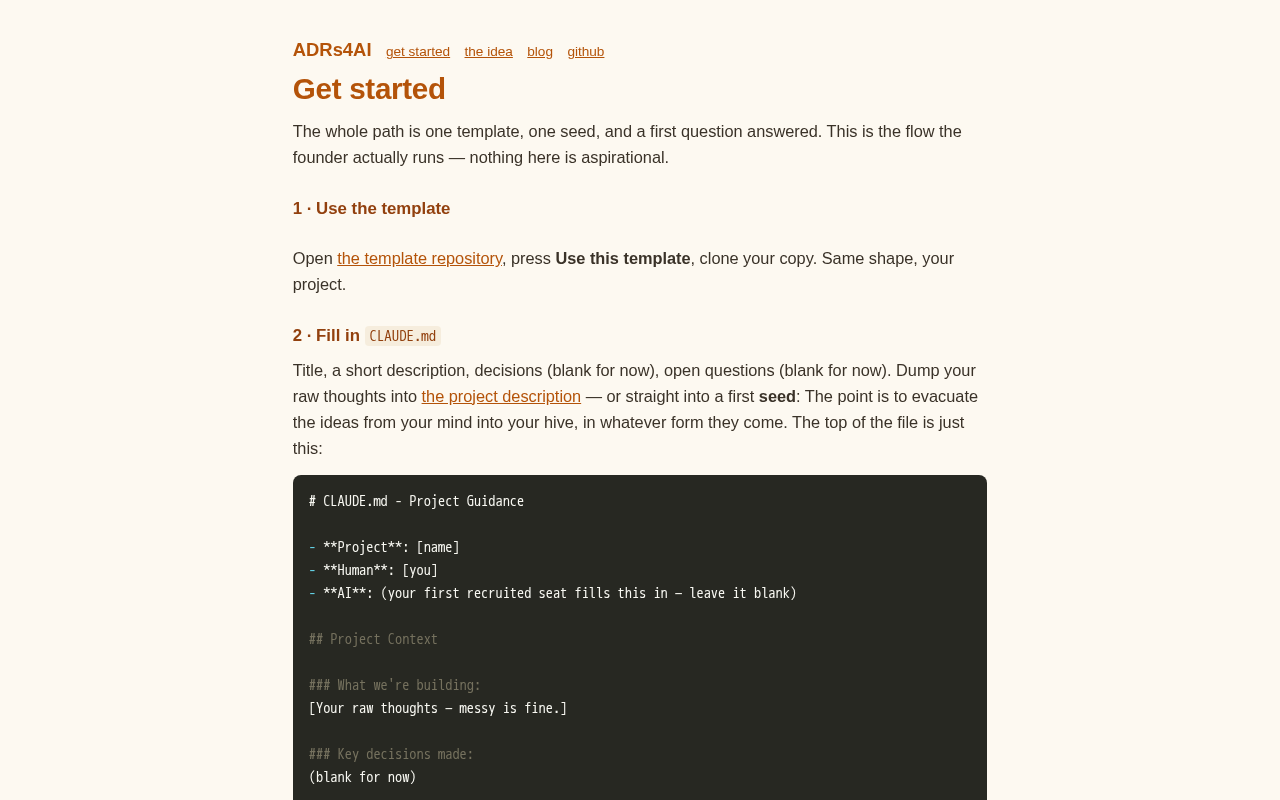
Try it: Open /get-started/ and read the code block in step 2. Then click "the project description" and compare it with the top of the template's CLAUDE.md.
The extension's store listings link to a GitHub repo that 404s
Developers who reach the extension from the home page see a broken CI badge, and if they click Issues or Repository they land on a GitHub 404.
On both the VS Code Marketplace and Open VSX listings for ADRs for AI, the Issues, Bugs and Repository links point to github.com/ADRs4AI/vscode-adrs4ai. That URL returns GitHub's 404 page because the repo is private. The CI badge at the top of both listings loads from the same repo and shows as a broken image next to a "codecov unknown" badge, so developers deciding whether to install meet a dead repo and broken badges on the page where they install.
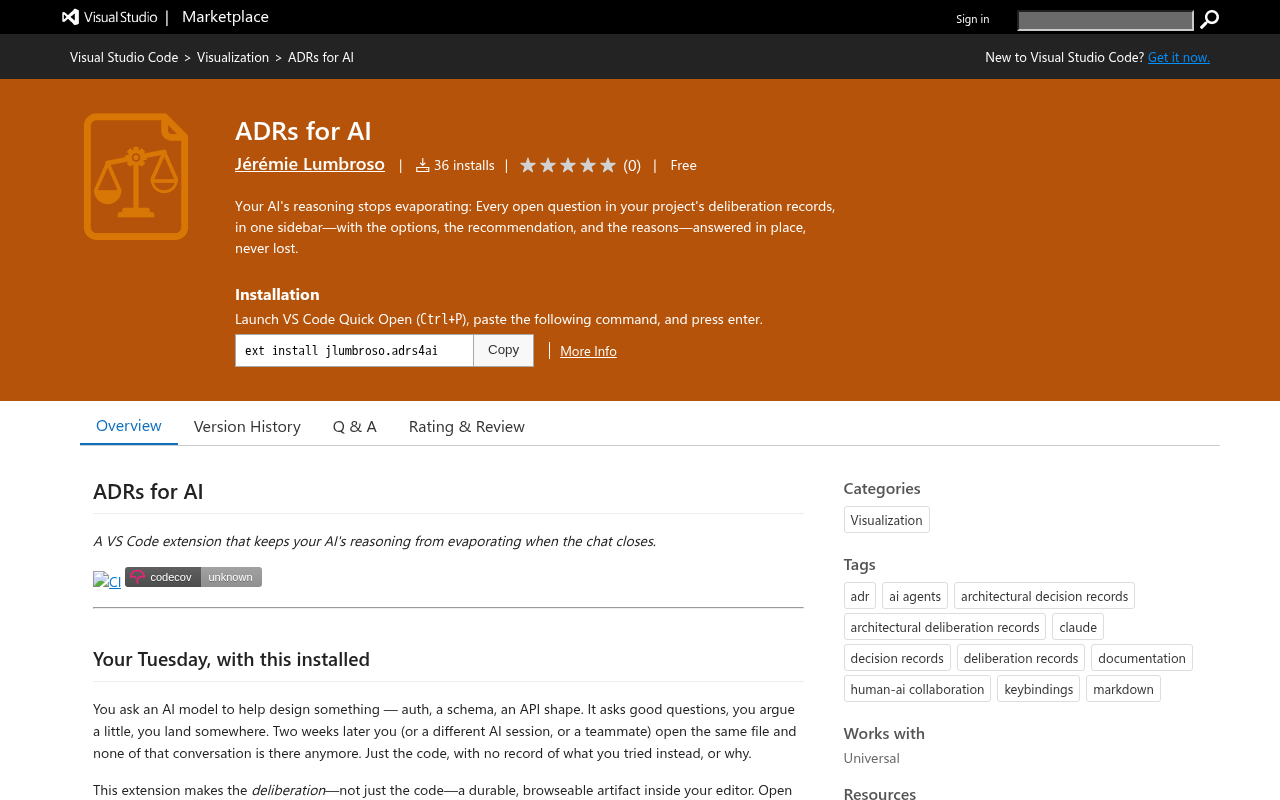
Try it: Open marketplace.visualstudio.com/items?itemName=jlumbroso.adrs4ai and look at the broken "CI" badge under the title. Then click Resources > Issues and you get GitHub's 404 page.
The example decision record is cut off on phones
On a 390px phone, the dark example record block on the home page clips its long lines mid-word at the right edge. Examples include "Git history records when reposi", "observed-tim" and "(by GPT 5.6 Sol at Perplex". There is no right padding and no scroll cue, and this is the record a visitor reads at the understand step to see what the method produces.
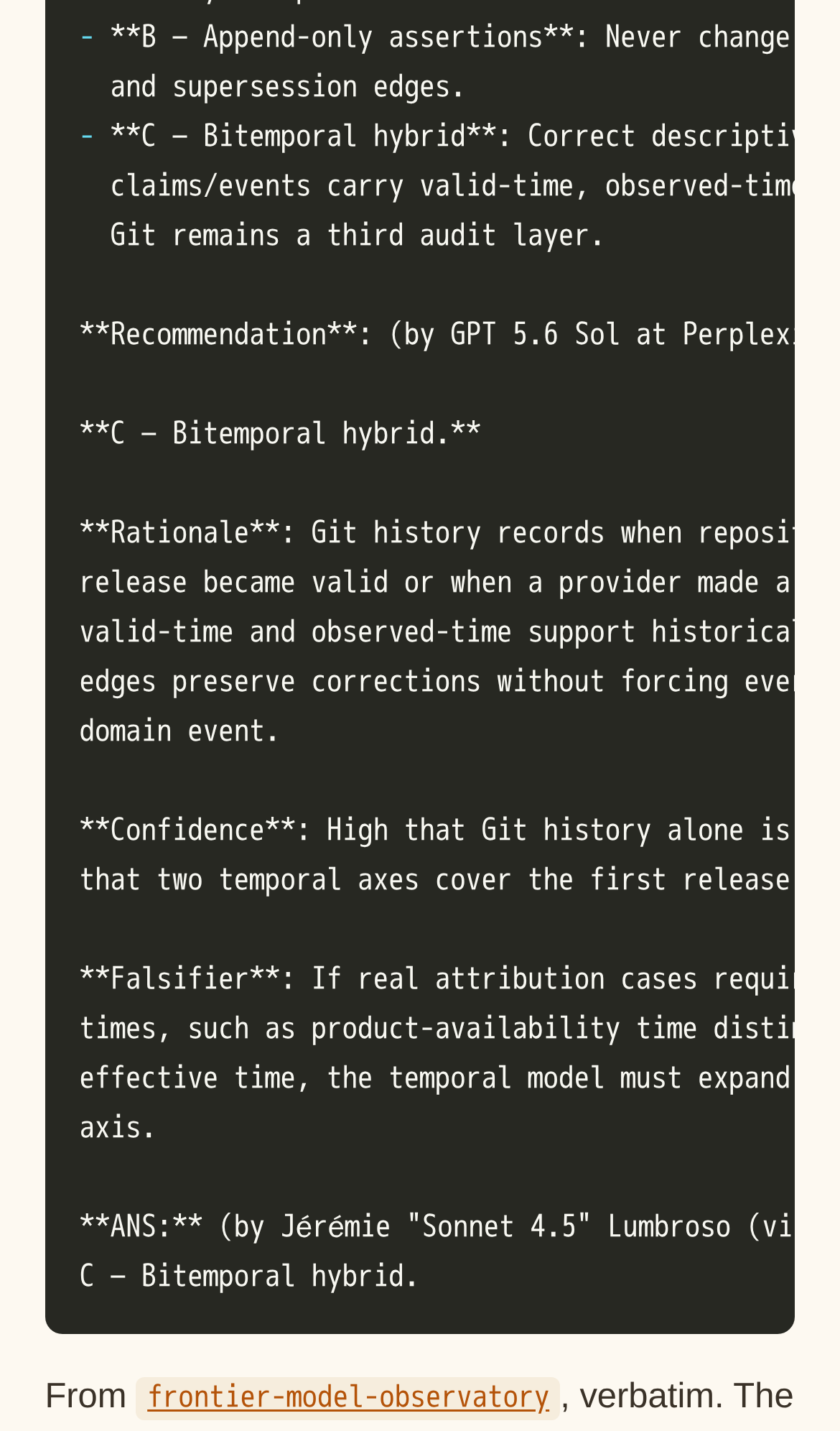
Try it: Open the home page on a phone (390px wide), scroll to the example record, and look at the right edge of the dark code block, where lines are cut mid-word.
The step 1 illustration on Get started returns a 404
On /get-started/, the image /anchors/png/cookie-cutter.png returns a 404 on every load. The other steps show their illustrations, such as the nest and the doors. Step 1, "Use the template", has only an empty gap under its heading, while its text and the template repository link render normally.
The home page has no Open Graph, Twitter card or canonical tags
The head of the home page at / has no canonical link, no og:title, og:description or og:image, and no twitter:card. The page title, the meta description and the favicon are all present. Links shared to social or chat apps can only fall back to a generic preview.
The home page is missing six security response headers
The response from https://adrs.systems/ is missing Strict-Transport-Security, Content-Security-Policy, CSP frame-ancestors or X-Frame-Options, X-Content-Type-Options: nosniff, Referrer-Policy, and Cross-Origin-Resource-Policy.
The amber entry-point links fall just short of contrast minimums
On the home page cards, the links "The template", "The VS Code extension" and "Open VSX" use #b45309 on #f6eddd, which measures 4.32:1. Normal-size text needs at least 4.5:1. The same amber link color fails on /blog/, /get-started/, /what-is/ and /support/.
The Open VSX and App Store card links rely on colour alone
On the home page, the "Open VSX" and "App Store" links inside the VS Code and iOS cards have no underline. They differ from the surrounding text only by colour, at a contrast of 2.5:1 (#b45309 against #3a3228), below the required 3:1. A visitor who cannot tell those colours apart sees no sign that these words are links to the install listings.
Probie fixes this for you.
Stop customers hitting the same friction. Connect your codebase and Probie reproduces these failures, tests the fix, and opens a pull request for your review.
Sign up and get this fixedFree inspection
What should Probie inspect next?
Enter a project URL. There is nothing to install.
Probie checks every issue twice, respects robots.txt, and backs off at bot challenges.
Enter an address and we will email the report card link.