We found 3 issuescosting you truston homespell.io.
Watch the inspection.
We navigate your site the way customers would. Idle time is skipped.
How the composite score works
The overall score is a weighted average of the categories: Getting the product 40%, Trust before buying 20%, Mobile 15%, Speed 15%, and Polish and audit 10%. It is never more than 10 points above the Getting the product score, because a product a visitor cannot get cannot score well on anything else, and never more than 25 points above the weakest category, so one badly broken area is not averaged away. Any issue in the main list caps it at 89, so a score above 90 means nothing worth fixing was found.
Each category starts at 100 and stays there when nothing was found in it, whether or not the inspection got that far. Each distinct verified finding deducts 60 points for a serious problem on the path from arriving to paying, 40 for another serious problem, 30, 15 or 8 by high, medium or low severity otherwise, and 4 for an audit finding. Each additional finding below the list takes 2 more points off the overall score, up to 10. Scores stop at zero and round to whole numbers. The formula is fixed and versioned, so the same saved evidence always receives the same score.
The home page lists Pro Monthly at both $19 and $19.99
Brokers deciding on Pro cannot tell whether the monthly plan costs $19 or $19.99.
On the home page, the Pro Monthly pricing card says "$19 / user / mo", and the yearly card's "$12.42 / month, Save $90 every year" only adds up against $19. Further down the same page, the Help teaser asks "What is included in Free Starter vs. Pro ($19.99/mo)?" and the FAQ answer to "Can I cancel anytime?" says "Pro is $19.99 a month or $149 a year". The Help Center says $19/mo, so a broker on the pricing step is shown two different prices for the same plan.
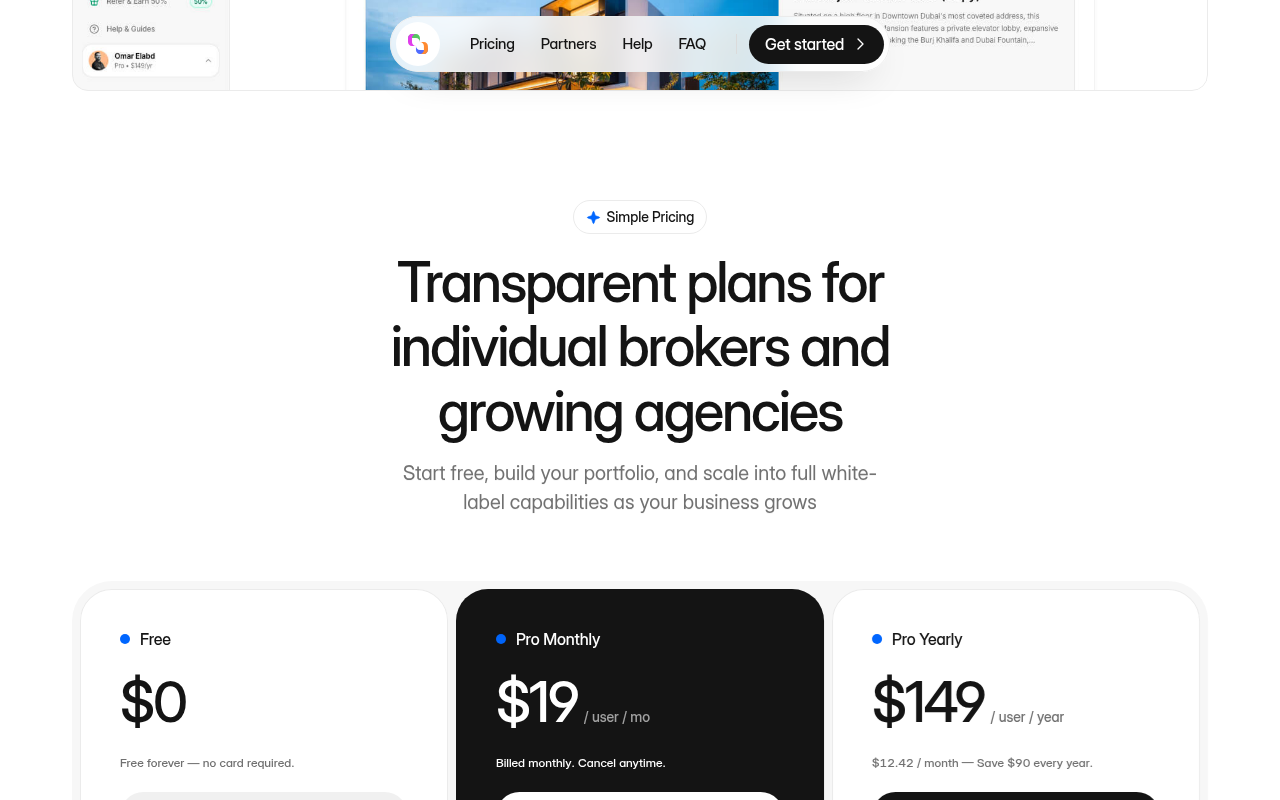
Try it: Open homespell.io, look at the Pro Monthly card in Simple Pricing, then expand the FAQ item "Can I cancel anytime?" and read the price it quotes.
The phone menu lists fintech template links that go nowhere
Brokers who open Homespell on a phone see banking items in the menu, and its Pricing link does not reach the price.
At phone width the home page header shows only the logo and a hamburger. The menu behind it lists "Payments, Cards, Accounts, Payouts, Treasury, Saro AI, Contact sales" and similar items. Every link points back to https://homespell.io/, Pricing included, and none of the real Partners, Help or FAQ links appear. A broker who opens the menu to compare plans meets template text from an unrelated banking product and no direct route to the pricing section.
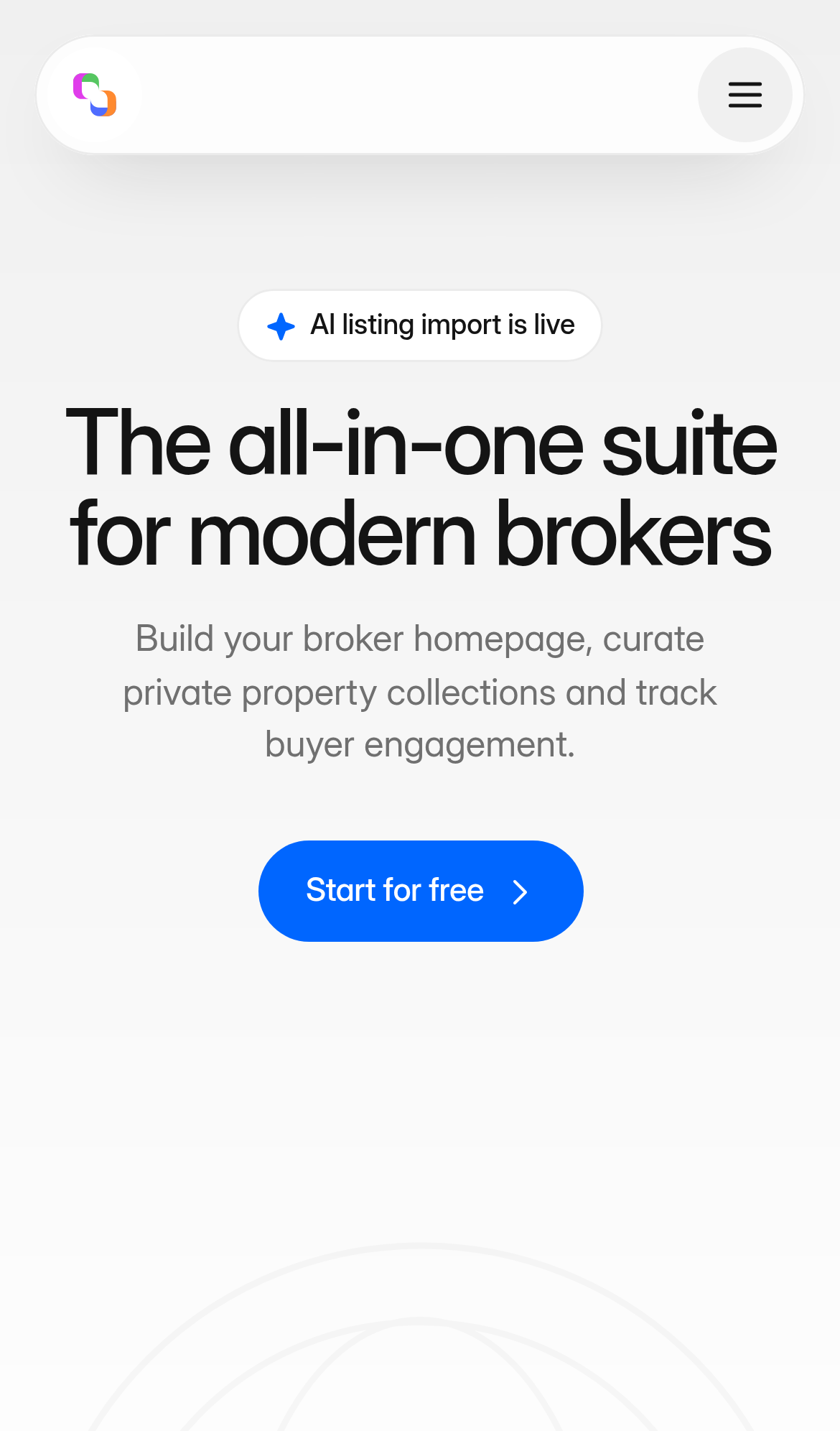
Try it: Open https://homespell.io/ at iPhone width and tap the hamburger at the top right. Read the items, then tap Pricing and see that the page does not jump to the pricing section.
The "What is Homespell?" FAQ answers how long setup takes
Brokers who are still unsure what Homespell does open the first FAQ and get an answer to a different question.
The first question in the home page FAQ is "What is Homespell?", and its answer reads "Minutes. Claim yourname.homespell.io, paste your first portal link and your branded listing is ready to share." That text answers how long setup takes and does not say what the product is. Buyers meet this at the understand step, just above the last "Start for free" button.
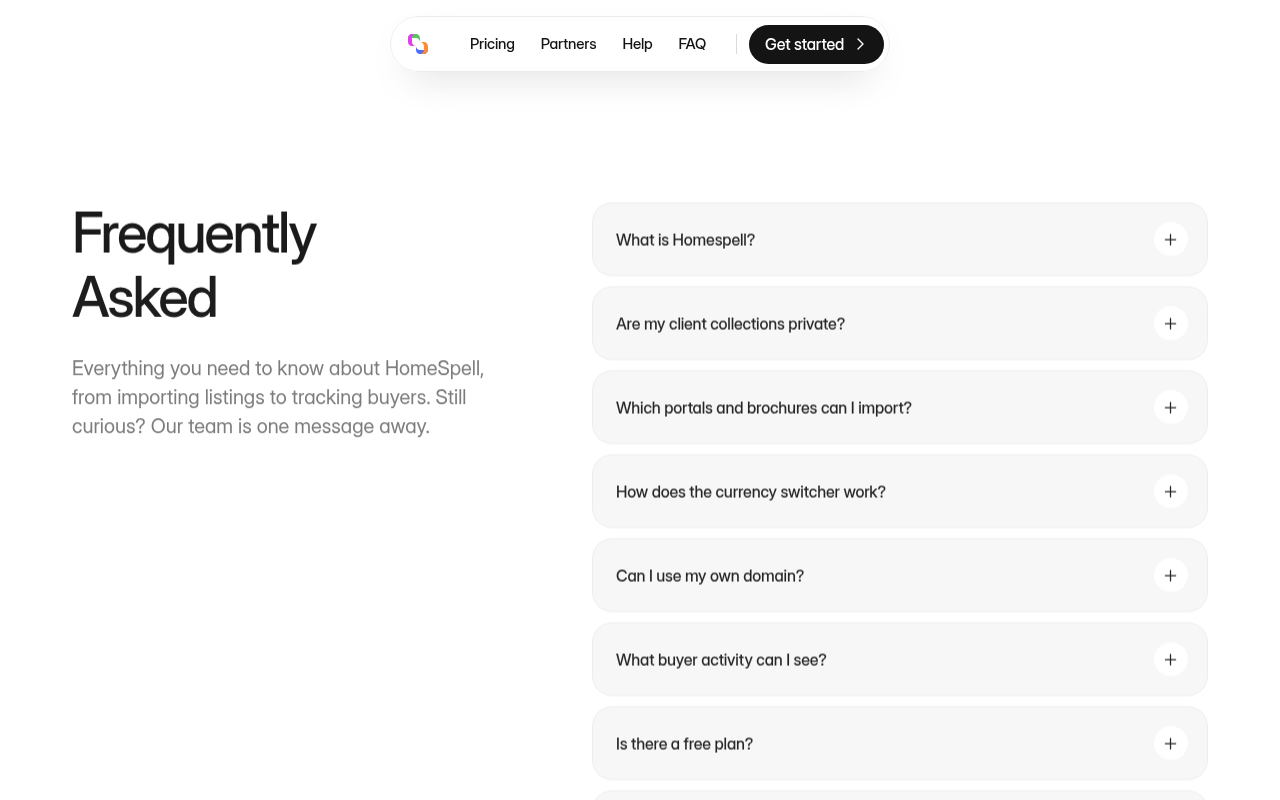
Try it: Open https://homespell.io/#faq and expand "What is Homespell?". The answer starts with "Minutes." and does not describe the product.
The header Help link opens a login page instead of the Help Center
On the home page, the desktop header "Help" link points to app.homespell.io/dashboard/help. A logged-out visitor is redirected from there to app.homespell.io/?login=1, which shows only a "Continue to Homespell" sign-in card. The footer "Help" link on the same page opens the public Help Center at /help, with its guides and AI concierge, so prospects who use the header link at the understand step miss the answers the project already publishes.
Hidden phone menu links take keyboard focus behind the hero
On the phone layout of the home page, the links in the closed hamburger menu, such as Payments, can still receive keyboard focus at y 78 to 174. Hit tests at those points return section#hero on top, and the screenshot shows only the hero at that spot. A keyboard user's focus disappears behind the hero while it moves through those links.
Phone menu links take keyboard focus while hidden behind the hero
On /partners at phone width, the "Product" and "Payments" items in the collapsed navigation menu still take keyboard focus. While they have focus, the hero section is painted over every sampled point inside them. Keyboard users therefore land on controls that are not visible.
The home page is missing four security response headers
The response from https://homespell.io/ is missing Content-Security-Policy, CSP frame-ancestors or X-Frame-Options, Referrer-Policy, and Cross-Origin-Resource-Policy.
The home page subheadline is slightly below the contrast minimum
The hero subheadline on the home page, "Build your broker homepage, curate private property collections and track buyer engagement.", is grey #707070 on #f0f0f0. That is a contrast ratio of 4.34:1, and WCAG AA requires 4.5:1 for 20px normal-weight text. The same rule also fails on /partners, /privacy and /terms.
The header logo link has no accessible name
The header logo link (.framer-40pjl0, data-framer-name "Home Link", href "./") has no text, aria-label or aria-labelledby. Because the link is in the tab order, assistive technology announces it with no name.
Probie fixes this for you.
Stop customers hitting the same friction. Connect your codebase and Probie reproduces these failures, tests the fix, and opens a pull request for your review.
Sign up and get this fixedFree inspection
What should Probie inspect next?
Enter a project URL. There is nothing to install.
Probie checks every issue twice, respects robots.txt, and backs off at bot challenges.
Enter an address and we will email the report card link.