We found 4 issuescosting you truston hubline.io.
Watch the inspection.
We navigate your site the way customers would. Idle time is skipped.
How the composite score works
The overall score is a weighted average of the categories: Getting the product 40%, Trust before buying 20%, Mobile 15%, Speed 15%, and Polish and audit 10%. It is never more than 10 points above the Getting the product score, because a product a visitor cannot get cannot score well on anything else, and never more than 25 points above the weakest category, so one badly broken area is not averaged away. Any issue in the main list caps it at 89, so a score above 90 means nothing worth fixing was found.
Each category starts at 100 and stays there when nothing was found in it, whether or not the inspection got that far. Each distinct verified finding deducts 60 points for a serious problem on the path from arriving to paying, 40 for another serious problem, 30, 15 or 8 by high, medium or low severity otherwise, and 4 for an audit finding. Each additional finding below the list takes 2 more points off the overall score, up to 10. Scores stop at zero and round to whole numbers. The formula is fixed and versioned, so the same saved evidence always receives the same score.
Google sign-up asks visitors to continue to Lovable, not Hubline
Visitors who pick Google to create a Hubline account are asked to sign in to a different company, so the signup screen looks like someone else's app.
Clicking "Sign up with Google" on /register, or "Continue with Google" on /login, opens Google's sign-in screen with the Lovable logo, the line "to continue to Lovable" and a link to Lovable's Privacy Policy. Hubline's name appears nowhere on that screen. Buyers meet this at the signup step, right when they decide whether to hand over their Google identity.
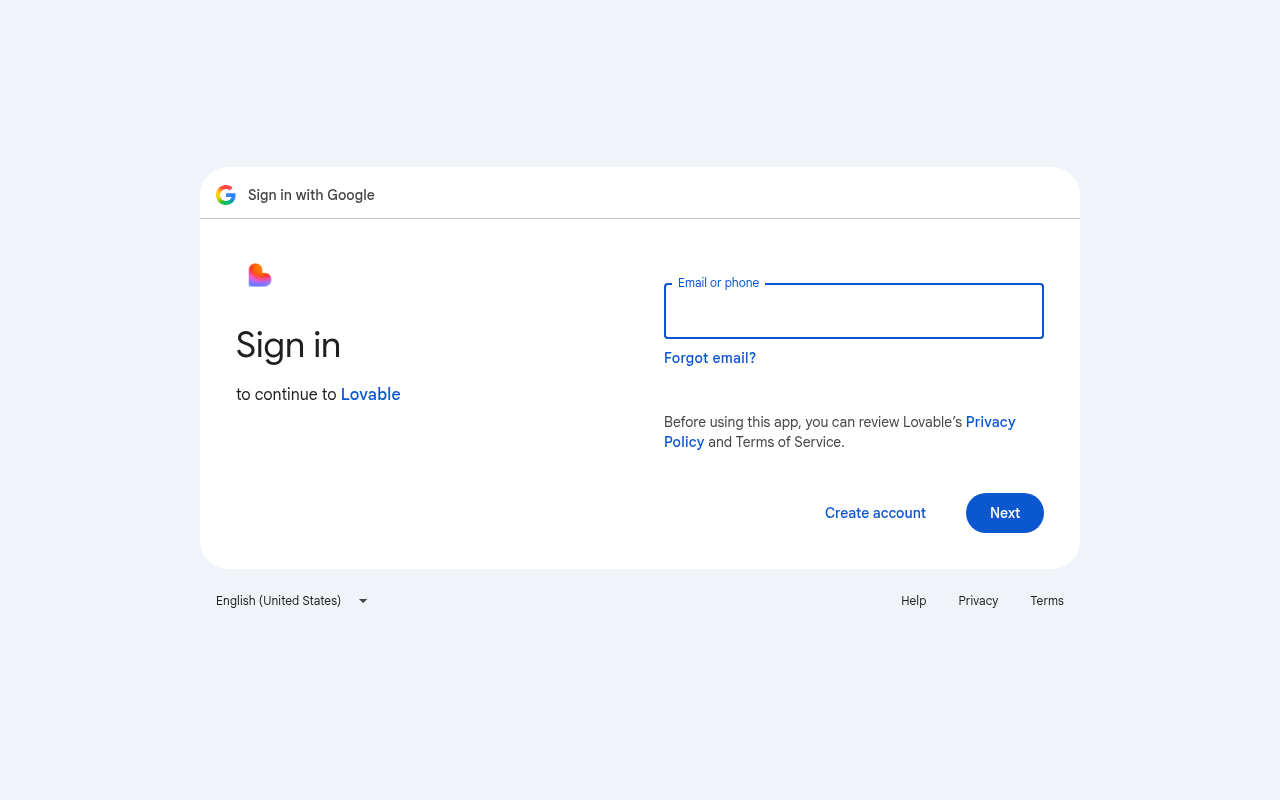
Try it: Open hubline.io/register and click "Sign up with Google". Google's screen reads "to continue to Lovable" and shows the Lovable logo.
An "Edit with Lovable" badge shows on the demo, pricing and signup pages
Creators testing whether Hubline can be their professional page see another company's builder badge on the demo creator page, on pricing and on signup.
A fixed "Edit with Lovable" badge sits in the bottom-right corner of /craig, /pricing and /register, and it links to a lovable.dev project page. On a 390px phone on /craig it covers the description under the "Get your free Hubline Page" card, so the text stops at "publis". Prospects meet it at the try, pricing and signup steps. On the demo page it makes it look as if a public Hubline page carries another company's branding.
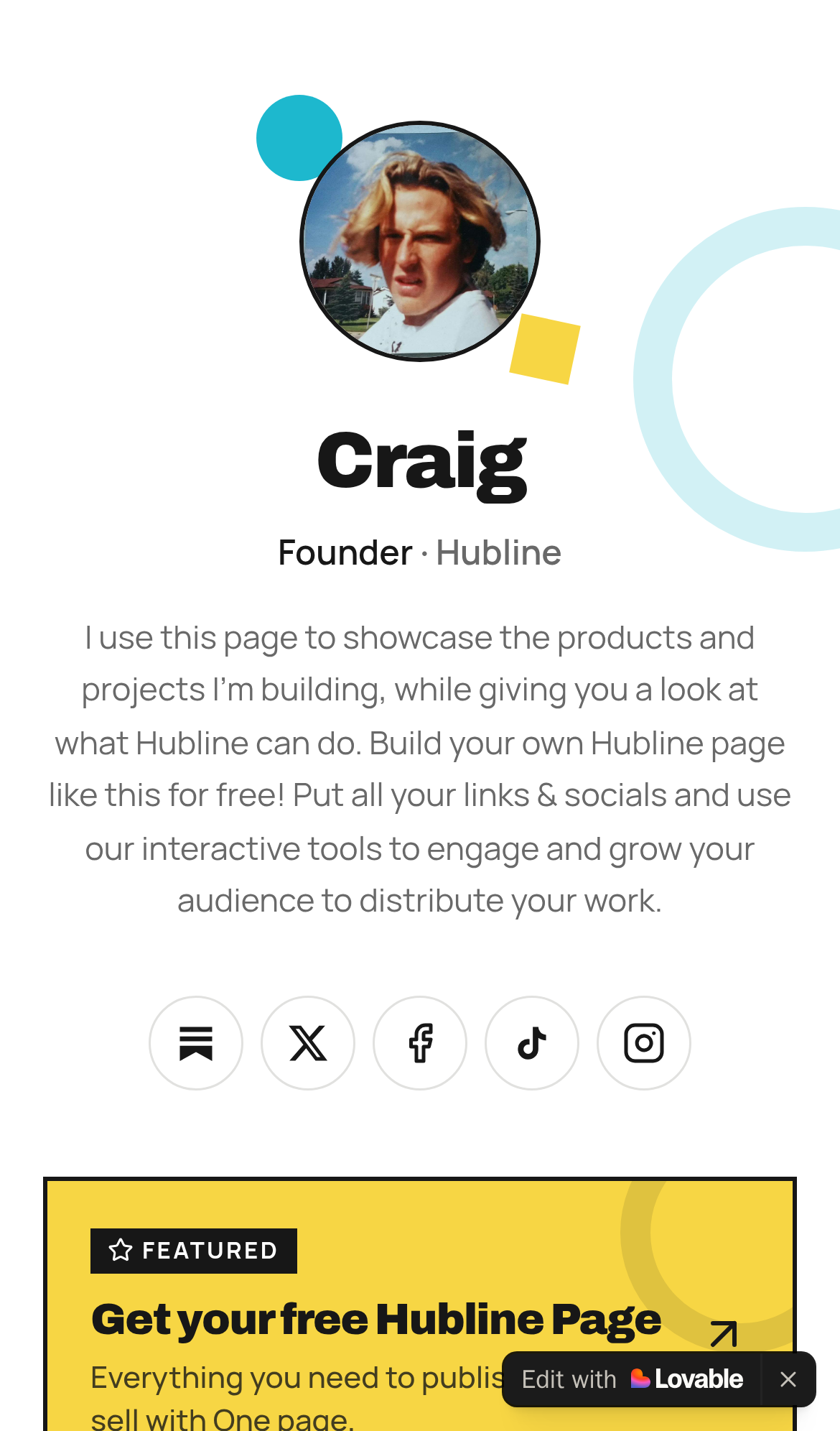
Try it: Open hubline.io/craig on a phone-width window and look at the bottom-right corner over the yellow "Get your free Hubline Page" card. Then open /pricing and /register and check for the same badge.
The home page has no link to the pricing page
Visitors who want to know what Hubline costs must sign up without seeing a price or type /pricing in themselves.
The home page's only links are the logo, "Log in", "Get started", "Create your Hubline" and the Lovable badge. The footer only says "© 2026 Hubline". The page says email capture is "on eligible paid plans" and "Formats vary by plan", but the $0, $19 and $49 plans appear only at /pricing, and nothing on the page links there. A buyer at the pricing step meets this on their first visit and has no way to compare plans before creating an account.
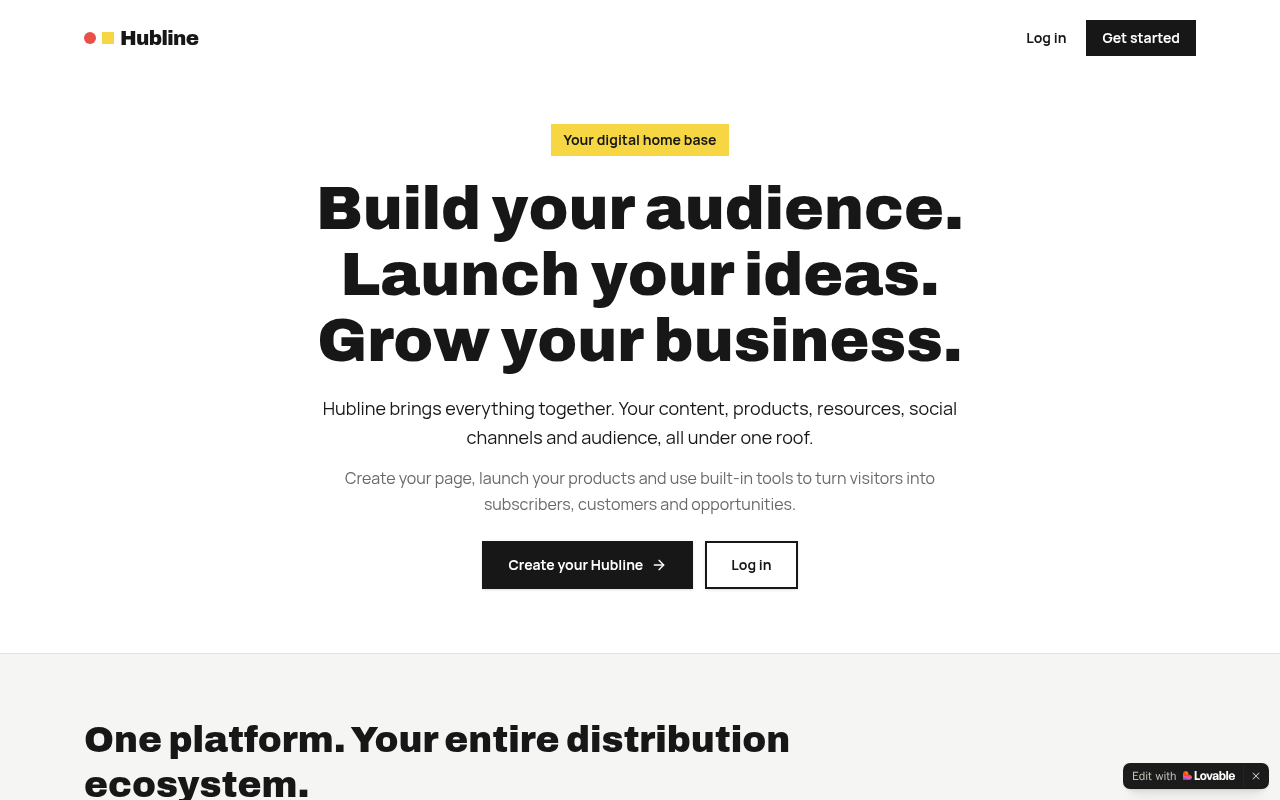
Try it: Open https://hubline.io/ on desktop or a phone and look through the header, body and footer for a Pricing link. The only ways forward are Log in and the signup buttons.
The On Survival App card on /craig opens an unfinished setup page
Prospects testing the live Hubline demo tap a product link and get a blank setup screen instead of a working page.
On /craig, the On Survival App card under My Products goes through hubline.io/go/24da0485-44f4-40c7-81a1-2dba039b0822 to www.onsurvival.io. That page shows only "Setting up www.onsurvival.io. This may take a few minutes." Because /craig is the page that shows prospects "what Hubline can do", a visitor at the try step meets a dead end on the demo itself.
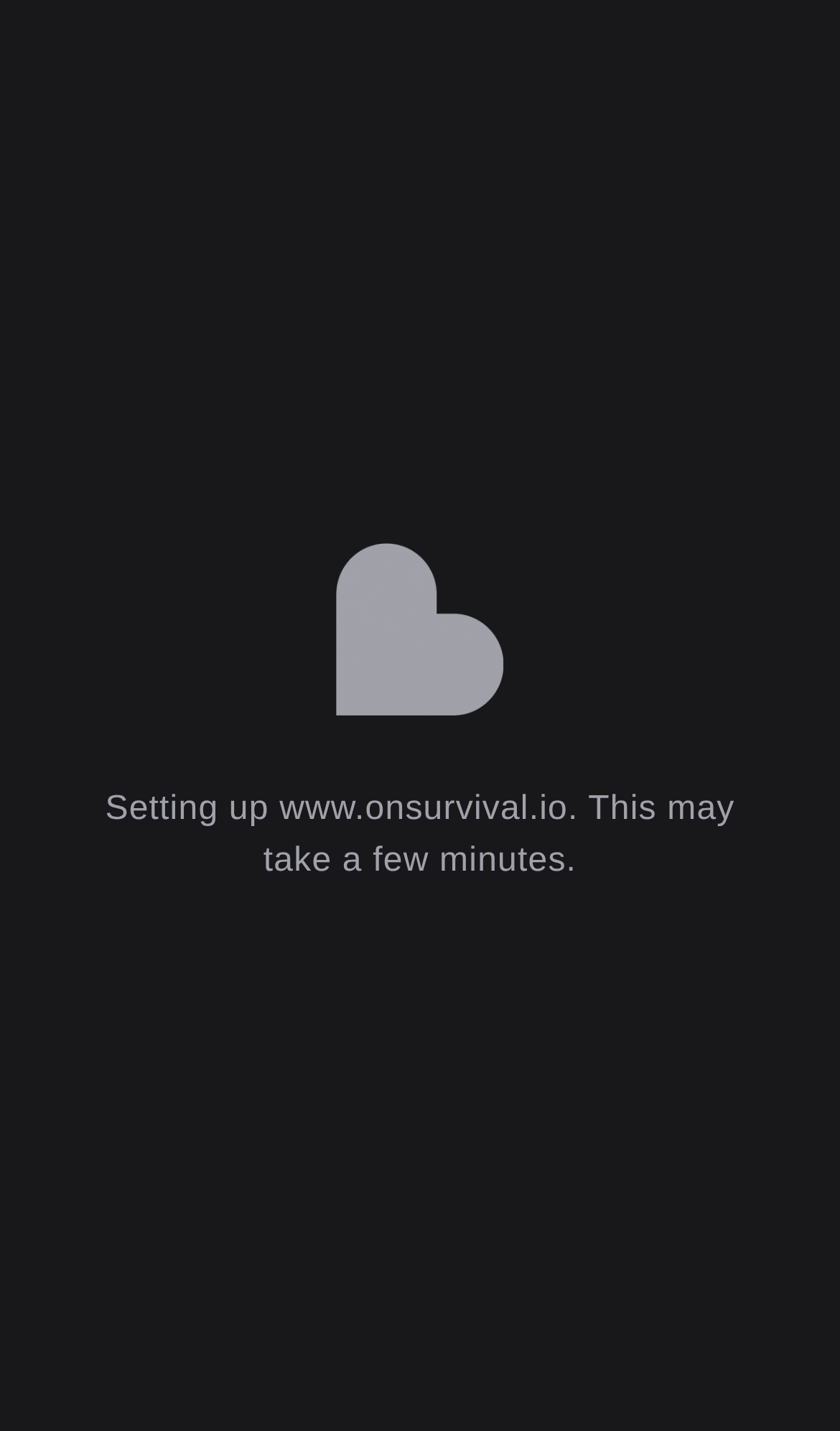
Try it: Open https://hubline.io/craig on a phone and tap the On Survival App card under My Products. You land on www.onsurvival.io, which shows only the "Setting up" message.
Closing the Lovable badge on the home page took 1.84 seconds
On the home page at desktop size, clicking the close icon on the "Edit with Lovable" badge took 1840ms to paint a response. Google classes any interaction over 500ms as poor. A second load did not show the delay, and the control is not part of signup or checkout.
Closing the Lovable badge on /login took 1.7 seconds to respond
On /login, clicking the close icon of the "Edit with Lovable" badge took 1728ms to paint a response on desktop. Google classes interactions slower than 500ms as poor. The login form itself was not involved, and a second load did not repeat the delay.
The Lovable badge covers the bottom of the hero Log in button on phones
On the mobile home page, the floating "Edit with Lovable" badge sits over the lower part of the hero "Log in" button. Two of the five measured points inside the focused button hit the badge instead of the button. The label stays readable and the top half still takes taps, so a keyboard user loses the bottom edge of the focus outline but can still use the button.
The Lovable badge covers the Create account button on phones
On /register at phone width, the floating "Edit with Lovable" badge sits on top of the right side of the "Create account" button and cuts the label off at "Create accou". Signups happen on this step, and a buyer meets a clipped button covered by builder branding. The button can still be tapped on its left side or after scrolling.
The home page lacks CSP, frame protection and CORP headers
The response from https://hubline.io/ is missing Content-Security-Policy, CSP frame-ancestors or X-Frame-Options, and Cross-Origin-Resource-Policy.
Sample page social icons use aria-label on plain spans
The social profile icons in the home page's sample creator previews are spans with aria-label values such as "instagram", "youtube" and "substack" but no role, and the spans have no role that allows aria-label. Assistive technology may ignore those labels. The icons belong to decorative preview cards, not to a control a buyer needs.
The pricing page's "Most popular" badge has low text contrast
The "Most popular" badge above the Creator plan on /pricing is white 11px bold text on coral #e95048, a contrast ratio of 3.68:1. WCAG AA requires 4.5:1 for text this size. Buyers meet it on the pricing step, but the plan names, prices and buttons around it are unaffected.
Probie fixes this for you.
Stop customers hitting the same friction. Connect your codebase and Probie reproduces these failures, tests the fix, and opens a pull request for your review.
Sign up and get this fixedFree inspection
What should Probie inspect next?
Enter a project URL. There is nothing to install.
Probie checks every issue twice, respects robots.txt, and backs off at bot challenges.
Enter an address and we will email the report card link.