We found 4 issuescosting you truston www.pinalysis.com.
Watch the inspection.
We navigate your site the way customers would. Idle time is skipped.
How the composite score works
The overall score is a weighted average of the categories: Getting the product 40%, Trust before buying 20%, Mobile 15%, Speed 15%, and Polish and audit 10%. It is never more than 10 points above the Getting the product score, because a product a visitor cannot get cannot score well on anything else, and never more than 25 points above the weakest category, so one badly broken area is not averaged away. Any issue in the main list caps it at 89, so a score above 90 means nothing worth fixing was found.
Each category starts at 100 and stays there when nothing was found in it, whether or not the inspection got that far. Each distinct verified finding deducts 60 points for a serious problem on the path from arriving to paying, 40 for another serious problem, 30, 15 or 8 by high, medium or low severity otherwise, and 4 for an audit finding. Each additional finding below the list takes 2 more points off the overall score, up to 10. Scores stop at zero and round to whole numbers. The formula is fixed and versioned, so the same saved evidence always receives the same score.
The pricing page gives two different Free plan allowances
Visitors deciding between Free and Pro can't tell what the free plan actually includes, and free users who hit the lower limit may feel misled.
On /pricing, the Free card lists "5 searches per day for each tool" and "Real-time data updates", and the FAQ repeats the same 5 searches per day for every tool, pin annotations finder included. Further down the same page, the Plan Comparison table gives Free "Pin annotations finder: 3 daily" and "Real-time data updates: Every 24h", with Pro at "Instant". A buyer comparing plans at the pricing step reads both versions on the same page.
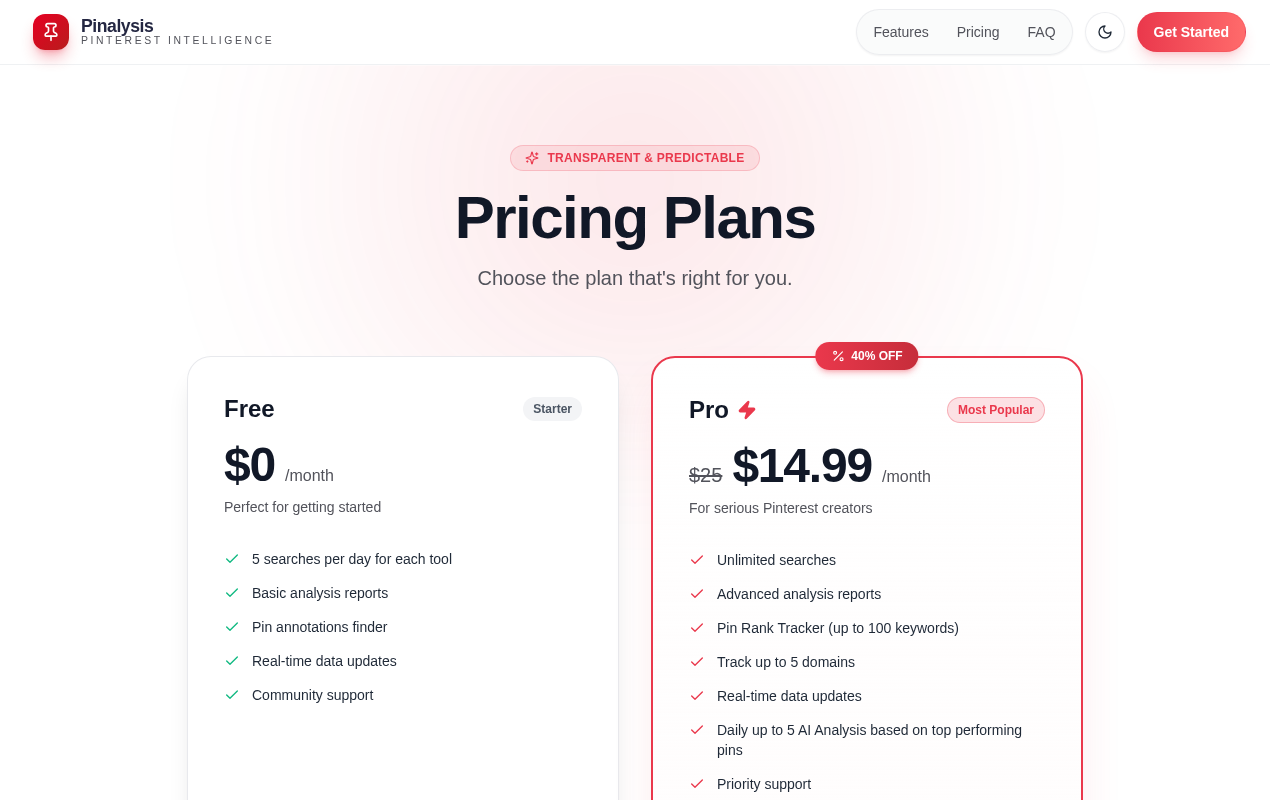
Try it: Open /pricing and read the Free card. Then scroll to Plan Comparison and compare the "Pin annotations finder" and "Real-time data updates" rows.
Get Started Free opens a Welcome Back sign-in form
New visitors who click the main sign-up buttons land on a form written for people who already have an account.
The buttons "Get Started Free", "Analyze a Pin Free" and "Upgrade Now" all go to /auth. That page opens on "Welcome Back: Sign in to access Pinterest tools", with Email, Password and a Sign In button. The only way to create an account is the grey "Don't have an account? Sign Up" text link at the very bottom of the card, so a new buyer starting signup sees a login wall first.
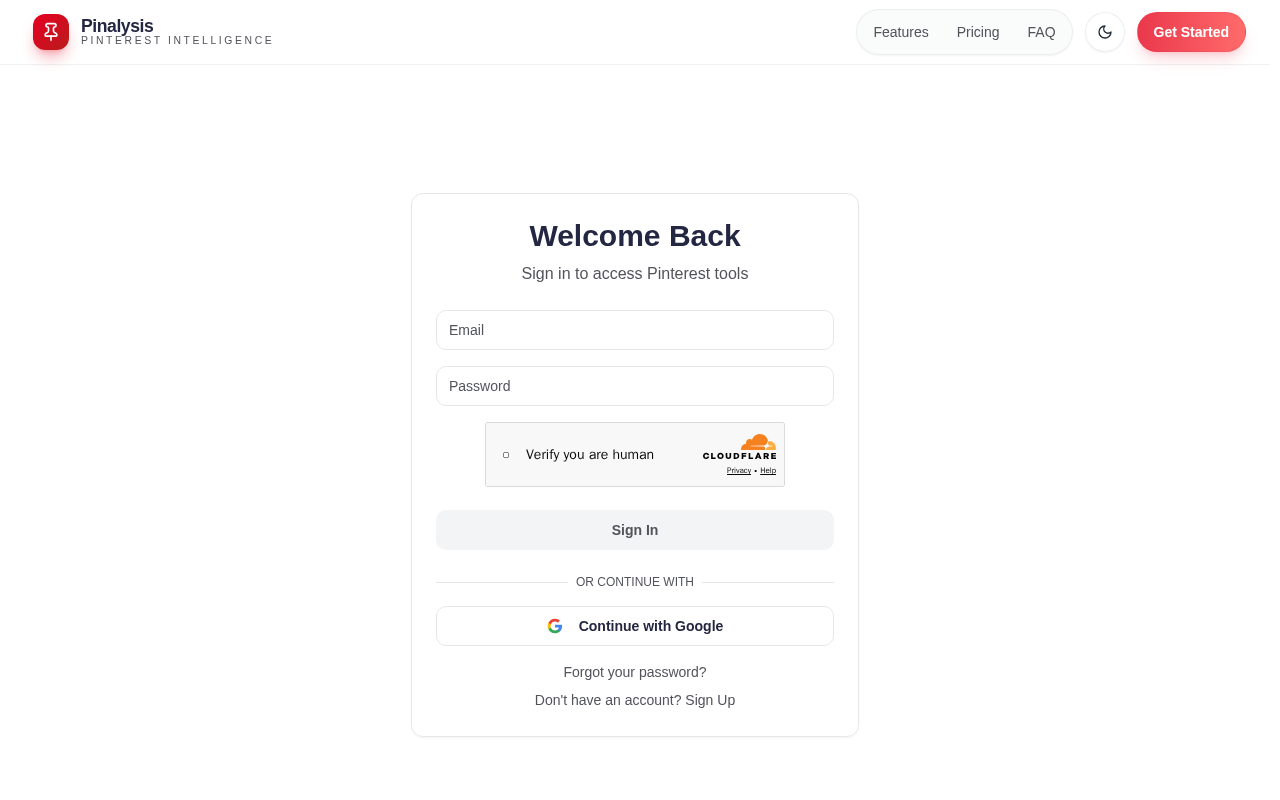
Try it: Open www.pinalysis.com in a private window and click "Get Started Free" in the hero. The page that opens says "Welcome Back" and shows a sign-in form, not a sign-up form.
Pricing says Pro can only be cancelled in a 7-day window
Buyers comparing Free and Pro learn they cannot turn off auto-renewal for most of each billing cycle.
The /pricing FAQ "How does subscription cancellation work?" says "The cancellation button appears during the last 7 days before your renewal date (from day 23 of your subscription billing cycle)", and the trust row under "Upgrade Now" says "Available last 7 days in settings". A new Pro subscriber cannot cancel auto-renewal on days 1 to 22 and has to come back during that window to avoid another charge. Buyers read this at the pricing step, under a "Transparent & Predictable" badge, while they decide whether to pay $14.99/month.
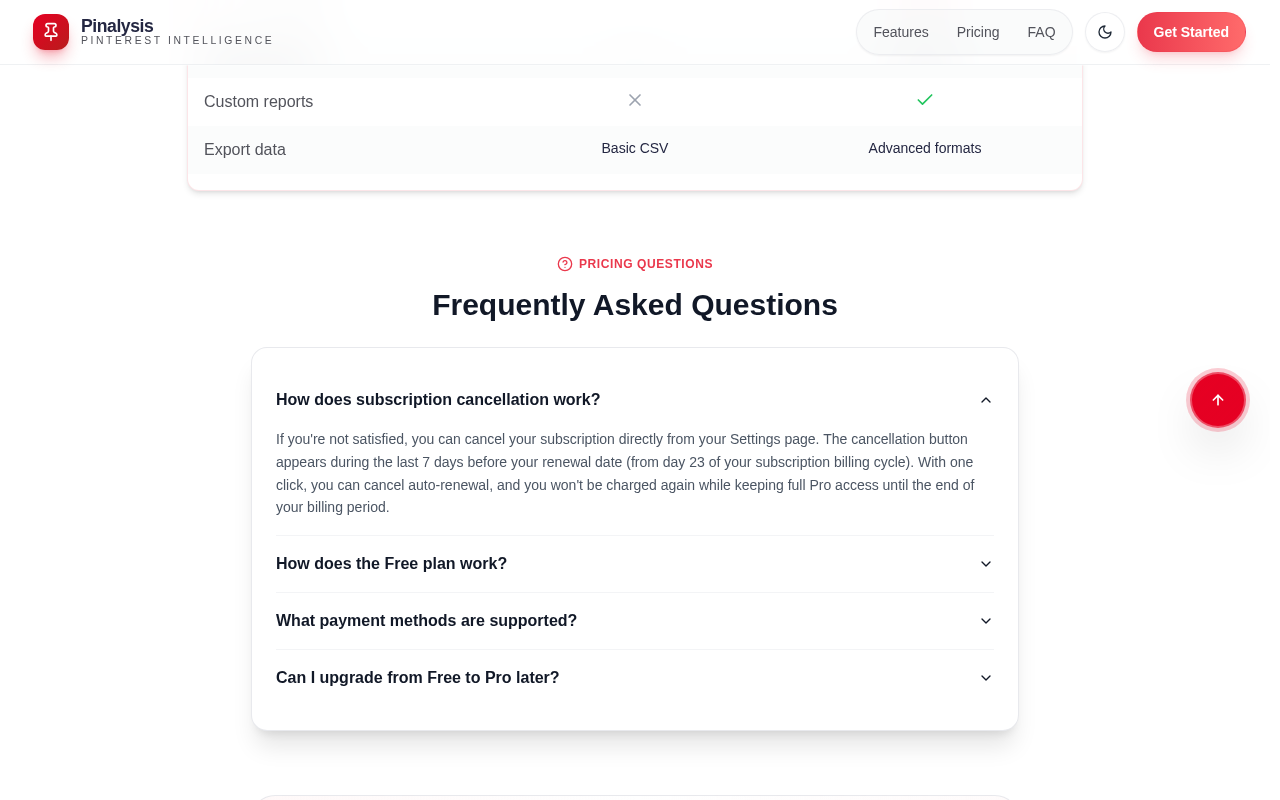
Try it: Open /pricing, read the line under the Pro "Upgrade Now" button, then expand the FAQ "How does subscription cancellation work?" and read the day-23 rule.
The phone contact form is cut off above its Submit button
On /contact at phone width, the embedded form frame ends partway through the line "the address you provided." The bottoms of the letters on that line are clipped, and no Submit button shows below the Write Details field. A visitor who reaches this page from pricing to ask sales a question can fill in every field, but the page shows nothing to send it with.
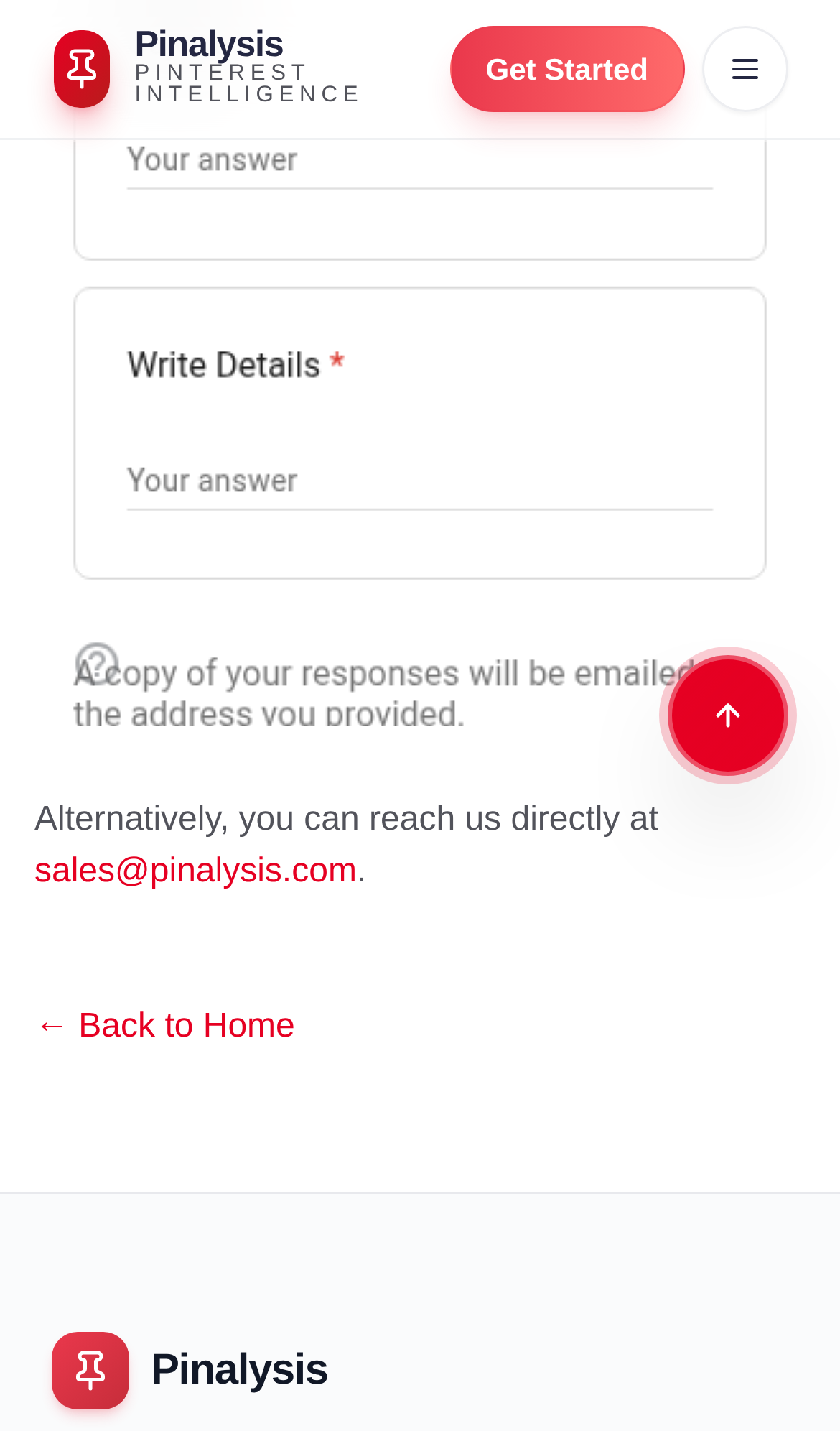
Try it: Open /contact on a phone or in a 390px-wide browser and scroll to the end of the form. The frame stops at "A copy of your responses will be emailed..." and no Submit button is visible.
The home page is missing six security response headers
The response from https://www.pinalysis.com/ is missing Strict-Transport-Security, Content-Security-Policy, CSP frame-ancestors or X-Frame-Options, X-Content-Type-Options: nosniff, Referrer-Policy, and Cross-Origin-Resource-Policy.
The home page red buttons fall short of the text contrast minimum
On the home page, the Get Started Free button uses white text on #ea384c at a contrast of 4.06:1, and WCAG AA requires 4.5:1 for 16px text. The gray "Included in Pinalysis" labels on the feature cards measure 2.53:1. The button is still readable, so this is an accessibility gap and not a blocker.
Probie fixes this for you.
Stop customers hitting the same friction. Connect your codebase and Probie reproduces these failures, tests the fix, and opens a pull request for your review.
Sign up and get this fixedFree inspection
What should Probie inspect next?
Enter a project URL. There is nothing to install.
Probie checks every issue twice, respects robots.txt, and backs off at bot challenges.
Enter an address and we will email the report card link.