We found 3 issuescosting you truston trylinkdrop.com.
Watch the inspection.
We navigate your site the way customers would. Idle time is skipped.
How the composite score works
The overall score is a weighted average of the categories: Getting the product 40%, Trust before buying 20%, Mobile 15%, Speed 15%, and Polish and audit 10%. It is never more than 10 points above the Getting the product score, because a product a visitor cannot get cannot score well on anything else, and never more than 25 points above the weakest category, so one badly broken area is not averaged away. Any issue in the main list caps it at 89, so a score above 90 means nothing worth fixing was found.
Each category starts at 100 and stays there when nothing was found in it, whether or not the inspection got that far. Each distinct verified finding deducts 60 points for a serious problem on the path from arriving to paying, 40 for another serious problem, 30, 15 or 8 by high, medium or low severity otherwise, and 4 for an audit finding. Each additional finding below the list takes 2 more points off the overall score, up to 10. Scores stop at zero and round to whole numbers. The formula is fixed and versioned, so the same saved evidence always receives the same score.
Google sign-up asks coaches to continue to a Firebase domain
New coaches who choose Google sign-up are asked to sign in to an unfamiliar linkdrop-10986.firebaseapp.com address instead of LinkDrop, so the first sign-up option looks like phishing.
On /signup, "Continue with Google" opens a popup at linkdrop-10986.firebaseapp.com/__/auth/handler, and Google's account chooser says the coach will "continue to linkdrop-10986.firebaseapp.com". Neither LinkDrop nor trylinkdrop.com appears on that screen. A coach meets this at the sign-up step, right after the home page sent them here to claim a free page, and the same button appears on /login.
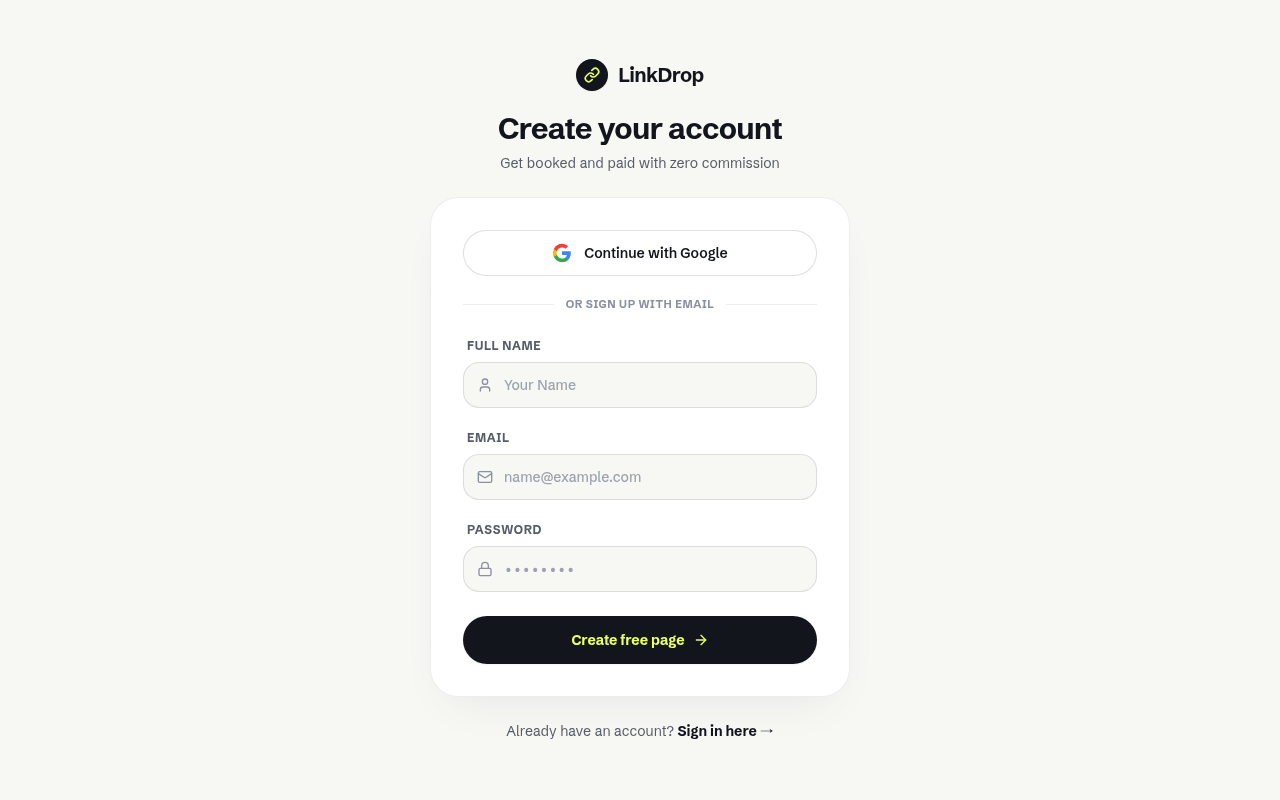
Try it: Open https://trylinkdrop.com/signup and click "Continue with Google". Read the popup's address bar and the "to continue to" line on Google's screen.
Pro is ₹499 on the home page but $12/mo in the blog posts
Coaches checking the price before they sign up cannot tell what Pro costs, what it adds, or what the free tier includes.
The home pricing section is headed "One simple plan" and shows a ₹499/month Pro Plan with 0% commission listed as an included feature. The button below it says "Start your free trial now", and the line under that says "Free forever tier available", but no page explains the free tier or how long the trial lasts. The blog posts /blog/best-link-in-bio-tools-2026 and /blog/linktree-vs-linkdrop describe two tiers instead, with Pro at "$12/mo flat (or ₹499/mo) for custom domain and advanced styling", so a coach weighing the price sees a different plan structure and price on each page.
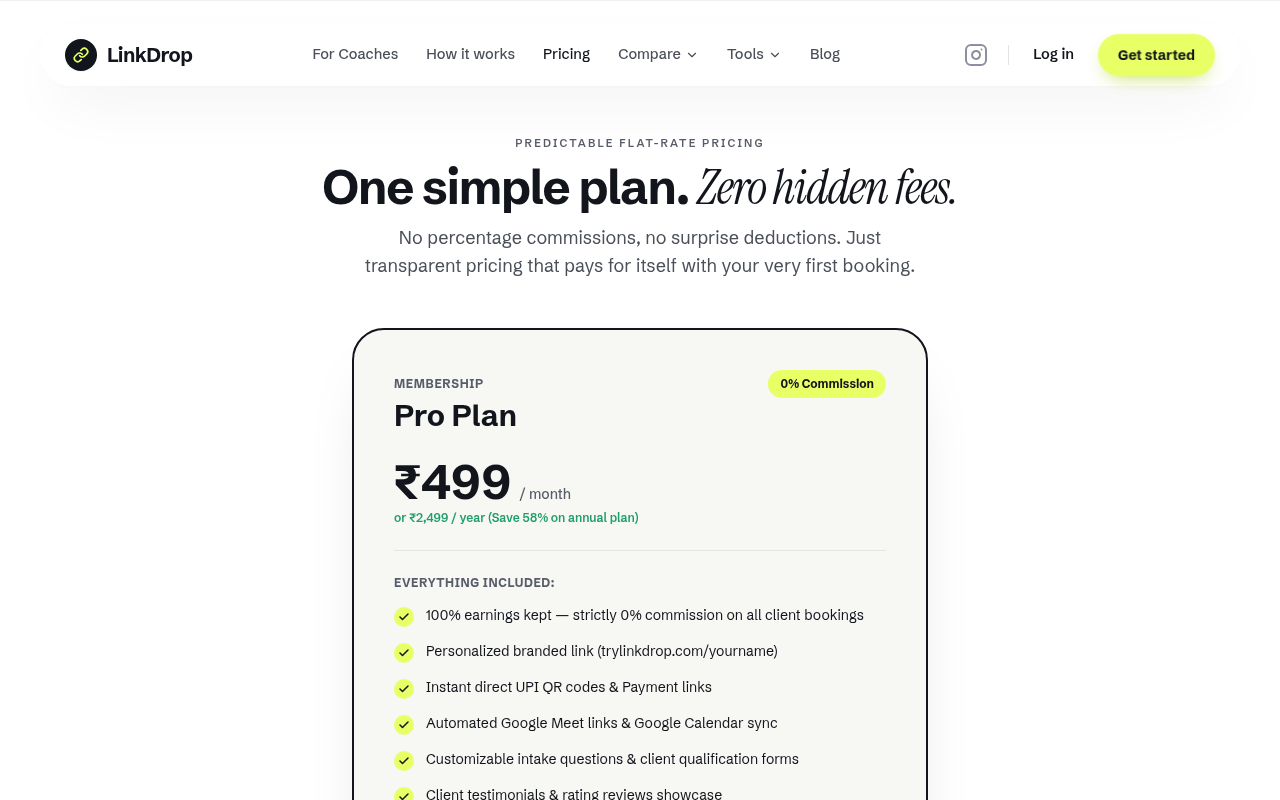
Try it: Open /#pricing and read the Pro card and the line under its button. Then open /blog/best-link-in-bio-tools-2026 and read the LinkDrop "Pricing:" line.
The "10 Best Coaches in Delhi" post leads to an empty directory
Coaches checking whether anyone uses LinkDrop find empty city directories right after the blog promises verified profiles they can book.
The post /blog/best-business-coaches-delhi is titled "10 Best Business Coaches in Delhi You Can Book Online (2026)" but names no coaches. It sends readers to "browse verified profiles, check availability, and book a session" at /coaches/delhi, and that page says "No coaches listed in Delhi yet". The home page's "Coaches Near You" block links to city pages such as /coaches/mumbai that are also empty, so a coach evaluating the product sees no other coaches on it.

Try it: Open /blog/best-business-coaches-delhi and click "Browse Delhi Coaches". Scroll below the hero on /coaches/delhi and read "No coaches listed in Delhi yet".
The phone login page can be dragged sideways by 55px
On a 390px phone viewport, /login is 445px wide. A decorative absolutely positioned div (top-1/4 left-1/2, 500px wide) runs from x -55 to 445. The extra width shows only empty background, and the Google button, the email and password fields, Forgot? and Create free account all stay fully visible and usable.
The signup fields carry no autofill or password-manager hints
On /signup, the Full Name, Email and Password inputs have no autocomplete attribute, no name and no id, so the visible labels are not tied to the inputs. The password field does not declare new-password and the email field does not declare email. Coaches meet this at the signup step, where browsers have to guess what to autofill and whether to offer a generated password.
The home page is missing five security response headers
The response from https://trylinkdrop.com/ is missing Content-Security-Policy, CSP frame-ancestors or X-Frame-Options, X-Content-Type-Options: nosniff, Referrer-Policy, and Cross-Origin-Resource-Policy.
The home page savings calculator slider has no accessible label
The savings calculator on the home page has a range input (type="range", min 0, max 100, value 20). Screen reader users get no name for what the slider adjusts.
Home page subline and mockup labels fall short of contrast minimums
The hero line "For coaches, consultants, freelancers and creators who take paid 1:1 sessions." is #737885 on #f7f7f4, which gives a contrast ratio of 4.11. WCAG AA requires 4.5. The green "LinkDrop Platform Cut" and "₹0 (0% Commission)" labels are 12px #1F9D6B on white, a ratio of 3.44. Visitors with low vision see these lines on the home page while they read about the product.
Probie fixes this for you.
Stop customers hitting the same friction. Connect your codebase and Probie reproduces these failures, tests the fix, and opens a pull request for your review.
Sign up and get this fixedFree inspection
What should Probie inspect next?
Enter a project URL. There is nothing to install.
Probie checks every issue twice, respects robots.txt, and backs off at bot challenges.
Enter an address and we will email the report card link.