We found 3 issuescosting you truston linktree.com.
Watch the inspection.
We navigate your site the way customers would. Idle time is skipped.
How the composite score works
The overall score is a weighted average of the categories: Getting the product 40%, Trust before buying 20%, Mobile 15%, Speed 15%, and Polish and audit 10%. It is never more than 10 points above the Getting the product score, because a product a visitor cannot get cannot score well on anything else, and never more than 25 points above the weakest category, so one badly broken area is not averaged away. Any issue in the main list caps it at 89, so a score above 90 means nothing worth fixing was found.
Each category starts at 100 and stays there when nothing was found in it, whether or not the inspection got that far. Each distinct verified finding deducts 60 points for a serious problem on the path from arriving to paying, 40 for another serious problem, 30, 15 or 8 by high, medium or low severity otherwise, and 4 for an audit finding. Each additional finding below the list takes 2 more points off the overall score, up to 10. Scores stop at zero and round to whole numbers. The formula is fixed and versioned, so the same saved evidence always receives the same score.
The pricing FAQ and help center disagree on Linktree's sales fee
Creators choosing a plan to sell products cannot tell what Linktree will take from each sale, and the pricing page points them at a $0.25 figure the help center calls a Stripe fee.
The /s/pricing FAQ "Does Linktree charge transaction fees?" says "we currently only charge USD$0.25 per payout." The linked help article "About transaction and processing fees" says Linktree's fee is a percentage of the sale price that depends on your plan, and it lists the $0.25 per payout as a Stripe fee. That article's "Compare fees by plan" link goes back to the pricing page, which has no fee figure for any plan beyond "Sell and earn with 0% fees" under Pro, so a creator comparing plans before upgrading cannot find what Free or Starter sellers pay.
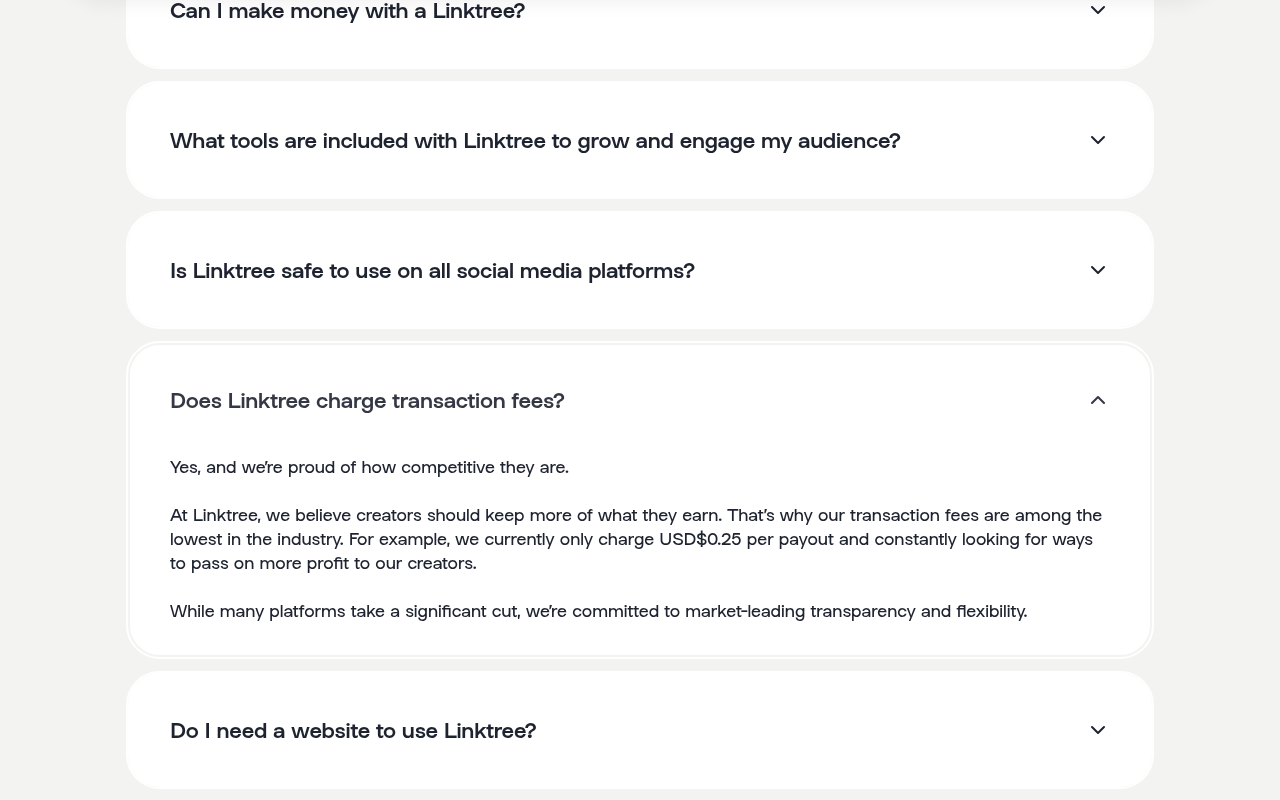
Try it: Open linktr.ee/s/pricing and expand "Does Linktree charge transaction fees?". Then open the "See here" fee article and click "Compare fees by plan" to see that no per-plan percentage is shown.
The free signup button carries a paid auto-renewal footnote
Visitors ready to sign up free are told, right under the button, that a trial will roll into a paid plan.
On /solutions/share-content and /solutions/grow-followers, the "Get your free Linktree" button has the line "*Pro trial auto renews into paid plan. Cancel anytime." directly beneath it. The button opens /register, which says "Sign up for free." and does not mention a Pro trial, so the footnote describes an offer this button does not start. Buyers meet this at the signup step, where the page calls the plan free and warns of billing in the same place.
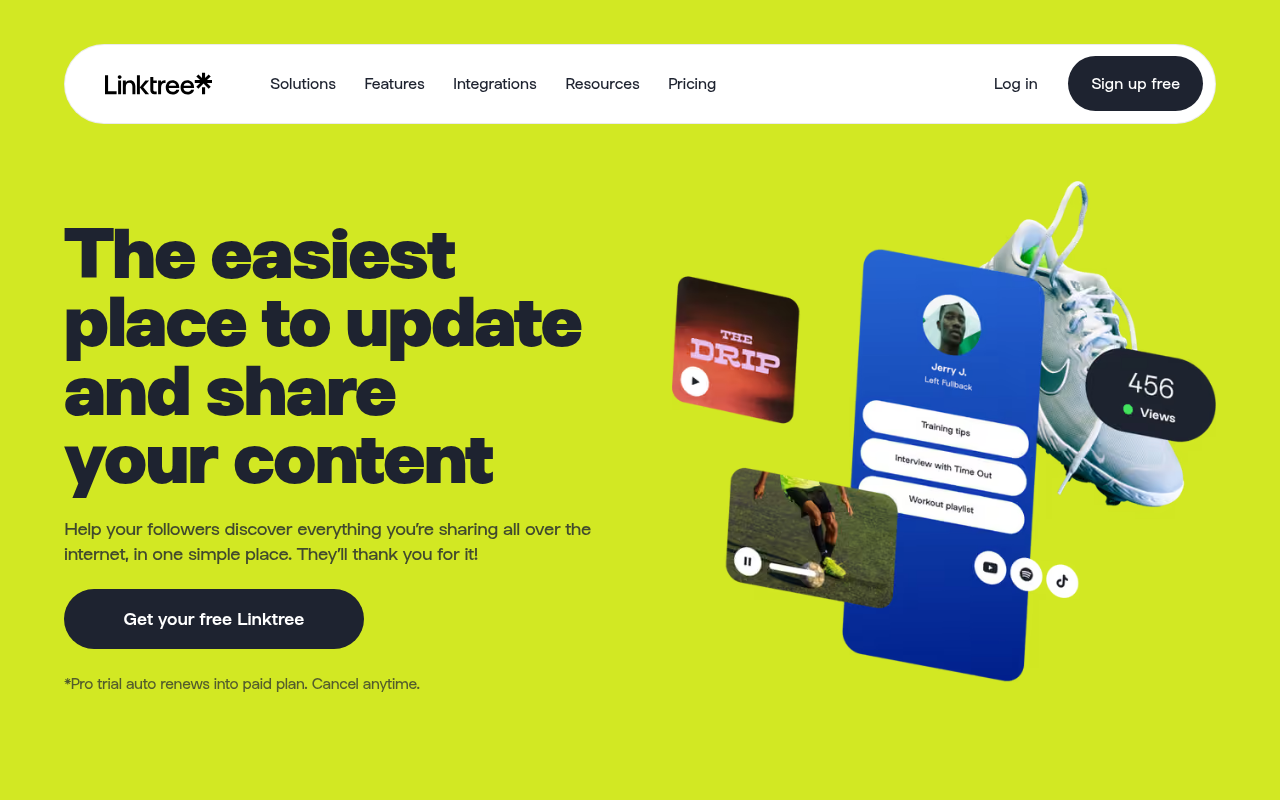
Try it: Open linktr.ee/solutions/share-content and read the line under "Get your free Linktree". Click the button and compare it with the free signup page it opens.
The /funkynutmeg showcase example opens an empty profile
Prospects who click a promoted example to judge Linktree before signing up or starting a Pro trial see a page with no links or content.
The "trusted by 70M+" carousel on the home page, /s/pricing, /s/join-linktree-pro-for-free (as the first tile) and two solutions pages links to linktr.ee/funkynutmeg as an example Linktree. That profile shows only a default grey avatar, "@funkynutmeg", footer links and "Get your own Linktree", and its About panel says the account joined June 2026. Prospects meet this at the step where they are deciding whether the product is worth signing up for, so the example they open looks empty.
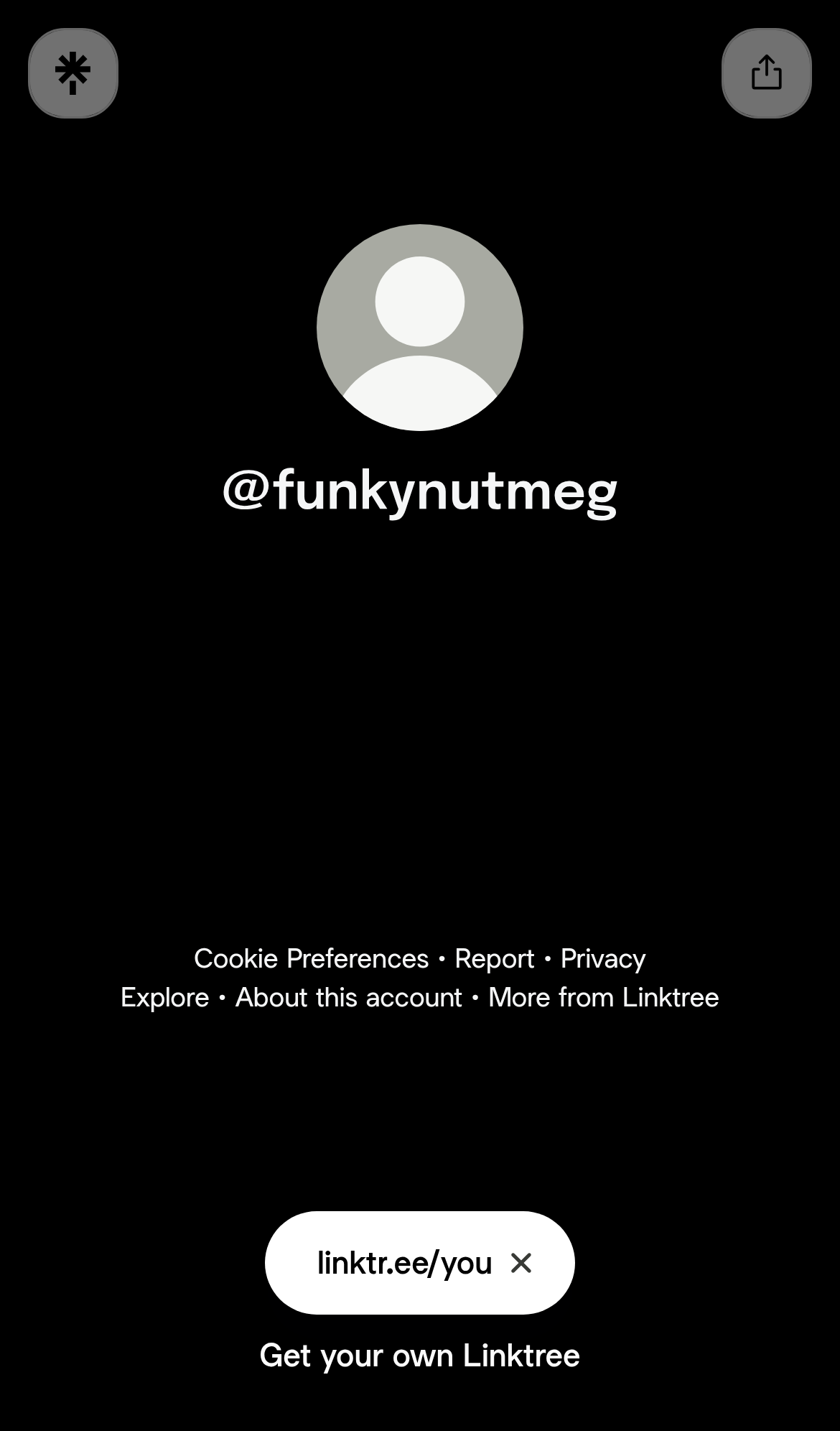
Try it: Open https://linktr.ee/funkynutmeg on a phone or desktop and see that it has no links. Then find the /funkynutmeg tile in the home page carousel.
Profile footer links are 18px tall tap targets on phones
The Cookie Preferences button in the profile footer on /selenagomez measures 109.2 by 18px. The Report link next to it measures 36.5 by 18px. Neither has the 24px of spacing that WCAG 2.5.8 requires, and the same footer fails on other creator profiles. These are utility links and are not on the signup or upgrade path.
A link's share preview requests a blocked insecure product image
Clicking the Share button on a link on /selenagomez makes the page request http://store.selenagomez.com/cdn/shop/files/REVIVAL_product_shot_D2C_copy.png over plain HTTP, and the browser blocks it as mixed content. The main profile list still shows its thumbnails, so the missing image only affects the share view.
A blurred image variant on the /hbo profile returns 404
On /hbo, the request for ugc.production.linktr.ee/Ly8Hg95iTR6ni00eVj1Y_...?io=true&size=square-blur returns a 404. The profile still renders its avatar, both trailer thumbnails and all four links, so nothing visibly breaks at the understand step.
An uploaded image on the /hbo profile returns 404
On the /hbo profile, one user-uploaded image at ugc.production.linktr.ee returns HTTP 404 twice on mobile, and it failed again on a second load. The avatar, both trailer thumbnails and all four link buttons render normally, so the profile has no visible gap.
The profile page lacks CSP and CORP headers and has a short HSTS
The response from https://linktr.ee/selenagomez is missing Content-Security-Policy and Cross-Origin-Resource-Policy. HSTS max-age is 300.
Probie fixes this for you.
Stop customers hitting the same friction. Connect your codebase and Probie reproduces these failures, tests the fix, and opens a pull request for your review.
Sign up and get this fixedFree inspection
What should Probie inspect next?
Enter a project URL. There is nothing to install.
Probie checks every issue twice, respects robots.txt, and backs off at bot challenges.
Enter an address and we will email the report card link.