We found 3 issuescosting you truston avaraui.com.
The home page licence FAQ calls the product "Docs UI", not Avara UI.
Watch the inspection.
We navigate your site the way customers would. Idle time is skipped.
How the composite score works
The overall score is a weighted average of the categories: Getting the product 40%, Trust before buying 20%, Mobile 15%, Speed 15%, and Polish and audit 10%. It is never more than 10 points above the Getting the product score, because a product a visitor cannot get cannot score well on anything else, and never more than 25 points above the weakest category, so one badly broken area is not averaged away. Any issue in the main list caps it at 89, so a score above 90 means nothing worth fixing was found.
Each category starts at 100 and stays there when nothing was found in it, whether or not the inspection got that far. Each distinct verified finding deducts 60 points for a serious problem on the path from arriving to paying, 40 for another serious problem, 30, 15 or 8 by high, medium or low severity otherwise, and 4 for an audit finding. Each additional finding below the list takes 2 more points off the overall score, up to 10. Scores stop at zero and round to whole numbers. The formula is fixed and versioned, so the same saved evidence always receives the same score.
The home page licence FAQ calls the product "Docs UI", not Avara UI
Developers and agency leads checking whether they can use the components in client or SaaS work see the licence promise made for a product with a different name.
On the home page, FAQ item 03 "MIT LICENSING" asks "Is Docs UI free to use for commercial client projects and SaaS?" and answers "Docs UI is 100% free and open-source under the permissive MIT license." The closing call-to-action card just below it is headed "Docs-UI / Production-Ready", while the logo, title and nav all say Avara UI. A developer meets this at the understand step, on the exact question that decides whether the library is safe to install for commercial work.
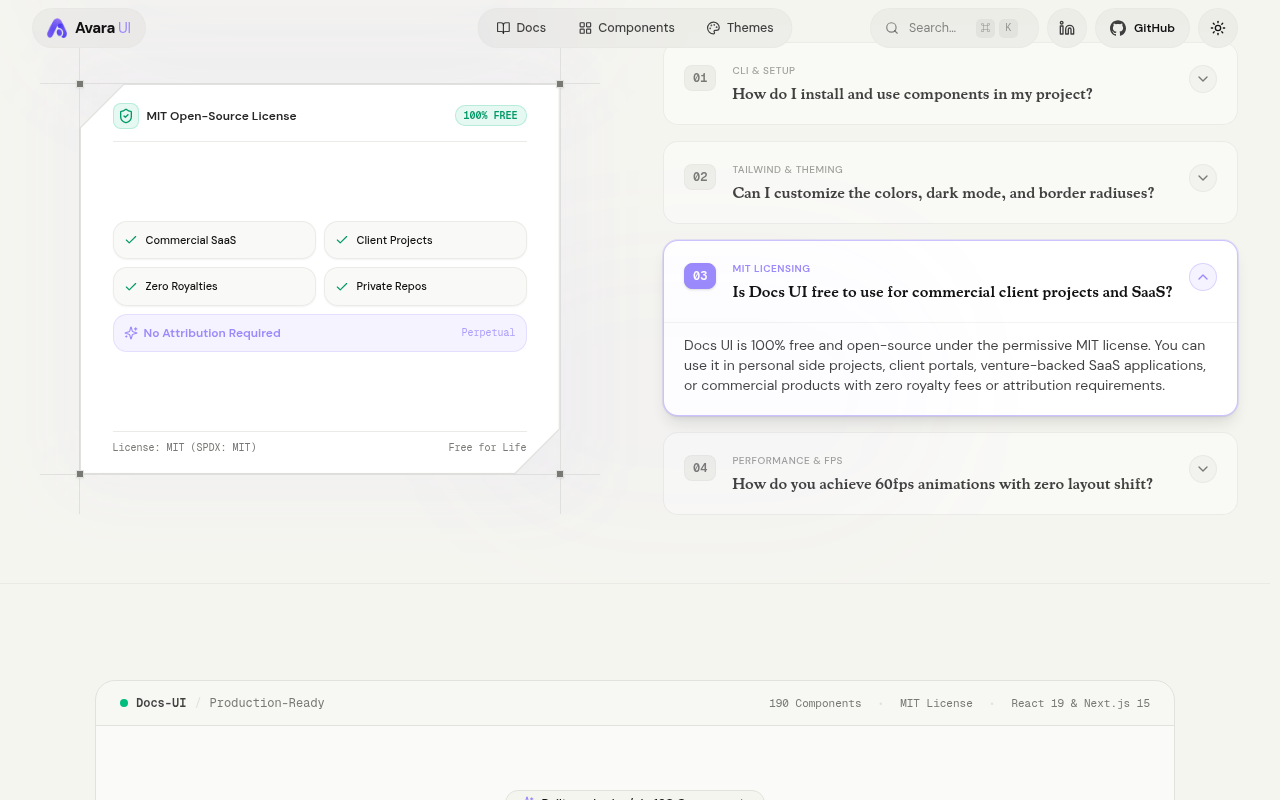
Try it: Open https://avaraui.com/, scroll to Frequently Asked Questions and expand item 03. Read the "Docs UI" wording there, then look at the "Docs-UI" header on the CTA card below it.
The home page install command needs a setup step it never mentions
Developers who paste the hero command into a fresh project hit an error the docs list under troubleshooting, on their first attempt to install a component.
The home page hero offers a copyable "npx shadcn@latest add @avara-ui/collage-hero" with nothing nearby about setup. The Introduction docs say "The short @avara-ui/… form needs the registry registered once", and the Installation troubleshooting section lists "Unknown registry "@avara-ui"" as the result of skipping that step. That puts the error on the first install a developer tries from the landing page, even though a no-setup URL form (https://avaraui.com/r/collage-hero.json) works.
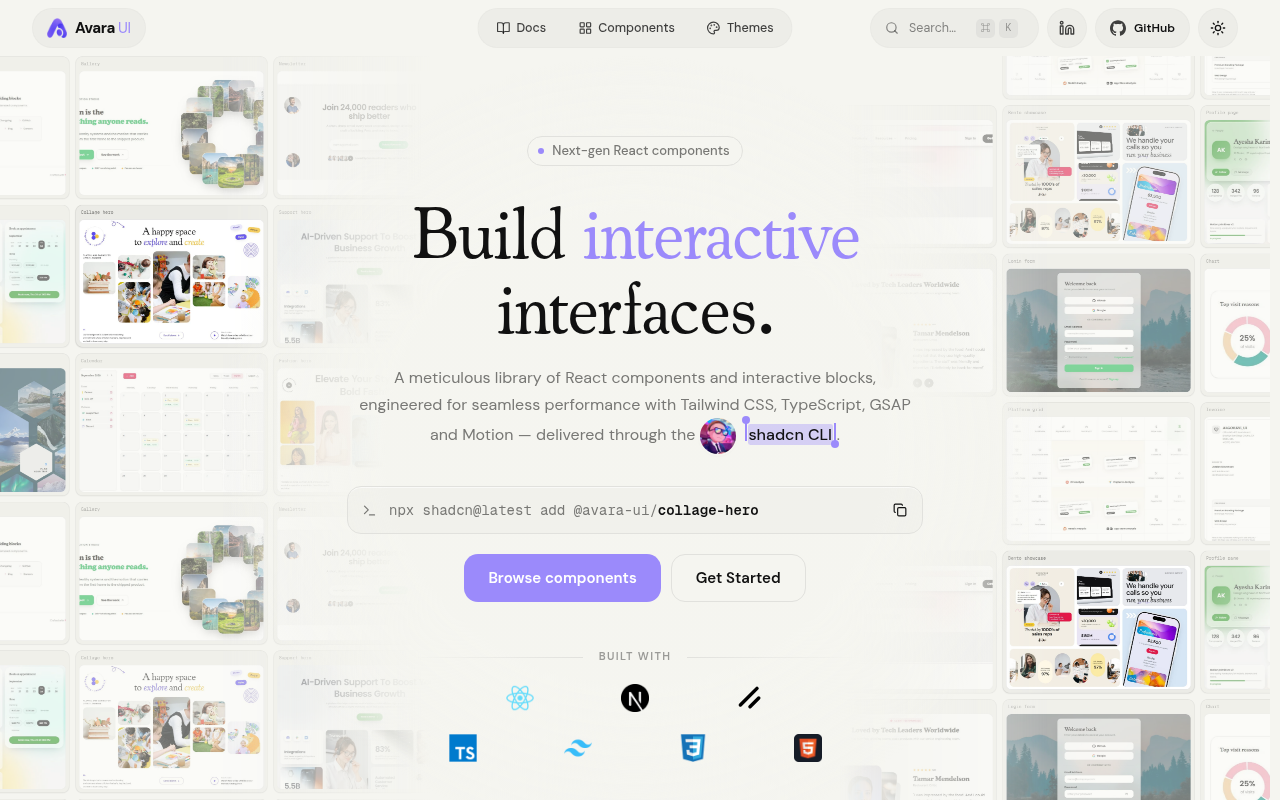
Try it: Open avaraui.com, copy the hero command and run it in a new shadcn project that has not run the registry add command. Then compare the result with the note under the first code block on /docs/nextjs.
"Explore 190 Components" opens a catalogue that shows 139
Developers who click the home page's main button see a smaller count than the headline promised, so the library's other claims look less believable.
The home page's closing section says "Built on shadcn/ui • 190 Components" and "An open collection of 190 animated UI components", and its main button reads "Explore 190 Components". That button opens /docs/nextjs/all-components, where the unfiltered catalogue reads "All 139" and "Showing 139 of 139". Developers meet this gap on their first click while they are deciding whether the library is worth installing.
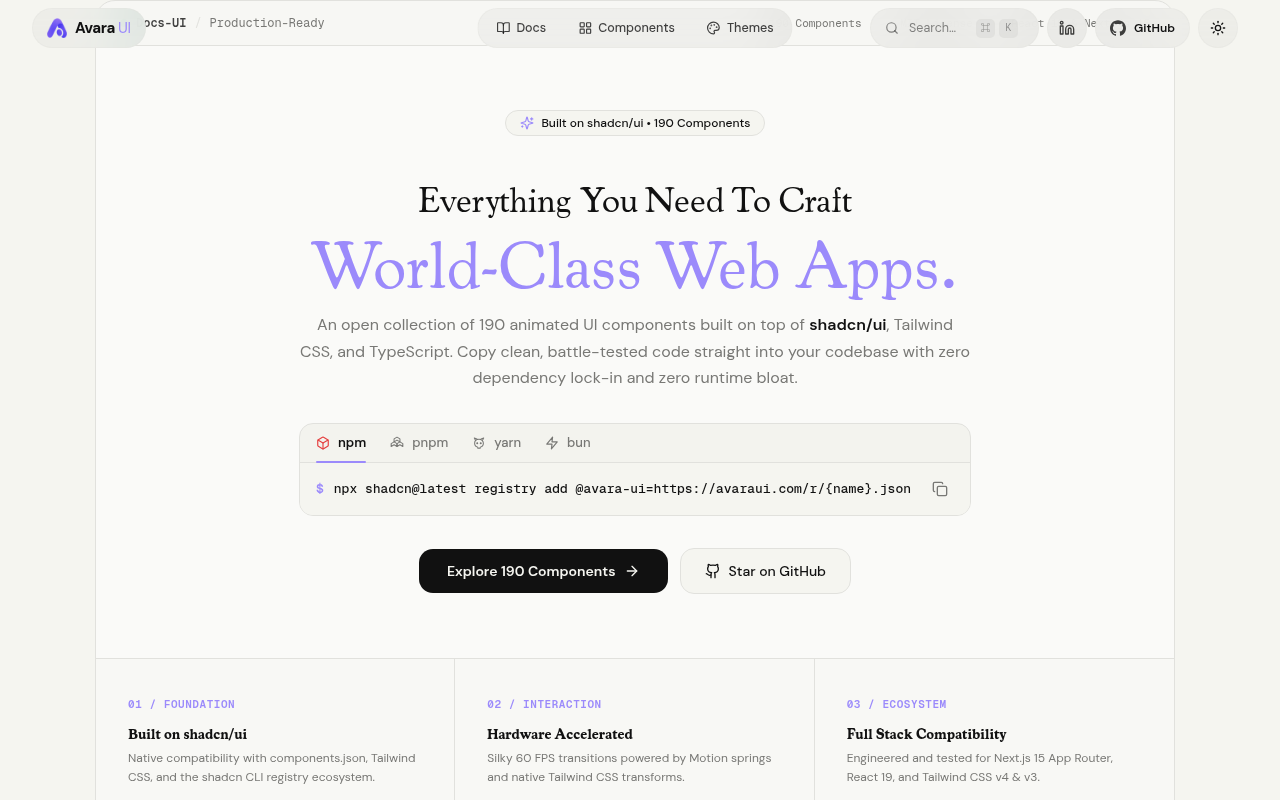
Try it: On the home page, scroll to the final section and click "Explore 190 Components". On the catalogue, read the filter bar, which says "Showing 139 of 139".
The 3D carousel slide dots are 6px tap targets on phones
On /docs/nextjs/3d-carousel, the "Go to slide" buttons under the live preview are 6px by 6px. Each has only 4px of clear space around it, while the WCAG 2.5.8 minimum is 24px. The large previous and next buttons still move the carousel, so the dots are hard to tap but are not the only way to change slides.
The home page is missing six standard security headers
The response from https://avaraui.com/ is missing Strict-Transport-Security, Content-Security-Policy, CSP frame-ancestors or X-Frame-Options, X-Content-Type-Options: nosniff, Referrer-Policy, and Cross-Origin-Resource-Policy.
AI chat demo history buttons have no accessible name
On /docs/nextjs/ai-chat, the icon-only action buttons that appear on hover over chat history rows in the live preview have no text, aria-label or title. Screen readers announce them only as "button", so a visitor using assistive technology cannot tell the rename action from the delete action while trying the block.
The Browse components button label fails the contrast minimum
On / and the docs pages, the white Browse components label on #9b8afb is at 2.43 to 2.82:1, and WCAG AA requires 4.5:1. The purple "UI" in the header logo is at 2.43:1 and the "Search…" placeholder is at 3.4:1. Low-vision visitors deciding whether to browse the components have a harder time reading the primary button.
Home page demo radio cards contain nested focusable controls
Assistive technology may announce the card and its inner control confusingly, and keyboard users get extra tab stops inside one choice. Ten similar nodes were also flagged.
Probie fixes this for you.
Stop customers hitting the same friction. Connect your codebase and Probie reproduces these failures, tests the fix, and opens a pull request for your review.
Sign up and get this fixedFree inspection
What should Probie inspect next?
Enter a project URL. There is nothing to install.
Probie checks every issue twice, respects robots.txt, and backs off at bot challenges.
Enter an address and we will email the report card link.