We found 3 issuescosting you truston filmagic.app.
Watch the inspection.
We navigate your site the way customers would. Idle time is skipped.
How the composite score works
The overall score is a weighted average of the categories: Getting the product 40%, Trust before buying 20%, Mobile 15%, Speed 15%, and Polish and audit 10%. It is never more than 10 points above the Getting the product score, because a product a visitor cannot get cannot score well on anything else, and never more than 25 points above the weakest category, so one badly broken area is not averaged away. Any issue in the main list caps it at 89, so a score above 90 means nothing worth fixing was found.
Each category starts at 100 and stays there when nothing was found in it, whether or not the inspection got that far. Each distinct verified finding deducts 60 points for a serious problem on the path from arriving to paying, 40 for another serious problem, 30, 15 or 8 by high, medium or low severity otherwise, and 4 for an audit finding. Each additional finding below the list takes 2 more points off the overall score, up to 10. Scores stop at zero and round to whole numbers. The formula is fixed and versioned, so the same saved evidence always receives the same score.
The suggested linear.app demo builds a video from an error page
Visitors who tap the home page's own example to try Filmagic get a first video full of "This page couldn't load" text and blank screens.
On a phone, tapping the "Try linear.app" chip on the home page and then "Make my video" captures 2 screens. One is a "This page couldn't load" error page and the other is a nearly black frame. The finished preview carries that error into the film: scene 2's Lead reads "This page couldn't loa", its Word reads "couldnt", and the laptop mockup in "Feedback becomes issues" shows the black capture. A visitor meets this at the try step, the first result shown before they are asked to sign in and export.
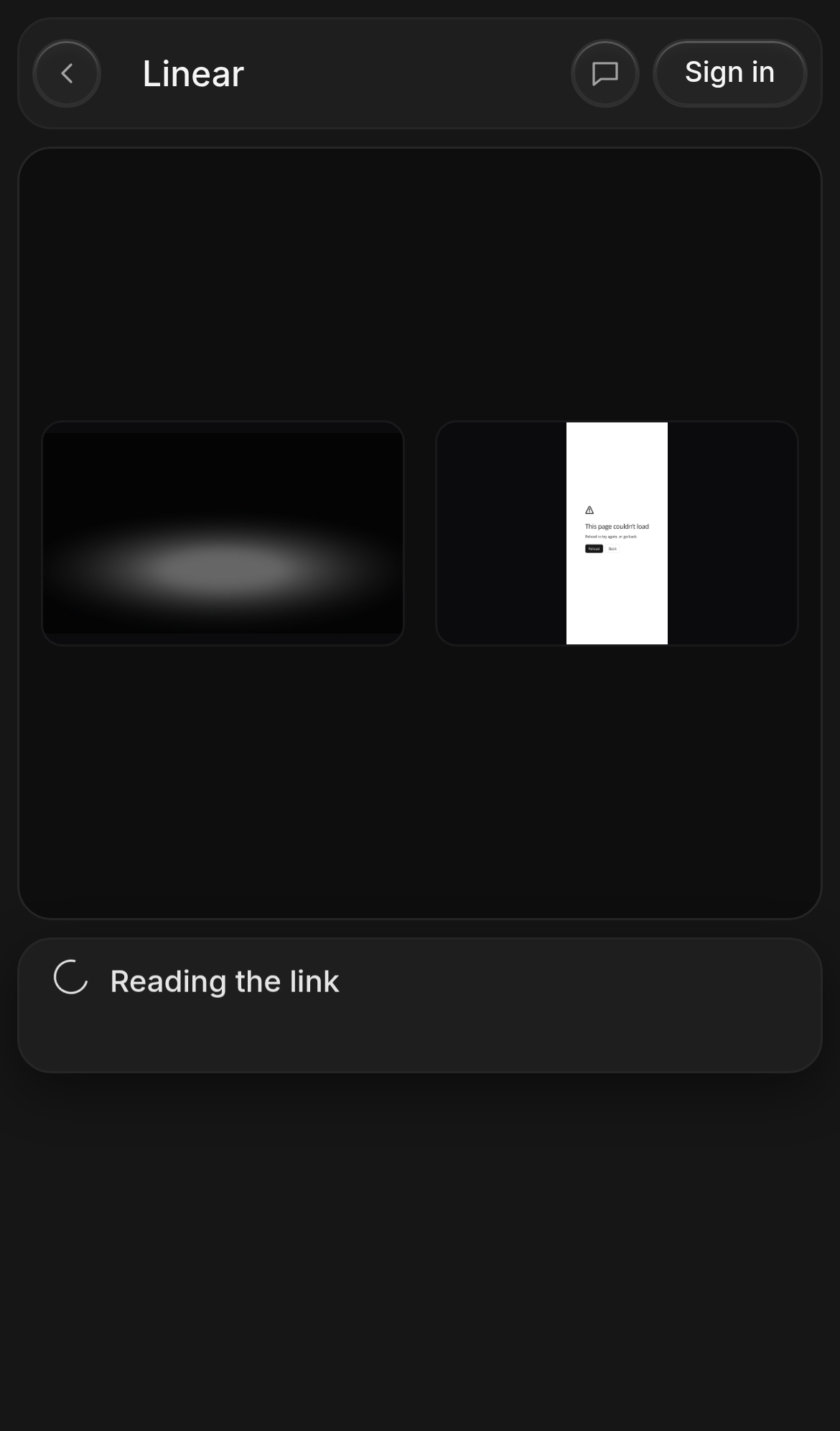
Try it: Open filmagic.app on a phone, tap the linear.app chip under the URL box, then tap Make my video. Look at the captured screens, then tap Create launch video and open scene 2 in the timeline.
"Buy one video" opens the subscription plans, not the $9 purchase
Buyers ready to pay $9 for one video with no subscription see only monthly plans and have to scroll to find the offer again.
The home page pricing line reads "Just one launch? $9 for one video ... no subscription. Buy one video". Clicking that link opens a "Plans" popup with Starter $12, Pro $29 and Studio $79 a month, and no $9 option shows on the first screen at 1280×800. The buyer has to scroll inside the popup to reach "Just one video? $9" and click a second "Buy one video" button before the "Sign in to buy one video" step appears.
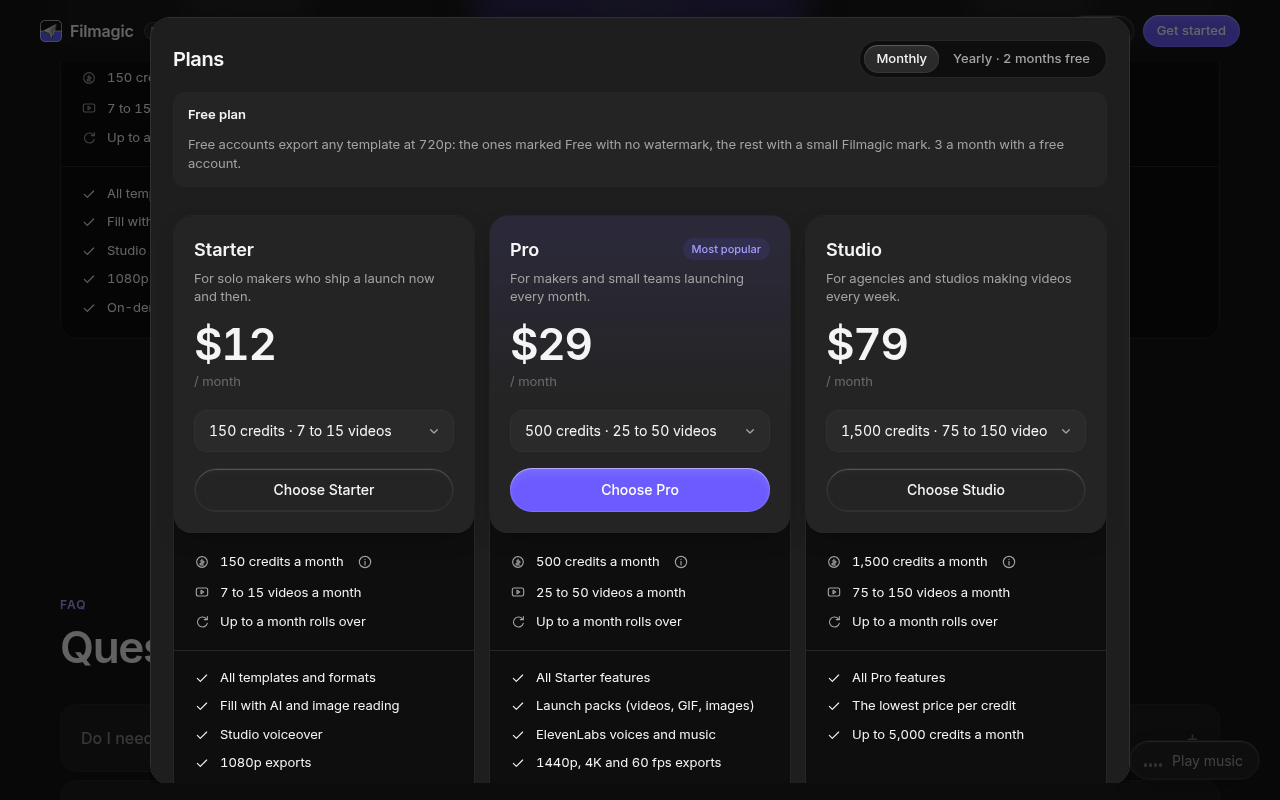
Try it: On a 1280×800 desktop, open filmagic.app, scroll to Pricing and click "Buy one video" under the plan cards. The Plans popup opens on the monthly subscriptions, and the $9 option only appears after you scroll inside the popup.
"Use this template" lands on the generic home page
Visitors who choose a style on a template page reach the URL box with no sign that the template they picked will be used.
The "Use this template" button on /templates/apple links to /#tpl=apple. That link opens the standard home page at the top, with an empty URL box, the default first template highlighted in the "Latest templates" player, and nothing that names Apple Style. /templates/manifesto behaves the same way, so a visitor who moves from browsing to trying has no way to tell whether their chosen look will be applied.
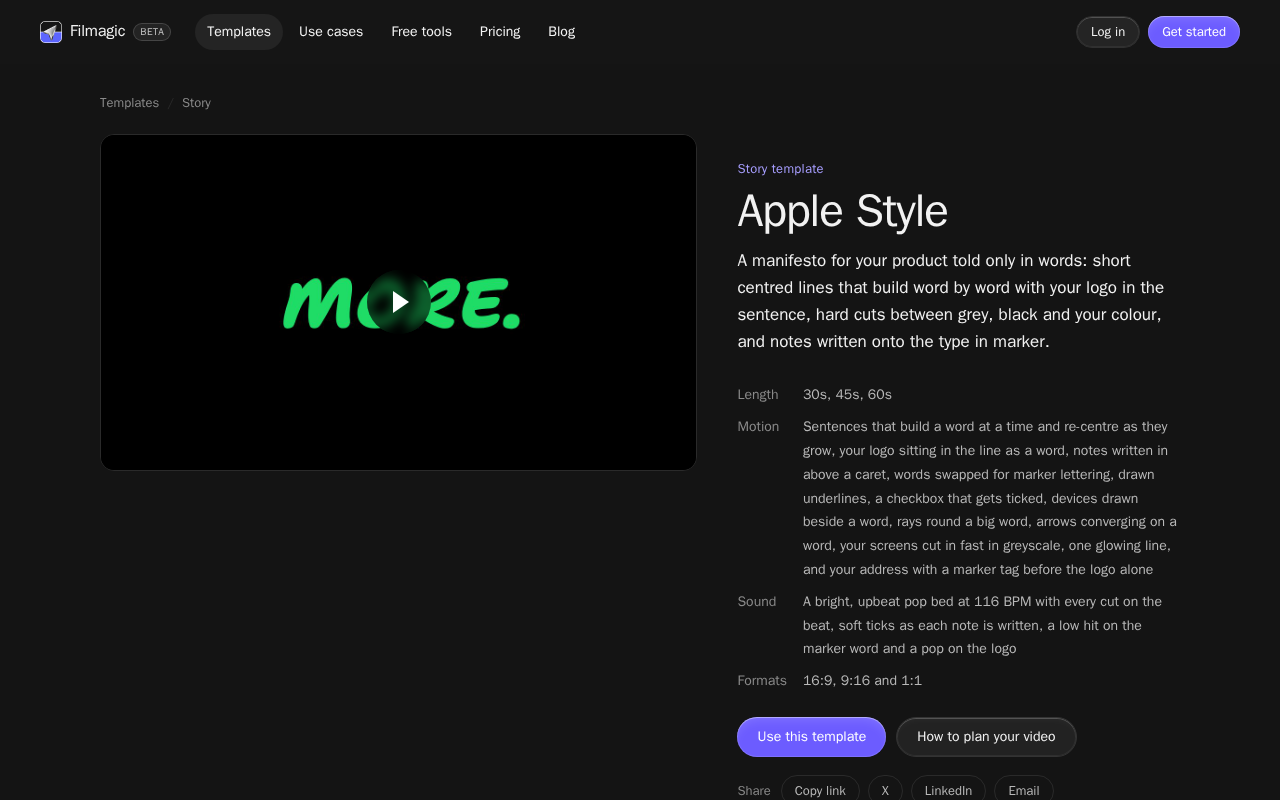
Try it: Open /templates/apple, click "Use this template", and check whether the home page shows Apple Style as selected anywhere.
The home page is missing a Cross-Origin-Resource-Policy header
The response from https://filmagic.app/ is missing Cross-Origin-Resource-Policy.
Three helper text lines on the home page fail contrast
On the home page, three pieces of helper text are grey #6b6b6b on near-black backgrounds, at contrast ratios of 3.19 and 3.39. WCAG AA requires 4.5:1 for 13px text. The three are the hint "Add screenshots or a recording to show the real product", the "Try" label in front of the example URLs, and the line "Made for Product Hunt, X, LinkedIn, Reels and your homepage". The URL input and the "Make my video" button themselves stay legible.
Probie fixes this for you.
Stop customers hitting the same friction. Connect your codebase and Probie reproduces these failures, tests the fix, and opens a pull request for your review.
Sign up and get this fixedFree inspection
What should Probie inspect next?
Enter a project URL. There is nothing to install.
Probie checks every issue twice, respects robots.txt, and backs off at bot challenges.
Enter an address and we will email the report card link.