We found 3 issuescosting you truston firenook.dev.
The comparison page sends large-collection teams to the official emulator.
Watch the inspection.
We navigate your site the way customers would. Idle time is skipped.
How the composite score works
The overall score is a weighted average of the categories: Getting the product 40%, Trust before buying 20%, Mobile 15%, Speed 15%, and Polish and audit 10%. It is never more than 10 points above the Getting the product score, because a product a visitor cannot get cannot score well on anything else, and never more than 25 points above the weakest category, so one badly broken area is not averaged away. Any issue in the main list caps it at 89, so a score above 90 means nothing worth fixing was found.
Each category starts at 100 and stays there when nothing was found in it, whether or not the inspection got that far. Each distinct verified finding deducts 60 points for a serious problem on the path from arriving to paying, 40 for another serious problem, 30, 15 or 8 by high, medium or low severity otherwise, and 4 for an audit finding. Each additional finding below the list takes 2 more points off the overall score, up to 10. Scores stop at zero and round to whole numbers. The formula is fixed and versioned, so the same saved evidence always receives the same score.
The comparison page sends large-collection teams to the official emulator
Developers with big ordered Firestore collections, the users the speed claims target, are told on the comparison page not to switch.
Under "Keep the official suite when", /vs/firebase-emulator-suite says to stay on the official emulator if "your queries mostly order large collections." The same page reports Firenook "Faster on 25 of 26, and a tie on the last." The /firestore-emulator FAQ answers "Is the official emulator faster at anything?" with "Not in the benchmark", and the changelog lists ordered queries on 2.7 million documents as 1,192× faster. A developer comparing the two before switching gets advice from the project that conflicts with its own benchmarks.
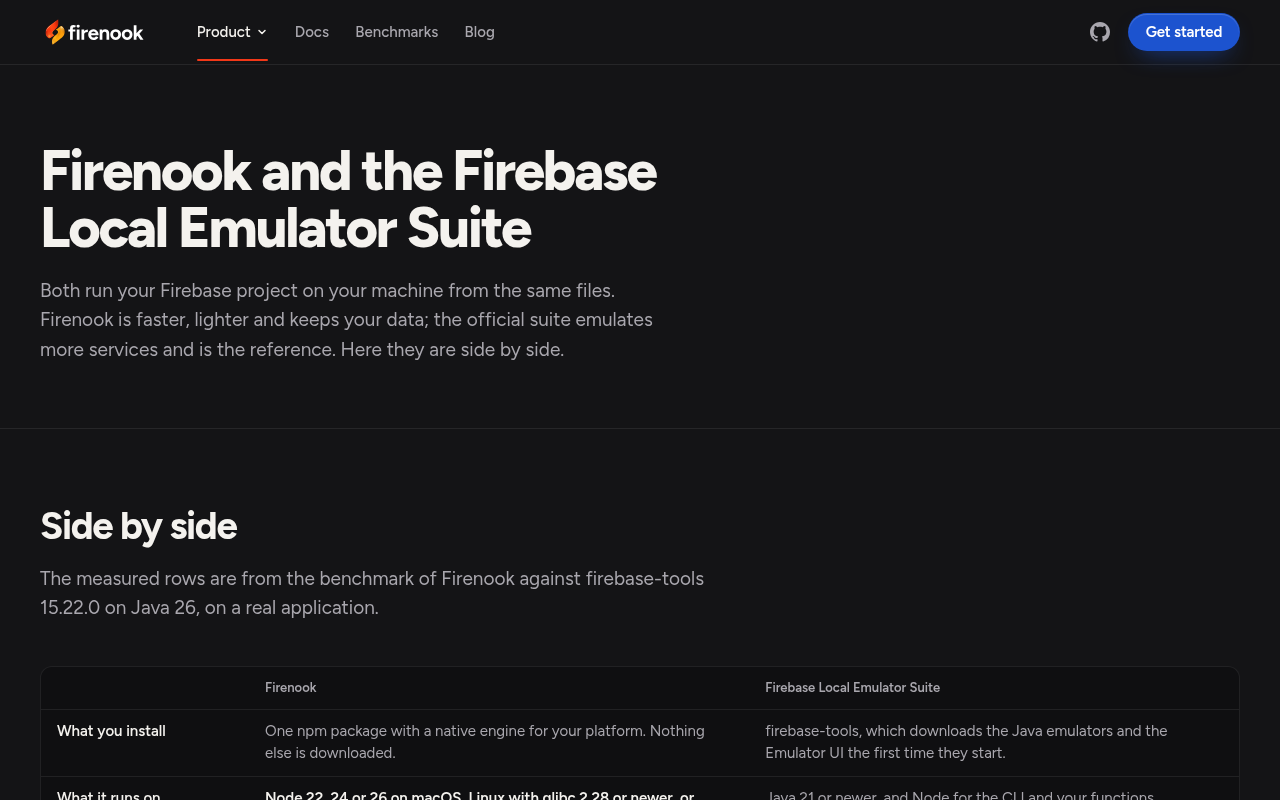
Try it: Open /vs/firebase-emulator-suite and read the "Keep the official suite when" list. Then open /firestore-emulator and expand the FAQ "Is the official emulator faster at anything?".
The home page says Node 24 only while the docs say 22, 24 or 26
Developers on Node 22 or 26 who read only the home page are told Firenook needs Node 24, and teams checking maturity see two different first public releases.
The home page's "Run your tests against it" section says "Firenook needs only Node 24", but the install guide and /vs/firebase-emulator-suite say "Node 22, 24 or 26". The /changelog intro says "0.2.1 is the first release for public use", yet the same list titles the 0.2.0 entry "The first release for public use", and the launch post says "0.2.0 is its first release for public use." A developer checking whether Firenook fits their CI meets both answers before installing.
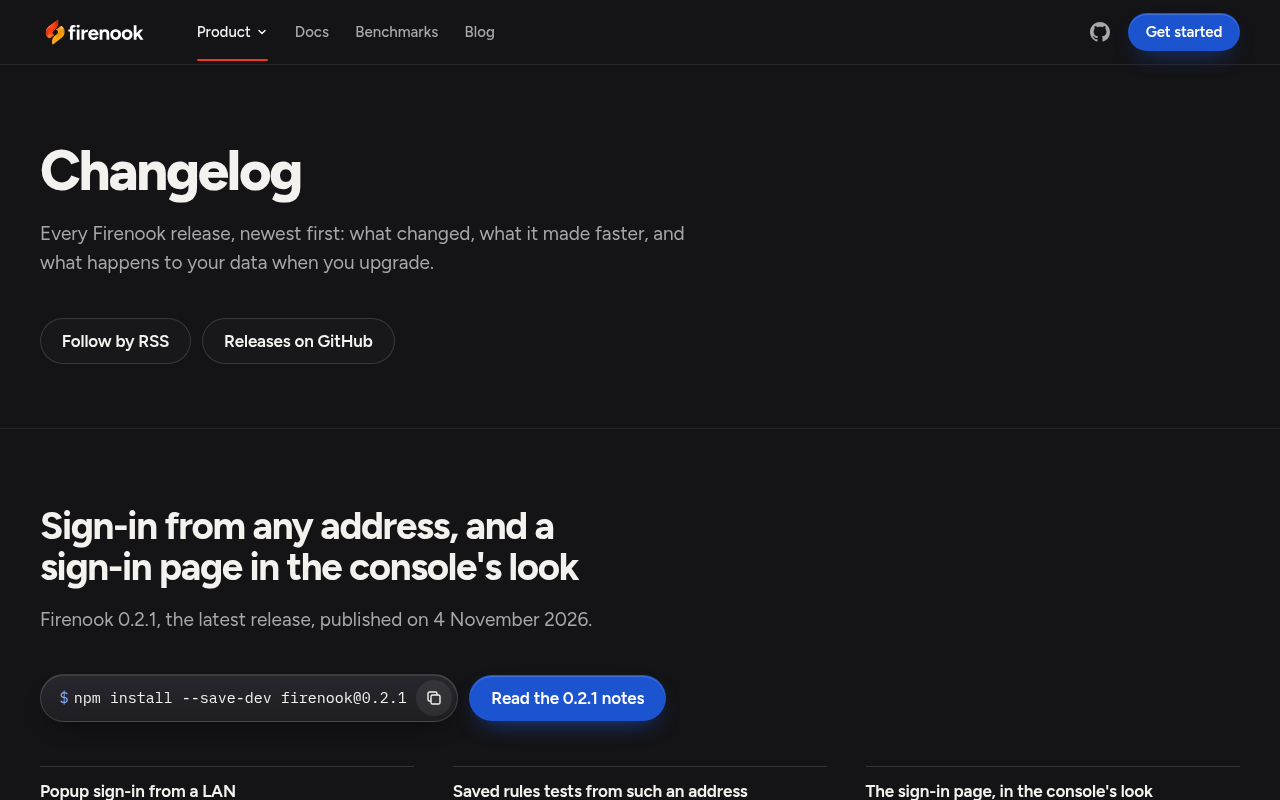
Try it: Open firenook.dev and find "Firenook needs only Node 24", then open /docs/get-started/install and read "Node 22, 24 or 26". Open /changelog and compare the intro sentence with the title of the 0.2.0 entry.
The official emulator's column is cut off on phones
On a 390px phone, the third column of the comparison table on /vs/firebase-emulator-suite is clipped at the table edge. Every row is affected, including "One. It refuse" for Firestore databases, "Everything si" for after a crash and "22.57 GiB, gro" for memory at peak. Developers deciding whether to switch meet this at the understand step and cannot read the comparison the page was built to show.
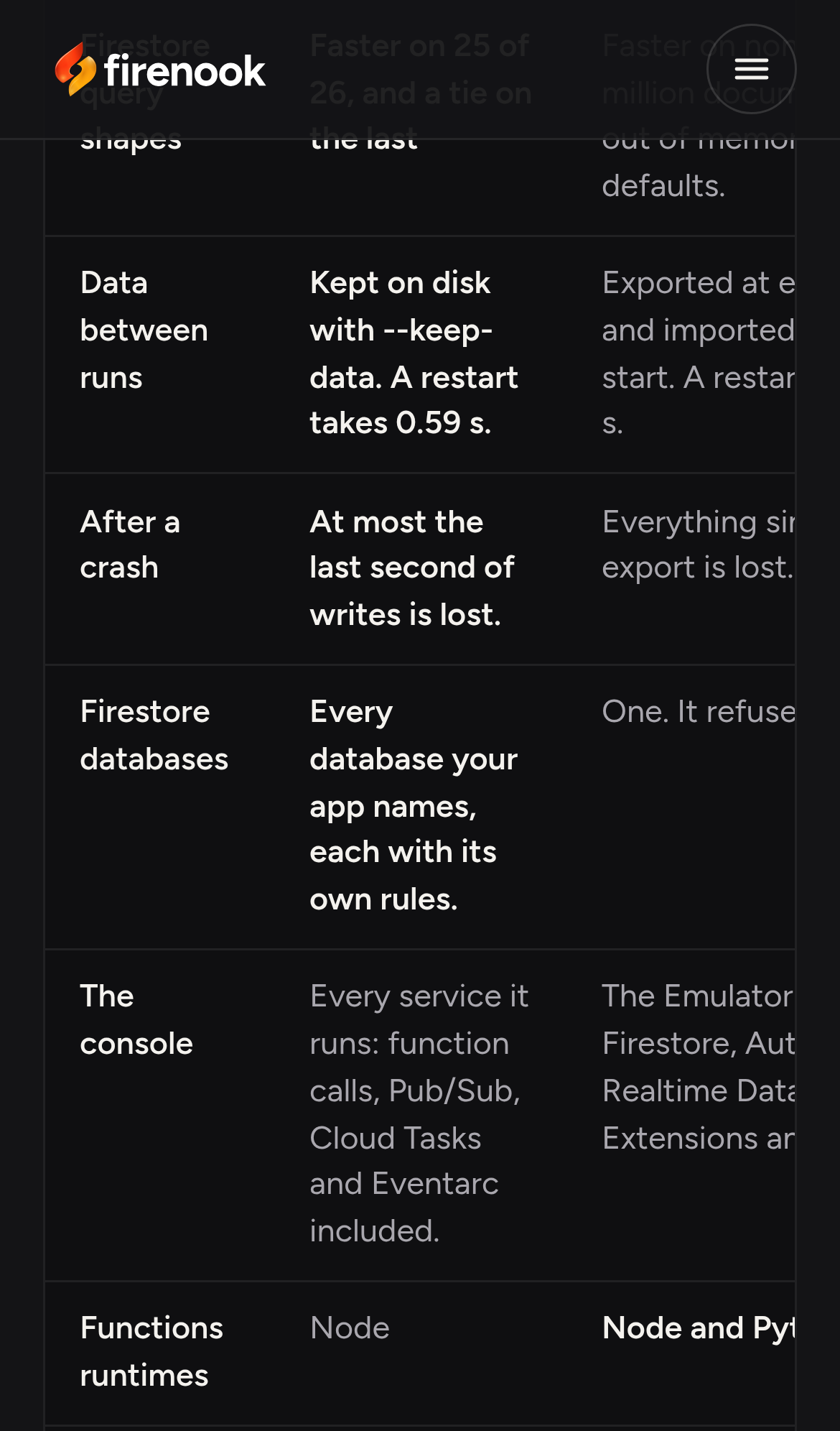
Try it: Open /vs/firebase-emulator-suite at 390px width and scroll to the comparison table. Look at the right column, where the text is cut off at the table edge.
The home page has no Content-Security-Policy or CORP header
The response from https://firenook.dev/ is missing Content-Security-Policy and Cross-Origin-Resource-Policy.
Probie fixes this for you.
Stop customers hitting the same friction. Connect your codebase and Probie reproduces these failures, tests the fix, and opens a pull request for your review.
Sign up and get this fixedFree inspection
What should Probie inspect next?
Enter a project URL. There is nothing to install.
Probie checks every issue twice, respects robots.txt, and backs off at bot challenges.
Enter an address and we will email the report card link.