We found 6 issuescosting you truston grep.ai.
Watch the inspection.
We navigate your site the way customers would. Idle time is skipped.
How the composite score works
The overall score is a weighted average of the categories: Getting the product 40%, Trust before buying 20%, Mobile 15%, Speed 15%, and Polish and audit 10%. It is never more than 10 points above the Getting the product score, because a product a visitor cannot get cannot score well on anything else, and never more than 25 points above the weakest category, so one badly broken area is not averaged away. Any issue in the main list caps it at 89, so a score above 90 means nothing worth fixing was found.
Each category starts at 100 and stays there when nothing was found in it, whether or not the inspection got that far. Each distinct verified finding deducts 60 points for a serious problem on the path from arriving to paying, 40 for another serious problem, 30, 15 or 8 by high, medium or low severity otherwise, and 4 for an audit finding. Each additional finding below the list takes 2 more points off the overall score, up to 10. Scores stop at zero and round to whole numbers. The formula is fixed and versioned, so the same saved evidence always receives the same score.
Pricing page and billing guides disagree on the credit price
Wallet buyers who plan a top-up from /pricing expect twice as many credits as the billing guides say $20 actually buys.
The Pay As You Go card and the comparison table on /pricing both read "$20=200 credits, $50=500 credits, $100=1,000 credits", which is $0.10 a credit. The billing guides give twice that price: /knowledge-base/how-billing-works says "One credit is $0.20", and /knowledge-base/plans-and-quotas lists "$20.00 100 credits". A buyer comparing these pages at the pricing step cannot tell whether $20 buys 200 credits or 100.
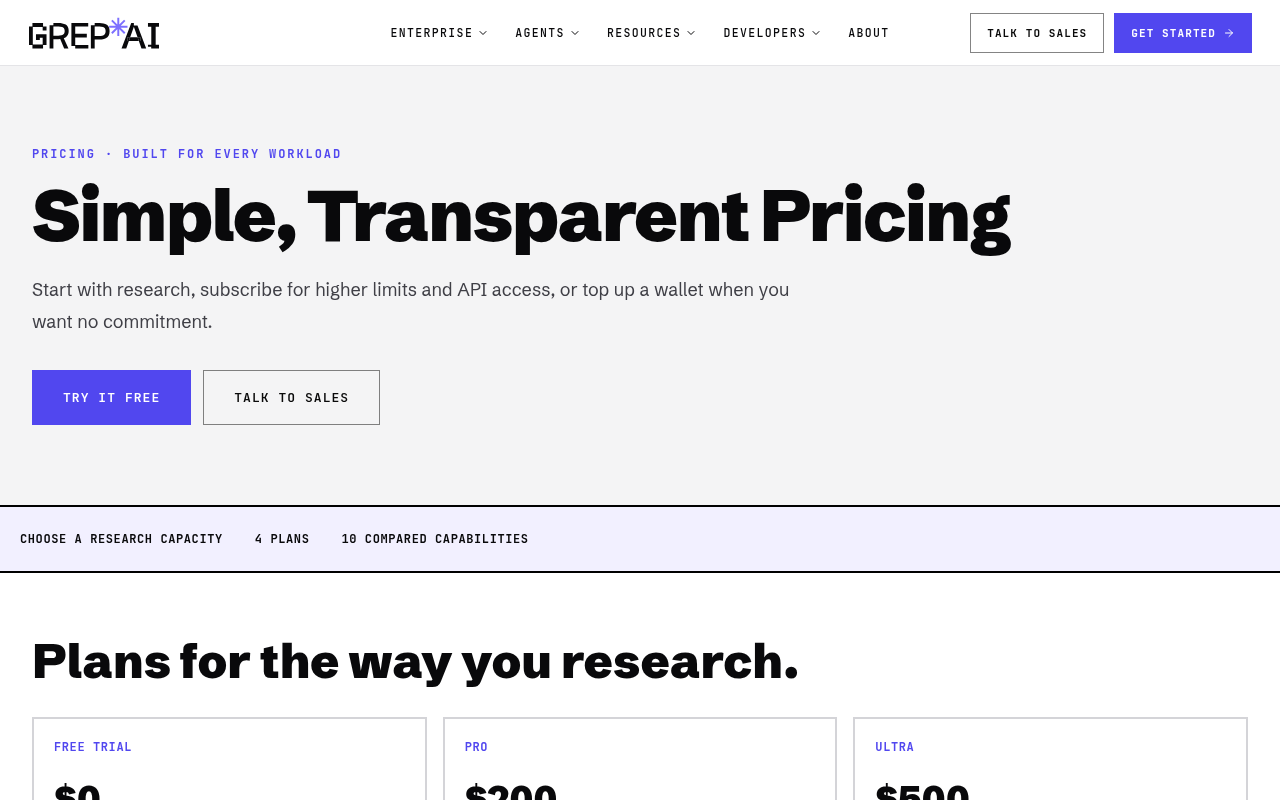
Try it: Open /pricing and read the Pay As You Go card. Then open /knowledge-base/how-billing-works and read the first line of step 1, "One credit is $0.20".
Pressing RUN on the app home sends new visitors to sign in, not sign up
New visitors who try their first query on app.grep.ai are asked to sign in to an account they do not have, at the moment they decided to try the product.
Pressing RUN on app.grep.ai without an account opens /?pending_run=...&onboarding=true&auth=signin, headed "Sign in to your account." with a toast saying "Your query is saved. Sign in and Grep runs it.", while the queued card on the same screen says "Starts the moment you sign up." This is the signup step, and the only route to creating an account is the small "Sign Up" link under the form. RUN on grep.ai/agents/company-research-brief opens the "Join Grep.AI" sign-up screen instead, and a typed question shows its queued card titled only "Open".
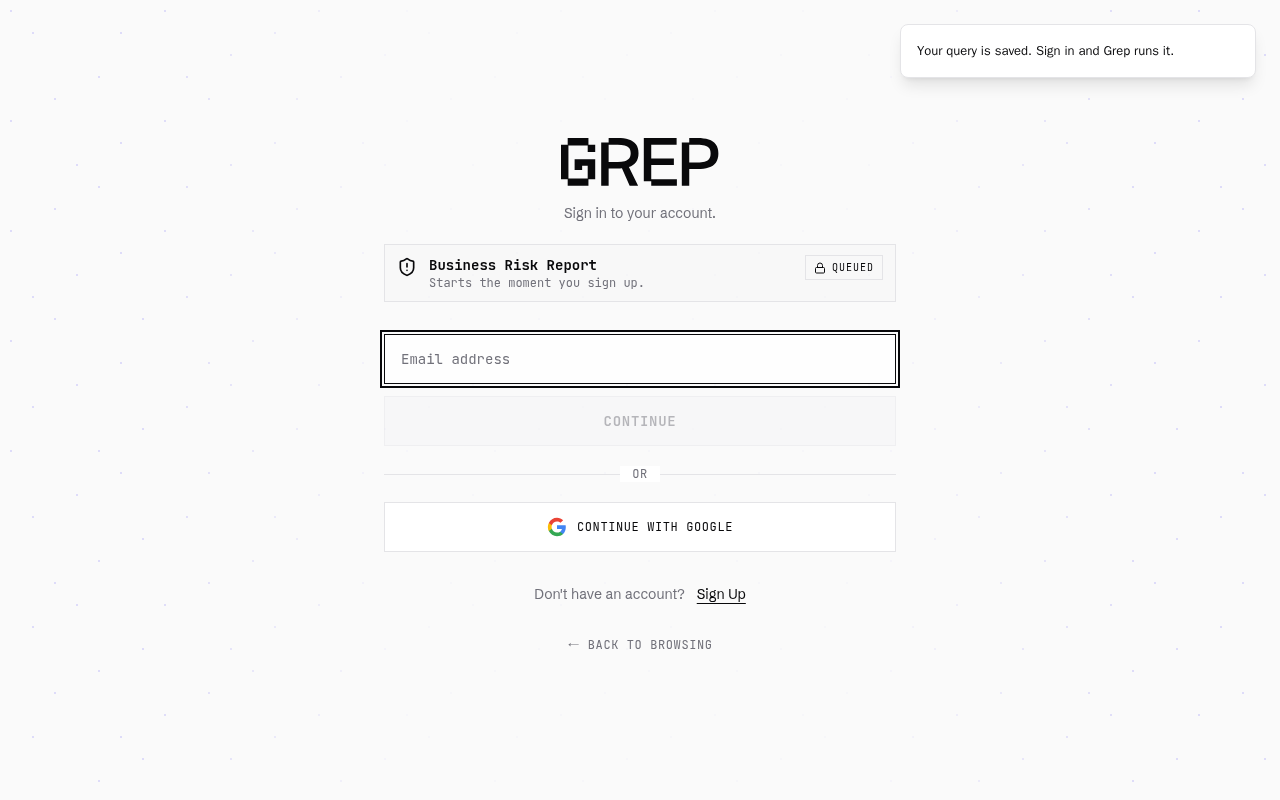
Try it: Open https://app.grep.ai/ in a private window, type any question and press RUN. The page is headed "Sign in to your account." and the URL ends in auth=signin.
The grep.ai header and phone menu have no Pricing link
Self-serve buyers who want to see the cost before signing up must scroll to the footer of grep.ai to find it.
The grep.ai desktop header lists ENTERPRISE, AGENTS, RESOURCES, DEVELOPERS, ABOUT, TALK TO SALES and GET STARTED. Neither the RESOURCES nor the DEVELOPERS dropdown contains a pricing link, and the phone menu has none either. On the home page, /pricing is reachable only from the footer and from an icon link with no text beside the FAQ. The header offers only Talk to sales and Get started, so a buyer at the pricing step could take the price to be sales-gated, while the app at app.grep.ai does show PRICING in its header.
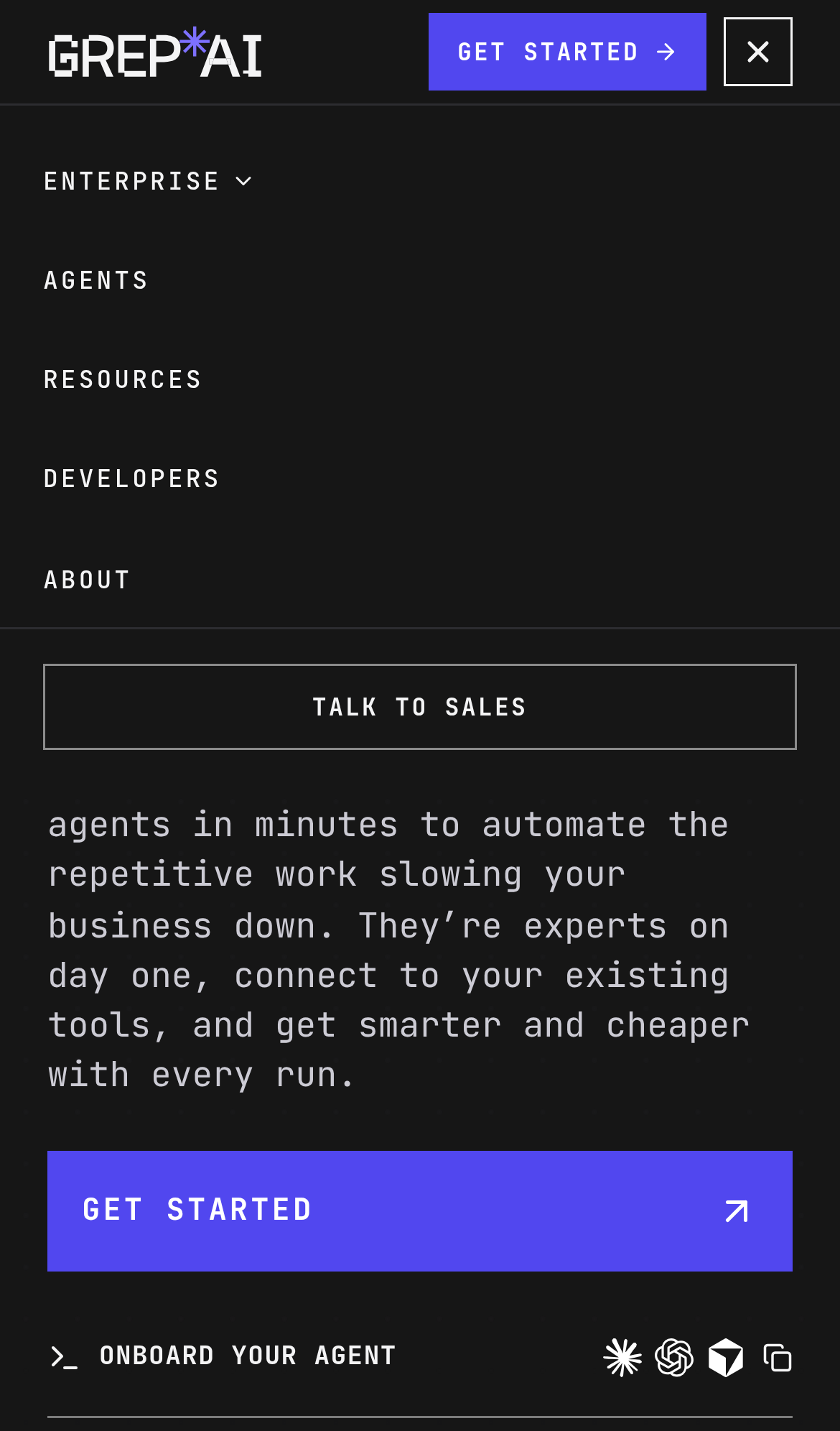
Try it: Open https://grep.ai/ on desktop and look for Pricing in the header and its dropdowns. Then open it on a phone, tap the menu button and look for Pricing there.
The "ACTIVATE YOUR SWARM" button opens sign-in instead of sign-up
New visitors who click the home page's last call to action are asked to sign in to an account they do not have yet.
The "ACTIVATE YOUR SWARM" button at the bottom of the grep.ai home page links to app.grep.ai/swarms. Signed-out visitors land on a screen headed "Sign in to your account." and sign-up appears only as a small "Don't have an account? Sign Up" link. The other home page buttons, such as GET STARTED, open the "Join Grep.AI" sign-up form, so a visitor ready to try swarms meets the signup step on the wrong form.
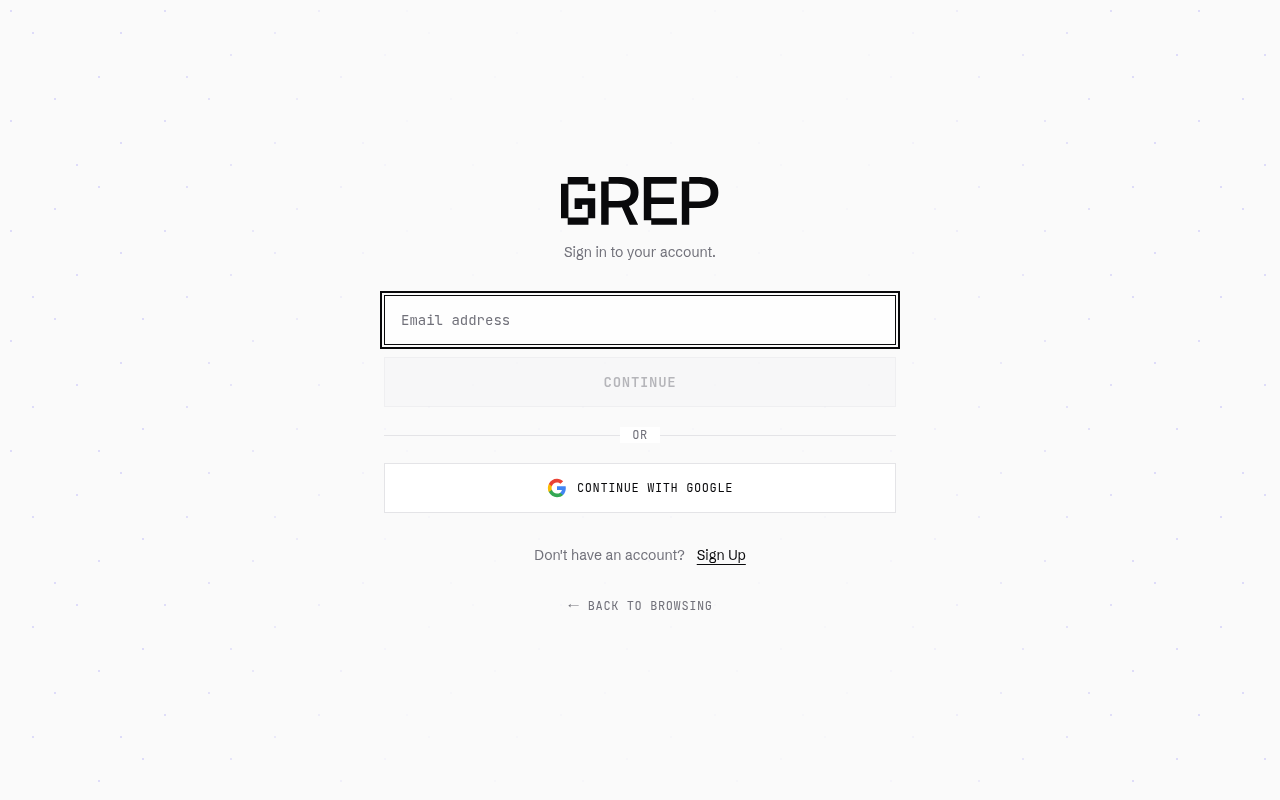
Try it: In a private window, open grep.ai, scroll to the bottom and click "ACTIVATE YOUR SWARM". The page says "Sign in to your account." where GET STARTED shows the sign-up form.
The home page and IG case study give different automation figures
Compliance and risk buyers who check the IG proof against its case study find a different number and a narrower role for Grep.
The home page says "90% of UK onboarding automated" and "IG gets customers trading sooner. 90% of onboarding automated." The linked case study at /case-studies/ig gives a different figure, "automated approvals rose from 80% to 92%", and credits Grep only with screening alert review "from 10% to 30%". Visitors at the understand step who follow the link find that the home page headline matches neither figure.

Try it: Open https://grep.ai/ and read the IG block's 90% figure, then click "Read the IG case study" and compare it with the 92% and 10% to 30% figures there.
The home page promises over 250 agents but the catalog shows 233
Buyers who click through to see the agents find a smaller number than the home page claimed, on the first figure they can check.
The home page section headed "250+ AVAILABLE AGENTS" has a button that reads "Explore over 250 agents". That button opens /agents, where the large counter at the top reads "233 AGENTS", and the search box below it uses the same label. Buyers meet this while they work out what the product offers, and the 250 claim fails on the very next page.
Try it: On grep.ai, scroll to "250+ AVAILABLE AGENTS" and click "Explore over 250 agents". Then read the counter at the top of /agents, which says 233 AGENTS.
The blog's featured card image is a 2.4 MB PNG on phones
The featured article card on /blog loads swarms-billboard-cover-v2-1400x788.png eagerly, with a 2,476,187 byte transfer, and shows it in a 348 by 217 pixel box on a phone. The image looks sharp, and the page's largest paint landed at about 1.6 s. The real cost is extra data for phone readers, not a broken view.
The home page omits the Cross-Origin-Resource-Policy header
The response from https://grep.ai/ is missing Cross-Origin-Resource-Policy.
Probie fixes this for you.
Stop customers hitting the same friction. Connect your codebase and Probie reproduces these failures, tests the fix, and opens a pull request for your review.
Sign up and get this fixedFree inspection
What should Probie inspect next?
Enter a project URL. There is nothing to install.
Probie checks every issue twice, respects robots.txt, and backs off at bot challenges.
Enter an address and we will email the report card link.