We found 4 issuescosting you saleson roblox.com.
Watch the inspection.
We navigate your site the way customers would. Idle time is skipped.
How the composite score works
The overall score is a weighted average of the categories: Getting the product 40%, Trust before buying 20%, Mobile 15%, Speed 15%, and Polish and audit 10%. It is never more than 10 points above the Getting the product score, because a product a visitor cannot get cannot score well on anything else, and never more than 25 points above the weakest category, so one badly broken area is not averaged away. Any issue in the main list caps it at 89, so a score above 90 means nothing worth fixing was found.
Each category starts at 100 and stays there when nothing was found in it, whether or not the inspection got that far. Each distinct verified finding deducts 60 points for a serious problem on the path from arriving to paying, 40 for another serious problem, 30, 15 or 8 by high, medium or low severity otherwise, and 4 for an audit finding. Each additional finding below the list takes 2 more points off the overall score, up to 10. Scores stop at zero and round to whole numbers. The formula is fixed and versioned, so the same saved evidence always receives the same score.
The login card's Sign Up link drops the gift card code
New players who try to redeem a gift card or buy Roblox Plus without an account lose their place when they sign up from the login card, so they must find the page again and retype the code.
Logged-out visitors who click Redeem on /redeem go to /NewLogin?ReturnUrl=%2Fredeem?code=1234567890. The "Don't have an account? Sign Up" link on that login card goes to the bare /CreateAccount, so the return page and the code are lost. The header Sign Up button keeps them (/account/signupredir?returnUrl=%2Fredeem%3Fcode%3D1234567890), and the Roblox Plus "$4.99/month" button on /upgrades/robux has the same split. A new buyer meets this at signup, and after creating the account they must go back to the gift card or plan themselves.
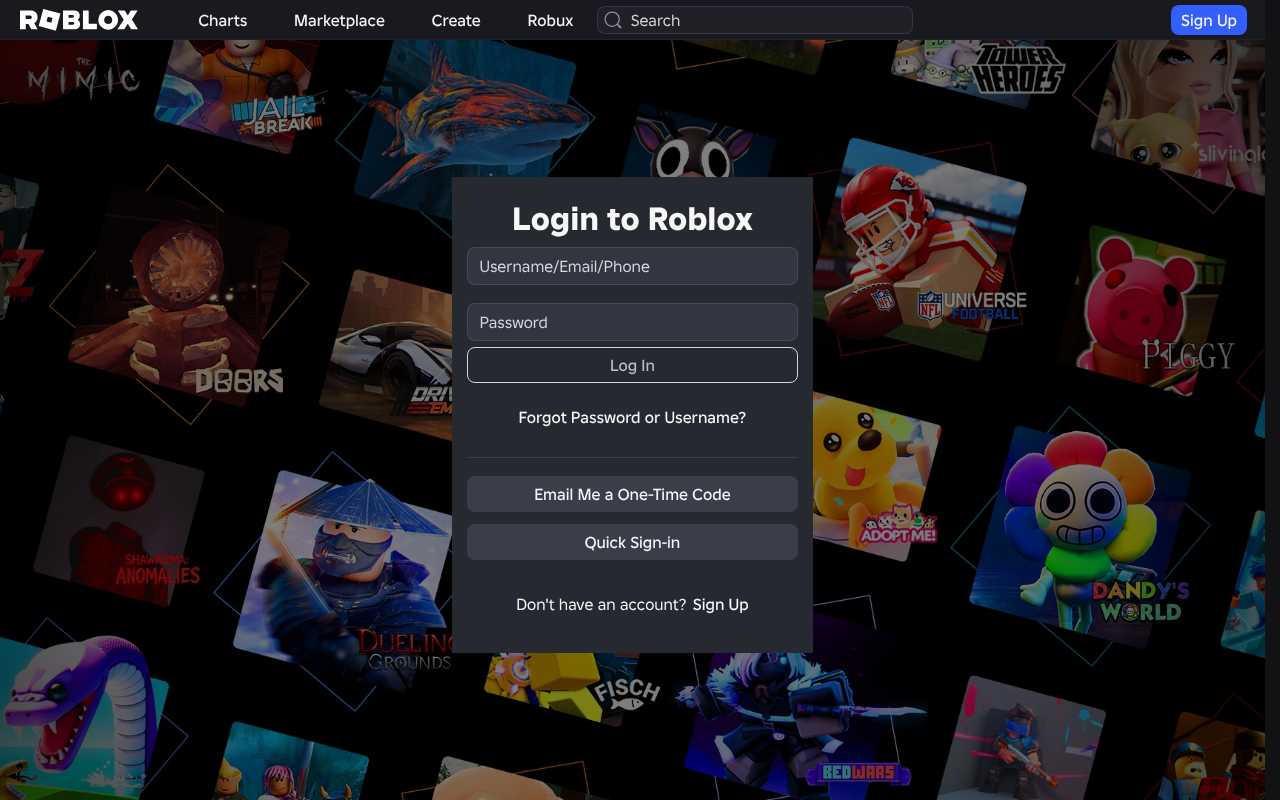
Try it: While logged out, open /redeem, type any code and click Redeem. On the login page, compare the href of the in-card "Sign Up" link with the header Sign Up button.
On iPhone, "Continue in browser" loops signup back to the login page
iPhone visitors who want to create an account in the browser never see the signup form, so installing the app is their only way to sign up.
On an iPhone, /CreateAccount shows "Explore Roblox in our mobile app!" where the signup form should be. Its "Continue in browser" link goes to /home, which sends a logged-out visitor to "Login to Roblox", and both Sign Up links on that page lead back to the same app prompt. A visitor at the signup step who chooses the browser ends up going in a circle and never reaches the form that desktop visitors get, even when they arrive from a game page with a return URL.
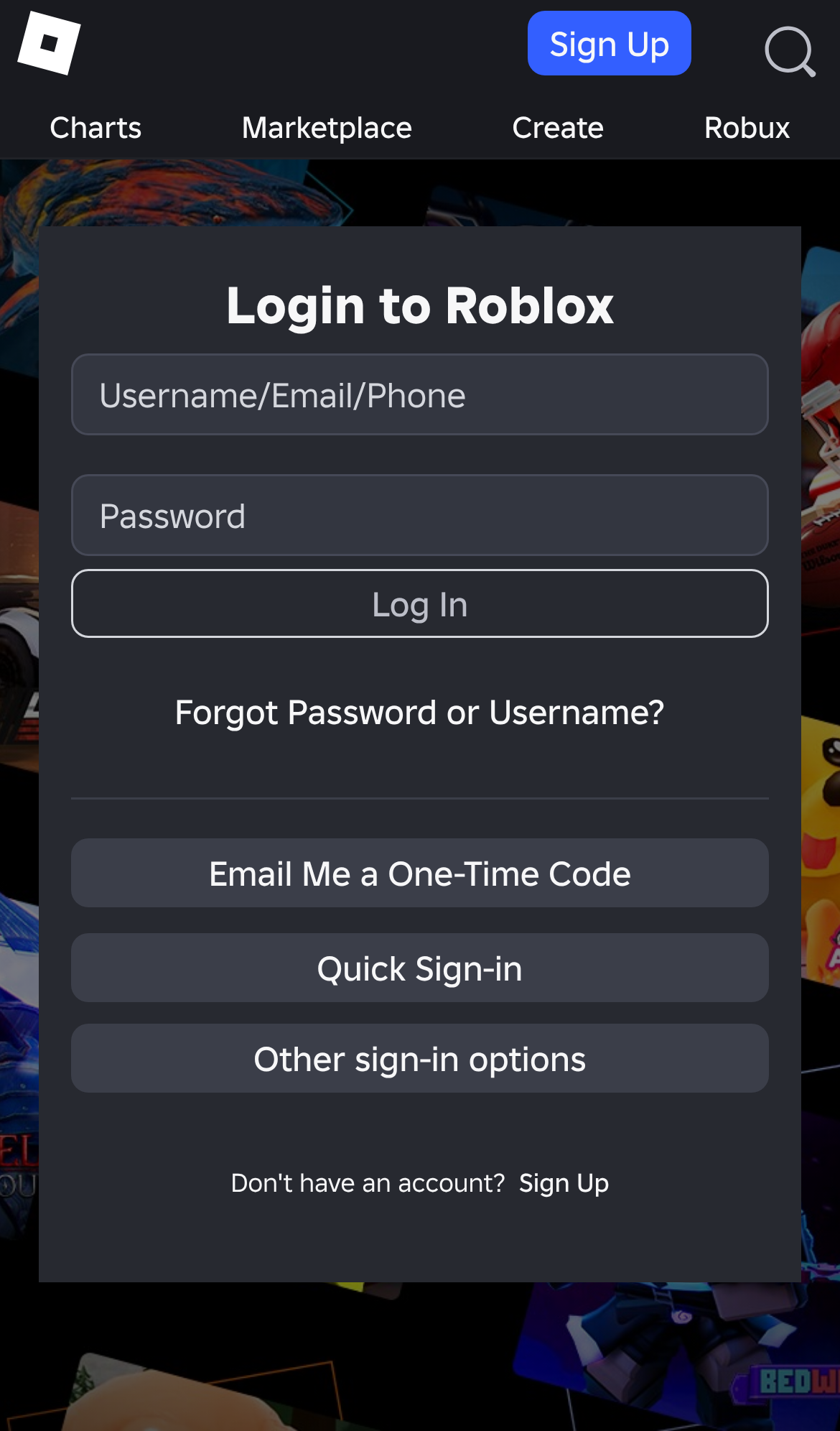
Try it: On an iPhone in Safari, open https://www.roblox.com/CreateAccount and tap "Continue in browser". You land on /Login, and tapping "Sign Up" brings back the app prompt.
The Roblox Plus "Learn more" link opens a login page
Logged-out visitors weighing a new monthly subscription cannot read its details page without an account they do not yet have.
The public Robux page lists four Roblox Plus tiers from $4.99 to $21.99 a month under "New on Roblox" and links to /plus with "Learn more". For a logged-out visitor, /plus redirects to /newlogin/?returnurl=%2fplus and shows "Login to Roblox", on both desktop and iPhone. A buyer comparing tiers at the pricing step is asked to log in instead of being shown how billing and cancellation work.
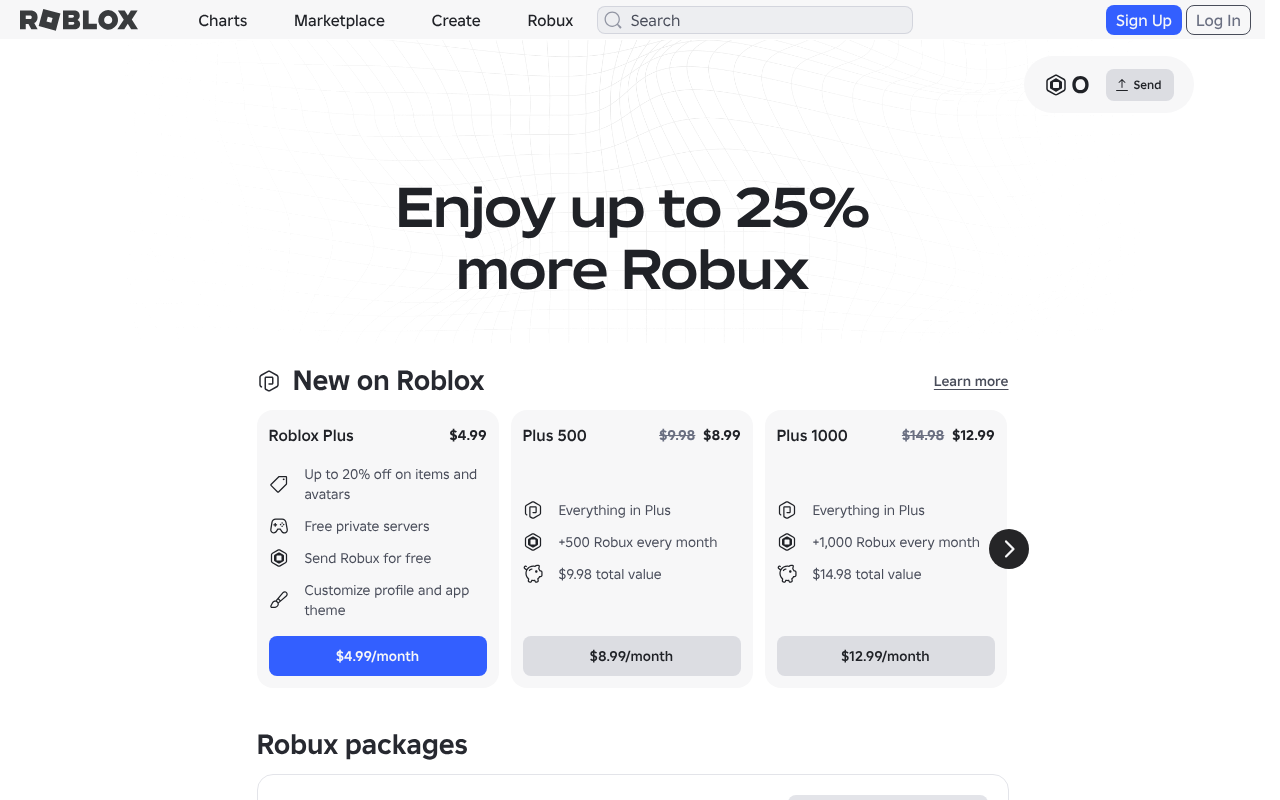
Try it: In a private window, open https://www.roblox.com/upgrades/robux and click "Learn more" next to "New on Roblox". The browser lands on /newlogin/?returnurl=%2fplus.
The desktop home page takes 4.3s to show its main content
Largest Contentful Paint on the desktop home page measured 4,292 ms. Google rates anything over 4 seconds as poor, and the delay showed up again on a second fresh load. This is the page where first-time visitors learn what Roblox is and find the Create account button.
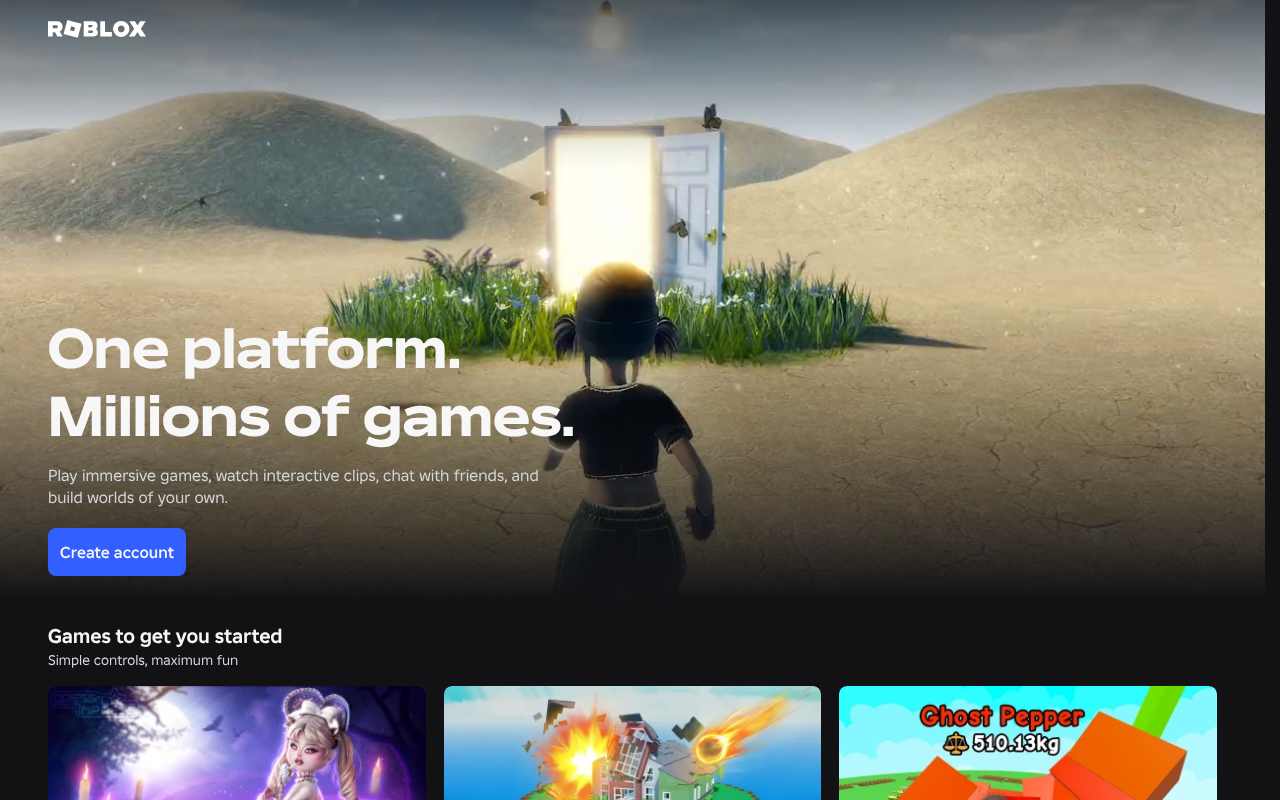
The mobile home page took 4.3s to show its main content once
On a phone-sized viewport, the largest content on / painted at 4332 ms, which is past the 4000 ms line Google classes as poor. A second load did not go past that line, so the delay is intermittent. Visitors meet it at the first step, where they decide what the product is and whether to create an account.
The verified badge on catalog cards is a 14 by 12 pixel tap target
On /catalog at phone width, the verified-creator badge next to each creator name is a span with role="button" that measures 14 by 12 pixels. Its safe tap area is 12 pixels across, below the 24 pixel minimum. Item names, prices and the Buy Robux button are unaffected.
The login page background shifts while it loads
On desktop, /login has a cumulative layout shift of 0.336 before anyone scrolls or clicks. Google's poor band starts above 0.25. The largest shift belongs to #background-image, the game-art backdrop behind the login form, so the page jumps while a visitor arrives to log in.
The home page lacks three security response headers
The response from https://www.roblox.com/ is missing X-Content-Type-Options: nosniff, Referrer-Policy, and Cross-Origin-Resource-Policy.
A dropdown button on the home and login pages has no accessible name
On / and /login, a button with role "combobox" (aria-controls "radix-3") has no inner text, aria-label, aria-labelledby or title. Screen reader users hear an unnamed dropdown, so they cannot tell what it controls. It does not sit on the signup or login controls themselves.
The home page carousel arrow has no accessible name
The carousel's next arrow on the home page is a div with role="button" and a chevron icon, and it has no text, aria-label or title. Screen readers announce it only as "button", so visitors who rely on them cannot tell that it scrolls the game list.
The header logo link on /login has no accessible name
On /login, the header link #nav-logo-link to https://www.roblox.com/ holds only two icon spans and has no text, aria-label or aria-labelledby. Screen reader users hear it as a link with no name, but the login form and Sign Up links are unaffected.
Probie fixes this for you.
Stop customers hitting the same friction. Connect your codebase and Probie reproduces these failures, tests the fix, and opens a pull request for your review.
Sign up and get this fixedFree inspection
What should Probie inspect next?
Enter a project URL. There is nothing to install.
Probie checks every issue twice, respects robots.txt, and backs off at bot challenges.
Enter an address and we will email the report card link.