We found 2 issuescosting you truston vibeswap.dev.
Watch the inspection.
We navigate your site the way customers would. Idle time is skipped.
How the composite score works
The overall score is a weighted average of the categories: Getting the product 40%, Trust before buying 20%, Mobile 15%, Speed 15%, and Polish and audit 10%. It is never more than 10 points above the Getting the product score, because a product a visitor cannot get cannot score well on anything else, and never more than 25 points above the weakest category, so one badly broken area is not averaged away. Any issue in the main list caps it at 89, so a score above 90 means nothing worth fixing was found.
Each category starts at 100 and stays there when nothing was found in it, whether or not the inspection got that far. Each distinct verified finding deducts 60 points for a serious problem on the path from arriving to paying, 40 for another serious problem, 30, 15 or 8 by high, medium or low severity otherwise, and 4 for an audit finding. Each additional finding below the list takes 2 more points off the overall score, up to 10. Scores stop at zero and round to whole numbers. The formula is fixed and versioned, so the same saved evidence always receives the same score.
Five of the seven "live" home page apps are not in the network
Builders who check whether the network is real find a directory of two apps with zero views, which contradicts the home page they just read.
The home hero is labelled "LIVE IN THE NETWORK" and shows seven app cards, but PromptPal, ShipFast Forms, Habitz, PixelPet and InvoiceZap link only to /explore, and on /explore they link to /signup. The /explore directory lists two apps, both by nir wolff with 0 views, and every /top leaderboard section says "Nothing here yet." A builder deciding whether to put the embed on their own project meets this right as they look for proof that the network sends views back.

Try it: Open https://vibeswap.dev/ and click the PromptPal or InvoiceZap card, then look at the "All" list on /explore. Only HebLetter and OSINT Swarm appear, and /top says "Nothing here yet."
The /top leaderboards show no apps, only "Nothing here yet."
Builders who check the leaderboard for proof that the network brings traffic find none, and that happens before they decide to sign up.
On /top, the "Most viewed this week", "Most viewed of all time" and "Most clicked" cards each show only "Nothing here yet." and do not rank a single app. Visitors use this page at the understand step to judge whether joining VibeSwap gets their app seen. Three empty boards tell them the network has no measurable traffic yet.
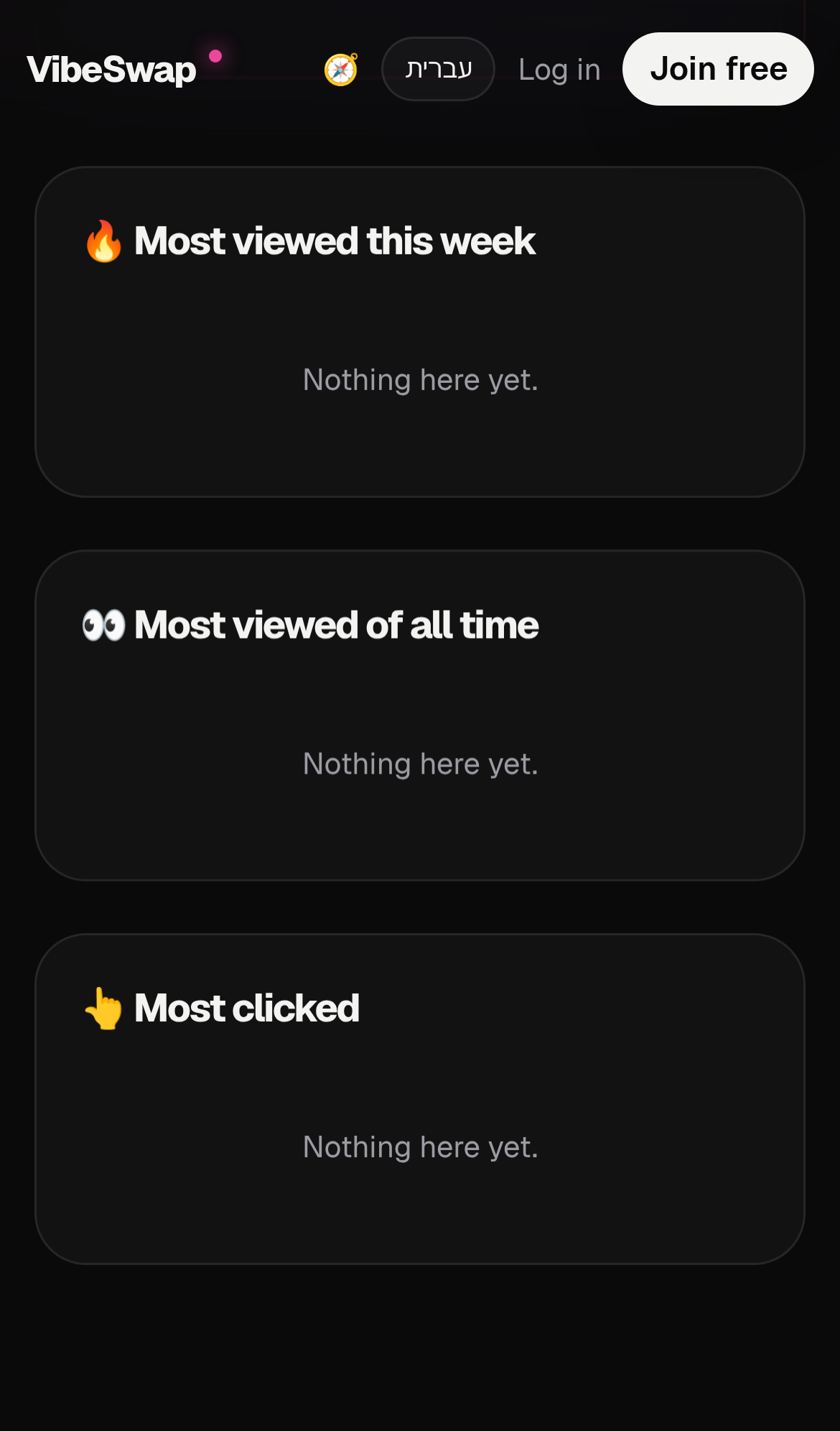
Try it: Open vibeswap.dev/top on a phone and scroll past the header. All three leaderboard cards read "Nothing here yet."
The footer legal links are too small to tap reliably on phones
On a phone, the footer links "Terms of Use" (71.3 by 16 px) and "Acceptable Use Policy" (122 by 16 px) are smaller than the 24 by 24 px minimum. They also sit only 16 px apart. The same footer appears on every page, including /signup.
The home page is missing five security response headers
The response from https://vibeswap.dev/ is missing Content-Security-Policy, CSP frame-ancestors or X-Frame-Options, X-Content-Type-Options: nosniff, Referrer-Policy, and Cross-Origin-Resource-Policy.
The guide's setup steps are list items without a list
On /guide, the numbered setup steps ("Create your account", "Make your vibe ad", and the rest) are <li class="relative"> elements wrapped in div[data-reveal] containers, so they have no <ul> or <ol> parent. Screen readers do not announce them as a list of steps or say how many there are, although the step text itself still reads.
The guide's setup steps list has non-list children
The numbered setup steps on /guide sit in an `<ol>` whose direct children include `div` elements instead of `<li>` items. Sighted builders see the steps correctly, but assistive technology may not report the item count or the step order.
Keyboard users cannot scroll the clipped install command on /skill
On /skill, the terminal box that holds the Claude Code install command scrolls sideways, and the text is cut off at "-o ~/.claude/skil". The box cannot take keyboard focus, so a keyboard user cannot scroll it to read the rest. The Copy button next to the command still copies the full text.
Probie fixes this for you.
Stop customers hitting the same friction. Connect your codebase and Probie reproduces these failures, tests the fix, and opens a pull request for your review.
Sign up and get this fixedFree inspection
What should Probie inspect next?
Enter a project URL. There is nothing to install.
Probie checks every issue twice, respects robots.txt, and backs off at bot challenges.
Enter an address and we will email the report card link.