We found 3 issuescosting you saleson pindeleter.kriosity.in.
Continue with Google opens a raw 400 error page instead of sign-in.
Watch the inspection.
We navigate your site the way customers would. Idle time is skipped.
How the composite score works
The overall score is a weighted average of the categories: Getting the product 40%, Trust before buying 20%, Mobile 15%, Speed 15%, and Polish and audit 10%. It is never more than 10 points above the Getting the product score, because a product a visitor cannot get cannot score well on anything else, and never more than 25 points above the weakest category, so one badly broken area is not averaged away. Any issue in the main list caps it at 89, so a score above 90 means nothing worth fixing was found.
Each category starts at 100 and stays there when nothing was found in it, whether or not the inspection got that far. Each distinct verified finding deducts 60 points for a serious problem on the path from arriving to paying, 40 for another serious problem, 30, 15 or 8 by high, medium or low severity otherwise, and 4 for an audit finding. Each additional finding below the list takes 2 more points off the overall score, up to 10. Scores stop at zero and round to whole numbers. The formula is fixed and versioned, so the same saved evidence always receives the same score.
Continue with Google opens a raw 400 error page instead of sign-in
Buyers who pick Google to sign up for the Cleanup Pass end up on an unbranded error page outside PinDeleter and never reach checkout.
On /signup?plan=pass, which says "Sign in to continue to checkout for the Cleanup Pass.", the "Continue with Google" button goes to the Supabase authorize endpoint. That endpoint returns a 400 that shows only {"code":400,"error_code":"validation_failed","msg":"Unsupported provider: provider is not enabled"}. The /login page, which says "Sign in with a magic link or Google.", leads to the same error, so buyers who choose Google at signup and returning customers who choose Google at login both hit a dead end with no link back.
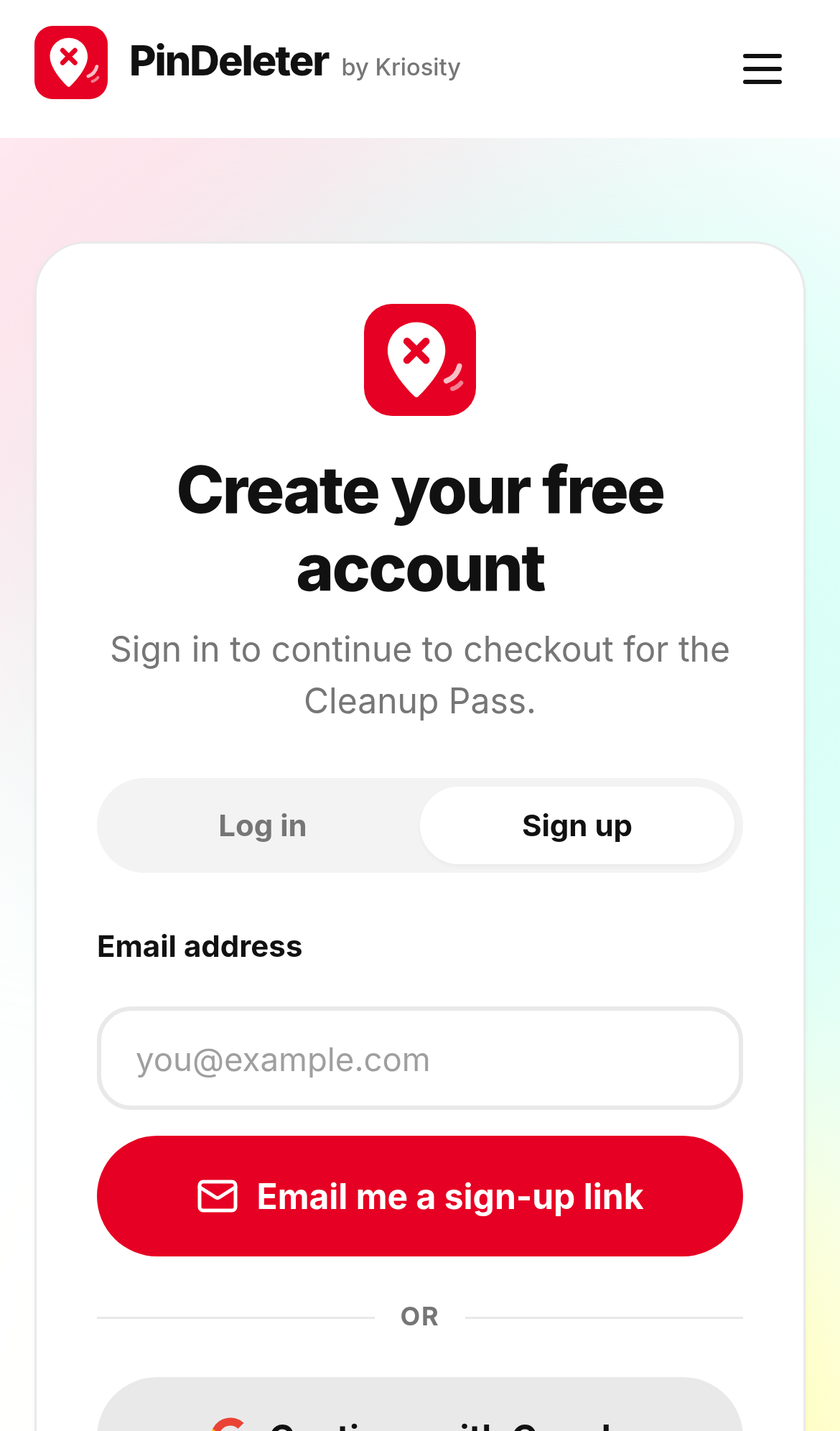
Try it: Open /pricing, click "Get the Cleanup Pass", then click "Continue with Google". The browser shows the "Unsupported provider: provider is not enabled" JSON error instead of Google's account picker.
The Compare plans table is cut off on phones
On /pricing at phone width, the Compare plans card cuts off the Free column mid-word. Its header reads "Fre", and the cells read "$0", "Fore" and "50 to". The Cleanup Pass and Agency columns sit outside the card, with no visible cue that the table scrolls, so a buyer comparing plans at the pricing step cannot read what the paid passes include.
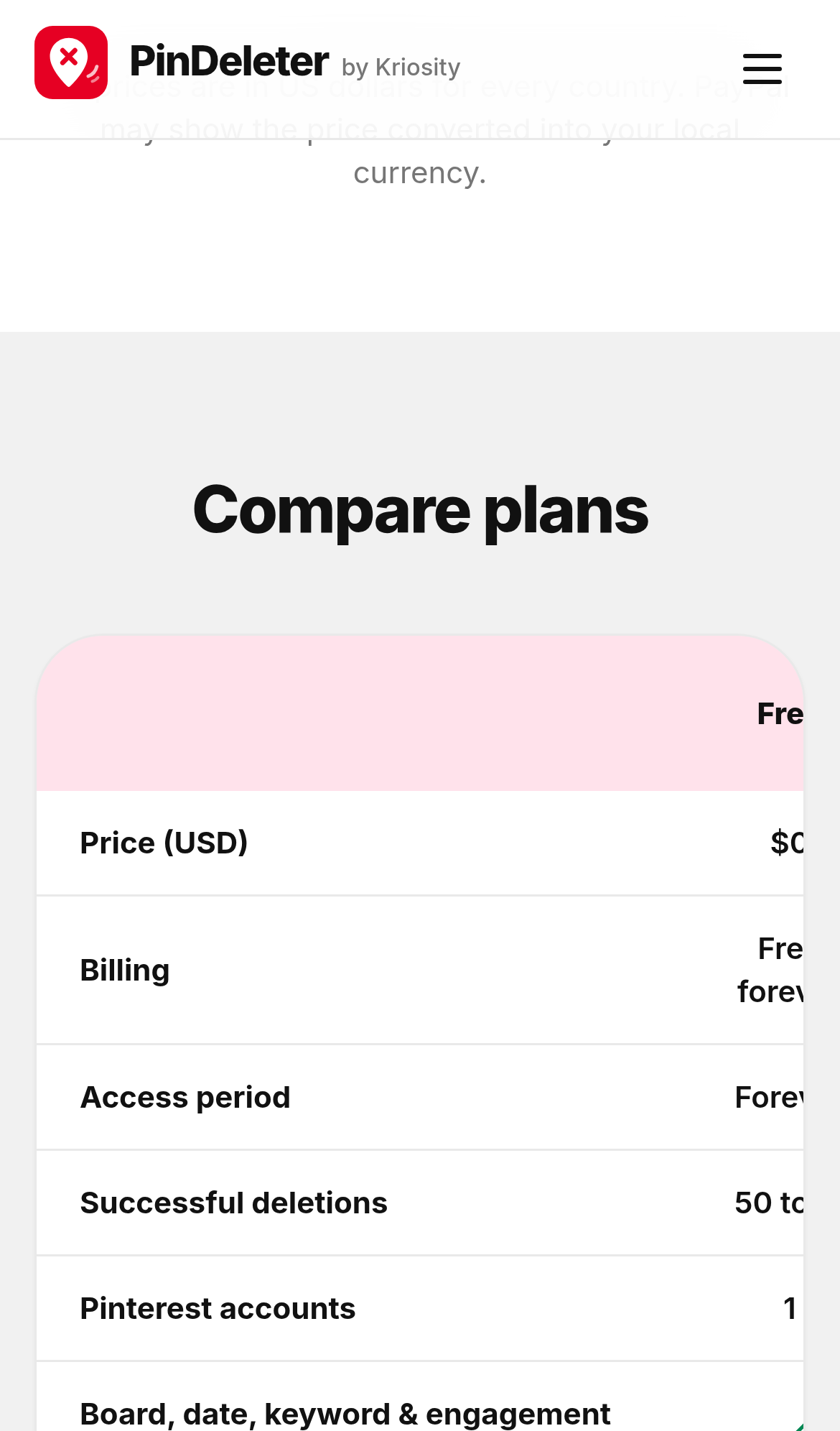
Try it: Open /pricing on a phone or in a 390px-wide viewport and scroll to Compare plans. The Free column is clipped at the card's right edge and the paid plan columns do not show.
The pricing page jumps while it loads, with a layout shift of 0.41
Desktop buyers who open the pricing page to compare passes see the layout move under them before the plans settle.
On desktop, /pricing scored a cumulative layout shift of 0.41 before anyone scrolled or clicked. Google rates anything above 0.25 as poor. The biggest shift came from the project footer, which moves once the plan cards and comparison table render, and the same result came back on a second fresh load. Buyers meet this at the pricing step, where they compare Free, Cleanup Pass and Agency before they choose a pass.
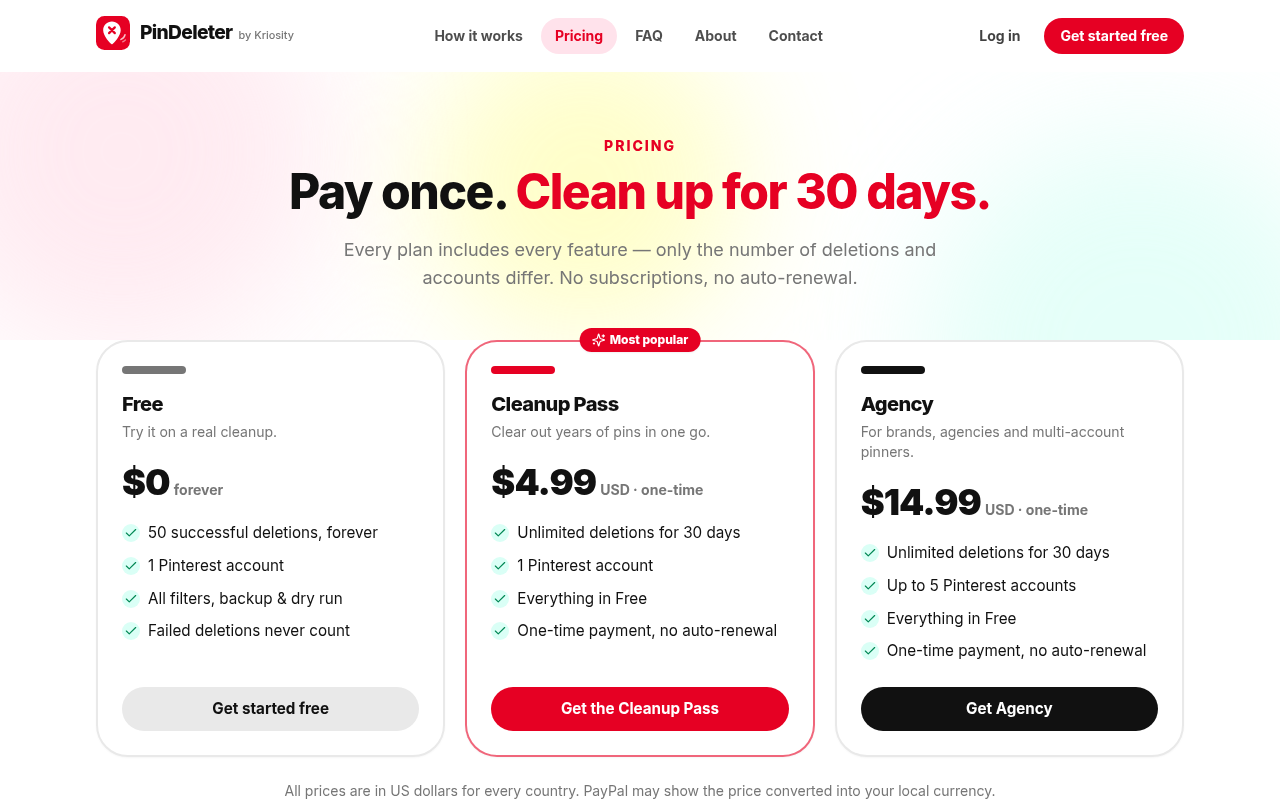
Try it: Open /pricing on desktop with a cold cache and the Performance panel recording, then check the Layout Shift entries. The footer moves as the plan cards load, and the total is about 0.41.
The How it works page jumps while it loads on desktop
On desktop, /how-it-works has a cumulative layout shift of 0.41 before any scrolling or clicking. Google rates anything above 0.25 as poor. The largest shift comes from the page footer, which moves while the walkthrough content renders, and it happened again on a fresh load. This is the page visitors read to understand the product before they click "Get started free".
The home page omits the Cross-Origin-Resource-Policy header
The response from https://pindeleter.kriosity.in/ is missing Cross-Origin-Resource-Policy.
Header byline and section labels fall below contrast minimums
The "by Kriosity" byline in the header measures 3.74:1 (#767676 on #ffe2eb at 10.88px). The red "How it works" eyebrow label measures 4.23:1 on #f1f1f1. Both fall short of the 4.5:1 WCAG AA minimum on /, /how-it-works and /pricing, and the main headings, prices and signup buttons are not affected.
Probie fixes this for you.
Stop customers hitting the same friction. Connect your codebase and Probie reproduces these failures, tests the fix, and opens a pull request for your review.
Sign up and get this fixedFree inspection
What should Probie inspect next?
Enter a project URL. There is nothing to install.
Probie checks every issue twice, respects robots.txt, and backs off at bot challenges.
Enter an address and we will email the report card link.