We found 3 issuescosting you truston gamehavn.com.
Watch the inspection.
We navigate your site the way customers would. Idle time is skipped.
How the composite score works
The overall score is a weighted average of the categories: Getting the product 40%, Trust before buying 20%, Mobile 15%, Speed 15%, and Polish and audit 10%. It is never more than 10 points above the Getting the product score, because a product a visitor cannot get cannot score well on anything else, and never more than 25 points above the weakest category, so one badly broken area is not averaged away. Any issue in the main list caps it at 89, so a score above 90 means nothing worth fixing was found.
Each category starts at 100 and stays there when nothing was found in it, whether or not the inspection got that far. Each distinct verified finding deducts 60 points for a serious problem on the path from arriving to paying, 40 for another serious problem, 30, 15 or 8 by high, medium or low severity otherwise, and 4 for an audit finding. Each additional finding below the list takes 2 more points off the overall score, up to 10. Scores stop at zero and round to whole numbers. The formula is fixed and versioned, so the same saved evidence always receives the same score.
The Boost checkout does not say which game is being boosted
Developers and fans buying Boost are asked for card details without seeing which game the purchase covers.
The Stripe checkout for Boost shows only "30 days of Boost on GameHavn $20.00" or "7 days of Boost on GameHavn $10.00", with no game name. Its description even says "If the game becomes unavailable before activation", but it never names that game. Boost is sold with "No GameHavn account needed", so at the payment step a buyer cannot confirm they picked the right listing before paying.
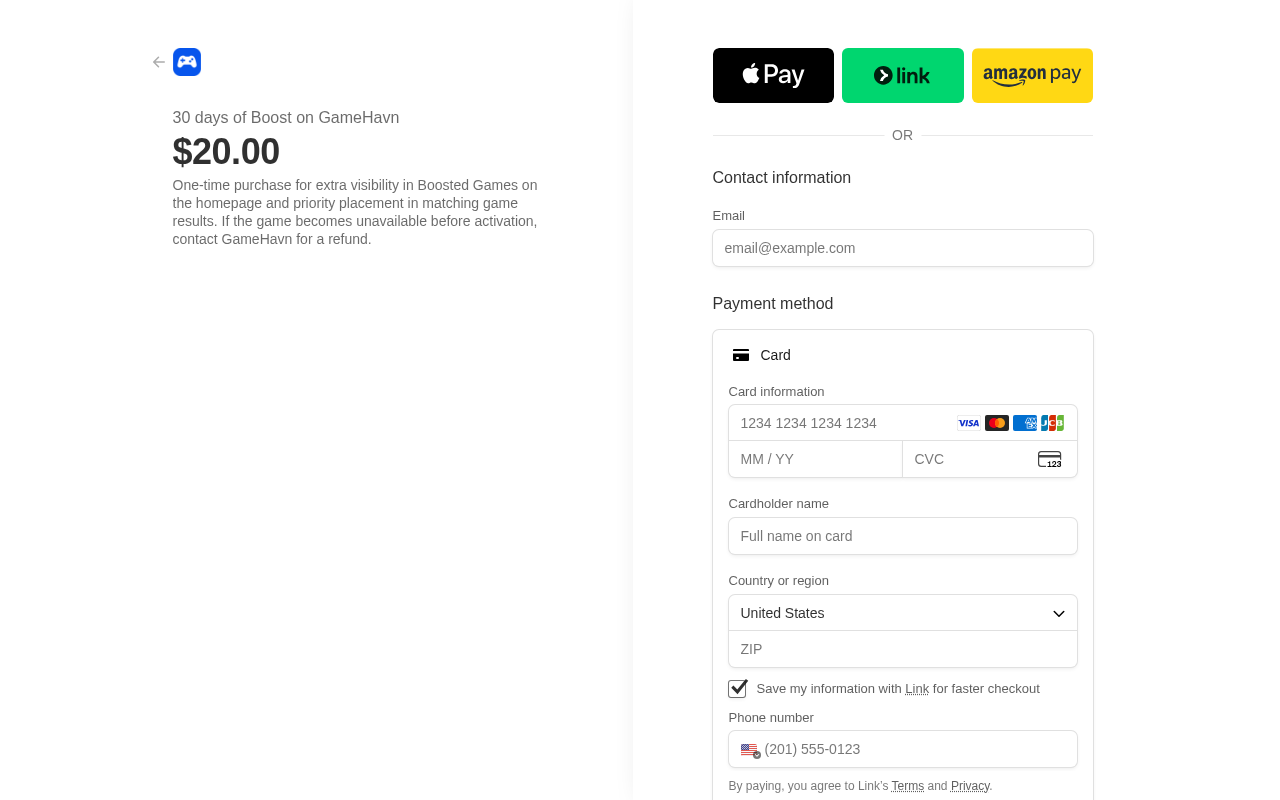
Try it: Open /games/winter-wraith, click "Boost this game", pick 7 days and click "Continue to checkout". Check the Stripe line item: the game name does not appear.
Cancelling Boost checkout loses the game being boosted
Boost buyers who leave Stripe to change the duration or reread the offer must search for their game again before they can pay.
Clicking "Back to GameHavn" on the Stripe Boost checkout opens /boost/receipt?checkout=cancelled. That page shows only "Checkout cancelled." and a "Browse games" button, with no link back to the game or to Boost, and the tab title reads "Page unavailable | GameHavn". A buyer who backs out at the payment step to switch from 30 days to 7 days has to find the game in the directory and open Boost again.
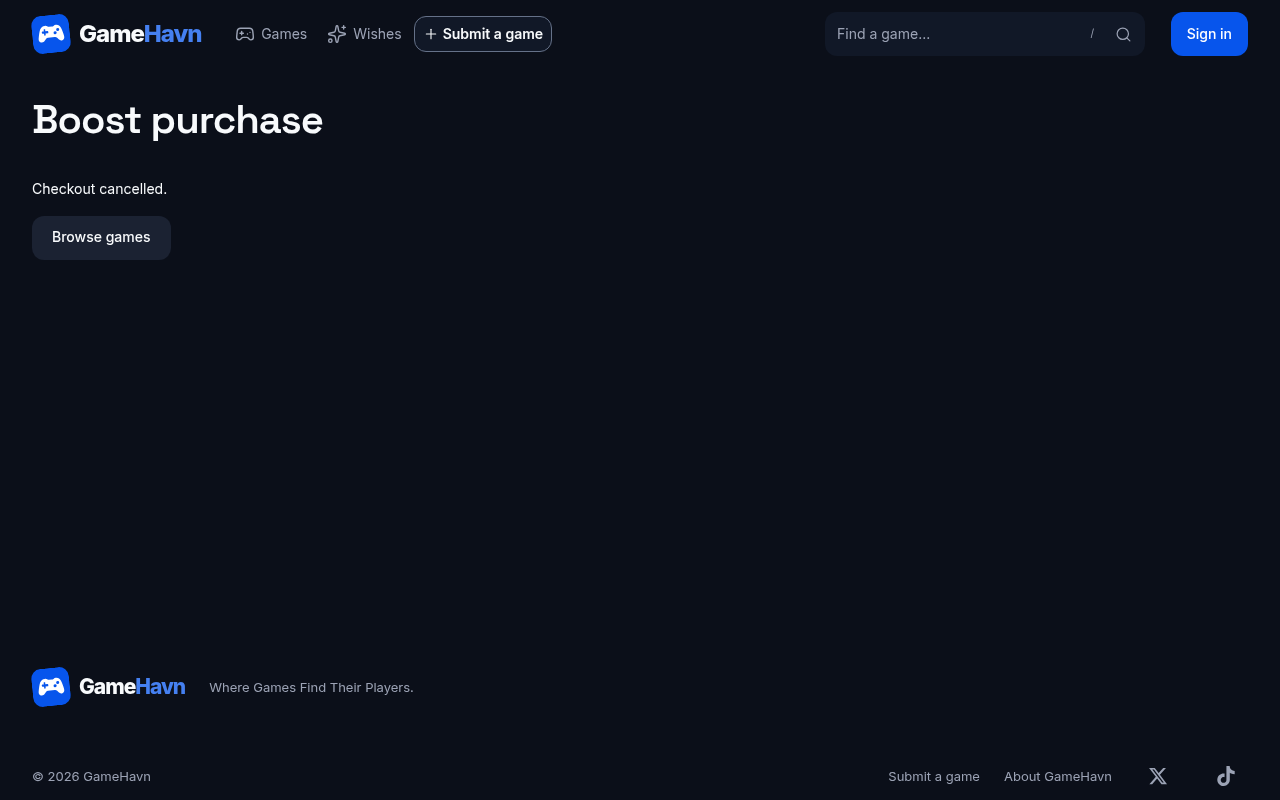
Try it: Open /games/winter-wraith, click "Boost this game", then "Continue to checkout", then click "Back to GameHavn" on Stripe. You land on a generic "Checkout cancelled." page with only "Browse games", and the tab title reads "Page unavailable".
Boost's "How it works" describes a friend invite the modal never offers
In the "Boost this game" modal on /games/galactic-sentinels, the "How it works" section under "Continue to checkout" says only "Earn 1 day of Boost when your friend's invitation is verified. New time is added to any time already remaining." The modal has no invite link or referral control. A buyer who opens this section at the pay step gets no answer about the purchase itself, such as when the paid Boost starts.
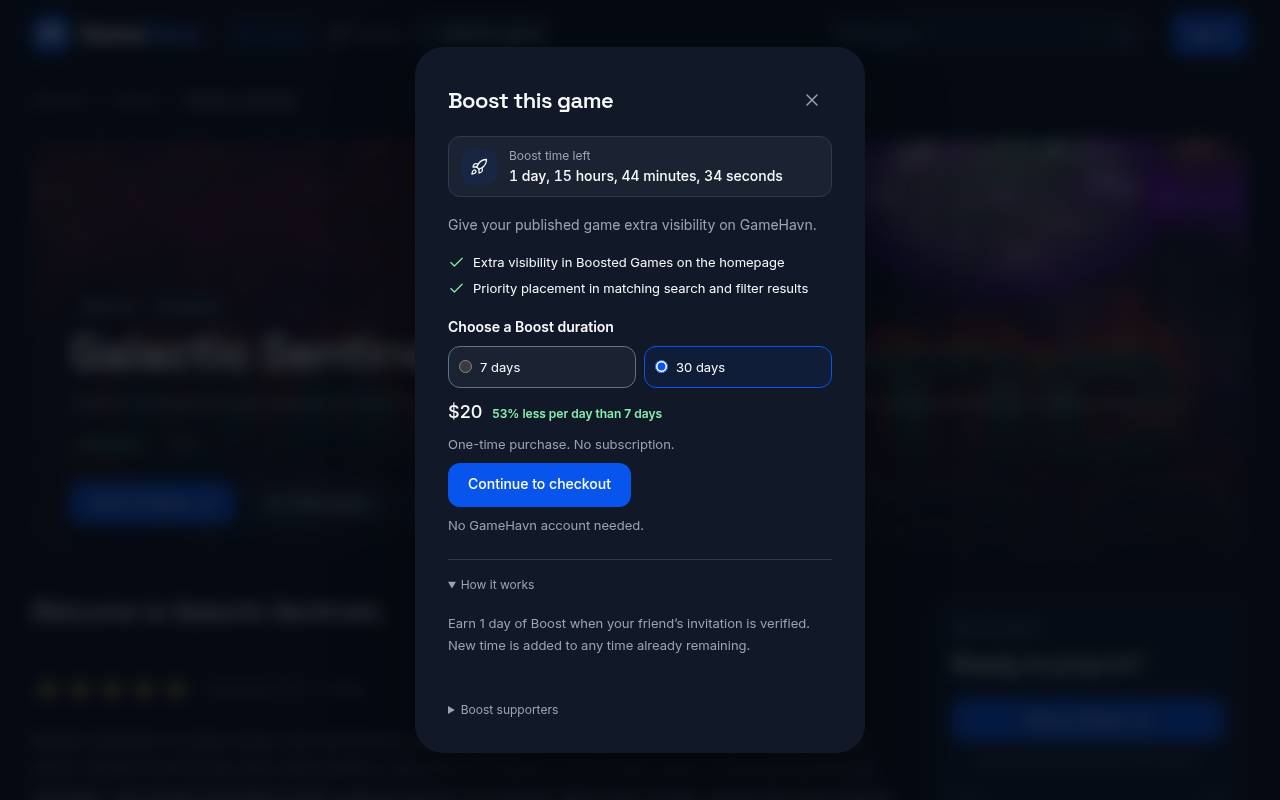
Try it: Open /games/galactic-sentinels, click "Boost this game", and expand "How it works" under "Continue to checkout". It shows only the friend-invitation text, and the modal has no invite control.
The home page jumped around once while loading on desktop
One desktop load of the home page had a cumulative layout shift of 1.198, and Google rates anything above 0.25 as poor. The shift was recorded before any scrolling or clicking, but it did not happen on a second load and was not tied to any element. The settled page looks normal.
The home page lacks three security response headers
The response from https://gamehavn.com/ is missing Content-Security-Policy, CSP frame-ancestors or X-Frame-Options, and Cross-Origin-Resource-Policy.
The home page "View all" links fall below the contrast minimum
The "View all" links to /games?sort=popular and /developers use blue #0755ec text on the #0b0f19 background. That gives a contrast ratio of 3.2:1 at 14px, below the 4.5:1 minimum for normal text. The same links fail on /wishes.
Probie fixes this for you.
Stop customers hitting the same friction. Connect your codebase and Probie reproduces these failures, tests the fix, and opens a pull request for your review.
Sign up and get this fixedFree inspection
What should Probie inspect next?
Enter a project URL. There is nothing to install.
Probie checks every issue twice, respects robots.txt, and backs off at bot challenges.
Enter an address and we will email the report card link.