We found 3 issuescosting you truston zqinta.com.
Watch the inspection.
We navigate your site the way customers would. Idle time is skipped.
How the composite score works
The overall score is a weighted average of the categories: Getting the product 40%, Trust before buying 20%, Mobile 15%, Speed 15%, and Polish and audit 10%. It is never more than 10 points above the Getting the product score, because a product a visitor cannot get cannot score well on anything else, and never more than 25 points above the weakest category, so one badly broken area is not averaged away. Any issue in the main list caps it at 89, so a score above 90 means nothing worth fixing was found.
Each category starts at 100 and stays there when nothing was found in it, whether or not the inspection got that far. Each distinct verified finding deducts 60 points for a serious problem on the path from arriving to paying, 40 for another serious problem, 30, 15 or 8 by high, medium or low severity otherwise, and 4 for an audit finding. Each additional finding below the list takes 2 more points off the overall score, up to 10. Scores stop at zero and round to whole numbers. The formula is fixed and versioned, so the same saved evidence always receives the same score.
Book Store titles show raw file names instead of book names
Book buyers judge a paid title by a heading that looks like an unfinished upload, right next to the price and Add to cart button.
The book page at /books/the-complete-reference-html-css-fifth-edition-etg3mwr7jh uses "the-complete-reference-html-css-fifth-edition" as its main heading, right above the $9.99 price and Add to cart. The description directly below calls the same book "The Complete Reference: HTML & CSS, Fifth Edition", so the page gives the book two different names. The /books list also titles books with file names such as "CSB_Pew_Bible_2nd_Printing_1" and "clinical_medicine_ashok_chandra", and buyers see these names at the point where they choose a book to pay for.
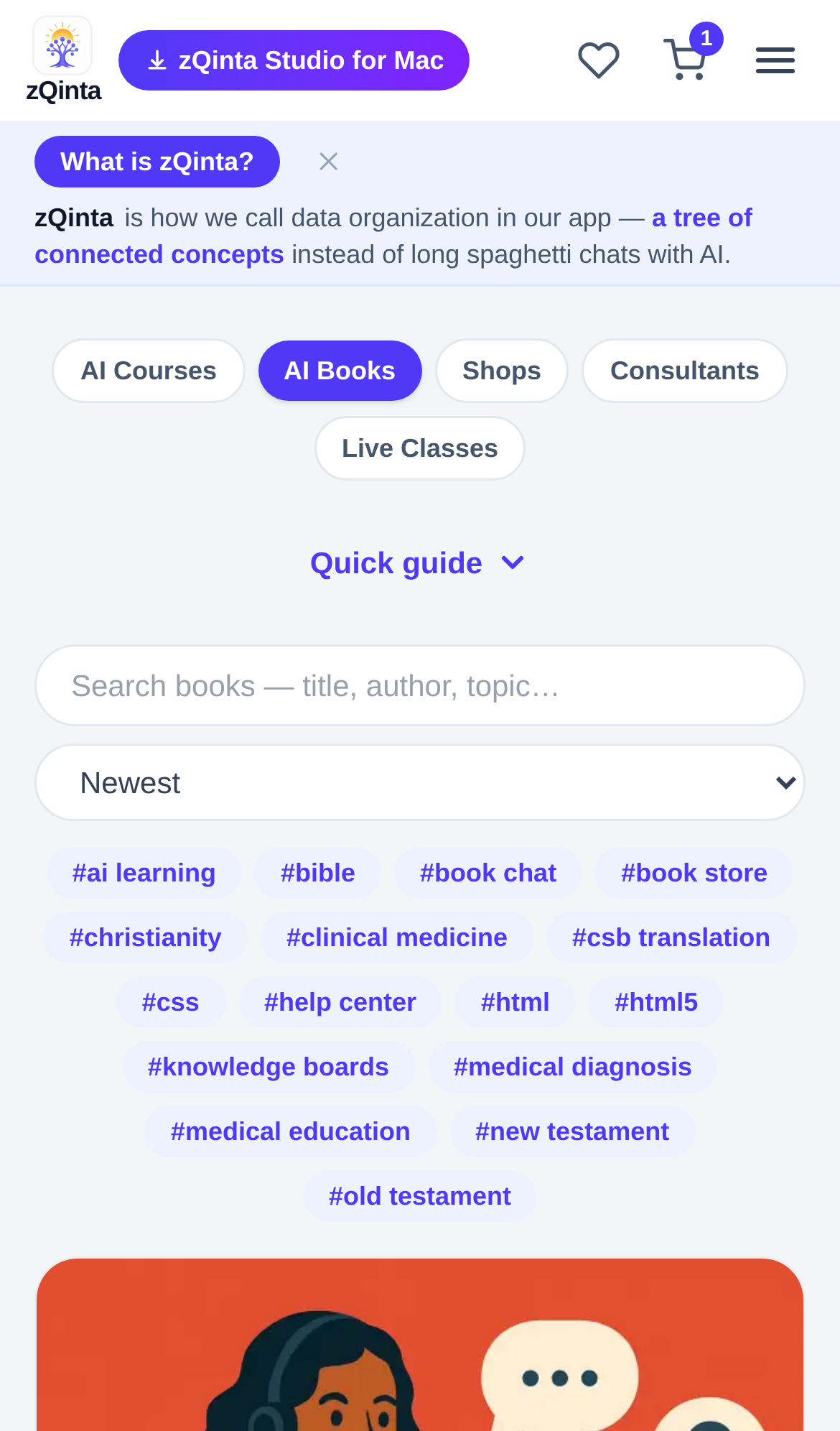
Try it: Open https://www.zqinta.com/books and read the titles under each price. Then open the HTML & CSS book and compare its heading with the first line of "About this book".
Phone visitors get only a Mac installer as the main header button
Would-be creators who find zQinta on a phone cannot get the course builder and have no way to send it to their Mac.
On an iPhone, the header of the home page, /books and /register shows "zQinta Studio for Mac" as its most prominent button, and it links straight to /download/zQinta.dmg?v=212. Tapping it on the phone left the page unchanged. Nothing said it is a Mac file, and the page offered no email link or other alternative. The FAQ says AI builds boards only in the free Mac app, so a creator browsing on a phone cannot get the product at this step and cannot save it for later.
Try it: Open https://www.zqinta.com/ on an iPhone and tap the purple "zQinta Studio for Mac" button in the header. The page does not change, and nothing offers to send the link to a Mac.
The only shop's name shows as a single letter on phones
Phone visitors browsing creator shops cannot tell whose shop they are looking at before they open it.
On /shops at phone width, the name in the only shop card is cut down to "V…" because the "5.0 (1)" rating badge and the "4 courses" badge fill the rest of the row. Learners meet this card while they browse storefronts before choosing a course, and on a phone they see the rating and course count but not the creator's name.
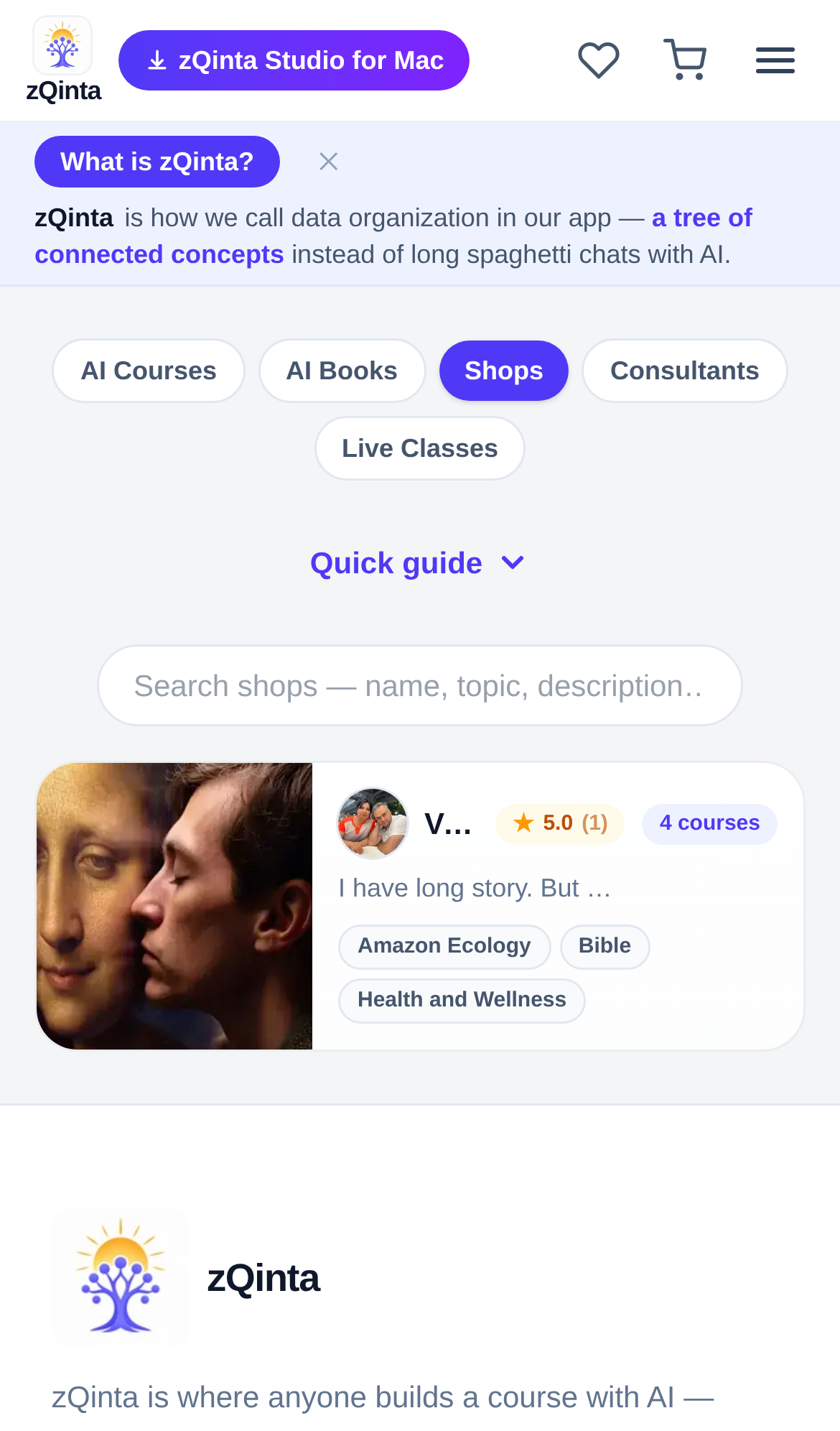
Try it: Open /shops in a 390px-wide phone viewport and look at the header row of the shop card, where the name shows only "V…" next to the rating and course badges.
Author name buttons on blog cards are 16px tall on phones
On /blog, the author name on each post card ("Vahan Drn...") is a button that opens a dialog. On a phone it measures 101.9px by 16px, with 16px of clear space around it, which is below the 24px minimum. This page is not part of buying or signing up.
The home page omits the Cross-Origin-Resource-Policy header
The response from https://www.zqinta.com/ is missing Cross-Origin-Resource-Policy.
The course count under the home page grid has low contrast
The "4 courses" label under the course grid on the home page is 12px #90a1b9 text on a #f4f5f7 background. That gives a contrast ratio of 2.41, and the WCAG AA minimum for text this size is 4.5. The label is a count only, and the course cards, prices and buttons above it stay readable.
Probie fixes this for you.
Stop customers hitting the same friction. Connect your codebase and Probie reproduces these failures, tests the fix, and opens a pull request for your review.
Sign up and get this fixedFree inspection
What should Probie inspect next?
Enter a project URL. There is nothing to install.
Probie checks every issue twice, respects robots.txt, and backs off at bot challenges.
Enter an address and we will email the report card link.