We found 3 issuescosting you truston sandboxrouter.io.
Watch the inspection.
We navigate your site the way customers would. Idle time is skipped.
How the composite score works
The overall score is a weighted average of the categories: Getting the product 40%, Trust before buying 20%, Mobile 15%, Speed 15%, and Polish and audit 10%. It is never more than 10 points above the Getting the product score, because a product a visitor cannot get cannot score well on anything else, and never more than 25 points above the weakest category, so one badly broken area is not averaged away. Any issue in the main list caps it at 89, so a score above 90 means nothing worth fixing was found.
Each category starts at 100 and stays there when nothing was found in it, whether or not the inspection got that far. Each distinct verified finding deducts 60 points for a serious problem on the path from arriving to paying, 40 for another serious problem, 30, 15 or 8 by high, medium or low severity otherwise, and 4 for an audit finding. Each additional finding below the list takes 2 more points off the overall score, up to 10. Scores stop at zero and round to whole numbers. The formula is fixed and versioned, so the same saved evidence always receives the same score.
The pricing page lacks six rates the billing docs point to
Developers who want to know what snapshots, MCP servers, browsers or the registry will cost before adding funds cannot find a price anywhere.
In the Rates section of /docs/billing, the Price column for Snapshot storage, MCP Gateway requests, Browser time, Registry storage, Registry pulls and Registry lists says "On the pricing page" and links to /pricing. /pricing lists only "Bring your own key: No charge", the Standby Pool CPU, memory, disk and egress rates, and the Egress proxy at $0.10/GB. A buyer comparing costs at the pricing step follows the link and finds no rate for any of those six meters.
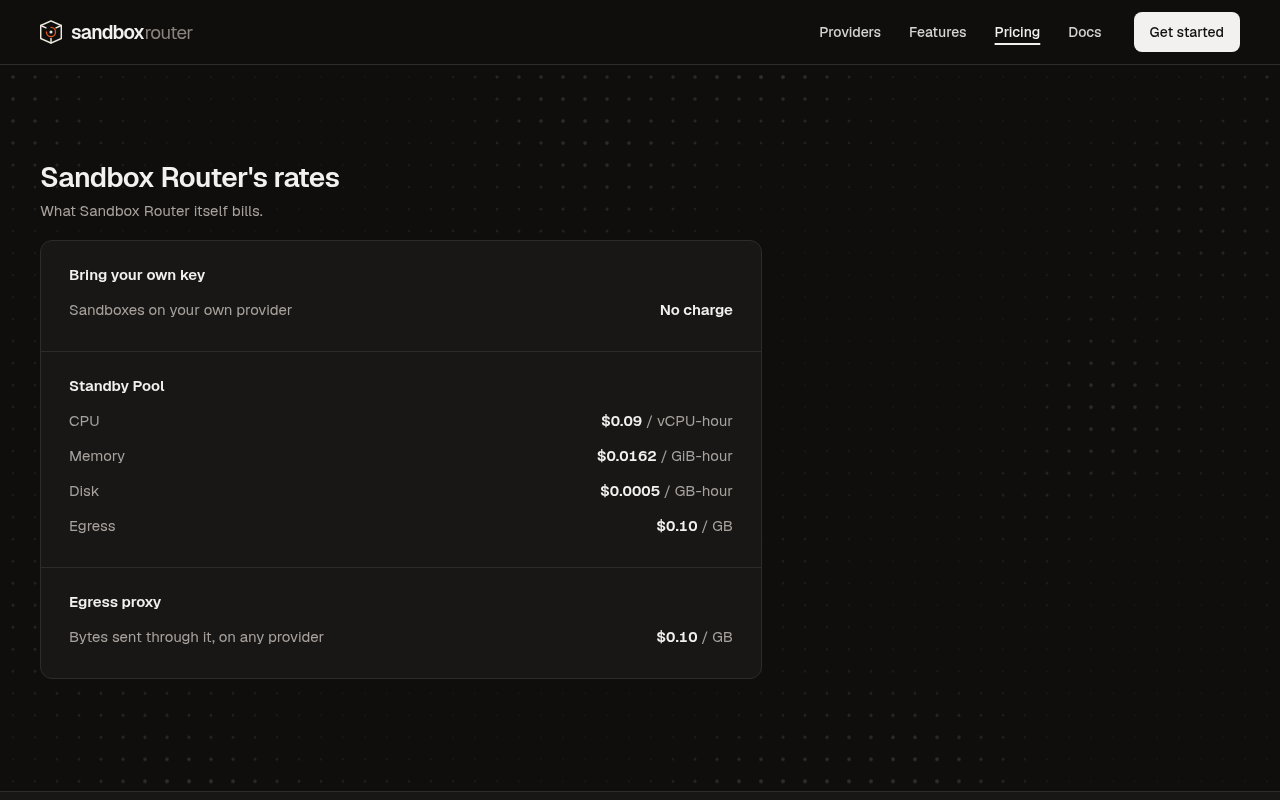
Try it: Open /docs/billing#rates and click the "pricing page" link next to Browser time or Registry pulls. On /pricing, look for that meter: it is not listed.
Home page top picks include providers the router cannot use
Developers who pick a provider from the home page rankings can sign up and then find Sandbox Router cannot run their sandboxes there.
The home page section "Find the right sandbox for the job." ranks Superserve first in four workloads and lists TensorLake in four. The docs accept only five routing targets: "`cloudflare` (Native, Sandbox Router's own account), or `maritime`, `daytona`, `freestyle` or `e2b` on your own account". Nothing on /providers/superserve says it cannot be routed to, and the compare page suggests "--provider tensorlake", a value the docs do not list. A developer comparing providers before clicking Get started cannot tell which of the top-ranked options the product actually supports.
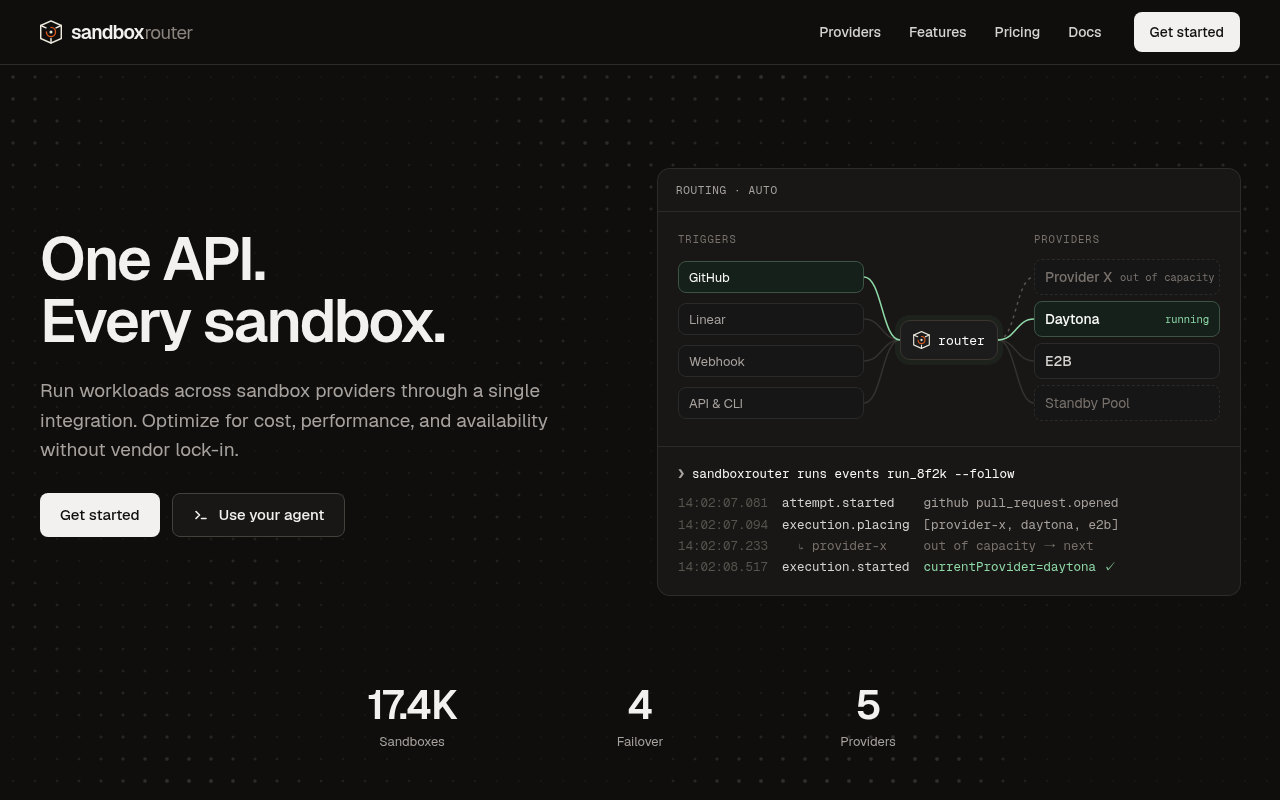
Try it: Open the home page and scroll to "Find the right sandbox for the job.", where Superserve leads several workloads. Then open /docs/sandboxes.md and read the spec.placement.selector row, which lists only cloudflare, maritime, daytona, freestyle and e2b.
"Get started" opens a "Welcome back" sign-in form, not sign-up
New visitors who click "Get started" see a form for returning users and have to find the Sign up tab before they can create an account.
Every "Get started" button on the home page and the Features page links to console.sandboxrouter.io. That page opens on the "Sign in" tab, with the heading "Welcome back" and the line "Sign in to the sandboxrouter.io console." The "Create your account" form appears only after a visitor clicks the "Sign up" tab, and the URL does not change, so no link can open sign-up directly. This is the first step of signup, and every new buyer meets it there. The docs' Getting started guide works around it with "Go to console.sandboxrouter.io and choose Sign up".
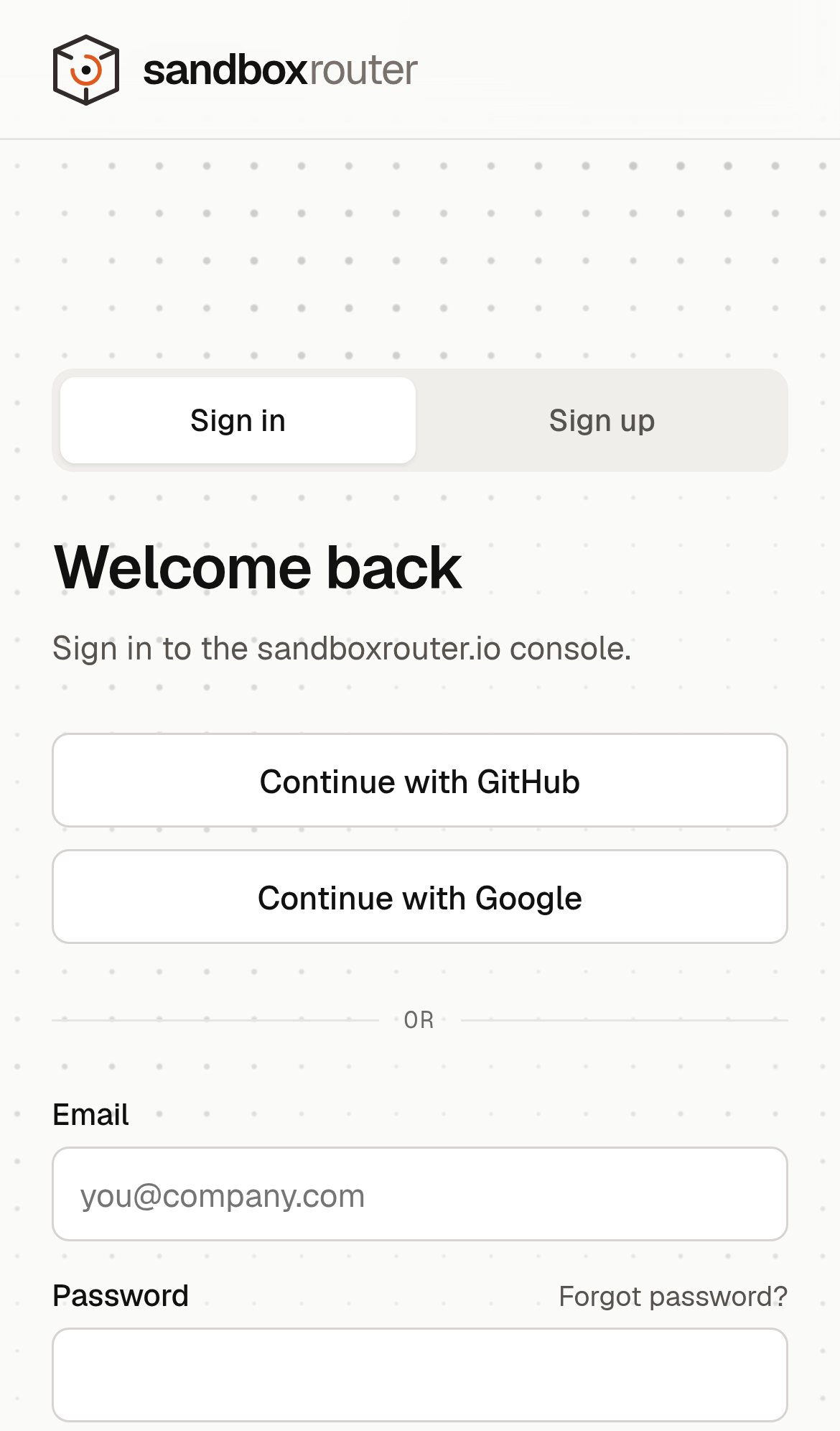
Try it: On sandboxrouter.io, click "Get started" in the header. The console opens on "Welcome back" with Sign in selected, not "Create your account".
The footer light-theme button took 1.7 seconds to repaint
On /providers/compare, clicking the light-theme button in the footer theme switcher took 1744 ms to paint a response on desktop. Google classes anything above 500 ms as poor. The delay did not show up on a second load, and the control does not affect comparing providers or signing up.
Benchmark chart points are too close together to tap on phones
The transparent tooltip buttons on the provider benchmark charts, such as "Oct 20: 92.3" on /providers/cloudflare, overlap their neighbours. Each one leaves only 18.5px of tappable width, below the 24px minimum, and the same pattern appears on the Daytona, E2B, Freestyle and Tensorlake pages. On a phone, a tap on one point near Oct 16 to Oct 20 can open the wrong date's value.
The home page is missing HSTS and CORP headers
The response from https://sandboxrouter.io/ is missing Strict-Transport-Security and Cross-Origin-Resource-Policy.
Probie fixes this for you.
Stop customers hitting the same friction. Connect your codebase and Probie reproduces these failures, tests the fix, and opens a pull request for your review.
Sign up and get this fixedFree inspection
What should Probie inspect next?
Enter a project URL. There is nothing to install.
Probie checks every issue twice, respects robots.txt, and backs off at bot challenges.
Enter an address and we will email the report card link.