We found 2 issuescosting you truston seats.movie.
Watch the inspection.
We navigate your site the way customers would. Idle time is skipped.
How the composite score works
The overall score is a weighted average of the categories: Getting the product 40%, Trust before buying 20%, Mobile 15%, Speed 15%, and Polish and audit 10%. It is never more than 10 points above the Getting the product score, because a product a visitor cannot get cannot score well on anything else, and never more than 25 points above the weakest category, so one badly broken area is not averaged away. Any issue in the main list caps it at 89, so a score above 90 means nothing worth fixing was found.
Each category starts at 100 and stays there when nothing was found in it, whether or not the inspection got that far. Each distinct verified finding deducts 60 points for a serious problem on the path from arriving to paying, 40 for another serious problem, 30, 15 or 8 by high, medium or low severity otherwise, and 4 for an audit finding. Each additional finding below the list takes 2 more points off the overall score, up to 10. Scores stop at zero and round to whole numbers. The formula is fixed and versioned, so the same saved evidence always receives the same score.
The Mumbai alerts card promises emails that are not live yet
Moviegoers who sign up for seat alerts expecting an email for their next show find out only after giving their address that alerts are not switched on.
On /mumbai the "Alerts for Mumbai" card says "We email you once when great seats open" next to a sample "Good seats just opened" notification, and the signup modal repeats "We'll email you when great seats open near you". After a visitor submits their email, the confirmation reads "Alerts for Mumbai are switching on soon; we'll tell you when they're live." The signup step presents a waitlist as a working feature, and visitors learn the difference only after handing over their email.
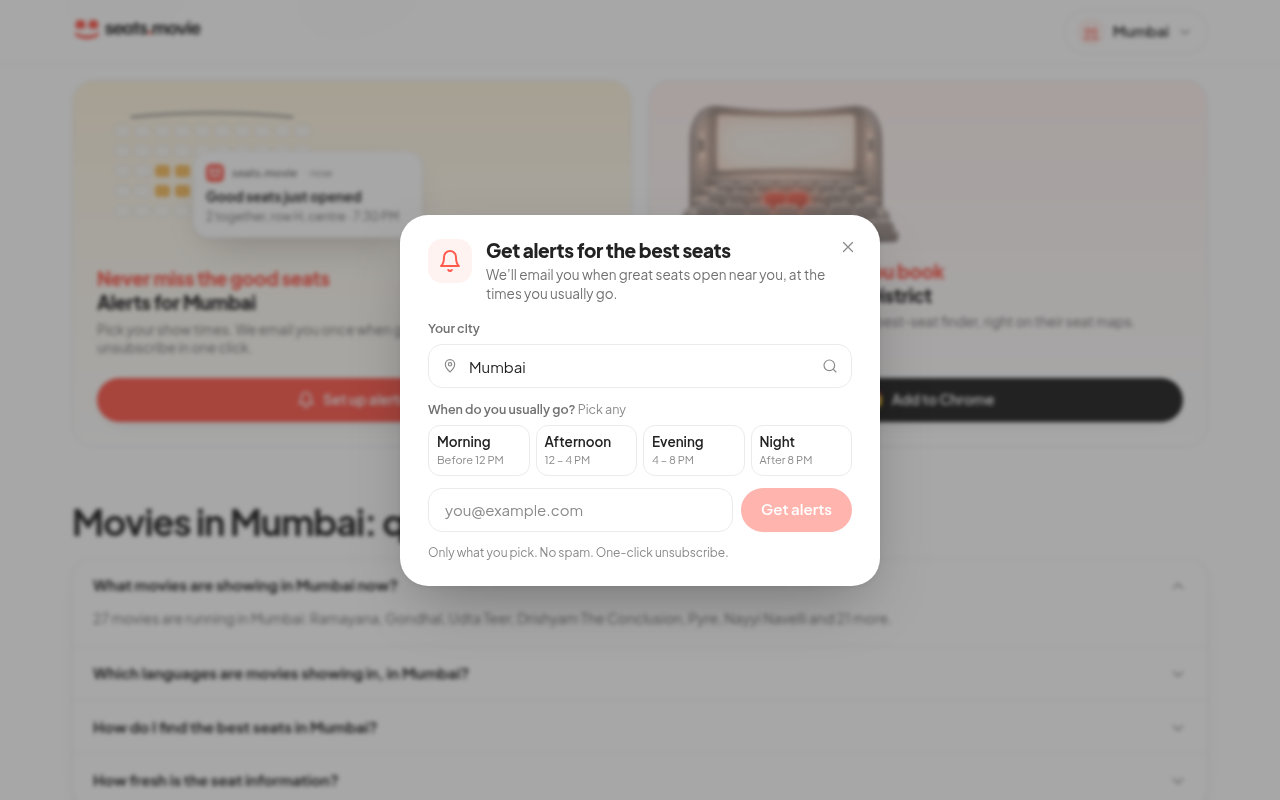
Try it: Open https://seats.movie/mumbai, scroll to "Alerts for Mumbai", click "Set up alerts", pick a time, enter an email and click "Get alerts", then skip the survey. Compare the card text with the confirmation that says alerts are "switching on soon".
Phone visitors get a desktop-only "Add to Chrome" as the main button
Phone visitors on the extension page are pointed at an install they cannot finish, and the waitlist meant for them sits out of view.
On a phone, the first screen of /extension leads with a dark "Add to Chrome" button, but the extension only works on a computer. The only sign of that is gray small print under the buttons that reads "Chrome, Edge, Brave and Arc on a computer", and the mobile waitlist does not appear on that screen. A phone visitor at the install step is steered toward something their device cannot install before they reach the option built for them.
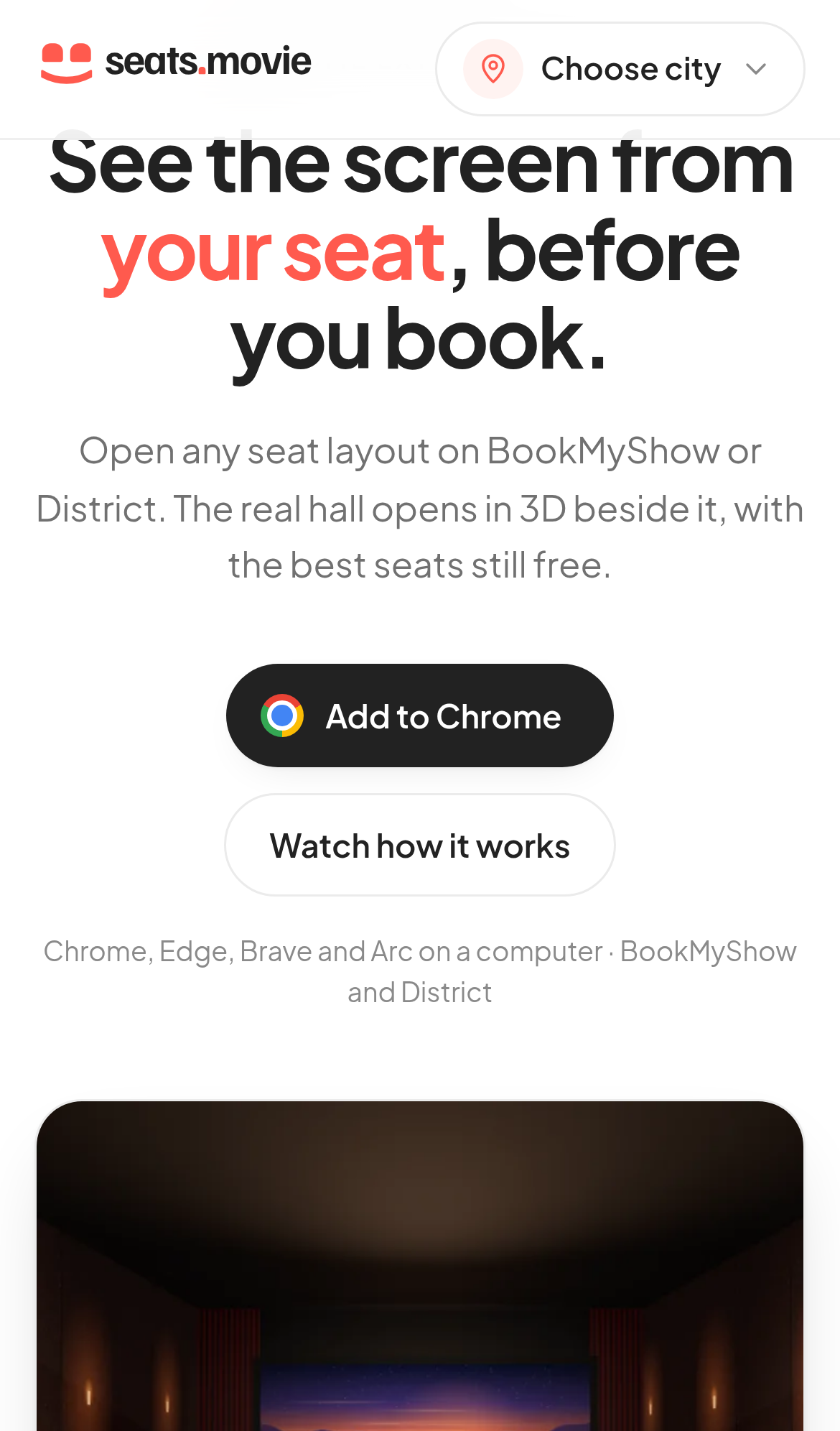
Try it: Open /extension at a 390px-wide phone viewport. The main button reads "Add to Chrome", and the mobile waitlist does not appear until you scroll.
The home page is missing six security headers
The response from https://seats.movie/ is missing Strict-Transport-Security, Content-Security-Policy, CSP frame-ancestors or X-Frame-Options, X-Content-Type-Options: nosniff, Referrer-Policy, and Cross-Origin-Resource-Policy.
Grey helper text on the home page falls below WCAG contrast
On the home page, the "Live seats from BookMyShow" label, the "Search your city" hint and the "Popular:" label use #8a8a8a on white, which measures 3.45:1 against the required 4.5:1. The same grey text style appears on /how-it-works, /about, /extension, /support and /guides.
Probie fixes this for you.
Stop customers hitting the same friction. Connect your codebase and Probie reproduces these failures, tests the fix, and opens a pull request for your review.
Sign up and get this fixedFree inspection
What should Probie inspect next?
Enter a project URL. There is nothing to install.
Probie checks every issue twice, respects robots.txt, and backs off at bot challenges.
Enter an address and we will email the report card link.