We found 4 issuescosting you saleson monorail.ashforde.org.
Watch the inspection.
We navigate your site the way customers would. Idle time is skipped.
How the composite score works
The overall score is a weighted average of the categories: Getting the product 40%, Trust before buying 20%, Mobile 15%, Speed 15%, and Polish and audit 10%. It is never more than 10 points above the Getting the product score, because a product a visitor cannot get cannot score well on anything else, and never more than 25 points above the weakest category, so one badly broken area is not averaged away. Any issue in the main list caps it at 89, so a score above 90 means nothing worth fixing was found.
Each category starts at 100 and stays there when nothing was found in it, whether or not the inspection got that far. Each distinct verified finding deducts 60 points for a serious problem on the path from arriving to paying, 40 for another serious problem, 30, 15 or 8 by high, medium or low severity otherwise, and 4 for an audit finding. Each additional finding below the list takes 2 more points off the overall score, up to 10. Scores stop at zero and round to whole numbers. The formula is fixed and versioned, so the same saved evidence always receives the same score.
Phone visitors get a Mac DMG with no way to send it to a Mac
People who discover Monorail on a phone hit a dead end at the download and have to remember to come back later on their Mac.
On an iPhone, every Download button leads to /download/, which says "Your download is starting" for "Monorail 1.9.8 for Mac, signed and notarised by Apple. 34.0 MB" and says to "Open Monorail.dmg from your Downloads". Neither this page nor the home page's "However you like to install." section offers a way to email, copy, share or save the link for a Mac. A phone visitor at the download step has nothing useful to do next.
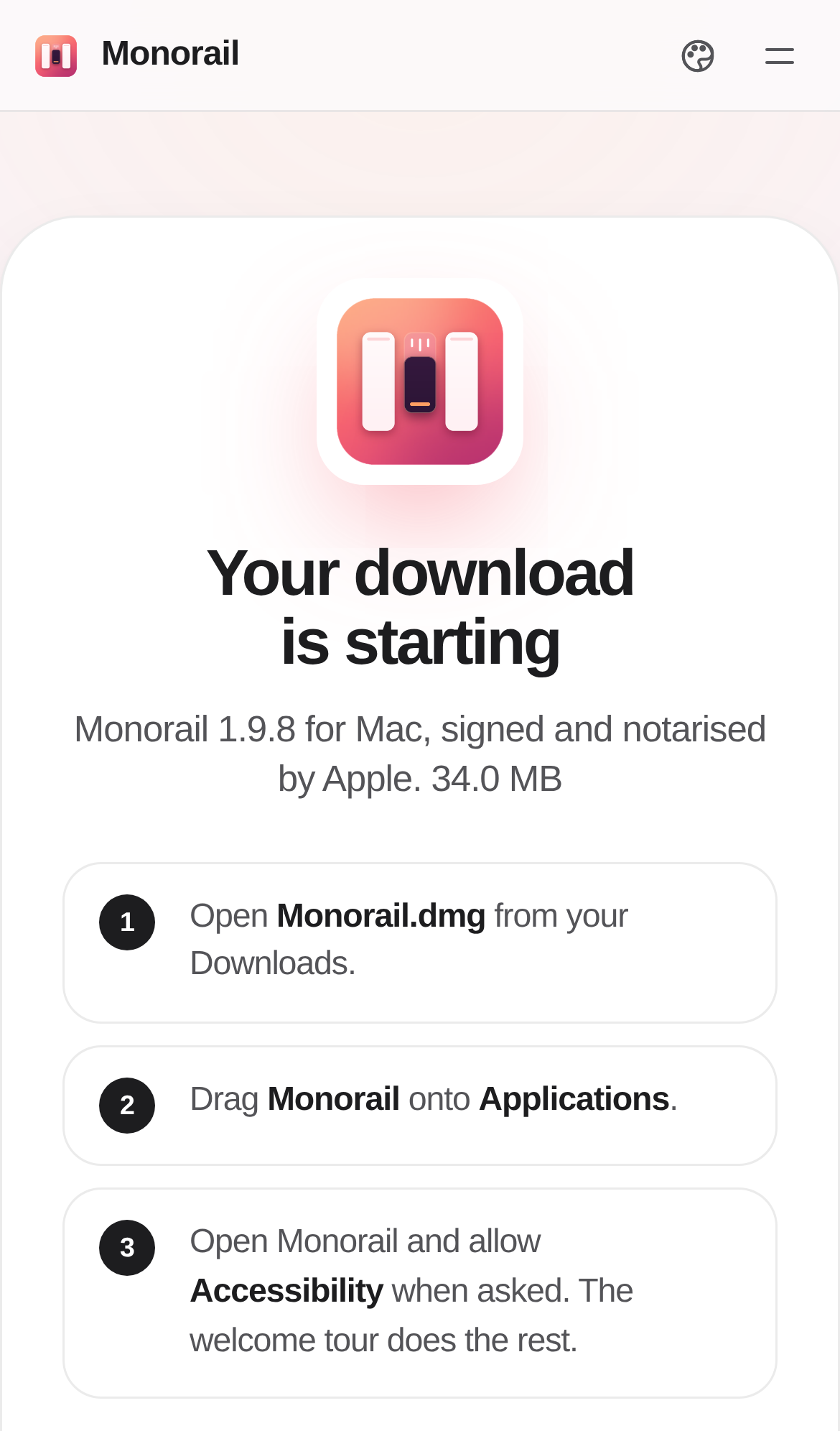
Try it: Open https://monorail.ashforde.org/ on an iPhone and tap "Download for Mac". The /download/ page starts a DMG and gives no way to send the link to a Mac.
The Enhancer page contradicts itself about what the helper does
New users who are asked for their admin password during the welcome tour get conflicting answers about what that password unlocks.
On /enhancer/, the intro says Ashforde Enhancer lets Monorail turn sleep off and on and "It can't do anything else". The FAQ on the same page says "Where fan control or the charge limit needs it, click Install Ashforde Enhancer", and the 1.9.8 changelog says the welcome tour offers it "for lid-closed mode, fan control and the charge limit". A user deciding during onboarding whether to give an admin password and add a sudoers rule cannot tell which features actually need it.
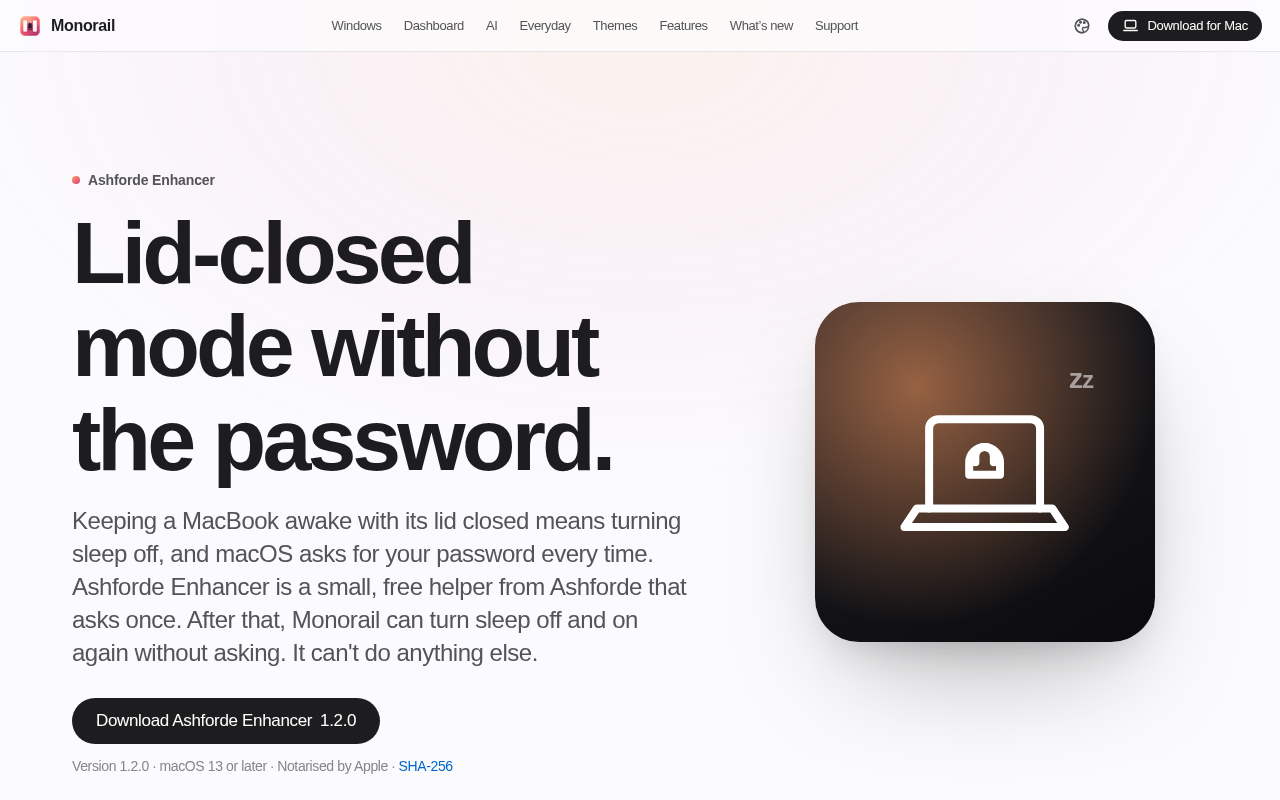
Try it: Open /enhancer/ and read the last line of the intro paragraph. Then expand "Can Monorail install it for me?" and "Do I need it?" in Questions and compare the three answers.
The IT guide's configuration profile has no download link
IT admins rolling Monorail out to managed Macs cannot get the Accessibility profile the guide tells them to upload, so they have to rebuild it by hand.
On /docs/it/, step 1 of "Allowing Accessibility with a configuration profile" says "Download Monorail-Accessibility.mobileconfig." The file name is plain code text with no link, and both /packaging/mdm/Monorail-Accessibility.mobileconfig and /docs/it/Monorail-Accessibility.mobileconfig return the project's 404 page. The guide also says "The file in this repository is unsigned", which is wording from a source repository, so admins at the deployment step get directions that don't fit the website they are reading.
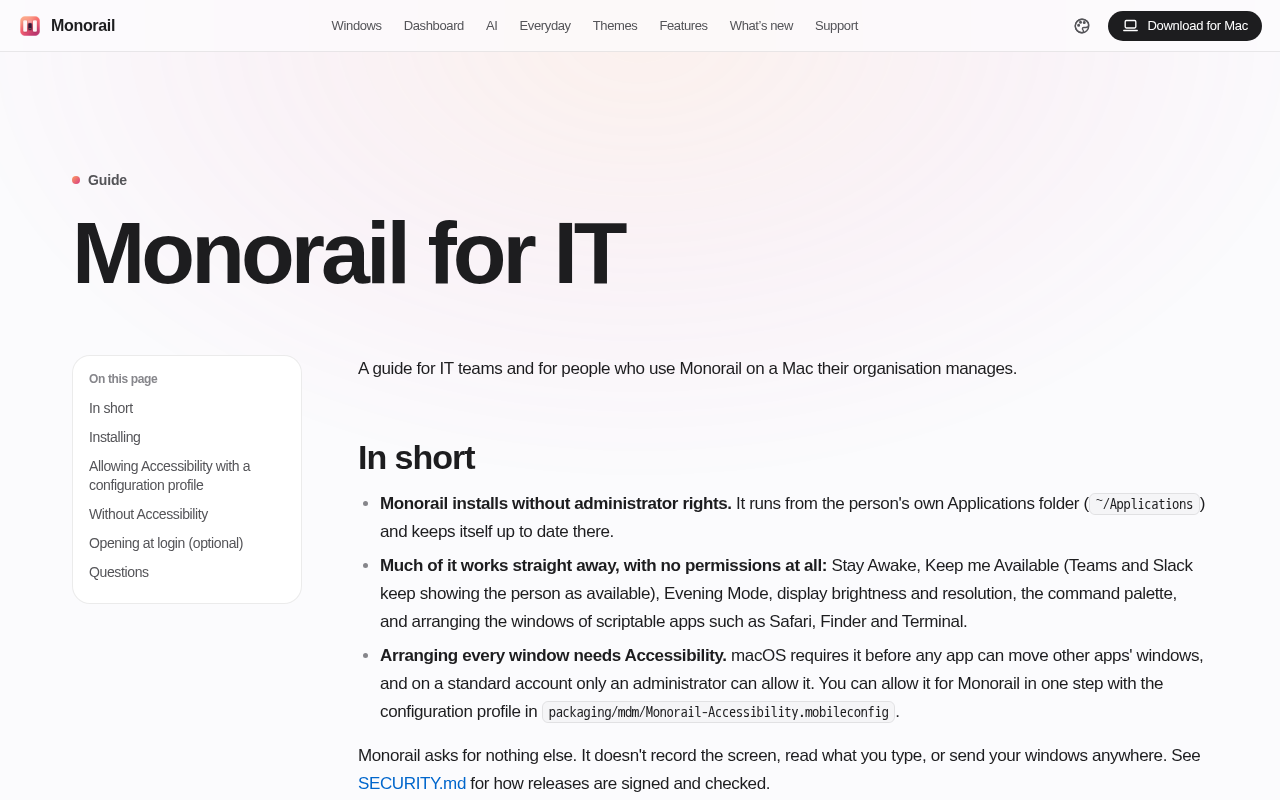
Try it: Open https://monorail.ashforde.org/docs/it/, jump to "Allowing Accessibility with a configuration profile", and try to click the file name in step 1. Then open /packaging/mdm/Monorail-Accessibility.mobileconfig and you get the 404 page.
The desktop changelog squeezes release notes into a thin column
Mac visitors checking whether Monorail is actively maintained find release notes that wrap every few words, so the changelog looks broken.
On /changelog/ at a 1280px desktop width, the release notes card is about 230px wide against the left edge. The roughly 980px to its right is empty, so every line wraps after two to four words. Visitors who open What's new to judge whether the app is maintained before downloading hit this page as part of understanding the product.
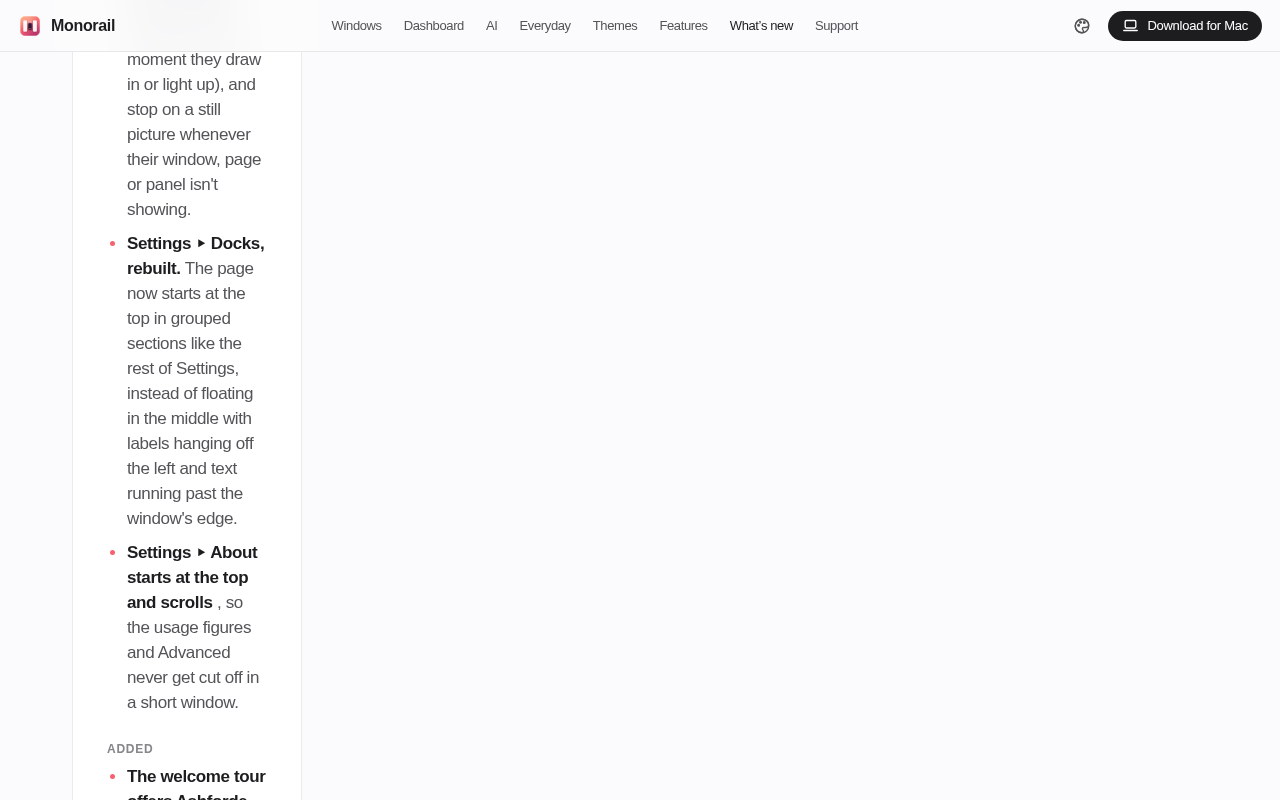
Try it: Open monorail.ashforde.org/changelog/ in a desktop browser at about 1280px wide and scroll down one screen. The release notes sit in a narrow strip on the left and the rest of the page is blank.
The home page icon ships at 1024px but displays at 88px
/assets/icon.png is a 1024x1024 image that transfers 146,374 bytes. The home page uses it at 24x24 in the header and 88x88 in the hero at a device pixel ratio of 1. The page reached largest contentful paint in 436 ms, so visitors do not see a delay.
The header logo downloads a 1024px icon to show it at 24px
On /features/, the header brand image /assets/icon.png is 1024x1024 pixels and 146,374 bytes, but it renders at 24x24 on a 1x display. The page's largest content still painted in 508 ms and 340 ms, so visitors do not wait on it.
The home page is missing five security response headers
The response from https://monorail.ashforde.org/ is missing Content-Security-Policy, CSP frame-ancestors or X-Frame-Options, X-Content-Type-Options: nosniff, Referrer-Policy, and Cross-Origin-Resource-Policy.
The home page demo tabs have no tablist parent
On the home page, the demo step buttons "Slides in beside you", "Keeps its size" and "Glide by key or swipe" use role="tab", but no parent element has role="tablist". The download buttons are not affected.
The "How the strip works" steps list has invalid tab markup
On the home page, the element `<ol class="hx-steps" role="tablist" aria-label="How the strip works">` holds plain li items where a tablist needs tab children. Assistive technology announces a tab list without usable tabs, so the walkthrough of the strip is harder to follow.
Grey secondary text on the home page fails the contrast minimum
Three pieces of grey text on the home page measure 3.5:1 contrast (#86868b on #fbfbfd), and the WCAG AA minimum is 4.5:1. They are the "by Ashforde®" byline, the Windows chip, and the line "Version 1.9.8 · 34.0 MB · November 15, 2026 · macOS 13 or later" under Download for Mac. The same colour also appears on /download/, /features/, /changelog/, /performance/ and /press/.
Probie fixes this for you.
Stop customers hitting the same friction. Connect your codebase and Probie reproduces these failures, tests the fix, and opens a pull request for your review.
Sign up and get this fixedFree inspection
What should Probie inspect next?
Enter a project URL. There is nothing to install.
Probie checks every issue twice, respects robots.txt, and backs off at bot challenges.
Enter an address and we will email the report card link.