We found 3 issuescosting you truston pickyprof.com.
The Stripe checkout says "Pay PaperCheck GmbH" with no PickyProf name.
Watch the inspection.
We navigate your site the way customers would. Idle time is skipped.
How the composite score works
The overall score is a weighted average of the categories: Getting the product 40%, Trust before buying 20%, Mobile 15%, Speed 15%, and Polish and audit 10%. It is never more than 10 points above the Getting the product score, because a product a visitor cannot get cannot score well on anything else, and never more than 25 points above the weakest category, so one badly broken area is not averaged away. Any issue in the main list caps it at 89, so a score above 90 means nothing worth fixing was found.
Each category starts at 100 and stays there when nothing was found in it, whether or not the inspection got that far. Each distinct verified finding deducts 60 points for a serious problem on the path from arriving to paying, 40 for another serious problem, 30, 15 or 8 by high, medium or low severity otherwise, and 4 for an audit finding. Each additional finding below the list takes 2 more points off the overall score, up to 10. Scores stop at zero and round to whole numbers. The formula is fixed and versioned, so the same saved evidence always receives the same score.
The Stripe checkout says "Pay PaperCheck GmbH" with no PickyProf name
Students who chose PickyProf meet an unfamiliar company name and logo on the card form at the moment they pay.
Clicking "Buy now - $69.00" on /voucher opens a Stripe checkout headed "Pay PaperCheck GmbH" with a round emblem logo, and the name PickyProf does not appear anywhere on the page. The project itself only names PaperCheck GmbH in the footer line "© 2026 PaperCheck GmbH", so a buyer at the payment step has nothing linking the charge to the product they picked. The price and plan line ("Plus", $69.00) match the voucher page.
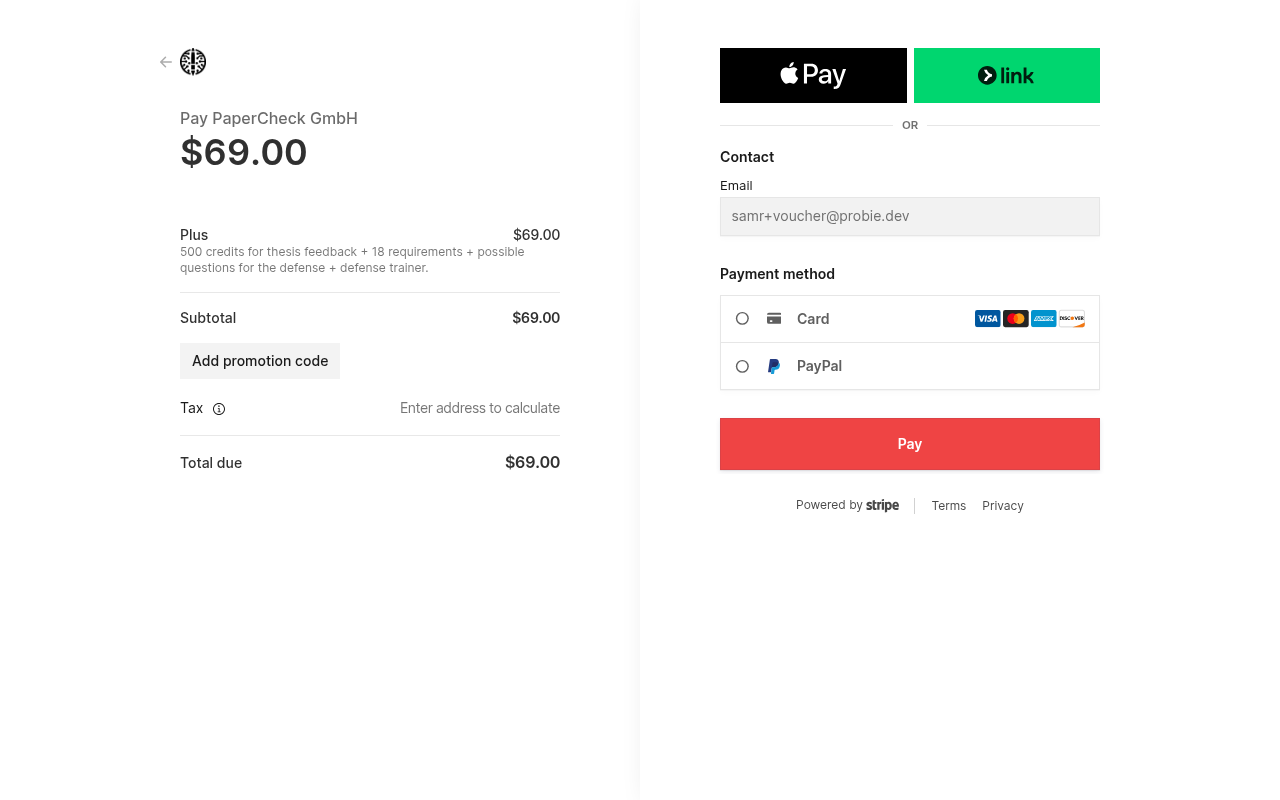
Try it: Open /voucher, enter an email, keep "Plus - $69.00" and click "Buy now - $69.00". Check the header, logo and back link on the Stripe page.
The home page lists two different requirement limits for paid plans
Students choosing between Plus and Ultimate cannot tell how many custom requirements each paid plan includes.
The hero demo's requirements panel reads "Plus 12" and "Ultimate 30", but the pricing cards on the same page say Plus includes "up to 18 requirements" and Ultimate "up to 45 requirements". The Plus voucher page and the Stripe checkout line item both say "500 credits for thesis feedback + 18 requirements". A buyer meets both numbers at the pricing step, on desktop and on phones, so it is unclear what the paid tiers include.
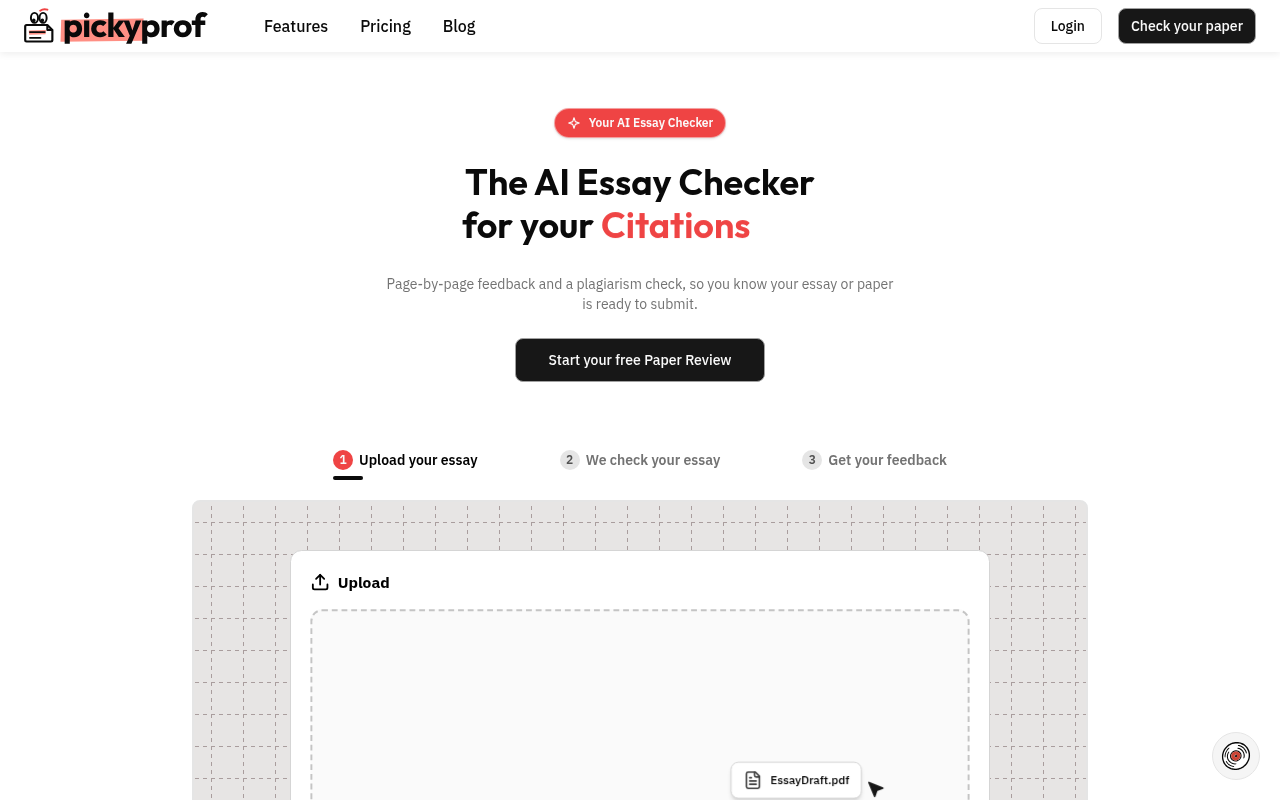
Try it: Open https://pickyprof.com/ and read the "Select Requirements (Optional)" panel in the hero demo, then scroll to #pricing and compare it with the Plus and Ultimate cards.
The phone menu stays open over the prices after tapping Pricing
Phone visitors who tap Pricing to check the cost still see the menu, and the plans stay hidden until they close it themselves.
On a phone, tapping "Pricing" in the home page menu scrolls the page to /#pricing, but the menu panel stays open and covers most of the screen. Only cut-off fragments such as "One p", "Risk-free: f" and "$45 $" show at the left edge, and the menu was still open 2 seconds later. A buyer at the pricing step sees the $34 Basic plan and the other plans only after tapping the close button.
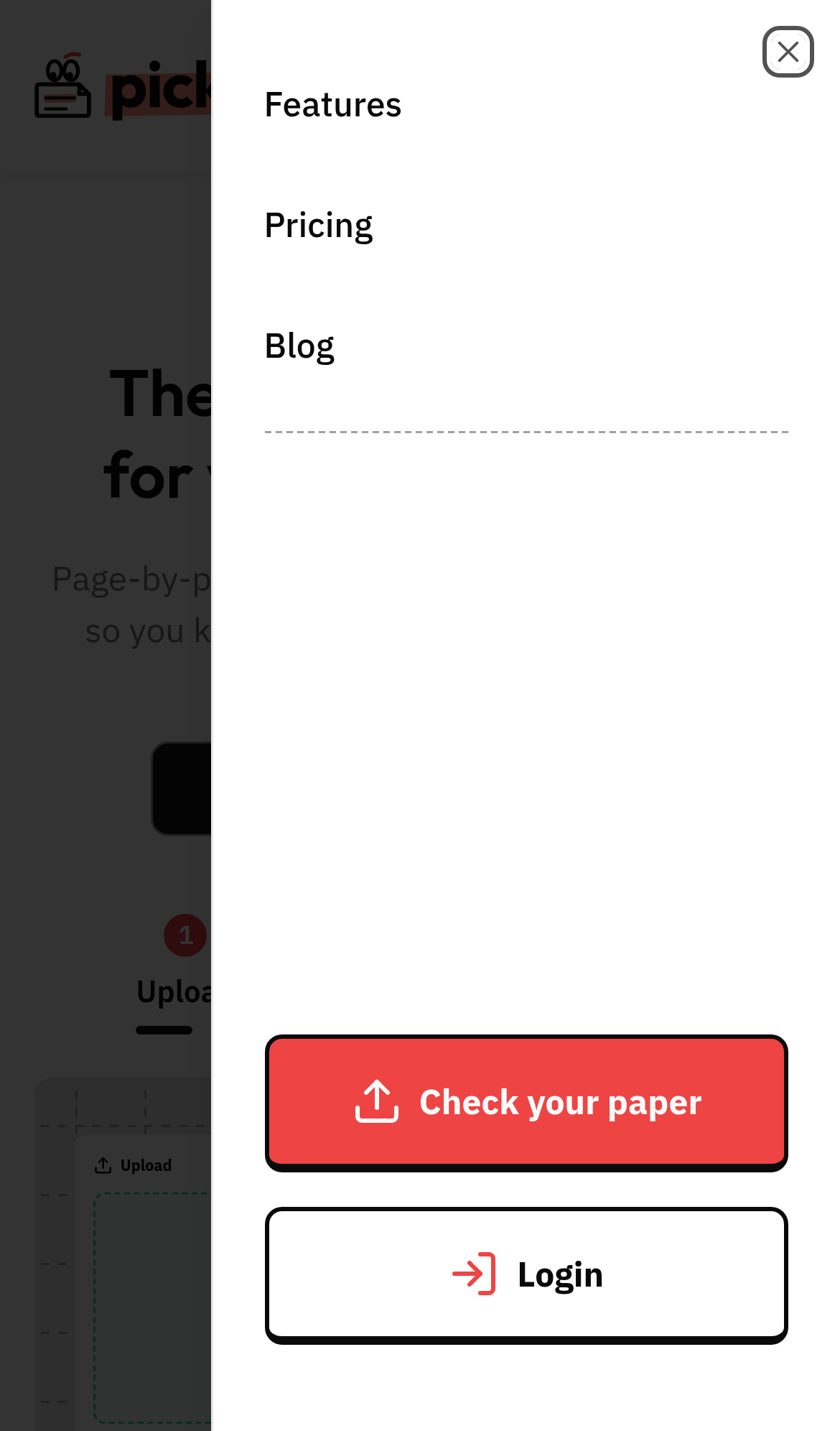
Try it: Open pickyprof.com on a phone, tap the menu button, and tap "Pricing". The menu stays open over the pricing section until you tap the X.
The home page has no Content-Security-Policy header
The response from https://pickyprof.com/ is missing Content-Security-Policy and Cross-Origin-Resource-Policy.
The home page upload preview contains focusable controls inside an image
Screen readers can announce the preview as one picture and still land keyboard focus on controls inside it that do nothing for the visitor.
Probie fixes this for you.
Stop customers hitting the same friction. Connect your codebase and Probie reproduces these failures, tests the fix, and opens a pull request for your review.
Sign up and get this fixedFree inspection
What should Probie inspect next?
Enter a project URL. There is nothing to install.
Probie checks every issue twice, respects robots.txt, and backs off at bot challenges.
Enter an address and we will email the report card link.