We found 4 issuescosting you truston setorial.scholarsedgetutorial.com.
The project promises young learners but its store listings are rated 13+.
Watch the inspection.
We navigate your site the way customers would. Idle time is skipped.
How the composite score works
The overall score is a weighted average of the categories: Getting the product 40%, Trust before buying 20%, Mobile 15%, Speed 15%, and Polish and audit 10%. It is never more than 10 points above the Getting the product score, because a product a visitor cannot get cannot score well on anything else, and never more than 25 points above the weakest category, so one badly broken area is not averaged away. Any issue in the main list caps it at 89, so a score above 90 means nothing worth fixing was found.
Each category starts at 100 and stays there when nothing was found in it, whether or not the inspection got that far. Each distinct verified finding deducts 60 points for a serious problem on the path from arriving to paying, 40 for another serious problem, 30, 15 or 8 by high, medium or low severity otherwise, and 4 for an audit finding. Each additional finding below the list takes 2 more points off the overall score, up to 10. Scores stop at zero and round to whole numbers. The formula is fixed and versioned, so the same saved evidence always receives the same score.
The project promises young learners but its store listings are rated 13+
Parents who come to the project for live classes for a young child find store pages for a teen exam-prep app at the moment they go to install it.
The /home page says "Designed for Young Learners" and promises "Live Interactive Classes: Join live lessons with Google Meet", online booking and weekly parent reports. The App Store listing it links to is rated "13+" and describes a "CBT exam preparation platform" for secondary school and university students. The Google Play listing is rated "Teen" and mentions cash payouts, and neither listing mentions live classes, booking or parent reports. A parent meets this contradiction at the install step, right after the home page made the case for the product.
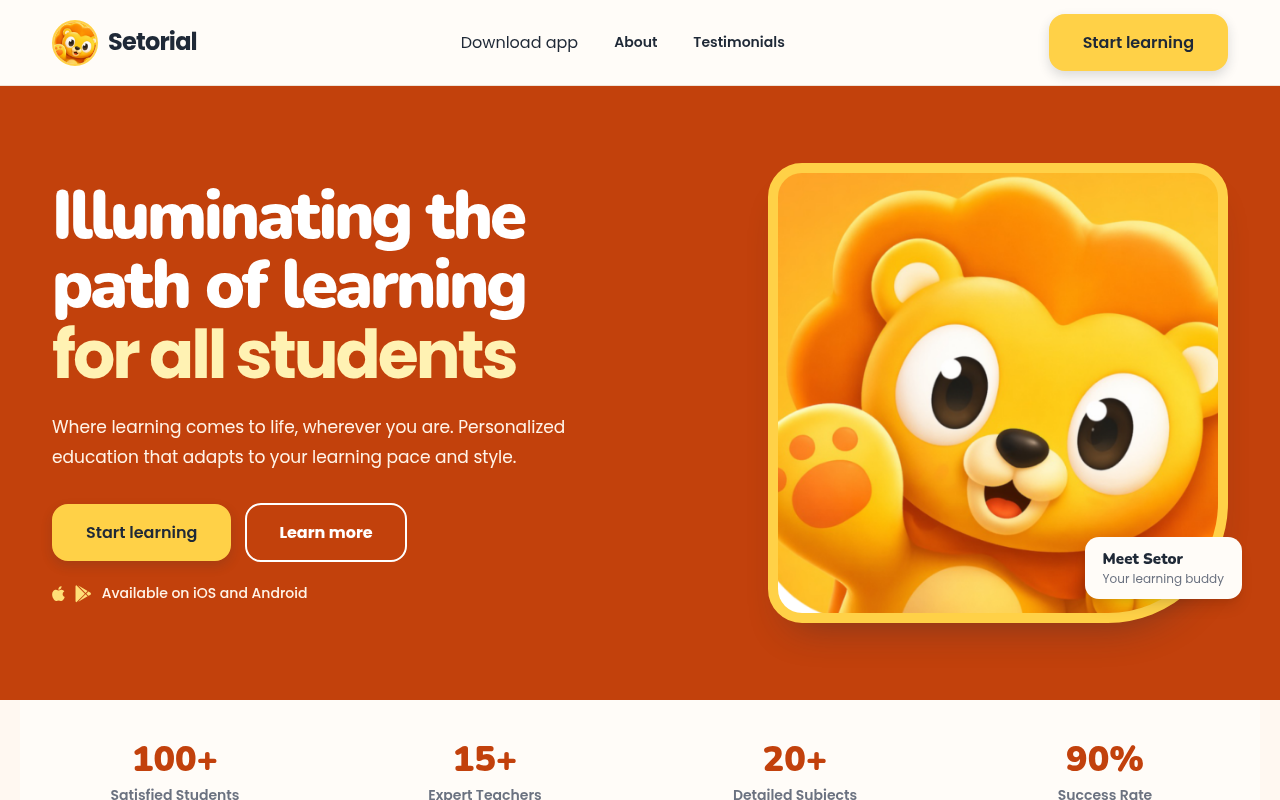
Try it: Open /home, click Download app and then each store button. Compare the age rating and the description on the App Store and Google Play listings with the home page's "What makes us Unique" section.
All three home page testimonials come from the same parent
Parents who check the reviews before installing find three quotes from one name, and a Google Play listing that shows "0+" downloads under a project claiming thousands of users.
On /home, all three testimonials under "What people say about us" are signed "Mr Bamidele, Lagos, Nigeria", and each tells a different story: "my kids", "My daughter used to struggle with math", and "As an educator myself". The page also claims "100+ Satisfied Students", "10k+ Happy Parents" and "Join thousands of students", but the Google Play listing that the Download app button opens shows "0+" downloads and no rating. A parent checks these trust signals while deciding whether to install, and the two pages disagree.
Try it: Open /home, scroll to "What people say about us" and read the three names. Then tap Download app, choose Google Play, and look at the download count.
The project gives parents no price for lessons or live classes
Parents who want to know the cost before installing have to download the app and create an account first.
The /home page is the only marketing page, and it shows no price, plan or free allowance. It still promises live Google Meet classes with "Expert Teachers", an online booking system and weekly reports. The header links only to Download app, About, Testimonials and Start learning, and the Google Play listing says "In-app purchases" without giving amounts, so a parent comparing tutoring options cannot find the cost at the pricing step.
Try it: Open /home on a phone and scroll to the footer, looking for a price or pricing link. Then open the Google Play listing and check whether it gives any amounts.
Desktop visitors cannot send the app to their phone
Parents who find Setorial on a laptop reach store web pages they cannot install from, so they must find the app again on their phone later.
On a desktop browser, "Download app", "Start learning" and /home?download=1 all open the same popover, "Choose your device to download the app.", which offers only "Download on the App Store" and "Get it on Google Play". The App Store link opens a web listing marked "Designed for iPad. Not verified for macOS." that has no way to install on the visitor's iPhone. A parent at the download step gets no QR code, no send-to-phone option and no web version.
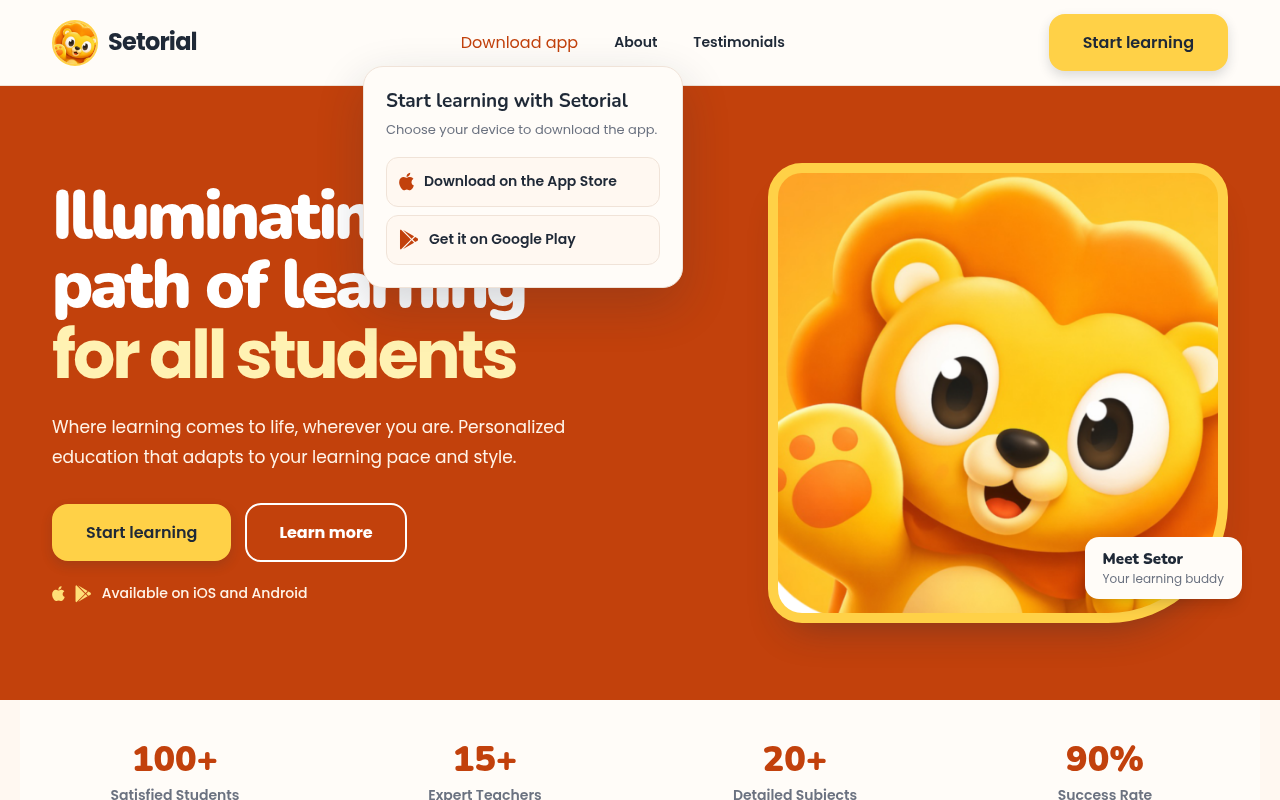
Try it: Open https://setorial.scholarsedgetutorial.com/home on a laptop and click Start learning. Then click Download on the App Store and look for any way to get the app onto your phone.
The home page mascot image is a 1.1 MB PNG
/public/mascot.png is a 1024 by 1024 PNG with a transfer size of 1,132,657 bytes. The home page shows it as the 46 px header logo and as the 440 px hero art. The page still showed its largest content in 536 ms and 612 ms on desktop, so the cost falls mainly on slower phone connections.
The header logo downloads a 1.1 MB image to show at 44 pixels
On /privacy, the header logo loads /public/mascot.png at 1024x1024 pixels and 1,132,657 bytes, then displays it at 44x44 on a 1x display. The image is not the largest content element, and the page painted in 504 ms and 404 ms on the two loads, so this page did not visibly slow down.
The header logo downloads 1.1 MB to show a 44 pixel icon
The header logo at /public/mascot.png is a 1024x1024 PNG with a transfer size of 1,132,657 bytes. On /terms it renders at 44x44 on a display with a device pixel ratio of 1. It is not the largest contentful element, and the page's LCP measured 264 ms and 488 ms.
The home page lacks five recommended security headers
The response from https://setorial.scholarsedgetutorial.com/home is missing Content-Security-Policy, CSP frame-ancestors or X-Frame-Options, X-Content-Type-Options: nosniff, Referrer-Policy, and Cross-Origin-Resource-Policy.
Header text on the privacy and terms pages has low contrast
On /privacy and /terms, the "Setorial" logo text is white on orange #f37b12 at a measured contrast of 2.74:1, below the required 3:1. The About and Features nav links are #fef2e7 on the same orange at 2.49:1, below the required 4.5:1.
The home page star rating has an aria-label screen readers may skip
On /home, the rating stars are a plain span with aria-label="5 stars" and no role. Without a role, assistive technology can ignore the label. The visible "4.9 Rating" text next to the stars still carries the score.
Probie fixes this for you.
Stop customers hitting the same friction. Connect your codebase and Probie reproduces these failures, tests the fix, and opens a pull request for your review.
Sign up and get this fixedFree inspection
What should Probie inspect next?
Enter a project URL. There is nothing to install.
Probie checks every issue twice, respects robots.txt, and backs off at bot challenges.
Enter an address and we will email the report card link.