We found 1 issuecosting you truston bioclerk.com.
The Chrome listing says audio goes to servers, the home page says it never leaves the device.
Watch the inspection.
We navigate your site the way customers would. Idle time is skipped.
How the composite score works
The overall score is a weighted average of the categories: Getting the product 40%, Trust before buying 20%, Mobile 15%, Speed 15%, and Polish and audit 10%. It is never more than 10 points above the Getting the product score, because a product a visitor cannot get cannot score well on anything else, and never more than 25 points above the weakest category, so one badly broken area is not averaged away. Any issue in the main list caps it at 89, so a score above 90 means nothing worth fixing was found.
Each category starts at 100 and stays there when nothing was found in it, whether or not the inspection got that far. Each distinct verified finding deducts 60 points for a serious problem on the path from arriving to paying, 40 for another serious problem, 30, 15 or 8 by high, medium or low severity otherwise, and 4 for an audit finding. Each additional finding below the list takes 2 more points off the overall score, up to 10. Scores stop at zero and round to whole numbers. The formula is fixed and versioned, so the same saved evidence always receives the same score.
The Chrome listing says audio goes to servers, the home page says it never leaves the device
Clinicians who pick BioClerk because patient audio stays on their device find the opposite stated on the first install page the home page links to.
The bioclerk.com hero says BioClerk turns speech into text "entirely on your device", and the "Available in the Chrome Web Store" badge sits right under it. That badge opens the extension listing, whose overview reads "Audio is processed on BioClerk's servers, not on-device" and says "billing is usage-based, not a flat subscription", while the home page offers a free 30-day trial with "no card required". A clinician meets this at the install step and cannot tell which privacy and pricing terms apply to the product they are about to install.
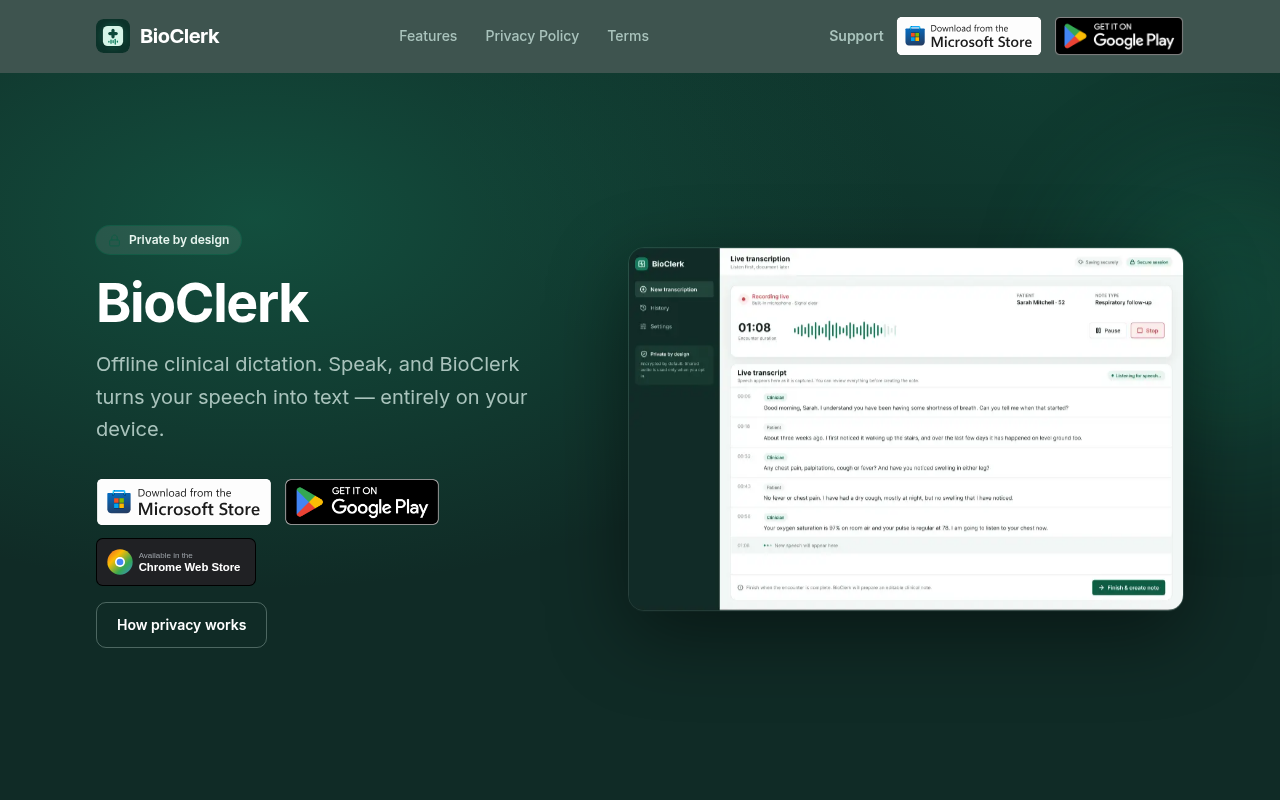
Try it: Open https://bioclerk.com/ and read the hero line "entirely on your device". Click the "Available in the Chrome Web Store" badge and read the first line of the listing's Overview.
The home page has no link preview or canonical tags
The head of the bioclerk.com home page has no canonical URL, og:title, og:description, og:image or twitter:card tag. The page title, meta description and favicon are present. Links shared in chat apps or social posts get no custom preview image or card.
Header navigation links fall just short of the contrast minimum
The header links "Features", "Privacy Policy" and "Terms" on the home page use #a9c3bc text on a #3d544f background, a contrast ratio of 4.34. The WCAG AA minimum for 14px text is 4.5:1. The links are still readable, and the gap is small.
Probie fixes this for you.
Stop customers hitting the same friction. Connect your codebase and Probie reproduces these failures, tests the fix, and opens a pull request for your review.
Sign up and get this fixedFree inspection
What should Probie inspect next?
Enter a project URL. There is nothing to install.
Probie checks every issue twice, respects robots.txt, and backs off at bot challenges.
Enter an address and we will email the report card link.