We found 2 issuescosting you truston playpricing.dev.
Watch the inspection.
We navigate your site the way customers would. Idle time is skipped.
How the composite score works
The overall score is a weighted average of the categories: Getting the product 40%, Trust before buying 20%, Mobile 15%, Speed 15%, and Polish and audit 10%. It is never more than 10 points above the Getting the product score, because a product a visitor cannot get cannot score well on anything else, and never more than 25 points above the weakest category, so one badly broken area is not averaged away. Any issue in the main list caps it at 89, so a score above 90 means nothing worth fixing was found.
Each category starts at 100 and stays there when nothing was found in it, whether or not the inspection got that far. Each distinct verified finding deducts 60 points for a serious problem on the path from arriving to paying, 40 for another serious problem, 30, 15 or 8 by high, medium or low severity otherwise, and 4 for an audit finding. Each additional finding below the list takes 2 more points off the overall score, up to 10. Scores stop at zero and round to whole numbers. The formula is fixed and versioned, so the same saved evidence always receives the same score.
The phone menu's Pricing and FAQ links lead to nothing
Phone visitors who tap Pricing or FAQ before installing get no price and no answer about Play Console access.
On a phone, the menu on playpricing.dev lists "Features", "How It Works", "PPP Calculator", "Pricing" and "FAQ". The page has none of those sections. Tapping "Pricing" only changes the URL to #pricing and leaves the hero in place, and the page ends after the hero and the footer. A developer checking the price or how the app uses their Play Console account finds no answer before deciding to install.
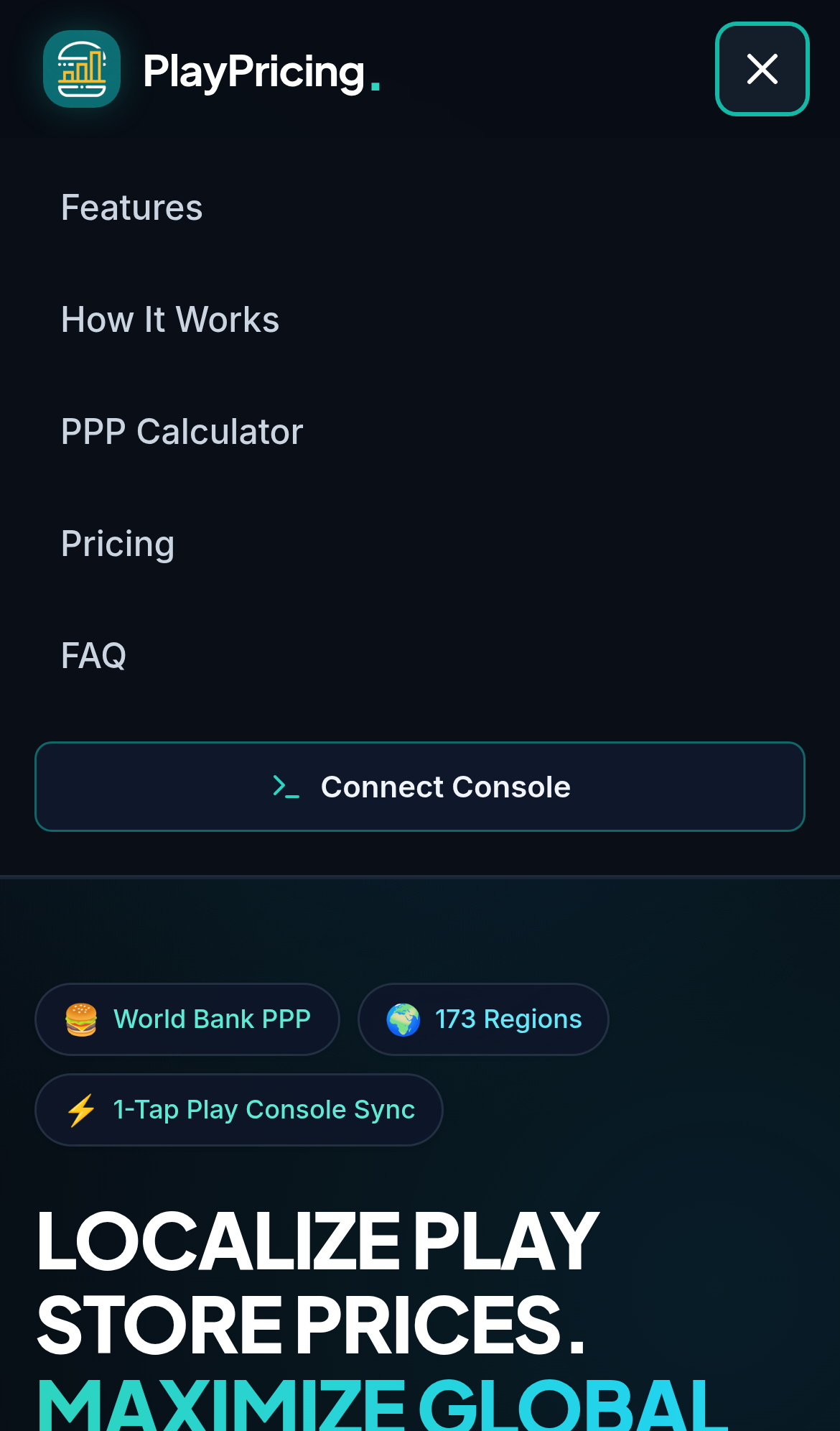
Try it: Open https://playpricing.dev/ on a phone, open the menu and tap Pricing. Only the URL changes to #pricing, and no pricing section appears anywhere on the page.
The landing page claims 80+ developers but the Play listing shows 10+
Developers who tap the download button see a lower install count than the landing page promised, and this comes just before they are asked to trust the app with their Play Console account.
Under the download button, the home page says "Joined by 80+ indie Android developers". The "DOWNLOAD ON GOOGLE PLAY" button opens the listing "Price Localize - Play Pricing", which shows "10+ Downloads" directly under the app name. The region count also varies: the home page says "173 Regions", the Play screenshots say "173+ regions", and the Play "What's new" says "174 countries/regions". A buyer reaching the install step sees these mismatched numbers one tap apart.
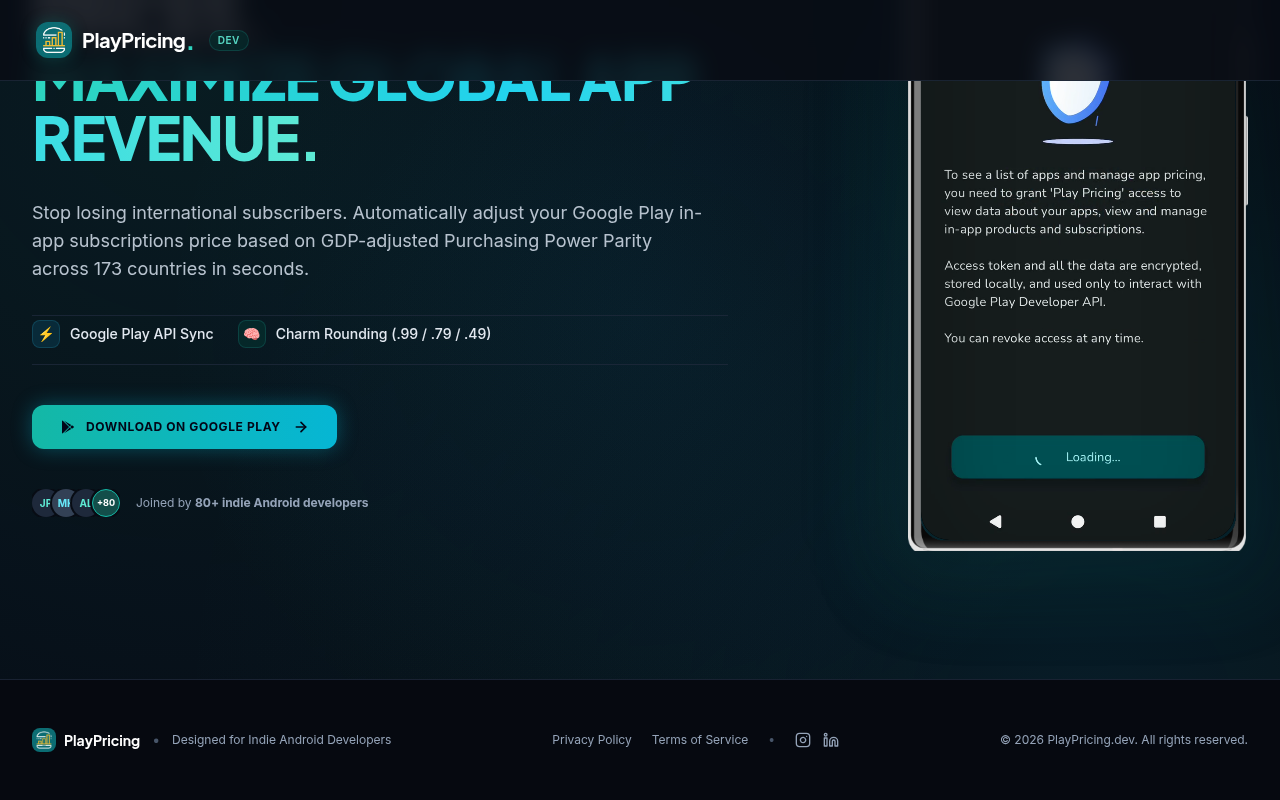
Try it: Open https://playpricing.dev/ and read the "Joined by 80+" line under the download button. Tap "DOWNLOAD ON GOOGLE PLAY" and read the download count under the app name.
Third-party policy links on the privacy page are too small to tap
On a phone, the links in the third-party services list on /privacy.html and /terms.html are 17px tall and have only 19px of clear space around each one. These include "Google Play Services", "Google Analytics for Firebase" and "Firebase Crashlytics", and they fall short of the 24px minimum target size. A visitor tapping one of these links can hit the link next to it by mistake.
The header logo downloads 300 KB to show a 36 pixel icon
On the home page, /assets/logo.png is a 512x512 image of 299,818 bytes, but the header shows it at 36x36 on a 1x display. The largest paint still landed at 1696 ms on one load and 1292 ms on the other, so visitors see the page quickly despite the extra download.
The home page is missing six security response headers
The response from https://playpricing.dev/ is missing Strict-Transport-Security, Content-Security-Policy, CSP frame-ancestors or X-Frame-Options, X-Content-Type-Options: nosniff, Referrer-Policy, and Cross-Origin-Resource-Policy.
The privacy and terms pages do not declare a page language
Without it, screen readers have to guess the language when they read the policy text aloud.
Probie fixes this for you.
Stop customers hitting the same friction. Connect your codebase and Probie reproduces these failures, tests the fix, and opens a pull request for your review.
Sign up and get this fixedFree inspection
What should Probie inspect next?
Enter a project URL. There is nothing to install.
Probie checks every issue twice, respects robots.txt, and backs off at bot challenges.
Enter an address and we will email the report card link.