We found 10 issuescosting you truston minebench.xyz.
Watch the inspection.
We navigate your site the way customers would. Idle time is skipped.
How the composite score works
The overall score is a weighted average of the categories: Getting the product 40%, Trust before buying 20%, Mobile 15%, Speed 15%, and Polish and audit 10%. It is never more than 10 points above the Getting the product score, because a product a visitor cannot get cannot score well on anything else, and never more than 25 points above the weakest category, so one badly broken area is not averaged away. Any issue in the main list caps it at 89, so a score above 90 means nothing worth fixing was found.
Each category starts at 100 and stays there when nothing was found in it, whether or not the inspection got that far. Each distinct verified finding deducts 60 points for a serious problem on the path from arriving to paying, 40 for another serious problem, 30, 15 or 8 by high, medium or low severity otherwise, and 4 for an audit finding. Each additional finding below the list takes 2 more points off the overall score, up to 10. Scores stop at zero and round to whole numbers. The formula is fixed and versioned, so the same saved evidence always receives the same score.
The downloads page sells free tuning features as Premium
Miners weighing the 29 USDC Premium upgrade get two different answers about what they are paying for.
On /downloads, the reward section says Premium adds "RandomX tuning, huge pages, and advanced mining controls". The /premium page lists "CPU priority, huge pages and RandomX modes" as Included in the free client, and its FAQ says "Thread count, CPU priority, huge pages, and automatic, fast or light RandomX memory modes are available in the free client. Premium adds custom wallet and pool settings." A buyer at the upgrade step who goes by the downloads page would pay for tuning they already had for free.
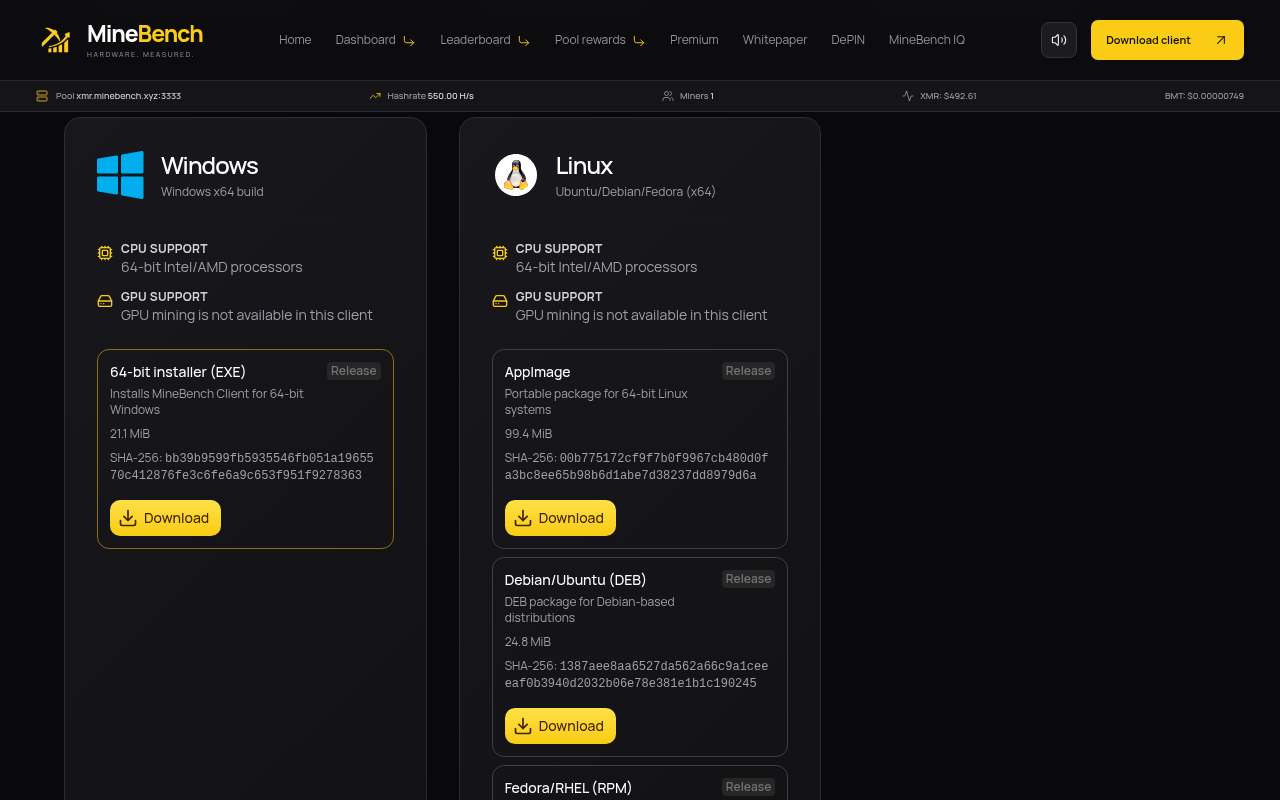
Try it: Read the REWARD SYSTEM section on /downloads, then open /premium and expand the FAQ "Do I need Premium to tune CPU settings?" to compare the two lists.
The Premium wallet prompt gives buyers without a wallet nothing to click
Visitors ready to pay 29 USDC for Premium who have no Solana wallet extension, including iPhone visitors, have no way to continue the purchase.
On /premium, the "Select Wallet" button opens a modal that reads "You'll need a wallet on Solana to continue" and shows only a wallet icon and a close button, with no wallet list, install link or option to open the page in a wallet app. The same empty modal appears on an iPhone after "Connect wallet". This is the only way to pay, and the card above the button also says "Checkout is available only after payment verification is enabled," so a buyer at the payment step cannot tell whether paying is possible at all.
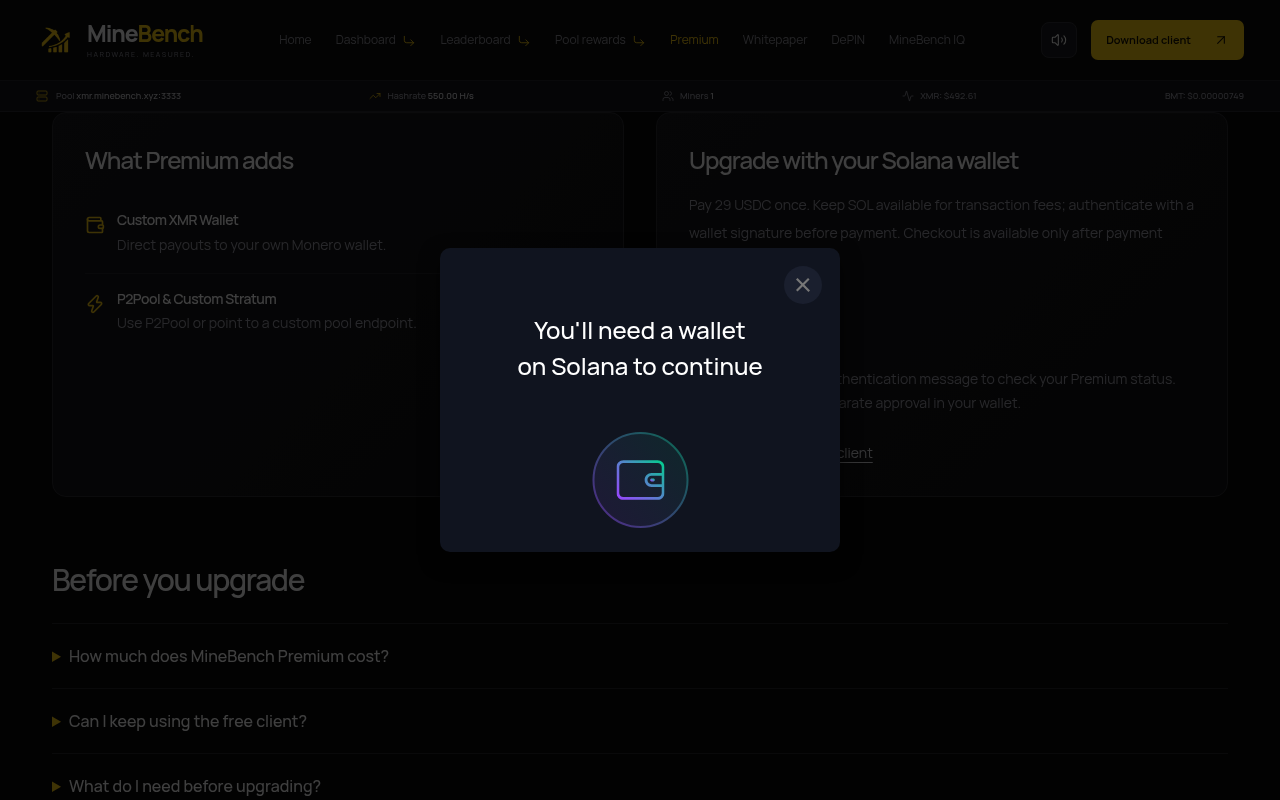
Try it: Open https://minebench.xyz/premium in a desktop browser with no Solana wallet extension, or in Safari on an iPhone, and click "Select Wallet". The modal shows only an icon and a close button.
The reward pages show no BMT payout since 26 September
Miners who check whether the pool pays before they download the client find two months of credited but unpaid rewards with no explanation.
On /pool-rewards, blocks from mid-September onward are unpaid. The 9/26 blocks read "88/88 users credited 0/88 users received". The summary card says "Awaiting payout · Loaded blocks 0", yet the transactions page lists 3 pending payouts, and both of its queues read "Batch progress is temporarily unavailable." The newest completed BMT payout is dated 2026-09-26, and the transactions page opens on an XMR tab that says "No transactions recorded on this page." Visitors meet this at the step where they decide whether mining with MineBench is worth it.
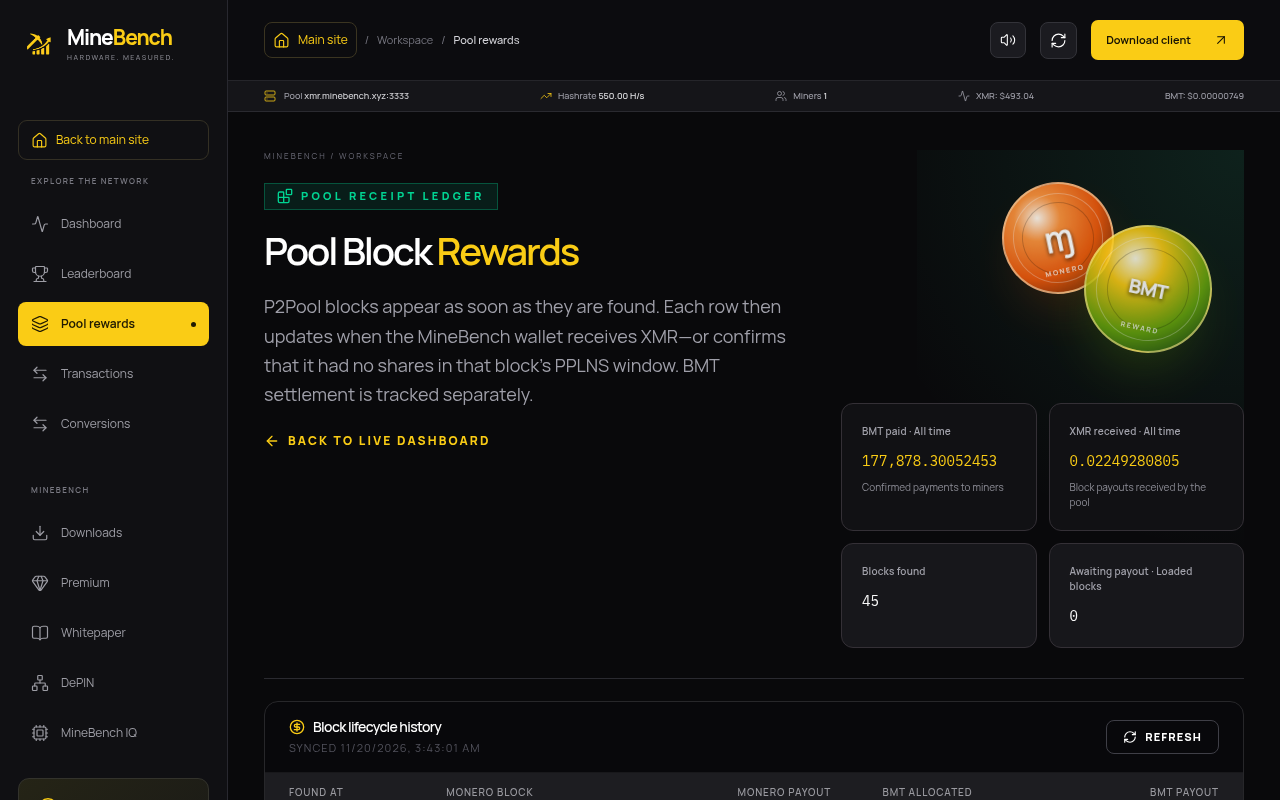
Try it: Open /pool-rewards and read the BMT PAYOUT column for the September and November blocks. Then open /transactions, click "MineBench payouts", and check the date of the newest completed payout and the queue status.
The dashboard reports 550 H/s and 33 H/s as the live pool hashrate
Miners deciding whether to download the client cannot tell which live pool figures are correct or which fee they would pay.
On /dashboard, the "Total Pool Hashrate" card and the header read "550.00 H/s", while the chart lower on the same page reads "Pool Hashrate 33.00 H/s". Pool Performance shows "Connections 0", but "Live Miner Rank" shows the only miner with "1 CONN.". The fee panel states "CURRENT FEE 20%" and says the tier comes from a trailing seven-day hashrate of "0.00 H/s", yet the published schedule starts the 20% tier "from 150.00 kH/s", so a visitor checking the pool before downloading cannot tell which fee applies.
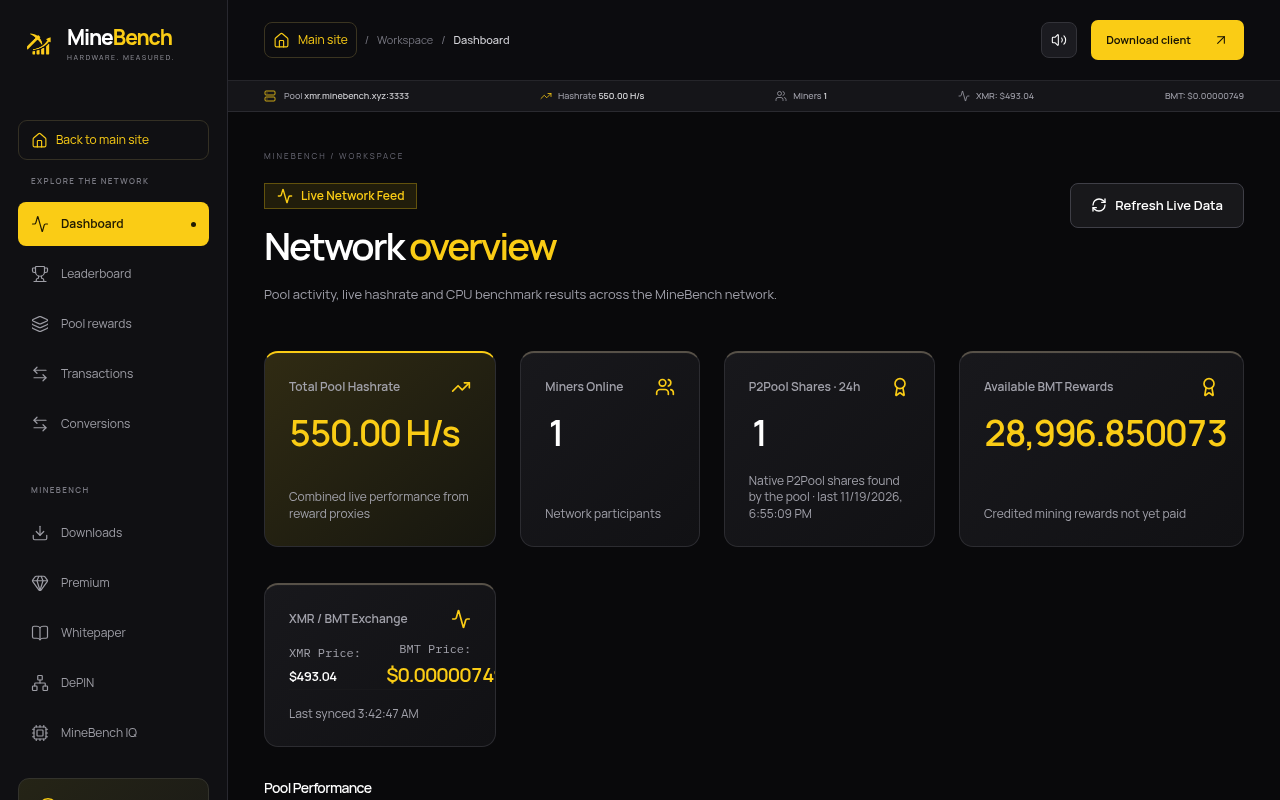
Try it: Open https://minebench.xyz/dashboard and compare the Total Pool Hashrate card with the Pool Hashrate chart and the Live Miner Rank entry. Then read the fee panel's current fee next to its trailing 7d hashrate and the tier schedule.
The home page promises GPU benchmarks that no download supports
GPU miners who arrive for the GPU benchmark learn only on the downloads page that the client cannot use their GPU.
The home page hero says "Measure your CPU and GPU" next to a "CPU + GPU" badge, and the feature card offers a "GPU mining benchmark". On /downloads, the Windows EXE and the Linux AppImage, DEB and RPM builds each say "GPU mining is not available in this client". The leaderboard still lists 2 GPU results, so a visitor sees the GPU claim while deciding what MineBench is and finds the contradiction at the download step.
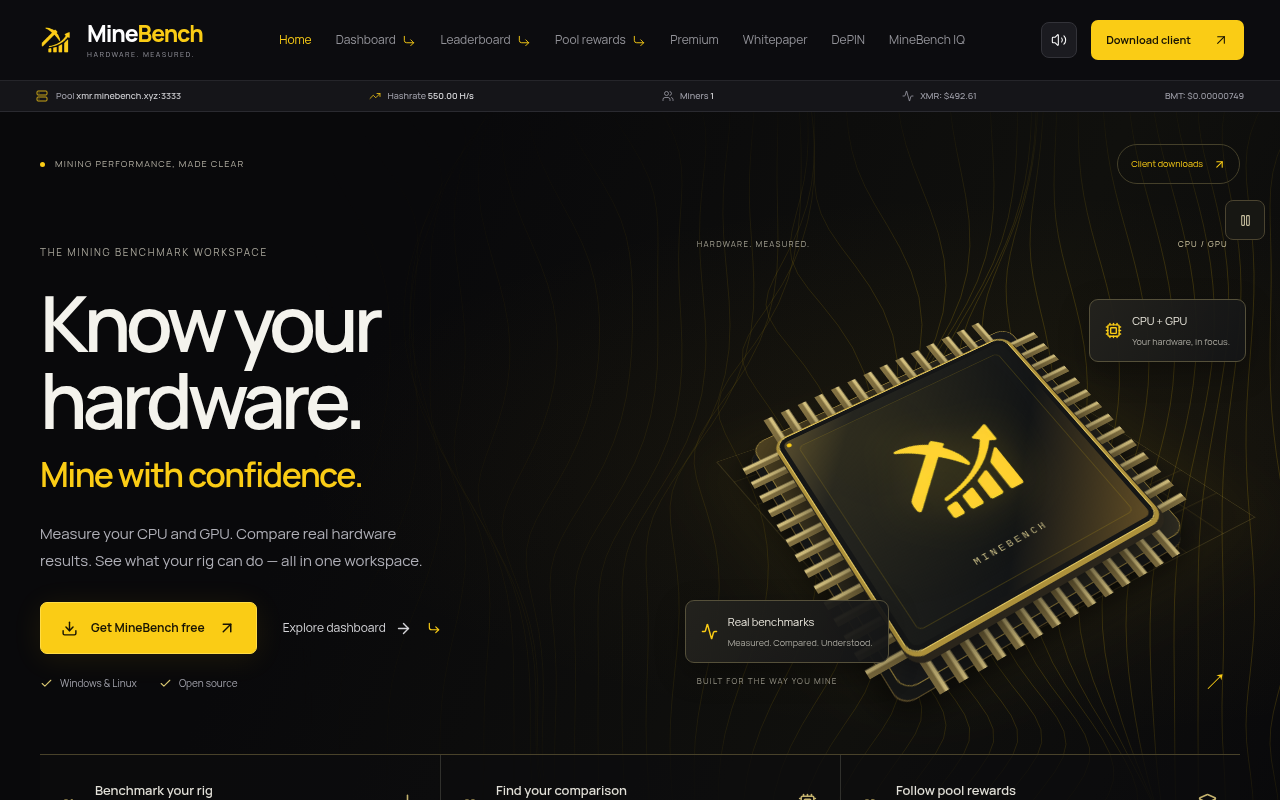
Try it: Open https://minebench.xyz/ and read the hero line "Measure your CPU and GPU." Then open /downloads and read the GPU SUPPORT line on any build.
The pool setup guide calls its own endpoint and fees unverified
Miners ready to connect hardware are told the pool address, fee and payout terms are unconfirmed and should be checked with support before they mine.
On /guides/monero-hardware-pool-setup, the box under the pool settings table says the endpoint's "deployed availability and routing through the wallet-attributing proxy have not been verified for this guide". It also says the "current fee, minimum payout, payout interval, and automatic direct-XMR payout availability have not been verified" and asks readers to "Confirm these with MineBench support before committing hashrate." The guide is signed "By MineBench Team" and the dashboard publishes a 20% fee. A miner at the setup step reads internal review notes in place of settings they can rely on.
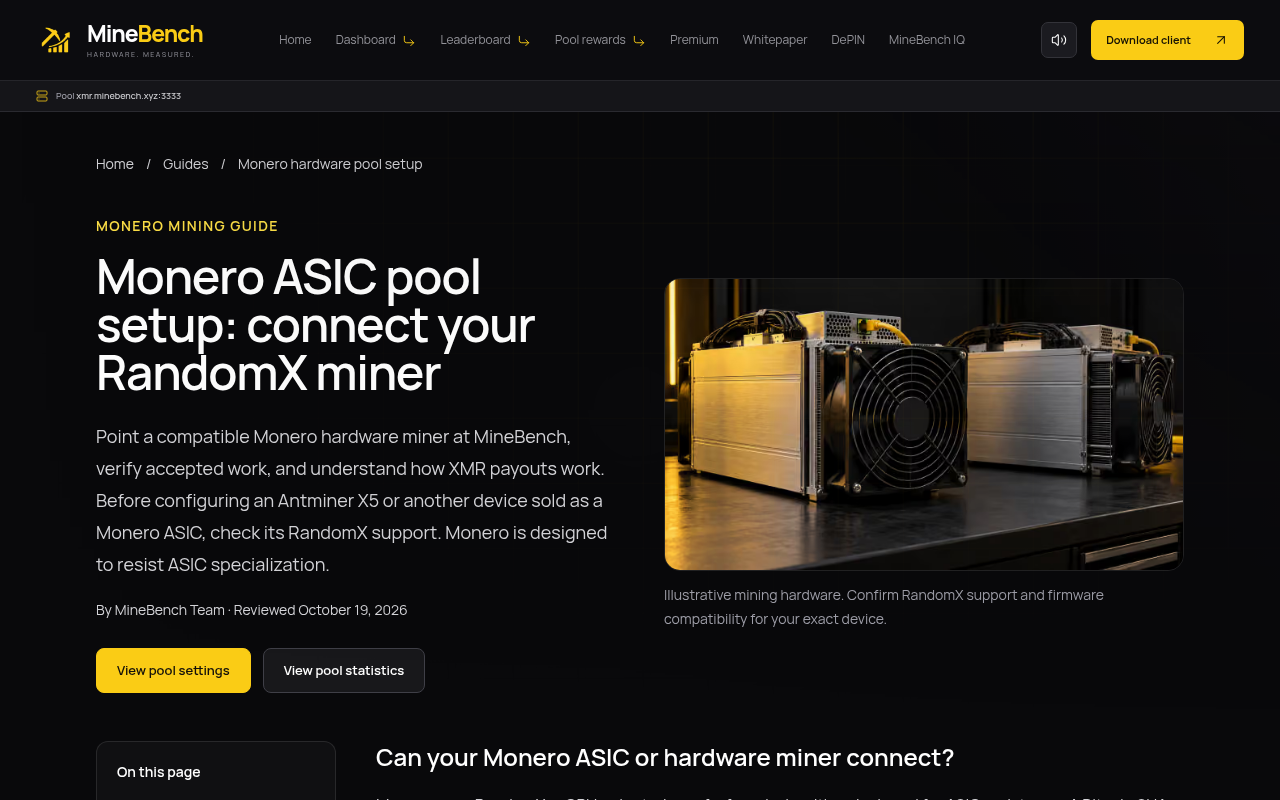
Try it: Open /guides/monero-hardware-pool-setup#pool-settings and read the "Confirm the connection route and payout terms" box below the settings table.
The BMT price is cut off in the dashboard exchange card
On /dashboard, the "XMR / BMT Exchange" card shows the BMT price as "$0.0000074", and the next digit is cut in half at the card's right edge. The top ticker shows the full value, $0.00000749. Visitors meet this card while they size up rewards before downloading, and a truncated price makes the live figures harder to trust.
The app preview carousel on /downloads is covered by its caption card on phones
On a 390px-wide phone, the "Active screen / Global Dashboard" description card on /downloads sits on top of the carousel slide. It covers the upper half of the dashboard preview, and its bottom edge cuts through the slide's "DASHBOARD" label pill. Visitors meet this on the download page, where they decide whether to install the client.
The XMR payouts tab shows no payouts to miners
The default XMR payouts tab on /transactions shows only "No transactions recorded on this page." It sits under "Page 1", with no payout rows, no note on why the list is empty and no link to older payouts. The page says it lets visitors "Follow miner payments", so a miner deciding whether to install the client gets no sign that anyone has been paid.
The dashboard stat cards jump around while the page loads
On desktop, /dashboard has a cumulative layout shift of 0.481 before anyone scrolls or clicks. Google counts anything above 0.25 as poor. Most of the movement comes from the top stat-card grid (hashrate, miners, shares, BMT rewards), so everything below it shifts, including the Download Benchmark Client and Unlock Premium Controls buttons that a visitor uses after checking the figures.
The home page is missing six security response headers
The response from https://minebench.xyz/ is missing Strict-Transport-Security, Content-Security-Policy, CSP frame-ancestors or X-Frame-Options, X-Content-Type-Options: nosniff, Referrer-Policy, and Cross-Origin-Resource-Policy.
Small grey labels on the home page fall below contrast minimums
Grey text (#71717b) on the near-black background (#09090b) has a contrast ratio of 4.12:1, and the required minimum is 4.5:1. Affected elements include the 10px "Token Contract" and "Desktop Benchmark" labels and a description paragraph on /, and the same rule fails on /depin, /transactions, /dashboard and /downloads.
Home page text links rely on color alone
The inline links to /leaderboard and /dashboard on the home page are yellow (#facc15) inside gray text (#9f9fa9). They have no underline until hover, and their contrast against the surrounding text is 1.71:1, below the 3:1 minimum. Visitors who cannot tell the colors apart may read them as plain text, though the main navigation also links to both pages.
The pool hashrate chart hides focusable points inside an image role
On /dashboard, the pool hashrate history chart is an SVG marked role="img" with the label "Pool hashrate history for 24h, latest total 764.00 H/s", and it contains focusable descendants. Assistive technology treats an image as one element, so keyboard and screen reader users can land on focus stops inside it that have no usable announcement.
Probie fixes this for you.
Stop customers hitting the same friction. Connect your codebase and Probie reproduces these failures, tests the fix, and opens a pull request for your review.
Sign up and get this fixedFree inspection
What should Probie inspect next?
Enter a project URL. There is nothing to install.
Probie checks every issue twice, respects robots.txt, and backs off at bot challenges.
Enter an address and we will email the report card link.