We found 4 issuescosting you saleson designa.ai.
Watch the inspection.
We navigate your site the way customers would. Idle time is skipped.
How the composite score works
The overall score is a weighted average of the categories: Getting the product 40%, Trust before buying 20%, Mobile 15%, Speed 15%, and Polish and audit 10%. It is never more than 10 points above the Getting the product score, because a product a visitor cannot get cannot score well on anything else, and never more than 25 points above the weakest category, so one badly broken area is not averaged away. Any issue in the main list caps it at 89, so a score above 90 means nothing worth fixing was found.
Each category starts at 100 and stays there when nothing was found in it, whether or not the inspection got that far. Each distinct verified finding deducts 60 points for a serious problem on the path from arriving to paying, 40 for another serious problem, 30, 15 or 8 by high, medium or low severity otherwise, and 4 for an audit finding. Each additional finding below the list takes 2 more points off the overall score, up to 10. Scores stop at zero and round to whole numbers. The formula is fixed and versioned, so the same saved evidence always receives the same score.
No page says what a Designa credit costs before signup
Marketers and partner developers who compare tools on price must create an account before they can learn what Designa costs.
The header and footer have no Pricing link, and the home page FAQ answer to "How does pricing work?" explains credits but gives no dollar amount, credit pack or free allowance. The editor demo quotes "210 + 50 credits" for a 4-second video, but no page says what a credit costs, and /developers/credits describes Stripe top-ups without a price. Clicking BILLING in the app while signed out shows "You must be signed in to access this section.", so a buyer at the pricing step cannot get a price without signing up.
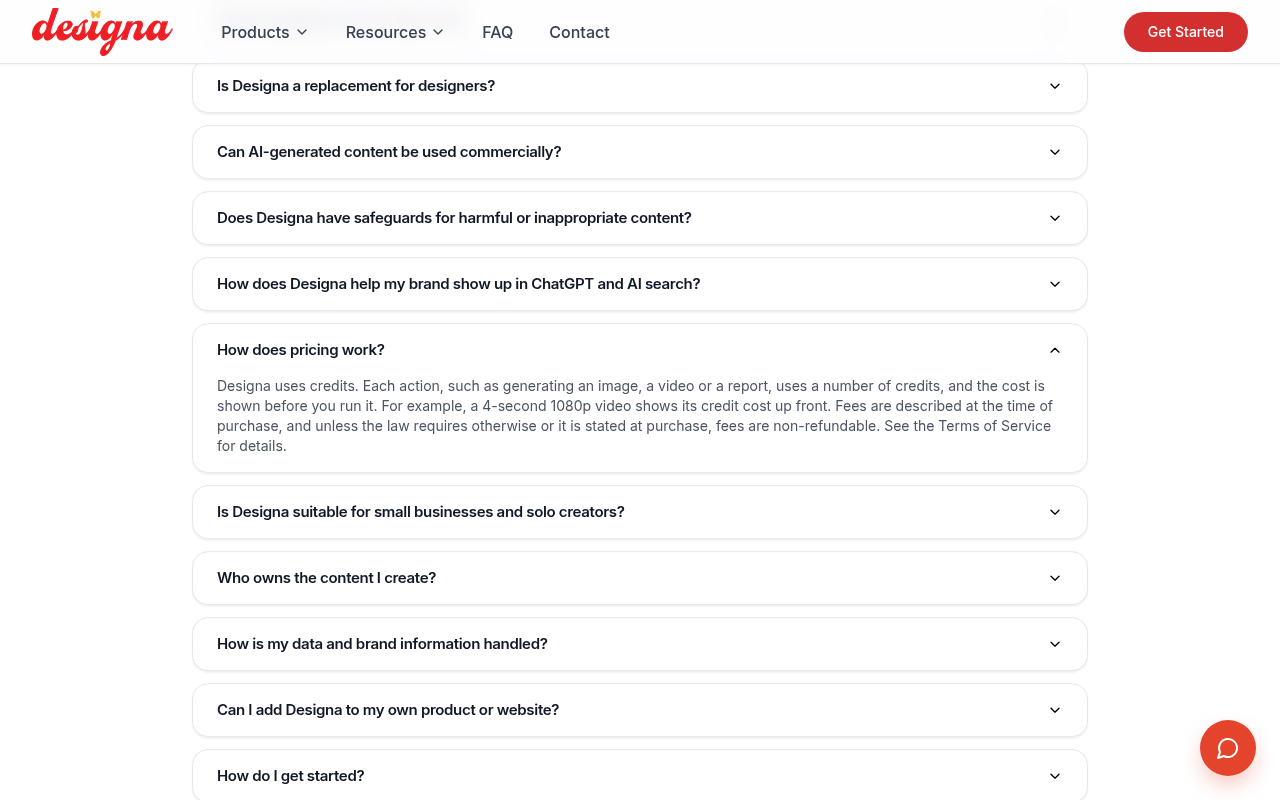
Try it: Open https://www.designa.ai/#faq, expand "How does pricing work?" and look for a dollar amount. Then click Get Started and BILLING while signed out.
The Quickstart promises account linking the docs say is not live
Partner developers who follow the Quickstart can ship an embed in which some of their users hit an email conflict and have no way to resolve it.
The "Dev and production" section of /developers/quickstart says that when an email already belongs to another Designa account, the embed shows "An account with this email already exists" and offers account linking. The Account linking page says the feature is "Not yet available" because "there is no UI entry point for it inside the embed yet" and warns developers not to build against it. Partners read the Quickstart while they are setting up their integration, so they get two answers about how email conflicts are handled.
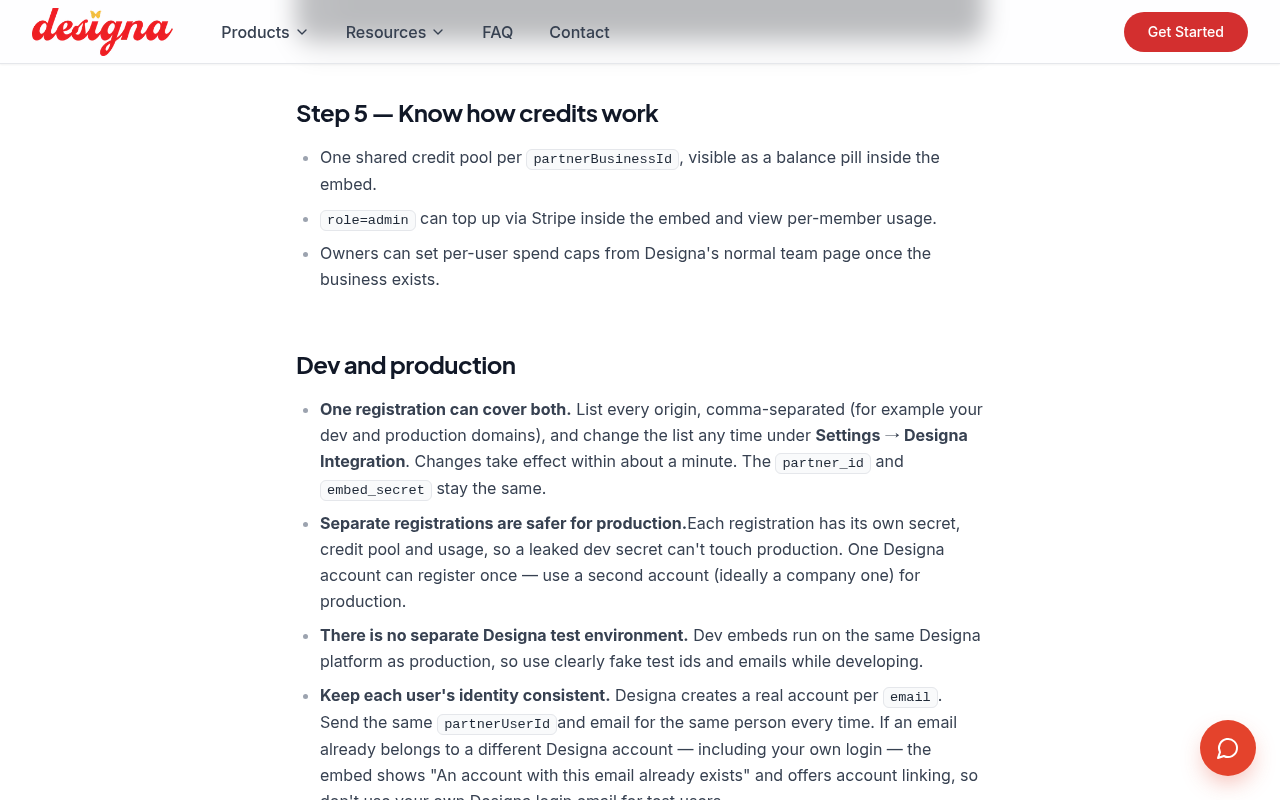
Try it: Open /developers/quickstart#dev-and-production and read the "Keep each user's identity consistent" bullet. Then open /developers/account-linking and read the "Not yet available" notice.
The generate button stays disabled for signed-out visitors
New visitors who follow Get Started write a prompt, press generate and get no response and no prompt to sign up.
Get Started on the home page opens app.designa.ai/agents/agentic-prompts. The page comes with a sample prompt already filled in, but the up arrow generate button is greyed out and disabled. It stays disabled after a visitor types their own prompt in Video mode, such as "A coffee cup on a wooden table, steam rising, morning light", and Enter only adds a new line. No message, tooltip or sign-up prompt appears on desktop or iPhone, so a new visitor at the try step gets no response from the main button, and the only way forward is the "Sign In / Sign Up" button in the corner.
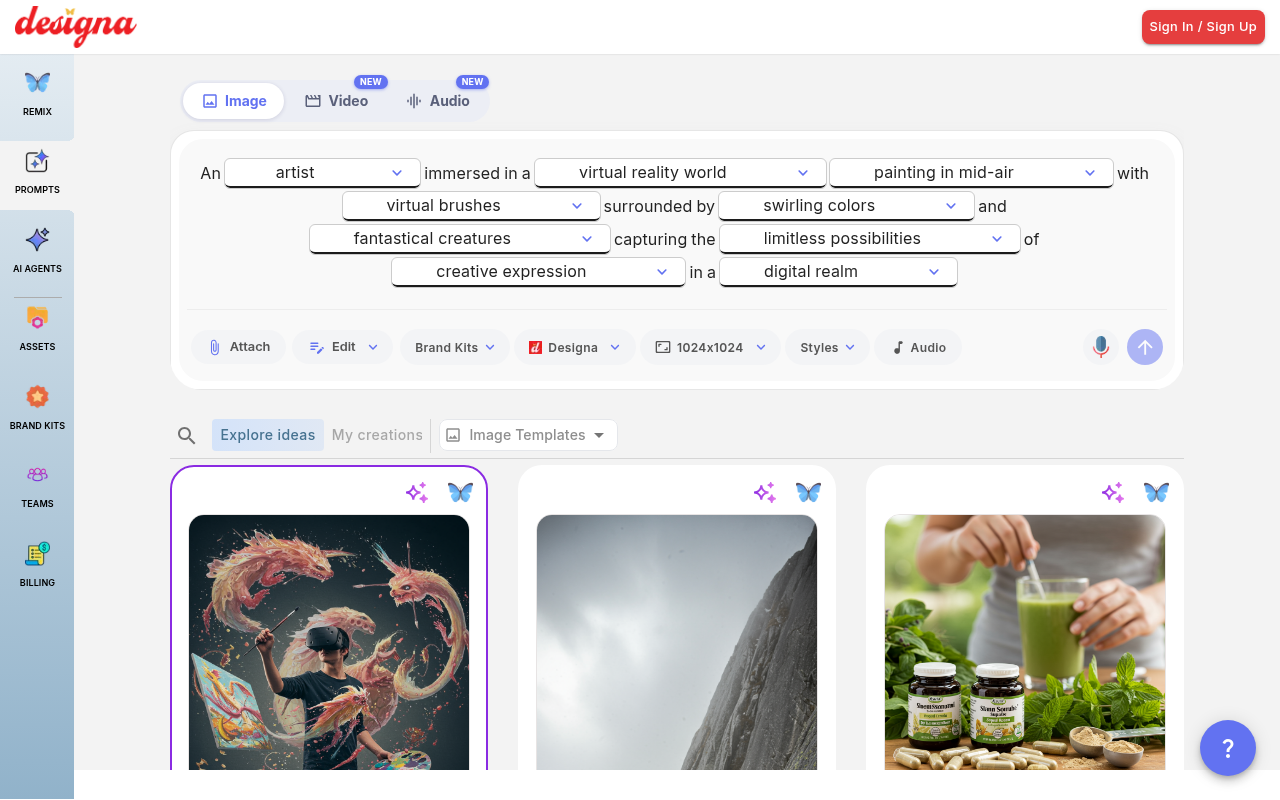
Try it: In a private window, open designa.ai, click Get Started, type any prompt and click the up arrow button. Nothing happens and no sign-up prompt appears.
The home page prompt box submit arrow does nothing
Visitors who click the most prominent control on the home page to try Designa get no response and are not taken to signup.
The hero on www.designa.ai looks like an AI prompt box, with "Add", "Attach file", "Voice input" and "Submit prompt" buttons, but it holds only the product description and has no field to type into. Clicking the up arrow "Submit prompt" on desktop or tapping it on iPhone keeps the visitor on the home page with nothing changed. A new visitor's first attempt to try the product gets no response and does not lead to the Get Started signup.
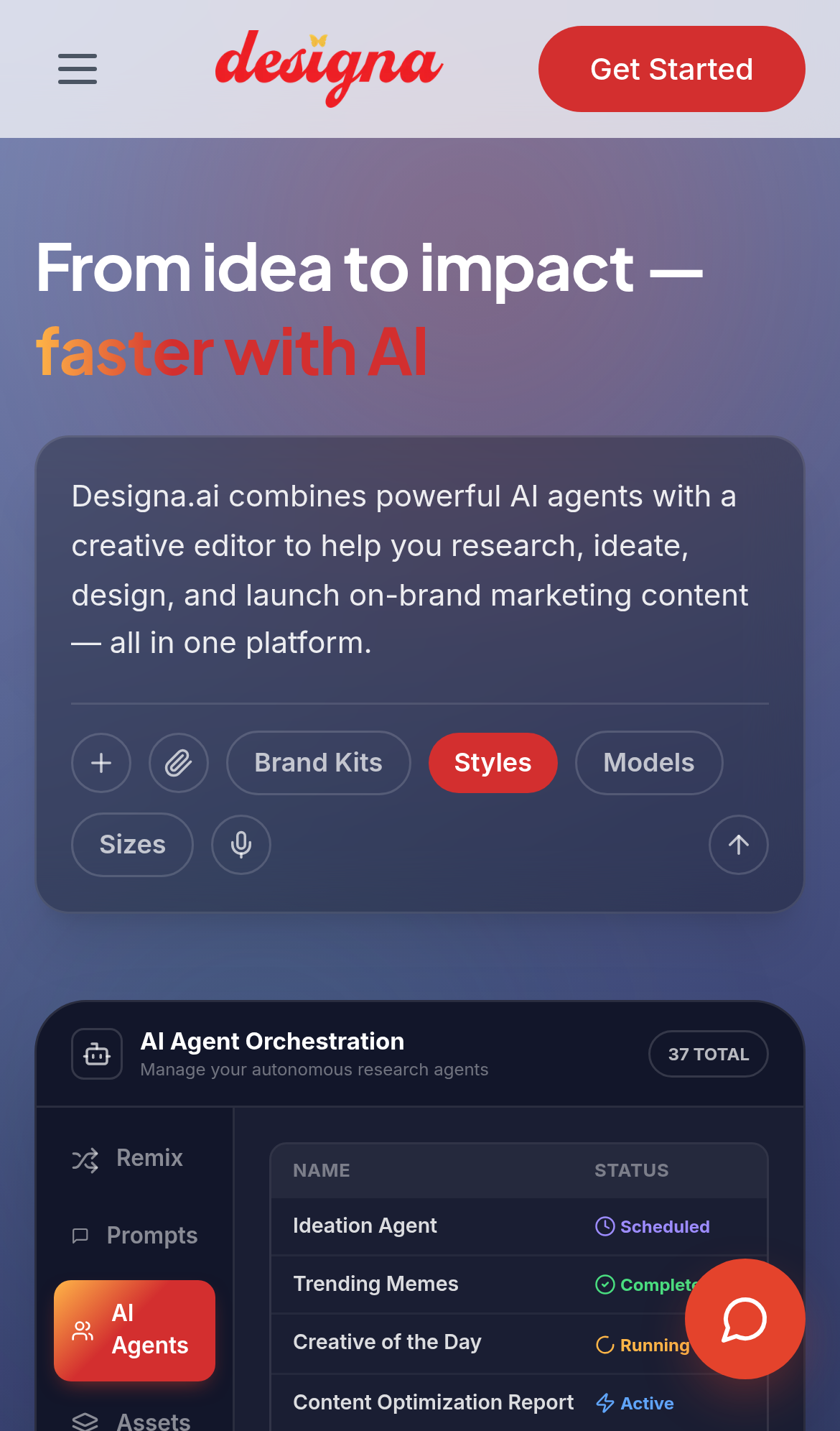
Try it: Open https://www.designa.ai/ and click the up arrow at the bottom right of the hero prompt box. The page stays the same and the app does not open.
The home page has no canonical URL or Open Graph image
The head of the Designa home page at / has no canonical link and no og:image tag. The Open Graph title and description are present, and twitter:card is set to "summary", but a shared link has no image to show.
The home page lacks three security response headers
The response from https://www.designa.ai/ is missing Strict-Transport-Security, Content-Security-Policy, and Cross-Origin-Resource-Policy.
Developer docs links are marked only by colour
Inline links on /developers/quickstart, /developers/sandbox and /developers/embeddable-pages, including "app.designa.ai/partner-connect" in Step 1, are styled only in red (#dc2626). Body text is #374151, so the contrast between them is 2.13:1, and the underline appears only on hover. A partner developer with a colour vision deficiency may not see that the registration link in the first onboarding step can be clicked.
Keyboard users cannot scroll the wide code samples in the docs
On /developers the iframe `src` line runs past the edge of the box, and a keyboard-only developer cannot scroll over to read the rest of it. The Copy button still gives them the full snippet.
Probie fixes this for you.
Stop customers hitting the same friction. Connect your codebase and Probie reproduces these failures, tests the fix, and opens a pull request for your review.
Sign up and get this fixedFree inspection
What should Probie inspect next?
Enter a project URL. There is nothing to install.
Probie checks every issue twice, respects robots.txt, and backs off at bot challenges.
Enter an address and we will email the report card link.