We found 3 issuescosting you truston pufful.com.
Watch the inspection.
We navigate your site the way customers would. Idle time is skipped.
How the composite score works
The overall score is a weighted average of the categories: Getting the product 40%, Trust before buying 20%, Mobile 15%, Speed 15%, and Polish and audit 10%. It is never more than 10 points above the Getting the product score, because a product a visitor cannot get cannot score well on anything else, and never more than 25 points above the weakest category, so one badly broken area is not averaged away. Any issue in the main list caps it at 89, so a score above 90 means nothing worth fixing was found.
Each category starts at 100 and stays there when nothing was found in it, whether or not the inspection got that far. Each distinct verified finding deducts 60 points for a serious problem on the path from arriving to paying, 40 for another serious problem, 30, 15 or 8 by high, medium or low severity otherwise, and 4 for an audit finding. Each additional finding below the list takes 2 more points off the overall score, up to 10. Scores stop at zero and round to whole numbers. The formula is fixed and versioned, so the same saved evidence always receives the same score.
The Pufful Club pop-up hides its perks list in pale text
Players who open the $5 a month Club offer see a white box with only emoji icons, so they cannot read what they are paying for or that they can cancel anytime.
On /shop?tab=bucks, the Pufful Club pop-up shows its perks list in near-white text on a white box. The unreadable lines include "5,000 Bucks every month", "2x pearls from every run" and "Cancel anytime", and the thank-you note above them is white text on light pink. A player reaches this pop-up at the pay step, just before the "Log in to join" button, and cannot read what the monthly subscription includes.
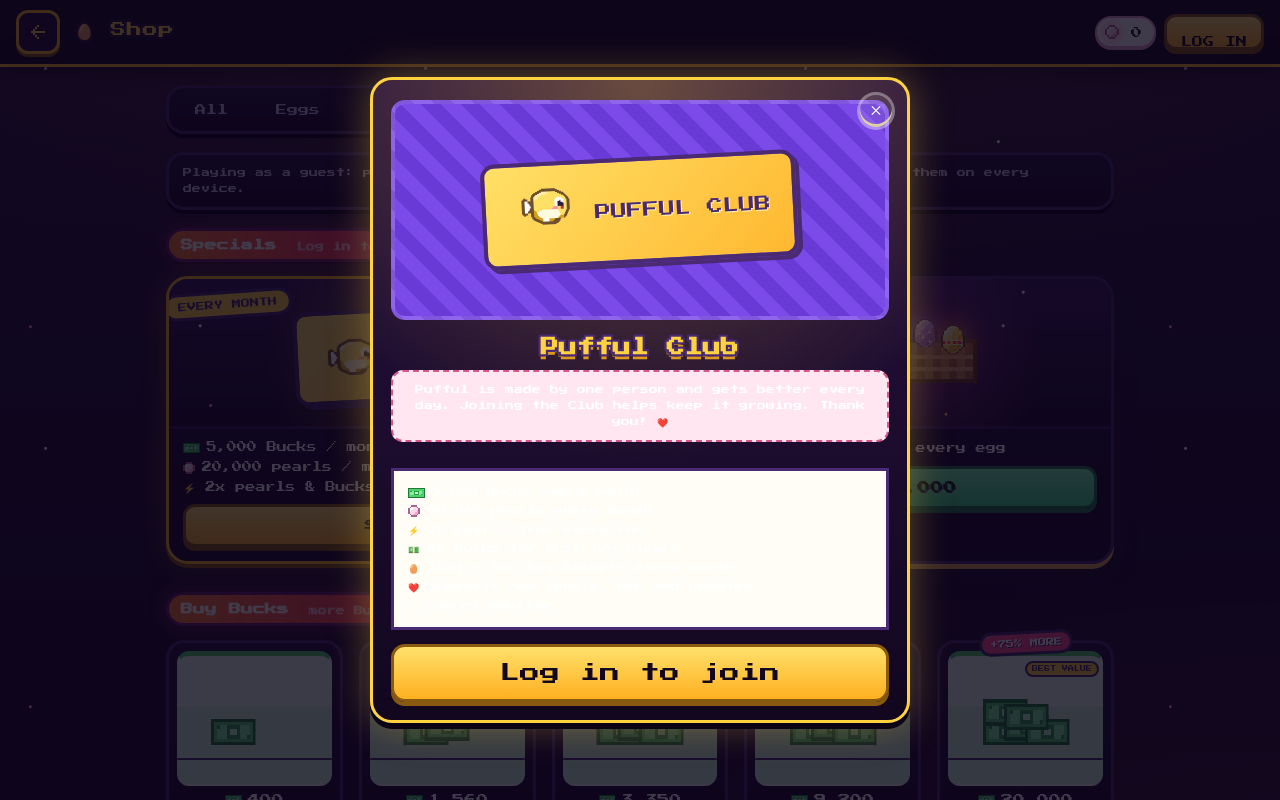
Try it: Open https://www.pufful.com/shop?tab=bucks and click the PUFFUL CLUB "$5 / MONTH" card. In the pop-up, look at the white box above "Log in to join": only the emoji are readable.
The Club pop-up says 5,000 Bucks buys two Egg Baskets, not five
Players weighing the $5 a month Club see a value claim that the shop's own prices contradict.
The Pufful Club pop-up on /shop lists "5,000 Bucks every month" followed by "That's two Egg Baskets every month", but the Egg Basket on the same page costs 1,000 Bucks on both the Bucks and Eggs tabs, so 5,000 Bucks buys five. Players meet this at the subscription step, right before they pay. The doubling perk is also worded three different ways across the card, the pop-up and the earning panel.
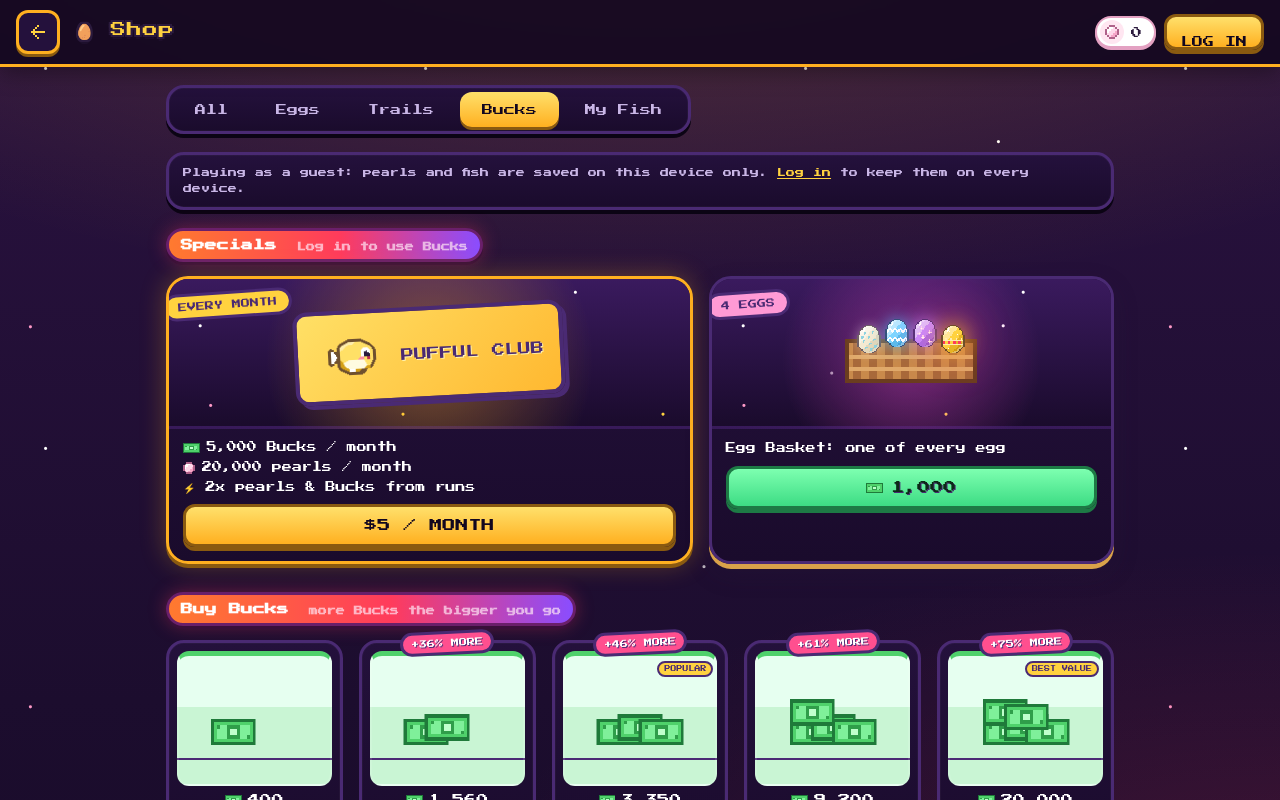
Try it: Open https://www.pufful.com/shop?tab=bucks, note the Egg Basket price of 1,000 Bucks, then click the PUFFUL CLUB "$5 / MONTH" card and read the egg line under "5,000 Bucks every month".
The Community mode lists only three levels, all named "My Level"
New players who open one of the six headline modes find what looks like leftover test content, so the game looks unused before they log in or buy.
On /levels, the TOP RATED, NEW and MOST PLAYED tabs all show the same three levels, each titled "My Level", with 4, 2 and 1 plays and two showing "new (0)" ratings. The home page gives Community one of its six mode cards and the shop promotes "+75 community level clears", so a new player trying the game meets a near-empty list that reads as test entries. The levels do open and play.
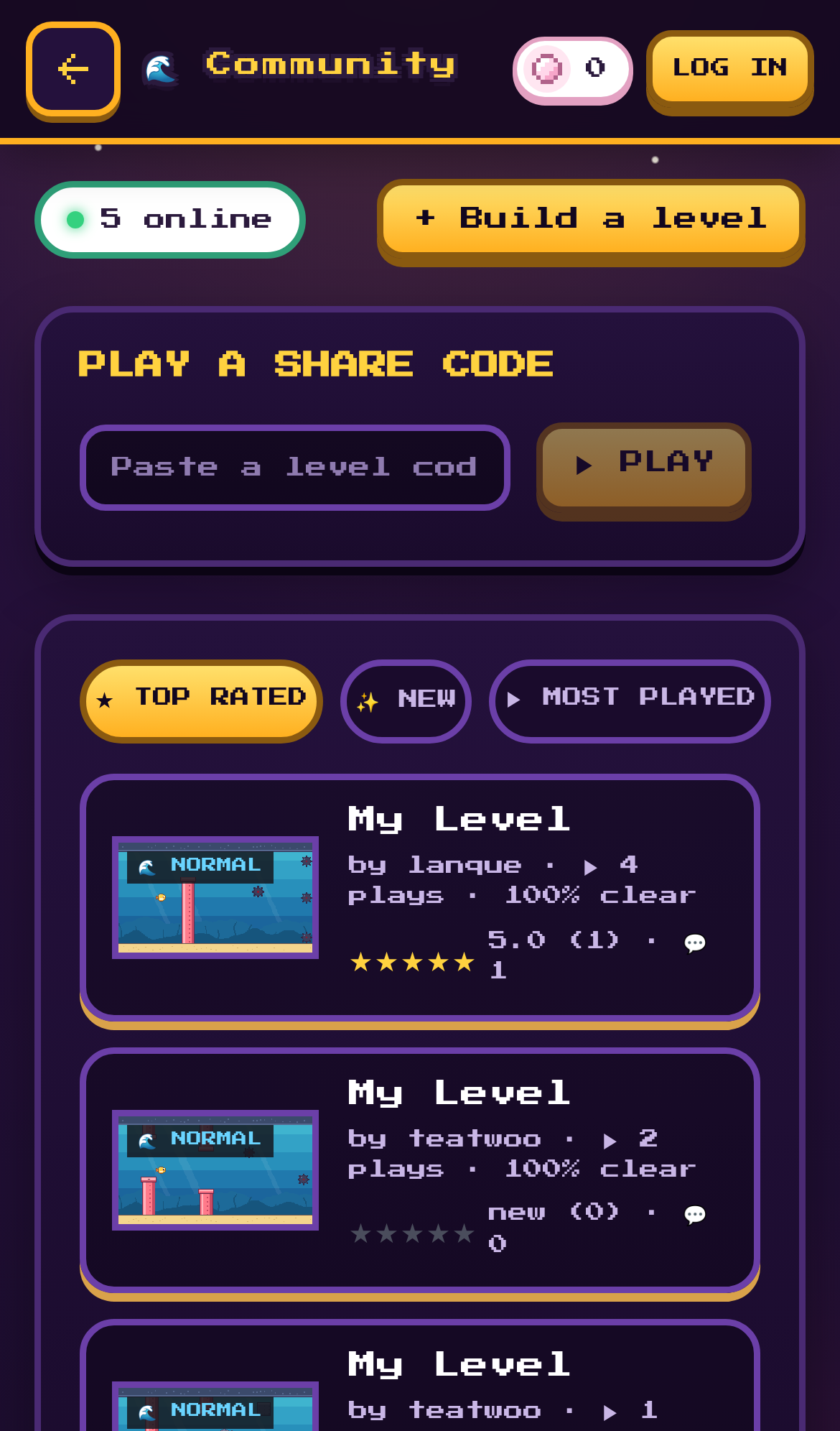
Try it: Open https://www.pufful.com/levels on a phone and switch between TOP RATED, NEW and MOST PLAYED. Each tab shows the same three "My Level" entries.
The home page is missing five security headers
The response from https://www.pufful.com/ is missing Content-Security-Policy, CSP frame-ancestors or X-Frame-Options, X-Content-Type-Options: nosniff, Referrer-Policy, and Cross-Origin-Resource-Policy.
The NEW badges on the home mode cards fail contrast
On the home page, the "STORY 2 NEW!" and "RUSH NEW!" badges use white 7px text on #ff4f6d. That gives a contrast ratio of 3.18:1, and WCAG AA requires 4.5:1. Both mode cards still open, but low-vision players may not notice the new content the badges announce.
Probie fixes this for you.
Stop customers hitting the same friction. Connect your codebase and Probie reproduces these failures, tests the fix, and opens a pull request for your review.
Sign up and get this fixedFree inspection
What should Probie inspect next?
Enter a project URL. There is nothing to install.
Probie checks every issue twice, respects robots.txt, and backs off at bot challenges.
Enter an address and we will email the report card link.