We found 8 issuescosting you truston duevora.laravel.cloud.
Watch the inspection.
We navigate your site the way customers would. Idle time is skipped.
How the composite score works
The overall score is a weighted average of the categories: Getting the product 40%, Trust before buying 20%, Mobile 15%, Speed 15%, and Polish and audit 10%. It is never more than 10 points above the Getting the product score, because a product a visitor cannot get cannot score well on anything else, and never more than 25 points above the weakest category, so one badly broken area is not averaged away. Any issue in the main list caps it at 89, so a score above 90 means nothing worth fixing was found.
Each category starts at 100 and stays there when nothing was found in it, whether or not the inspection got that far. Each distinct verified finding deducts 60 points for a serious problem on the path from arriving to paying, 40 for another serious problem, 30, 15 or 8 by high, medium or low severity otherwise, and 4 for an audit finding. Each additional finding below the list takes 2 more points off the overall score, up to 10. Scores stop at zero and round to whole numbers. The formula is fixed and versioned, so the same saved evidence always receives the same score.
Home page Annually choice is lost on the way to signup
Buyers who pick the "2 months free" annual price on the home page enter signup on a monthly plan without being told.
After a buyer clicks "Annually" in the home page pricing section, the cards change to yearly prices such as "$169.15 / year (2 months free)", but every Get Started link still goes to /register?plan=...&cycle=monthly. The register page shows only "Selected plan: Studio (confirm or switch on the next step)" and does not mention the billing cycle. Buyers reach the pay step on monthly billing unless they spot the change and switch it back, while the Annual Plans toggle on /pricing passes cycle=annual correctly.
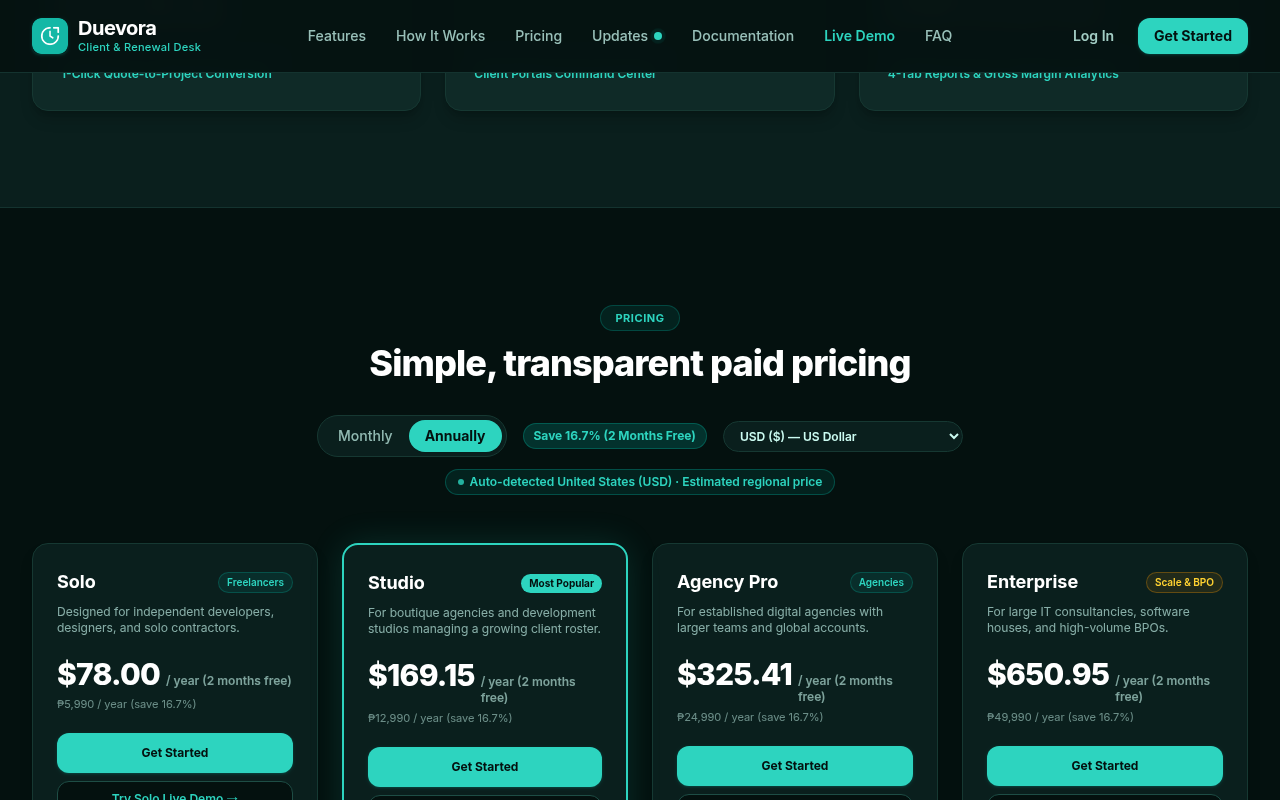
Try it: On the home page pricing section, click Annually, then hover or click Studio's Get Started. The URL is /register?plan=studio&cycle=monthly.
The /preview menu loads stuck open on phones and will not close
Phone visitors trying the demo before paying see a broken header and cannot use the project menu to reach pricing.
On a phone, /preview loads with the mobile navigation drawer partly drawn over the page: a dark bar with a second Duevora logo and an X covers the real header and its menu button, which shows only as a blurred strip on the left. Tapping the X ("Close navigation menu") changes nothing, and reloading gives the same state, while the home page, /updates and /demo load with the menu closed. This is the try step, so a phone buyer judging the product meets a broken header and no working menu to reach Pricing.
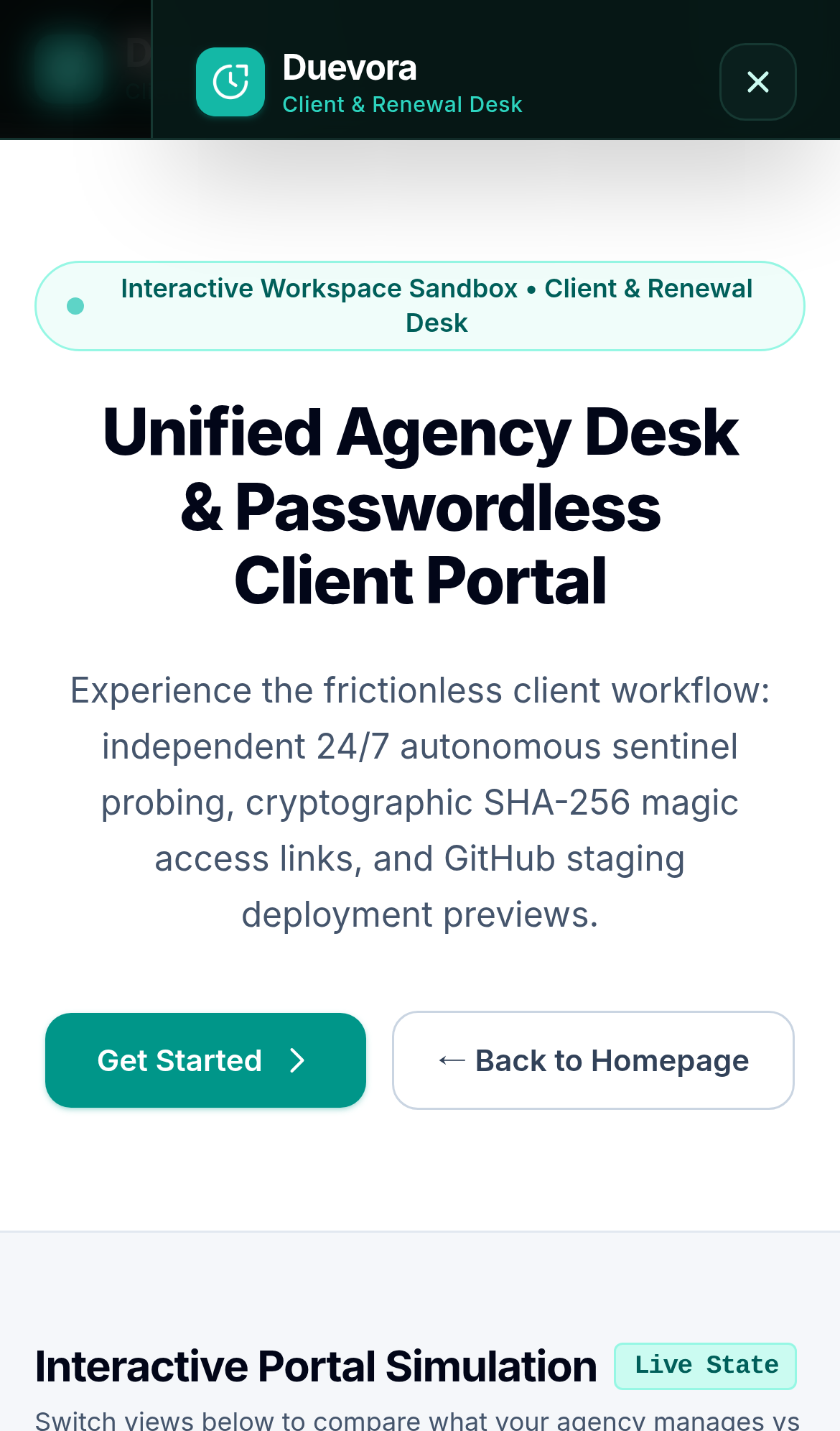
Try it: Open https://duevora.laravel.cloud/preview at a 390px phone width. The dark menu bar with an X sits over the header, and tapping the X does nothing.
The docs' Contact Support link opens the home page with no address
Buyers outside the Philippines are told to email support to pay, but the pages they read never show them an address to write to.
The documentation and the home page FAQ both tell overseas buyers to "Email support or scan our verified PayPal QR code inside Plan & Usage", because card payments are pending. The "Contact Support" link under "Need assistance?" on /documentation goes to /#support. That opens the home page at the top of the hero because the page has no support section, and the home page, footer, /pricing and /documentation show no support email. The nearest route is a contact form whose topic defaults to "Voluntary Support / Sponsoring". The only address on the project is a mailto in the Terms page, so an overseas buyer at the payment step has no clear way to reach support.
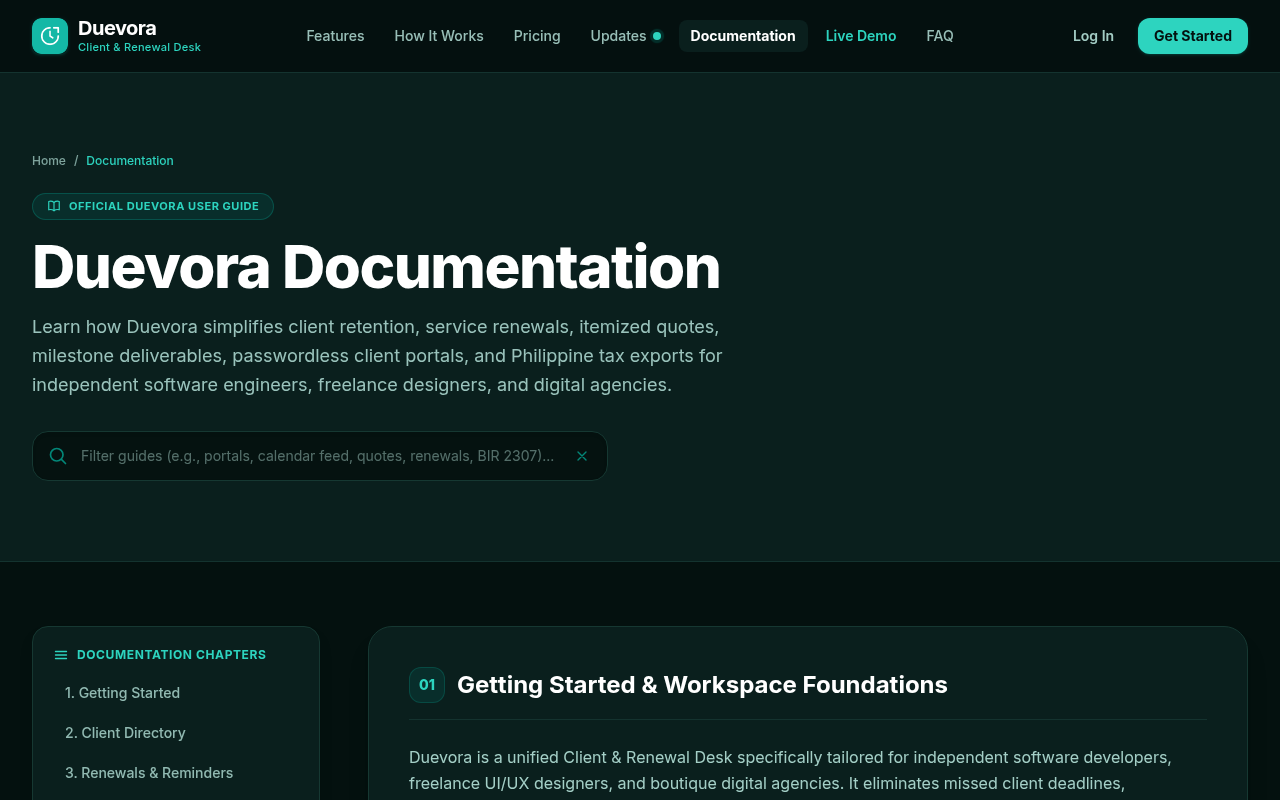
Try it: Open /documentation, click "Contact Support" under "Need assistance?", and see that the home page opens at the hero. Then search the home page, footer and /pricing for an email address. None is shown.
The home page and docs give different reminder schedules
Buyers who must pay upfront with no trial cannot tell when Duevora will actually remind them about a renewal.
Buyers checking how renewal reminders work before paying get two different answers. The home page says reminders go out at 30, 7 and 1 day, including the hero card "Reminders: 30 · 7 · 1 day", while the /documentation chapter "Renewals, 24/7 Sentinel Probes & Multi-Stage Alerts" lists five stages: 30, 14, 7, 3 and 1 days. Reminders are the product's main feature, and with no trial a buyer at the research step cannot check which schedule is true.
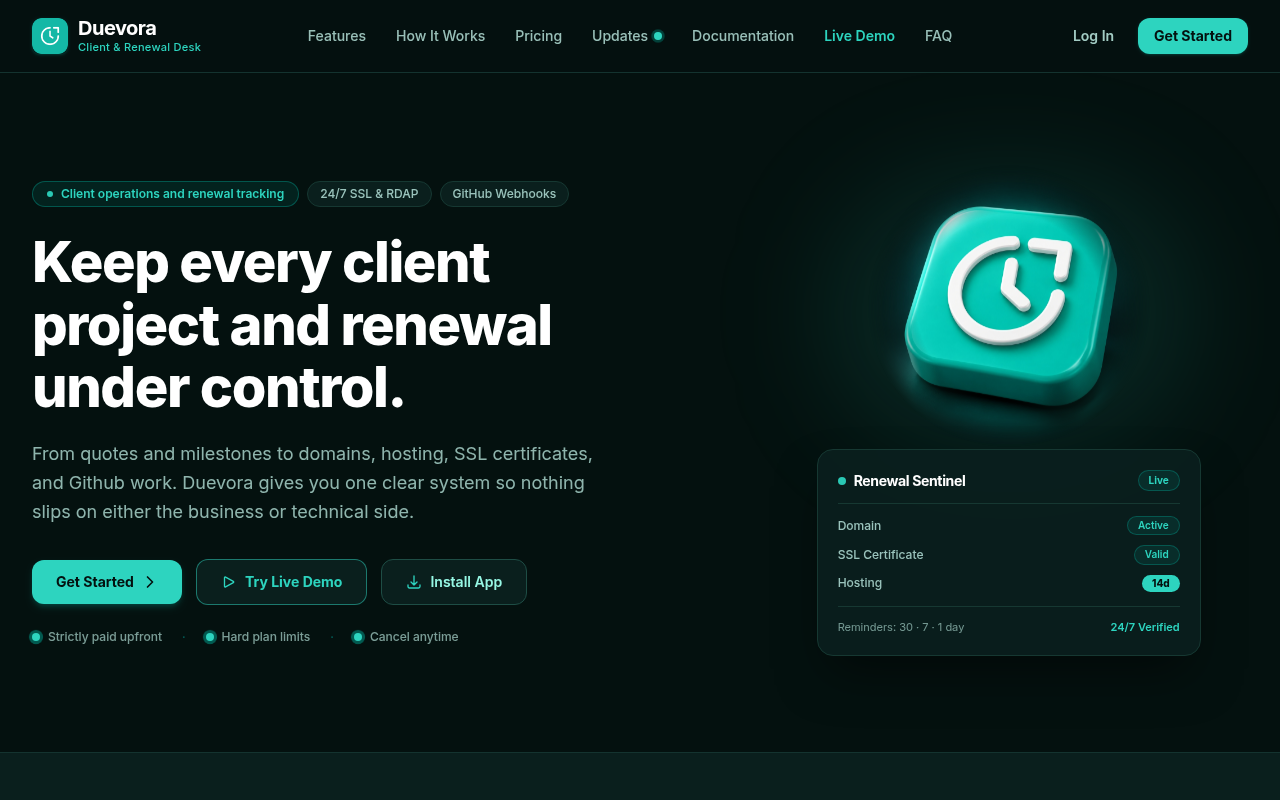
Try it: Open the home page and read the hero card line "Reminders: 30 · 7 · 1 day". Then open /documentation#ch-renewals and read the "Autonomous Reminder Cadence" list.
The "Unified Agency Desk" view switch on /preview does nothing
Prospects who open the live demo to judge the product before paying cannot switch to the agency view the page invites them to compare.
On the /preview demo, the page says "Switch views below to compare what your agency manages vs what your client sees", but clicking the "Unified Agency Desk" button changes nothing. The page makes no DOM change, sends no request and does not scroll, and the before and after screenshots match on two separate loads. Neither switch looks selected, so a prospect at the try step cannot open the agency side of the demo the page is built to show.
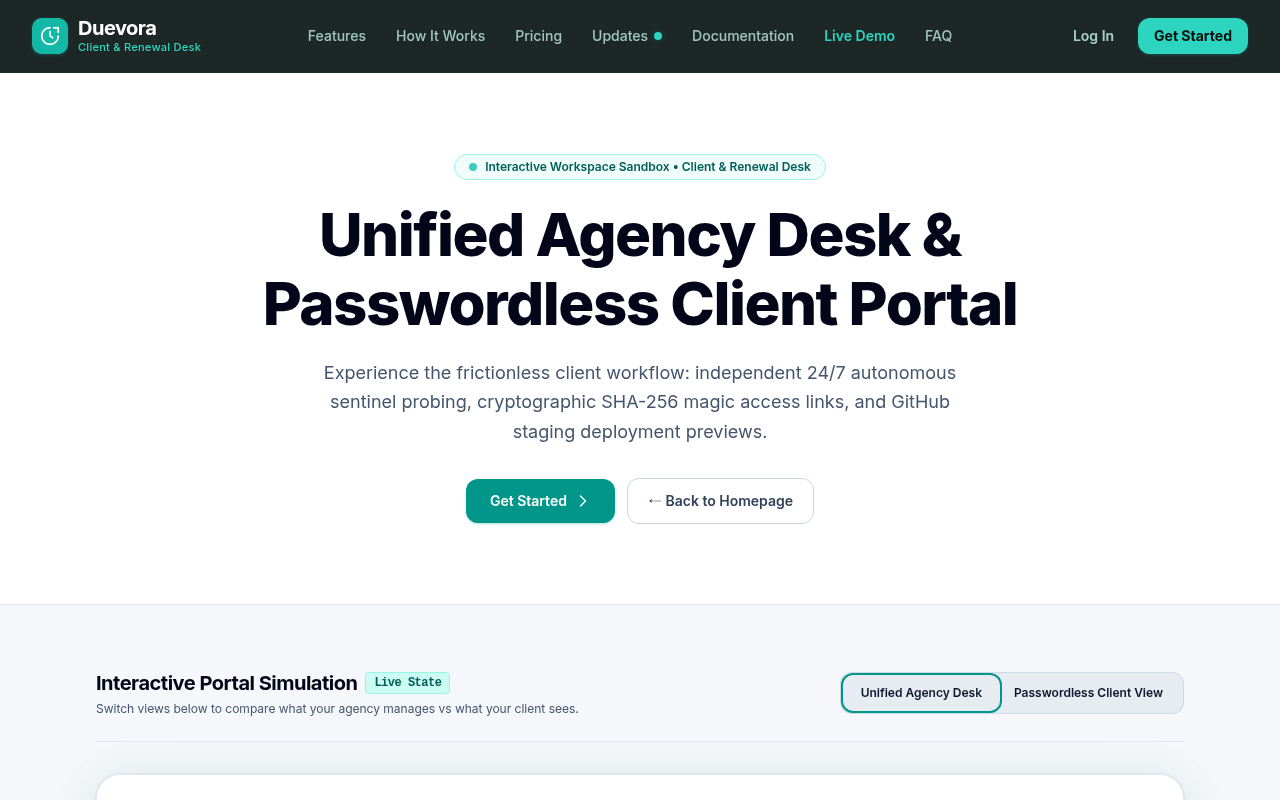
Try it: Open /preview on desktop, scroll to "Interactive Portal Simulation", and click "Unified Agency Desk" in the toggle at the top right. The panel below stays the same.
The demo's Approve Deliverable button does nothing when clicked
Visitors who open the live demo before paying click the portal's main approval action and see no response.
On /preview, the button labelled "✓ Approve Deliverable ✓ Approved! Audit Logged" in the Live Deliverable card made no change to the page, sent no request and moved nothing within a 3.1 second window, in 2 of 2 fresh sessions. It shows its before and after text at the same time, and so does the "Request Revision Revision Note Sent" button next to it. Visitors at the demo step are judging whether the client portal works before they pay upfront, and this action does not respond.
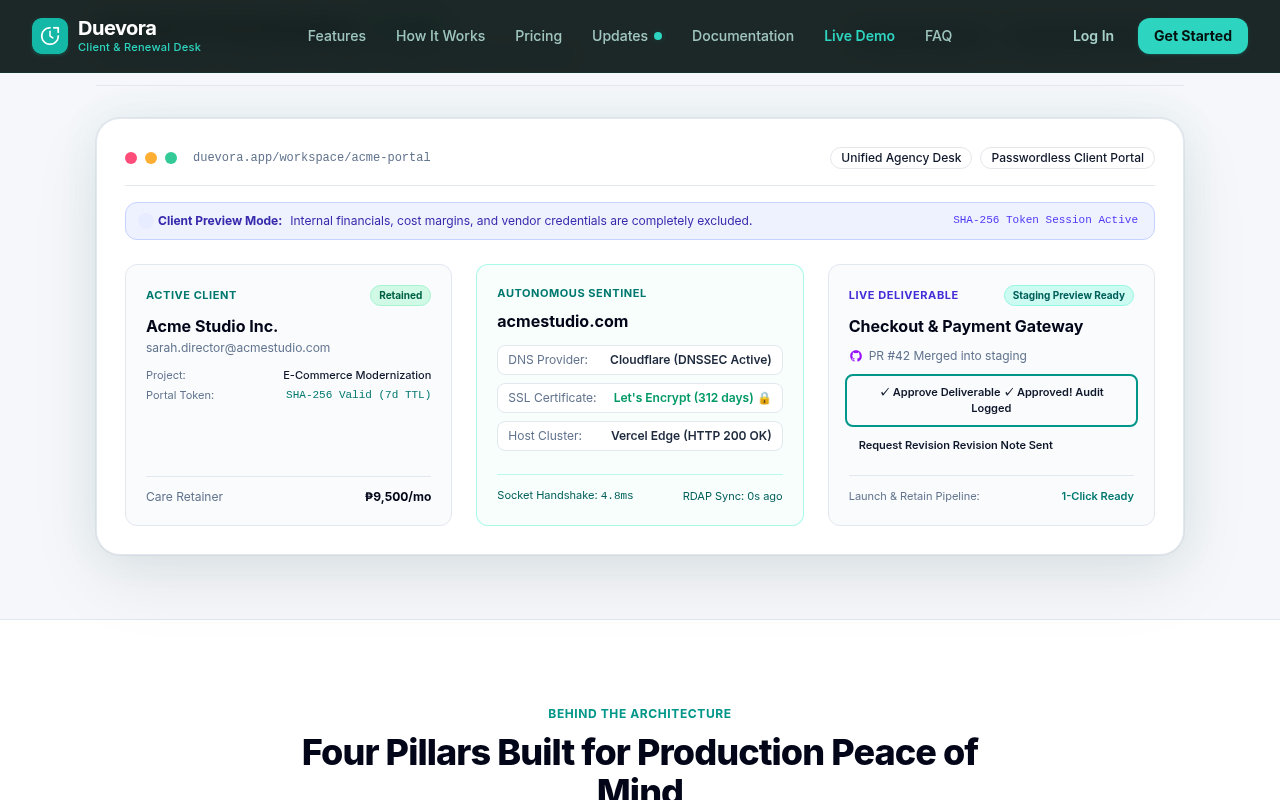
Try it: Open /preview, scroll to the Live Deliverable card and click "✓ Approve Deliverable". The text and state stay exactly the same.
The Features link on the live demo page does nothing
On /preview, the footer link "Features" changes the address to /preview#features but the page does not scroll or change. A visitor at the end of the demo who wants to compare features before buying sees no response to the tap. Similar in-page footer links on this page appear to behave the same way.
The pricing page jumps around while it loads
/pricing scored a cumulative layout shift of 0.286 on desktop before anyone scrolled or clicked. Google rates anything above 0.25 as poor, and the result repeated on a second fresh load. Most of the movement comes from the dark section in the main content (#main-content>section.bg-[#04110F]), and it hits buyers on the page where they compare plans and pick one before signup.
A text link on /pricing took 704ms to respond to a click
A click on a text link (a.hover:text-white.transition-colors) on /pricing took 704ms to paint a response on desktop. Google classes anything above 500ms as poor. A second load did not show the same delay.
Header controls on /preview sit behind the open phone menu
On /preview at phone width, the header logo link "Duevora Client & Renewal Desk" and the header menu button are covered by the menu panel's fixed overlay (div.fixed.inset-0) and its own copy of the logo and button whenever they receive focus. The screenshots show the panel open with an X button over the header, so focus can move to controls that are hidden behind it.
The home page tells search engines not to index it
The home page at duevora.laravel.cloud is served with the response header X-Robots-Tag "noindex, nofollow". The page's own meta robots tag says "index, follow" and its canonical points to itself, but search engines follow the stricter header. As a result the home page and the pricing on it can be left out of search results.
The terms and privacy pages share the title "Duevora"
The /terms and /privacy pages both use the page title "Duevora". Browser tabs and search results show the same label for both legal pages.
The home page hero icon is a 670 KB PNG shown at 288 px
The home page hero image /images/duevora-reminder-icon.png is a 1024x1024 PNG of 670,364 bytes, and it renders at 288x288 on a desktop screen at pixel ratio 1. It is not the largest paint element, and the page's largest paint landed at 580 ms, so the extra weight does not visibly delay what visitors see.
The home page lacks a resource policy header and full cookie flags
The response from https://duevora.laravel.cloud/ is missing Cross-Origin-Resource-Policy. XSRF-TOKEN lack Secure or HttpOnly.
Probie fixes this for you.
Stop customers hitting the same friction. Connect your codebase and Probie reproduces these failures, tests the fix, and opens a pull request for your review.
Sign up and get this fixedFree inspection
What should Probie inspect next?
Enter a project URL. There is nothing to install.
Probie checks every issue twice, respects robots.txt, and backs off at bot challenges.
Enter an address and we will email the report card link.