We found 4 issuescosting you saleson cre8virals.com.
Watch the inspection.
We navigate your site the way customers would. Idle time is skipped.
How the composite score works
The overall score is a weighted average of the categories: Getting the product 40%, Trust before buying 20%, Mobile 15%, Speed 15%, and Polish and audit 10%. It is never more than 10 points above the Getting the product score, because a product a visitor cannot get cannot score well on anything else, and never more than 25 points above the weakest category, so one badly broken area is not averaged away. Any issue in the main list caps it at 89, so a score above 90 means nothing worth fixing was found.
Each category starts at 100 and stays there when nothing was found in it, whether or not the inspection got that far. Each distinct verified finding deducts 60 points for a serious problem on the path from arriving to paying, 40 for another serious problem, 30, 15 or 8 by high, medium or low severity otherwise, and 4 for an audit finding. Each additional finding below the list takes 2 more points off the overall score, up to 10. Scores stop at zero and round to whole numbers. The formula is fixed and versioned, so the same saved evidence always receives the same score.
The clipping studio drops the link pasted on the home page
Visitors who paste a video into the home page hero reach the studio with an empty box and nothing generating, so the first try looks like it did nothing.
Pasting a YouTube link into the home page hero and pressing "Generate Clips" opens /studio/clipping?url=... with the link in the address bar. The studio's box still shows only its placeholder "Paste any YouTube video link..." and no clips are generating, on both phone and desktop. A new visitor meets this on their first try of the product, before signup, and has to paste the link a second time.
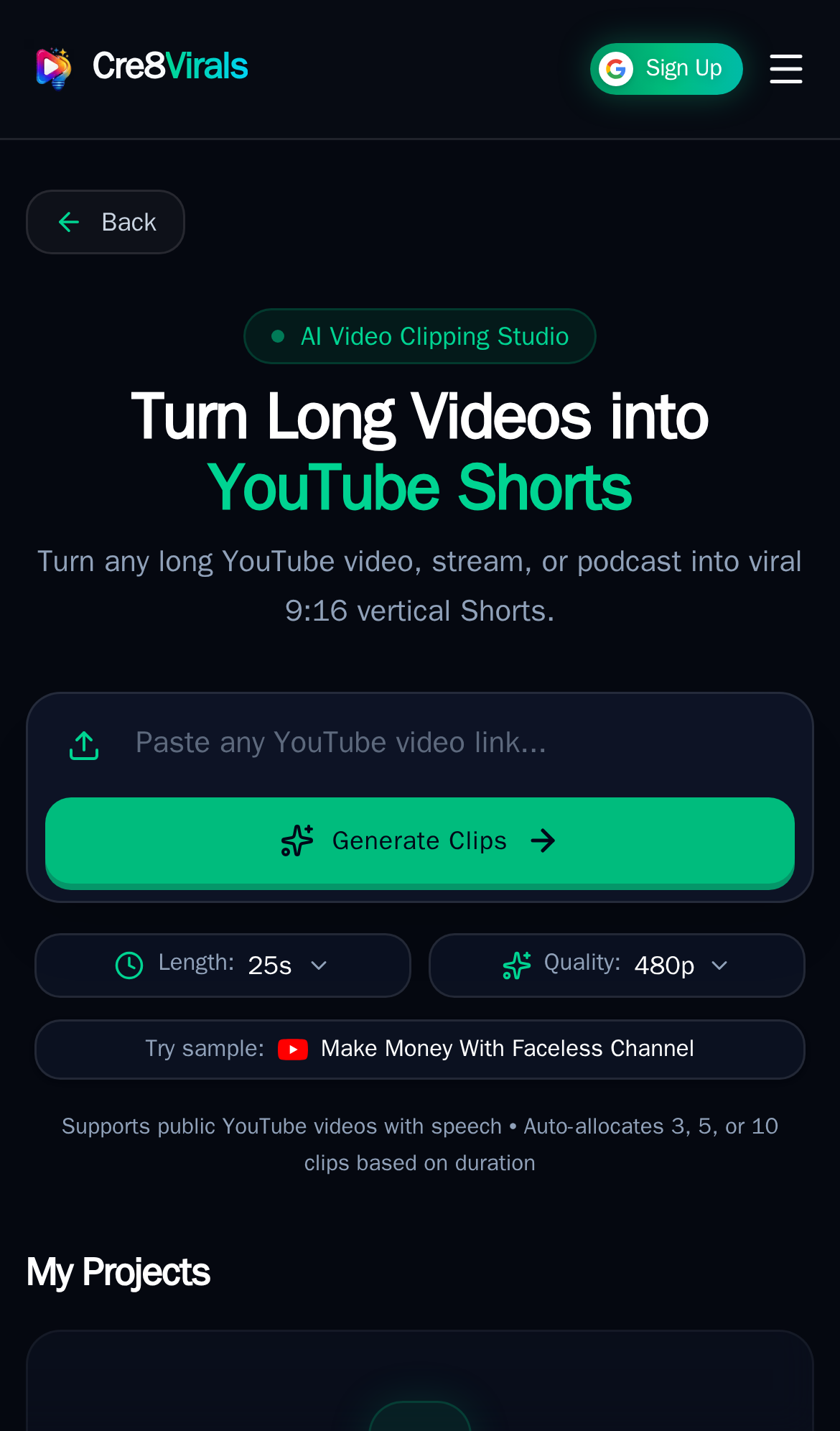
Try it: Open https://www.cre8virals.com/studio/clipping?url=https%3A%2F%2Fwww.youtube.com%2Fwatch%3Fv%3DjNQXAC9IVRw and look at the link box. It is empty and nothing starts.
Free tool buttons send new visitors to sign-in instead of sign-up
First-time visitors who try the clipper or metadata tool see a returning-user login form and have to re-enter their work after creating an account.
When a logged-out visitor clicks "Generate Clips" on /studio/clipping, they land on /signin with the toast "Please login to generate clips" and the heading "Welcome back to Creator Studio". "Generate Metadata" on /studio/content-generator also goes to /signin, and that page opened scrolled to the footer, so the form was off screen. Neither redirect keeps a return path, so a new visitor who signs up from there has to find the tool and enter their link or topic again. The Get Pro button on /pricing handles this differently: it sends visitors to /signup?next=%2Fpricing with "Create a free account first. We'll bring you back here to finish."
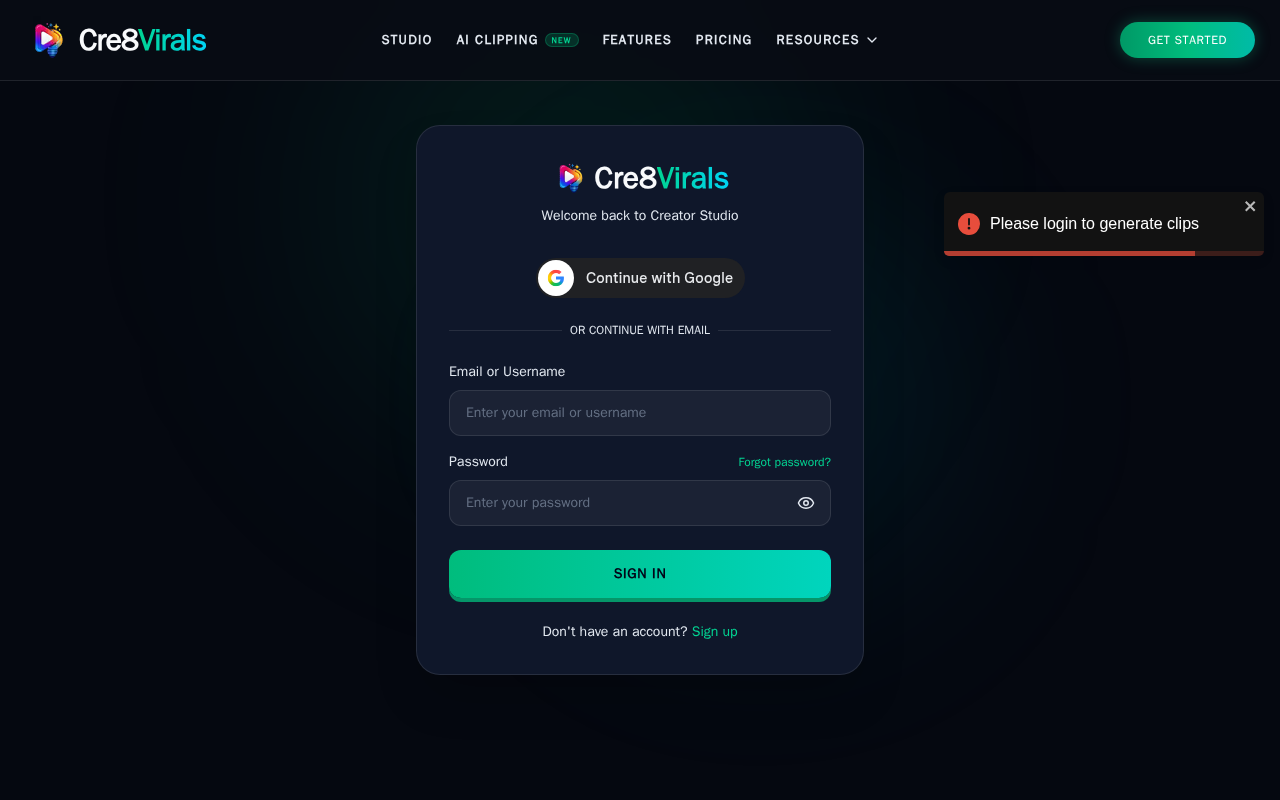
Try it: While logged out, open /studio/clipping, click Try sample, then Generate Clips. You land on /signin with "Welcome back to Creator Studio" and no next= parameter in the URL.
The faceless channel sample loads a Rick Astley rickroll link
Creators trying the clipper with its sample get a well-known joke video instead of the faceless channel example the button promises.
On /studio/clipping, the "Make Money With Faceless Channel" sample button fills the box with https://www.youtube.com/watch?v=dQw4w9WgXcQ, which is Rick Astley's "Never Gonna Give You Up". That is a music video, but the line under the box says "Supports public YouTube videos with speech", and the toast tells visitors to click 'Generate Shorts' when the button reads "Generate Clips". A creator meets this at the try step, and the sample looks like leftover placeholder content.
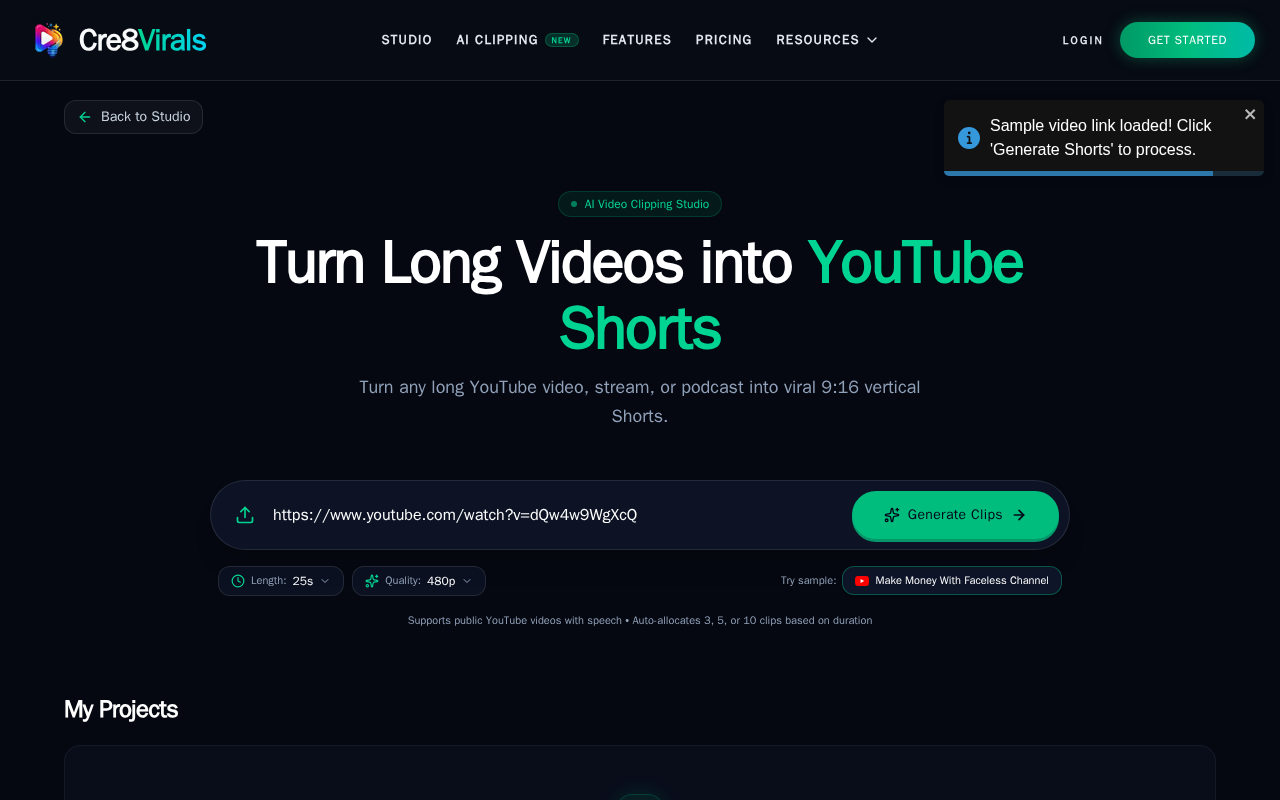
Try it: Open /studio/clipping and click "Make Money With Faceless Channel" next to "Try sample:". Read the URL that appears in the input.
The studio promises 4K thumbnails but the FAQ says 1280x720
Creators deciding whether to upgrade for thumbnails get two different resolution promises for the same paid feature.
On /studio, the AI Thumbnail Generator card lists "Ultra HD 4K Generation Presets" under "WHAT YOU GET". The home page FAQ "Are the thumbnails high resolution?" answers "Yes. All thumbnails are generated and exported in HD (1280x720". Thumbnails come with paid plans, so a buyer meets both claims while deciding to upgrade and cannot tell which resolution they will get.
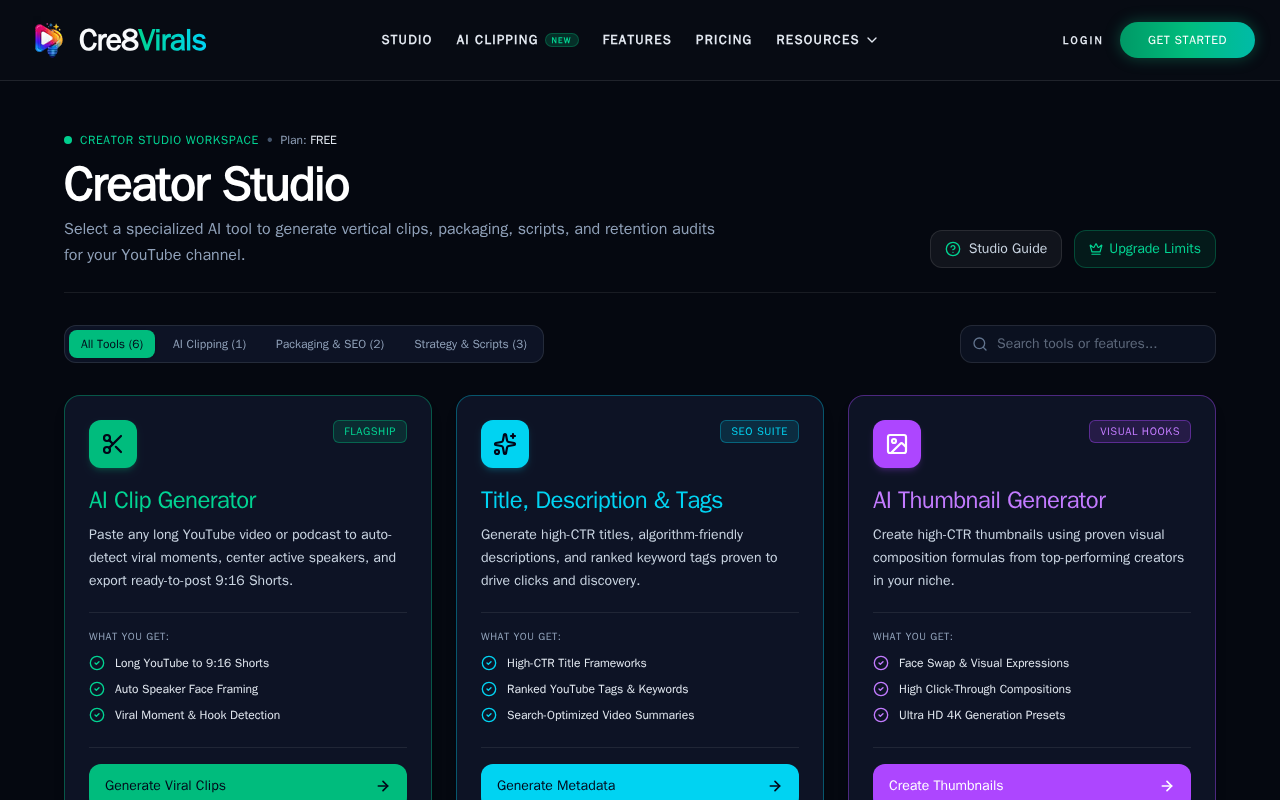
Try it: Open /studio and read the third item on the AI Thumbnail Generator card. Then open the home page and expand the FAQ "Are the thumbnails high resolution?".
Google's sign-in prompt hides the "See what each tool does" link on phones
On a 390px-wide phone screen, the fixed Google One Tap panel ("Sign in to cre8virals.com with Google") covers the bottom of the home page hero, where the "See what each tool does ↓" link sits. All five test points inside the focused link landed on the credential_picker_iframe instead of the link. The prompt can be closed, and the link is only a scroll shortcut on the understand step.
The home page is missing five security headers
The response from https://www.cre8virals.com/ is missing Content-Security-Policy, CSP frame-ancestors or X-Frame-Options, X-Content-Type-Options: nosniff, Referrer-Policy, and Cross-Origin-Resource-Policy.
Grey helper text on the home page falls below contrast minimums
On the home page, the slate grey text "Free plan: 6 clips to try" measures 4.2:1 contrast on its dark background, and the demo labels "Long video → Shorts" and "Podcasts, streams, shows, vlogs" measure as low as 3.8:1. The required minimum is 4.5:1. The text stays readable, but the free plan note is a small cue visitors see before they sign up.
Home page demo panels cannot be scrolled with a keyboard
On the home page, the 420 to 500px scrollable demo panels in the growth, SEO and script feature sections contain nothing focusable and cannot take focus themselves. Visitors who use only a keyboard cannot scroll them to see the rest of each example. The section copy and the buttons that lead to signup still work.
Probie fixes this for you.
Stop customers hitting the same friction. Connect your codebase and Probie reproduces these failures, tests the fix, and opens a pull request for your review.
Sign up and get this fixedFree inspection
What should Probie inspect next?
Enter a project URL. There is nothing to install.
Probie checks every issue twice, respects robots.txt, and backs off at bot challenges.
Enter an address and we will email the report card link.