We found 5 issueson mailaccess.proworth fixing.
Watch the inspection.
We navigate your site the way customers would. Idle time is skipped.
How the composite score works
The overall score is a weighted average: Visual 18.75%, Accessibility 25%, Buttons and links 31.25%, Under the hood 12.5%, and Mobile 12.5%. Unassessed categories are excluded and the remaining weights are normalized.
Product categories start at 100. Each distinct verified finding deducts 30 points for a reproduced flow defect, or 18 for critical, 12 for high, 7 for medium, and 3 for low stored detector severity. Scores stop at zero and round to whole numbers. All verified findings count, including those beyond the displayed list. The formula is fixed and versioned, so the same saved evidence always receives the same score.
The self-host page paints its main content in 4.8s
On /self-host at desktop width, Largest Contentful Paint measures 4780ms. That is above the 4000ms mark Google classes as poor, and it reproduced on a second fresh load. The page's main hero block is the last large element to settle, so the route reads as empty for most of that window.
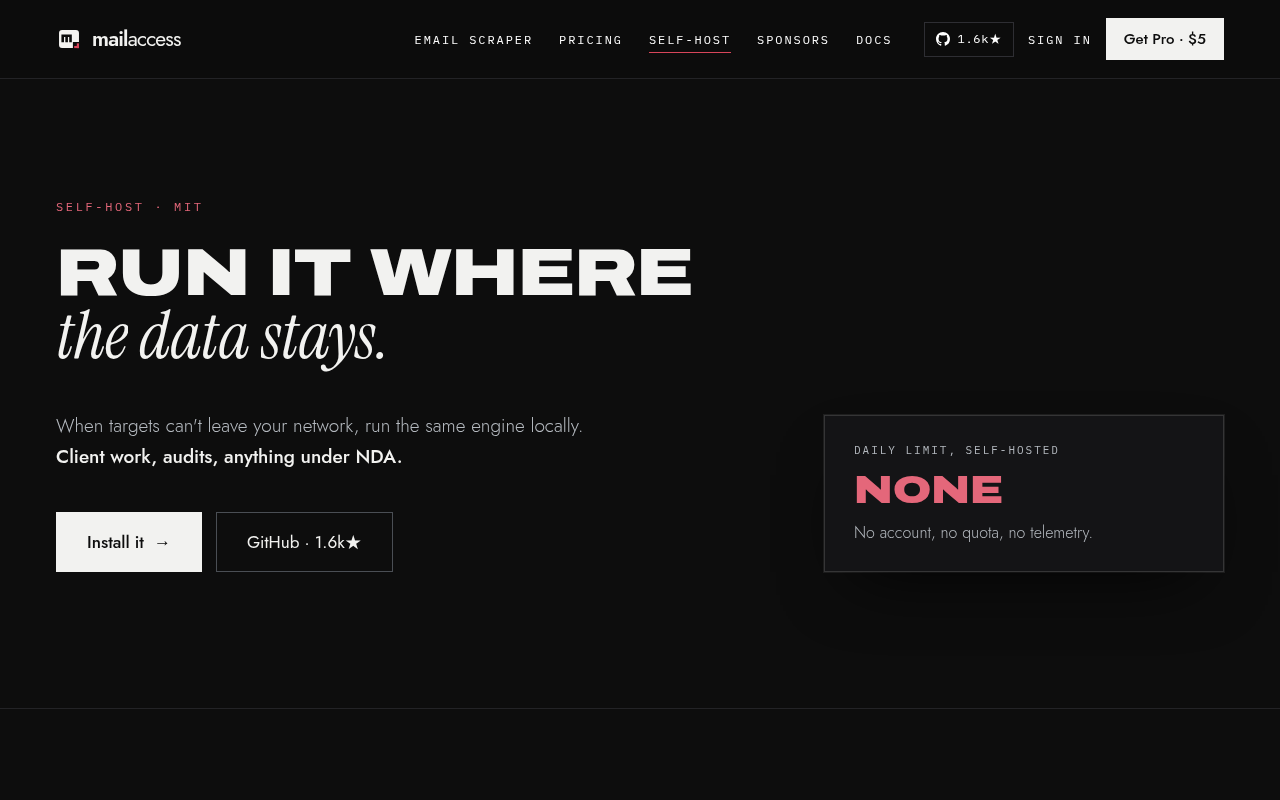
Try it: Open /self-host in a fresh desktop profile with DevTools Performance recording and read the LCP marker; it lands near 4.8s.
Shared links render without a preview image
The entry document at / declares no og:image. Title, description, og:title, og:description, canonical and the favicon are all present, and twitter:card is set to summary_large_image, which expects a large preview image that is never supplied. Links to the project shared on social platforms and chat apps fall back to a text-only card.
Try it: Load https://mailaccess.pro/ and search the page source for og:image, or paste the URL into a link-preview debugger and watch the card render without an image.
The home page omits the Cross-Origin-Resource-Policy header
The response from https://mailaccess.pro/ is missing Cross-Origin-Resource-Policy.
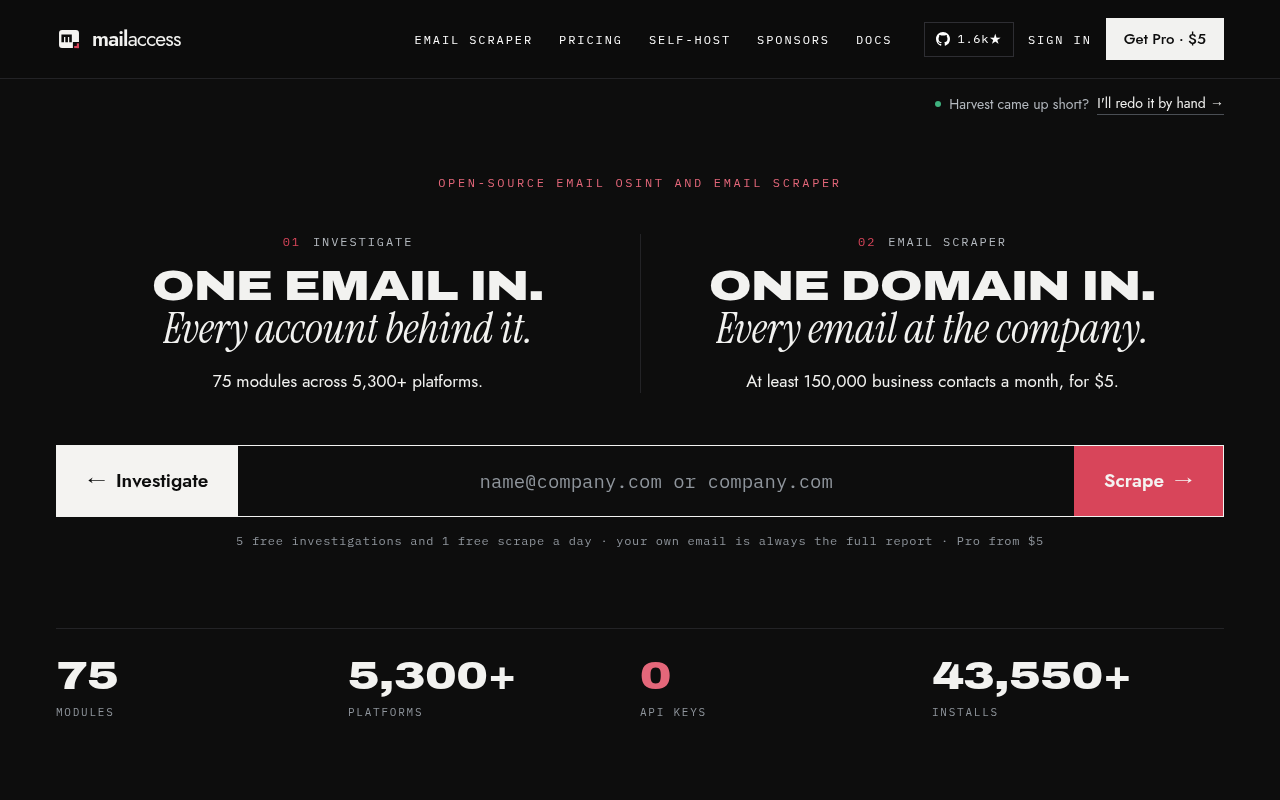
Try it: Run curl -I https://mailaccess.pro/ and look for a Cross-Origin-Resource-Policy header in the response.
Typed text spans carry aria-label without a role
On /, /self-host, /sponsors and /updates, animated typing spans set aria-label on a plain span with no role, which axe-core flags under aria-prohibited-attr at serious impact (WCAG 2.1 A, 4.1.2). Two examples are span[data-cps="30"] with aria-label "username jane_doe on 11 platforms · avatar hash match" and span[data-cps="26"] with aria-label "pip install mailaccess". Because the attribute is not permitted on a roleless span, assistive technology ignores those labels and the animated text is exposed as whatever is in the DOM at the time. 27 similar nodes were suppressed from this report.
Try it: Open / and run axe-core (or Lighthouse accessibility), then inspect the typing spans such as span[data-cps="30"] and confirm aria-label is present with no role attribute.
The sponsor headline text is clipped mid-letter
On /sponsors at mobile width, the "WHERE YOU APPEAR" block renders its headline text clipped horizontally through the middle of the glyphs. The script line under "TYPE YOUR BRAND." shows only the upper portion of its letters, with the lower halves cut away and roughly 300px of empty background below the cut. On a second load the same block clipped even higher, leaving only the top sliver of "TYPE YOU" visible and the rest of the text missing.
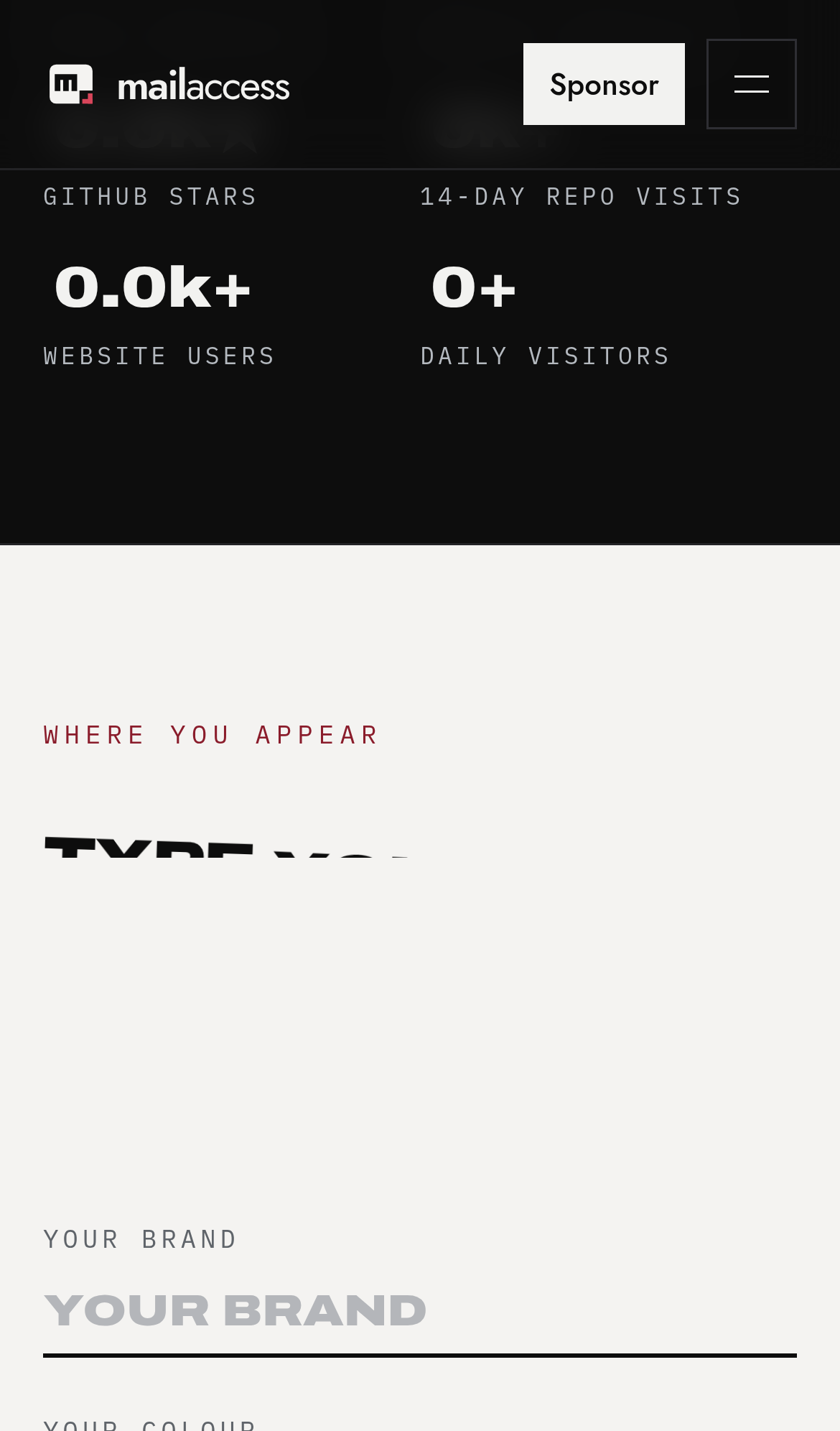
Try it: Open /sponsors on a 390px-wide viewport and scroll to the "WHERE YOU APPEAR" section; the headline and the script line below it are sliced through mid-glyph with blank space underneath.
A rough edge in the layout
The summary metadata line wraps so that a single word is orphaned onto its own right-aligned third line beneath the elapsed-time text.
A rough edge in the layout
The two stacked hero call to action buttons have different widths (filled button wider than the outlined button) and therefore misaligned right edges.
A rough edge in the layout
The section subheading paragraph renders in a very light gray on the near-white section background, giving low contrast against its backdrop.
Probie fixes this for you.
This report came from one visit. When installed on your project, Probie watches real sessions, reproduces failures, and opens tested fixes as pull requests.
Sign up and get this fixedFree inspection
What should Probie inspect next?
Enter a project URL. There is nothing to install.
Probie checks every issue twice, respects robots.txt, and backs off at bot challenges.
Enter an address and we will email the report card link.