We found 2 issuescosting you truston shifterx.io.
Watch the inspection.
We navigate your site the way customers would. Idle time is skipped.
How the composite score works
The overall score is a weighted average of the categories: Getting the product 40%, Trust before buying 20%, Mobile 15%, Speed 15%, and Polish and audit 10%. It is never more than 10 points above the Getting the product score, because a product a visitor cannot get cannot score well on anything else, and never more than 25 points above the weakest category, so one badly broken area is not averaged away. Any issue in the main list caps it at 89, so a score above 90 means nothing worth fixing was found.
Each category starts at 100 and stays there when nothing was found in it, whether or not the inspection got that far. Each distinct verified finding deducts 60 points for a serious problem on the path from arriving to paying, 40 for another serious problem, 30, 15 or 8 by high, medium or low severity otherwise, and 4 for an audit finding. Each additional finding below the list takes 2 more points off the overall score, up to 10. Scores stop at zero and round to whole numbers. The formula is fixed and versioned, so the same saved evidence always receives the same score.
ISP Proxies page promises $1.00 per IP but no plan costs that
ISP proxy buyers who compare per-IP prices see a $1.00 starting price that none of the listed plans offers.
The closing block on /services/isp-proxies says "Plans from $1.00 per IP," right above the "Try Shifter for Free" button. The pricing section on the same page lists the Lite plans at $2.50 and $2.00 per IP and the Regular plans at $1.68, $1.54, $1.40 and $1.26 per IP, so the cheapest plan is Growth at $1.26/IP. Buyers meet this on the pricing step, just before they click through to start a trial.
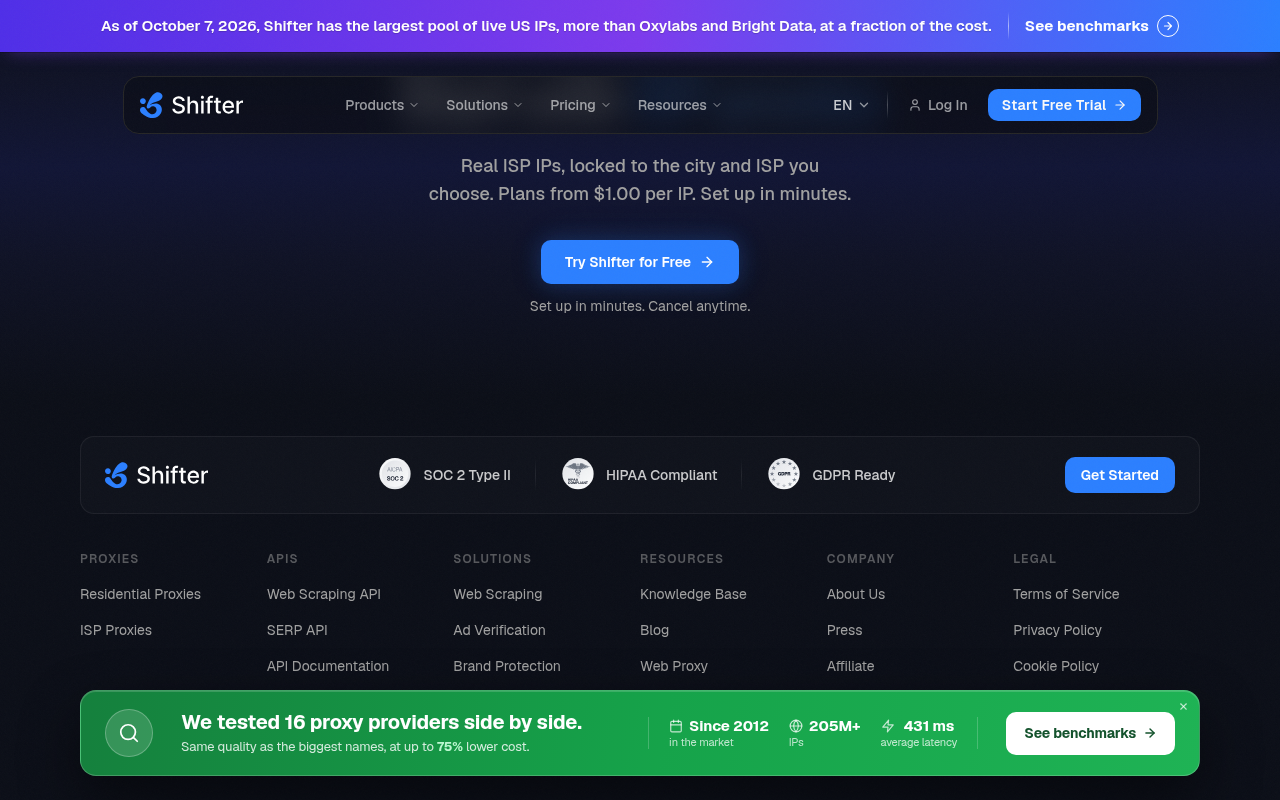
Try it: Open /services/isp-proxies and read the line above "Try Shifter for Free" at the bottom of the page. Then compare it with the Growth card in the Regular pricing tab, which shows $1.26/IP.
The banner claims to beat Bright Data but has no benchmark for it
Bright Data customers weighing a switch click through to check the headline claim and find no Bright Data data, and the comparison table lists Bright Data's pool as larger.
A banner on every page says Shifter has "the largest pool of live US IPs, more than Oxylabs and Bright Data" and links to "See benchmarks". The benchmarks list Oxylabs and 15 other providers but not Bright Data, and /benchmark/bright-data returns "404 · NOT FOUND". On /alternative/bright-data, the same banner sits above a table reading "205M+ residential IPs | 400M+ residential IPs", so a buyer comparing vendors sees the project's own page put Bright Data ahead.
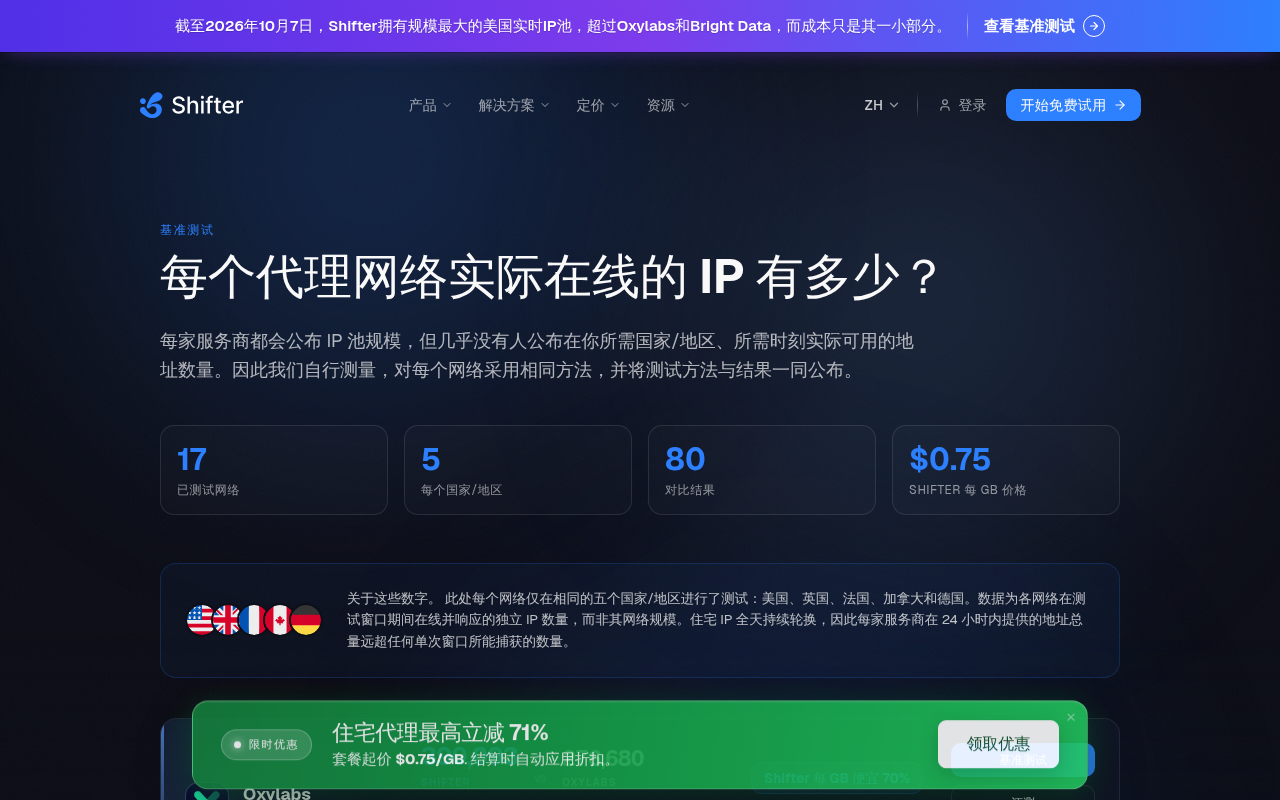
Try it: Open /alternative/bright-data, read the banner, then scroll to the IP Pool Size row of the comparison table. Then open /benchmark/bright-data and see the 404.
The home page product cards script fails to load
On the home page, the browser reports "Failed to fetch dynamically imported module: https://shifterx.io/_astro/product-cards-section.D2yKRhFJ.js" as a page error, and the error came back on a fresh load. This is the project's own script for the product cards section, which visitors meet at the understand step, before they compare prices or start a trial. Anything in that section that depends on the script does not run.
The "Configure Your Proxies" step on the homepage does not open
The "2 Configure Your Proxies" button in the homepage "How it works" section does nothing when clicked. Across a 5.8 second window there was no DOM change, request, scroll or animation, and the screenshots before and after the click are identical. The panel beside the steps stays a blank grey box, so a visitor at the understand step gets no explanation of how setup works.
The Python tab on the home page code sample does nothing on phones
On the home page code sample, tapping the "Python" tab on a phone changes nothing: the cURL tab stays selected and the cURL snippet stays on screen. The page made no DOM change, sent no request and did not scroll after the tap, and the same thing happened in a second fresh session. Developers who meet this while working out what Shifter offers cannot see how to connect from Python.
The home page hero script fails to load on every visit
The home page logs "Failed to fetch dynamically imported module: https://shifterx.io/_astro/hero-section.inrfgSlS.js" on load, and it did so again on a fresh load. The hero headline, subtext and both call-to-action buttons still render, so the failure only affects the hero's client-side behavior.
The home page features script fails to load on every visit
On the home page, the browser fails to load the module /_astro/bento-section.DLZXrCVq.js and logs "Failed to fetch dynamically imported module". The error happened again on a fresh load. The features grid text still renders, and one card shows only a logo, so the only visible effect is a likely missing interactive element in that section.
The homepage integrations script fails to load
On the homepage, the browser reports "Failed to fetch dynamically imported module" for /_astro/integration-section.D869N38O.js, and this happens again on a fresh load. Any interactive behaviour in that integrations section does not run. The hero, the trial buttons and the pricing links render normally in the captures.
The home page use-cases script fails to load
On the home page, the browser reports "Failed to fetch dynamically imported module" for /_astro/use-cases-section.CXYMN7kG.js, and the error repeats on a fresh load. The use-cases component depends on that script, so it may not hydrate for visitors trying to understand what Shifter is used for.
The home page fails to load its testimonial section script
On every load of the home page, the browser reports "Failed to fetch dynamically imported module" for /_astro/testimonial-section.Cat0_Wwd.js. That means the testimonial island's script never runs. Static testimonial markup may still render, and the captures do not show what the section looks like.
Probie fixes this for you.
Stop customers hitting the same friction. Connect your codebase and Probie reproduces these failures, tests the fix, and opens a pull request for your review.
Sign up and get this fixedFree inspection
What should Probie inspect next?
Enter a project URL. There is nothing to install.
Probie checks every issue twice, respects robots.txt, and backs off at bot challenges.
Enter an address and we will email the report card link.